


This is post, https://www.excelfox.com/forum/showt...ll=1#post25013
https://www.excelfox.com/forum/showthread.php/2986-Version-Info-using-VBA-and-registry-quirks-InterRegional-Settings-GmbH?p=25013&viewfull=1#post25013
https://www.excelfox.com/forum/showt...age2#post25013
https://www.excelfox.com/forum/showthread.php/2986-Version-Info-using-VBA-and-registry-quirks-InterRegional-Settings-GmbH/page2#post25013
Pondering.....
Some more Clsid stuff and revision, March 2025
Originally I was just interested in some more info on the annoyances of different settings coupled with Excel guessing what you want to see when you type something in a cell, ( https://eileenslounge.com/viewtopic....325768#p325768 , https://eileenslounge.com/viewtopic.php?f=27&t=42065 ) , but we slipped back into registry Clsid ponderings after some codings were unlikely to work with default VBA registry settings.
This post for the time being is another review/ refresh on the actual coding , with emphasis on bringing the thing into a single registry object coding to look at stuff. Why? – well I thought someone aught to by now….
Brief Review of the coding ideas, past/ previous
For a diverse number of reasons the codings of mine and Mike's have come about, and that is discussed to death in the posts above and other references therein.
Lets start again today, talking generally about the coding(s) as a whole, single like entity, sort of what's going on.
_ A "registry object" is made………. GetObject("winmgmts ……………..
_ That gets refined/ narrowed down a bit via a .EnumKey which has three arguments,
__the first narrows us down to (in our example the first) one of these 5 regedit explorer things ( https://i.postimg.cc/6pgdTX9M/The-5-...lorer-bits.jpg )
' HKEY_CLASSES_ROOT (2147483648#) (&H80000000)
' HKEY_CURRENT_USER (2147483649#)
' HKEY_LOCAL_MACHINE (2147483650#)
' HKEY_USERS (2147483651#)
' HKEY_CURRENT_CONFIG (2147483653#)
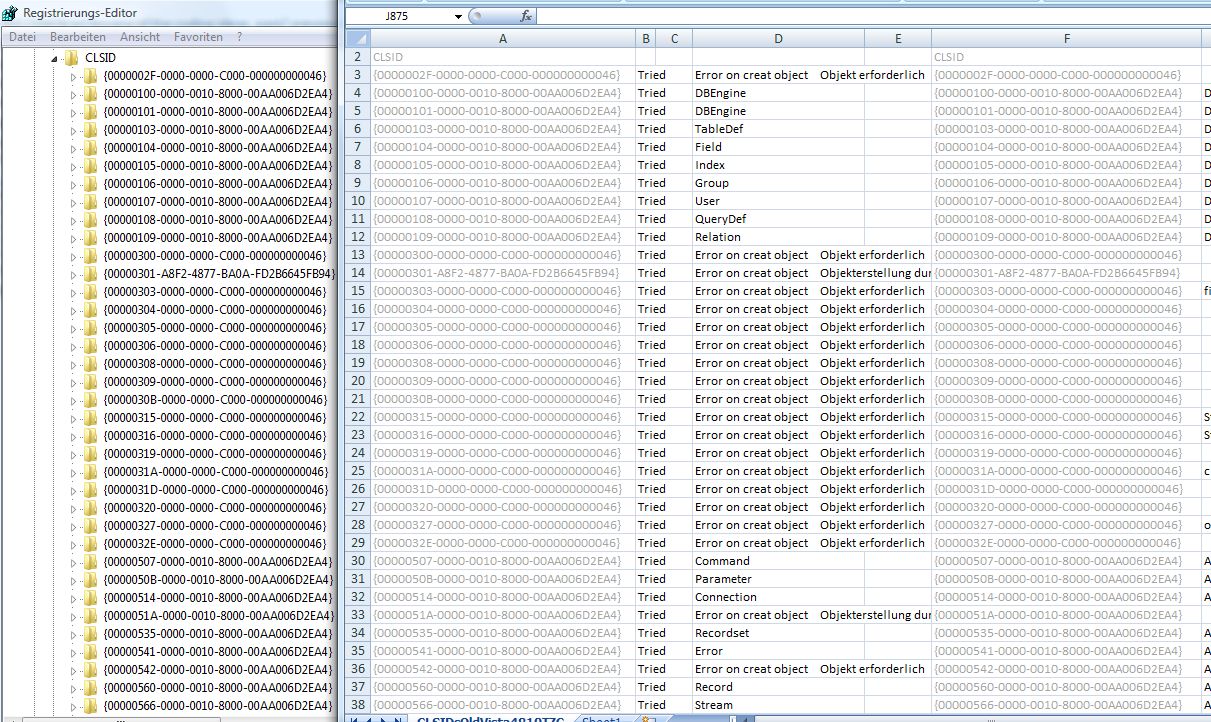
__ the second is a further narrowing down via part of the "explorer path length" string to get you somewhere. (In our example Mike use "CLSID" ( and me some erroneous "SOFTWARE\Classes\CLSID", but I think they end up both here at Clsid(** or maybe not ), because there is good correlation finally with what the third argument gets filled with https://i.postimg.cc/fTj235yG/Good-c...ion-CLSIDs.jpg
** First noticed in this review later in 2025.. We are both in fact not going to the same place. But I missed it as the lists look identical…… here we were going
HKEY_LOCAL_MACHINE - SOFTWARE\Classes\CLSID - ' Me
HKEY_CLASSES_ROOT - CLSID - ' Mike
__ the third argument is what you have to give, - a Variant is commonly used. A dynamic array seems to work as well, and it gets filled with those {Quid Clsid}s which seem to be just strings, (but you have to use a Variant type array declaration or the array comes back of the right size but something goes screwy and the elements are empty somehow erroneously)
_.___
At this point the codings differed a bit…
I did nothing else but print out (loop the ) the Clsid list. (Then later in a different coding I used it/ them in my attempt to do a
_ object = CreateObject("New:" & …… the {Clsid}
, followed by a
_ TypeName( … of the created object if it got one
Mike had a another use of the register object, an extra code line inside the loop to get the Clsid list, he had this which is not so different from the .EnumKey, this time its a .getstringvalue
, RegObject.getstringvalue &H80000000, "CLSID" & entryArray(ExRowCnt) & "\ProgId", "", KeyValue
, and we get just one thing back from the last argument this time, and that is a "ProgID" , if there is one, - some do have one, ( https://i.postimg.cc/QxY0cQH6/ProgID.jpg ) , ( and that code line don't error if there isn't one). The result often has similarities to the TypeName(object) that I get. (My way is more prone to errors and crashes, and other weird things)
So that is the Sunday summary / revision
Now a bit of a Sunday and Monday Late March 2025, Ponder
Ponder ponder ponder ....
still pondering, ....



 Reply With Quote
Bookmarks