This is post https://excelfox.com/forum/showthrea...ge53#post12803
https://excelfox.com/forum/showthread.php/2408-Windows-10-and-Office-Excel/page53#post12803
bitly link https://bit.ly/3lohUg2
tinyurl https://tinyurl.com/uwd4u88h
Testing making an exe from the new “WPF” winutil script.
( 17 May, 2022 )
So we did this before for the previous script: https://excelfox.com/forum/showthrea...ge43#post12695 , which was following Chris’s instructions, for example: https://www.youtube.com/watch?v=dyDMmfvwT2w&t=1436s , https://youtu.be/dyDMmfvwT2w?t=6841
TLDR: What you do
_ Get the ps1 file. Put it somewhere and make a note where it is, (because you will need to give that path in one of the commands later )
_ Open PowerShell, ( as Administrator ), and do the 4 commands, ( and you may also need to answer some prompts along the way with a single character)
So, the full story, I am attempting the same again as I did before with the old script ( https://excelfox.com/forum/showthrea...ge43#post12695 ) …..
Here we go
We need the .ps1 File.
Here is a app bix share link to the one Chris uploaded to GutHub and called a “soft release” on Tuesday 10 May, 2022. ( A week later, as I write this, and a few days after the official release video ,( https://www.youtube.com/watch?v=tPRv-ATUBe4 9.39 The Best Windows Tool for 2022-tPRv-ATUBe4_14 05 2022 https://app.box.com/s/s6eph5yveshrokjmdqedlarkwiz72nnb ) , it is still the newest available at GitHuib )
Share ‘ChrisWPFTuesday10May2022.ps1’ https://app.box.com/s/zvxfm8upvij18kirbh0i6g6qbenlra27
We need to put that File somewhere and make a note of the full Path, I have it at
D:\Temp Opt\GitHub\ChrisNewWPF\ChrisWPFTuesday10May2022.ps1 ( https://i.postimg.cc/sf0KLvm9/Have-10-May-ps1-file.jpg )
I open PowerShell as Administrator https://i.postimg.cc/tCb2hhmJ/Open-P...l-As-Admin.jpg
I do these 4 basic commands:
cd 'D:\Temp Opt\GitHub\ChrisNewWPF'
Set-ExecutionPolicy Unrestricted
( I get asked some stuff and answer with the options something like yes to all )
install-module ps2exe
( I get asked some stuff a couple of times , and answer with something like yes and yes to all)
ps2exe .\ ChrisWPFTuesday10May2022.ps1 .\ ChrisWPFTuesday10May2022.exe
The end result is that an exe appears: https://i.postimg.cc/brxg7Jdq/All-we...WPFwinutil.jpg , https://i.postimg.cc/Bb9N7DSh/exe-appeared.jpg
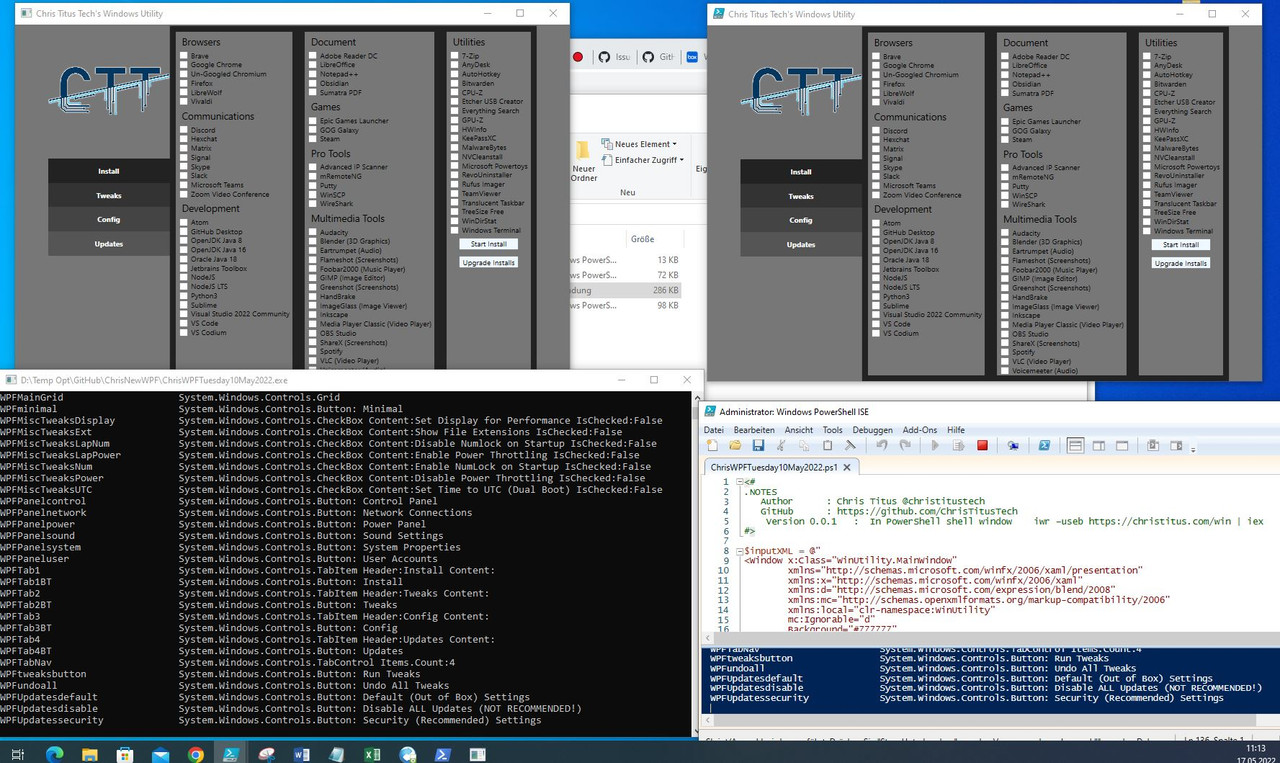
If I compare
_ what I get from double clicking on that exe file
, with
_ what I get when hitting the play button with the ps1 file in the ISE, ( https://i.postimg.cc/9MvQqXm5/Hit-da...ton-in-ISE.jpg , https://i.postimg.cc/L5L6kd5q/Hit-Pl...ton-in-ISE.jpg )
, then the results look at first glance to be identical: https://i.postimg.cc/CxP7T9Mn/WPFwin...f-made-exe.jpg
_.____________________
Here is the screenshot of the full commands and actions taken in the PowerShell window, ( and below is the exe I made !!! )
__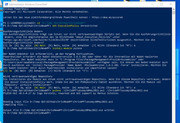
In this window below I have copied the entire text from that screenshot, and the text in Blue is what I actually typed in – that is 4 basic commands and 3 single character answers. A , J and A
Code:
Windows PowerShell
Copyright (C) Microsoft Corporation. Alle Rechte vorbehalten.

Lernen Sie das neue plattformübergreifende PowerShell kennen – https://aka.ms/pscore6
PS C:\WINDOWS\system32> cd 'D:\Temp Opt\GitHub\ChrisNewWPF'
PS D:\Temp Opt\GitHub\ChrisNewWPF> Set-ExecutionPolicy Unrestricted

Ausführungsrichtlinie ändern
Die Ausführungsrichtlinie trägt zum Schutz vor nicht vertrauenswürdigen Skripts bei. Wenn Sie die Ausführungsrichtlinie
 ändern, sind Sie möglicherweise den im Hilfethema "about_Execution_Policies" unter
"https:/go.microsoft.com/fwlink/?LinkID=135170" beschriebenen Sicherheitsrisiken ausgesetzt. Möchten Sie die
Ausführungsrichtlinie ändern?
[J] Ja  [A] Ja, alle  [N] Nein  [K] Nein, keine  [H] Anhalten  [?] Hilfe (Standard ist "N"): A
PS D:\Temp Opt\GitHub\ChrisNewWPF> install-module ps2exe

Der NuGet-Anbieter ist erforderlich, um den Vorgang fortzusetzen.
PowerShellGet erfordert die NuGet-Anbieterversion 2.8.5.201 oder höher für die Interaktion mit NuGet-basierten
Repositorys. Der NuGet-Anbieter muss in "C:\Program Files\PackageManagement\ProviderAssemblies" oder
"C:\Users\acer\AppData\Local\PackageManagement\ProviderAssemblies" verfügbar sein. Sie können den NuGet-Anbieter auch
durch Ausführen von 'Install-PackageProvider -Name NuGet -MinimumVersion 2.8.5.201 -Force' installieren. Möchten Sie
den NuGet-Anbieter jetzt durch PowerShellGet installieren und importieren lassen?
[J] Ja  [N] Nein  [H] Anhalten  [?] Hilfe (Standard ist "J"):  J

Nicht vertrauenswürdiges Repository
Sie installieren die Module aus einem nicht vertrauenswürdigen Repository. Wenn Sie diesem Repository vertrauen, ändern
 Sie dessen InstallationPolicy-Wert, indem Sie das Set-PSRepository-Cmdlet ausführen. Möchten Sie die Module von
'PSGallery' wirklich installieren?
[J] Ja  [A] Ja, alle  [N] Nein  [K] Nein, keine  [H] Anhalten  [?] Hilfe (Standard ist "N"):  A
PS D:\Temp Opt\GitHub\ChrisNewWPF> ps2exe .\ChrisWPFTuesday10May2022.ps1 .\ChrisWPFTuesday10May2022.exe
PS2EXE-GUI v0.5.0.27 by Ingo Karstein, reworked and GUI support by Markus Scholtes


Reading input file D:\Temp Opt\GitHub\ChrisNewWPF\ChrisWPFTuesday10May2022.ps1
Compiling file...

Output file D:\Temp Opt\GitHub\ChrisNewWPF\ChrisWPFTuesday10May2022.exe written
PS D:\Temp Opt\GitHub\ChrisNewWPF>
Summary: Recap What you do
_ Get the ps1 file. Put it somewhere and make a note where it is, (because you will need to give that path in one of the commands later )
_ Open PowerShell, ( as Administrator ), and do the 4 commands, ( and you may also need to answer some prompts along the way with a single character)
!!! The Final made exe:
Share ‘ChrisWPFTuesday10May2022.exe’ https://app.box.com/s/x6smoishgjjzurpo5of7jhxxl1pbuvni
made from this ps1 File:
Share ‘ChrisWPFTuesday10May2022.ps1’ https://app.box.com/s/zvxfm8upvij18kirbh0i6g6qbenlra27


 Reply With Quote
Bookmarks