ISE v Microsoft Office VBA VB Editor
I am very comfortable with the ISE, after I finally noticed it.
After a bit of fiddling I find it almost as good as the VBA VB Editor.
They look similar, and they are similar to a large extent
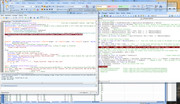
Looking at that last screenshot, we could say to a first approximation, as a Layman explanation,…
The PowerShell Window attached at the bottom of the ISE is similar in its working to the Excel Spreadsheet from which that VB Editor on the right belongs to ( You get that VB Editor up, from an open Excel spreadsheet, if you hit Alt+F11 ):…
When you run the ISE script, stuff goes on from within that PowerShell window, even if that is less obvious ; When you run coding in the VB Editor, stuff typically goes on from in the Excel spreadsheet, which is often more obvious since the spreadsheet may be caused to change by the coding.
Its all a bit more complicated than that, but that is a good initial Layman explanation.
Subtle difference in debug step mode, ( running line by line) - workaround
In the VB Editor its very easy. Click anywhere in the coding that you want to step through, then hit F8 and then each hit of F8 takes you to the next line, starting from the top
( If you want to start a bit further down, select the line you want to start from, hit F9, and that should cause that line to be highlighted in brown. ( That is called a stop point, ( you can also get it in the VB editor by clicking in the left margin where you want the stop point ) )
Now first hit the play button or F5. That takes you as far as the brown line, ( the coding runs and stops at the brown line). Now proceed as before with F8 to step line by line further.
A simple trick allows you to do the same in the ISE.
The stop point works the same. Use it to set a stop point towards the start of the script, or from where you want to step through the script. So, for example, select the first script line and hit F9. The first line should now be highlighted in brown.
After that it’s the same as with VB Editor, except use the F11 in when in the ISE, (rather than F8 as when in the VB Editor)
( If at any point during the stepping through, you want to continue from where you are normally:- it’s the same for both ISE and VB Editor: Hit the play button or F5. The code or script should then run normally from the point at which it ways when you do that )
( The difference in hoe ISE and VB Editor behaves here, seems to be a result of the PowerShell script needing to at least start running, even if you have it stopped at the start. This might explain why you get much better real time warnings of syntax errors as you write coding in the VB Editor. I will take a gauss that VBA somehow constantly does a quick run secretly as far as you are, or maybe its some sort of real time compiling, which I guess has the same effect )
Note: The F9 is a toggle thing – so to remove a stop point, select that brown highlighted line, hit F9, and the stop point should be taken off, indicated by the brown highlighting vanishing.
Ref
https://www.improvescripting.com/how...shell-scripts/
Adding code to existing script
Adding code to existing script ( merging ) , ( in particular without changing line numbers or shifting existing code up or down )
( Example IP hosts block merge )
This requirement is mostly just because I want to keep up to date with Chris’s stuff. So I don’t want to unnecessarily to shift things around too much.
I have created space in which to add my new scripting, because I # commented out the script of Chris’s that I don’t use. But I would like to keep it there for future reference, and to help me keep up to date with his stuff without losing the orientation
So that’s all well and good. No problem for adding a few code lines.
But it’s a pain in the arse for adding longer script, because in order to keep Chris’s stuff I must paste in line by line in the space – you can’t paste multi lines in a space without losing all the stuff over to the right
It’s not a major problem: VBA is very good for easily manipulating text files. It’s a bit off topic here, so over at these 3 posts
https://excelfox.com/forum/showthrea...age8#post16366 https://excelfox.com/forum/showthrea...ll=1#post16366
https://excelfox.com/forum/showthrea...age8#post16485 https://excelfox.com/forum/showthrea...ll=1#post16485
https://excelfox.com/forum/showthrea...age8#post16491 https://excelfox.com/forum/showthrea...ll=1#post16491
, I did some simple coding, using as a working example adding a long script to do the IP hosts block.
( Here the results: ' Temp7BeforeIPhostsInsert https://app.box.com/s/fttlmwny6y4s5ub1q66kvqbrw2ppxdwz
https://i.postimg.cc/T2K3rjbC/hosts-Before-2022-04.jpg
' blockIPhostsRawAll250 https://app.box.com/s/7019x59uvvxt7osvb0tojr0z4g7bfdgk
https://i.postimg.cc/pV3Xk9Yx/hosts-After-2022-04.jpg
' Temp8.ps1 https://app.box.com/s/9b9li86s7dyysr7exdle30pckgp7vscz )
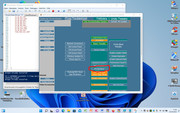
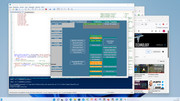
Temp8_02Apr2022.ps1 https://app.box.com/s/zz99n0yry1ssjs5wy3g0hj1qtwtpcnm1


 Reply With Quote
Bookmarks