


#502aPower Shell 7
Hans and Joe have put me on to this open source non Windows thing. (I think its still from Microsoft, and also its somehow involved with GitHub… https://eileenslounge.com/viewtopic....292238#p292238 https://eileenslounge.com/viewtopic....292008#p292008 https://eileenslounge.com/viewtopic....292018#p292018
There are a lot of useful links they gave which I will need to look through thoroughly when I have the time
Getting it, downloading, up and running etc. Intro.
Its fairly new, (at least compared with my most old stuff!) . Maybe for that reason the internet stuff on it is spares and some of seems a bit contradicting, in particular how and where it is downloaded. So I started playing around…
Download
There seems to be a lot of stuff, sometime contradictory about this.
For no particular reason I started doing it from a new button on me current in development Debloat [color=lightgrey ]/ Tool / Utility [/color]GUI thing. That is taking things perhaps a few step further than I might normally, but I am ( was) not sure where it goes, and I was a bit worried of only having one chance, that is to say not being able to get rid of it cleanly to start again, so I tried to hit a compromise a bit nearer to my current end goal, ince I want it possibly as an install option on the Debloat / Tool / Utility thing.
I put on a button, taking the syntax from a combination of internet searching and what was on some existing buttons
I clicked and it seemed that the first attempt hanged, ( that was evening 9 Feb )Code:$PS.Add_Click({ Write-Host "Installing PowerShell 7" $ResultText.text = "`r`n" +"`r`n" + "Installing PowerShell 7... Please Wait" winget install --id Microsoft.PowerShell --source winget| Out-Host if($?) { Write-Host "Installed PowerShell 7" } $ResultText.text = "`r`n" + "Finished Installing PowerShell 7" + "`r`n" + "`r`n" + "Ready for Next Task" })
https://i.postimg.cc/5ys1x1tj/Power-...instal-1-8.jpg
https://i.postimg.cc/T1dfMhfZ/Power-Shell-instal-2.jpg
https://i.postimg.cc/FRgNB05y/Power-...nstal-hung.jpg
I had to restart the computer, ( or stop the ISE through task-Manager ) to clear the hanged situation in the ISE and the GUI
Next Day:
On the second attempt at clicking the button ( morning 10 Feb ) it seemed to get a lot further
https://i.postimg.cc/J4SvjtSM/Power-Shell-instal-5.jpg
https://i.postimg.cc/6QXP1g9P/Power-Shell-instal-6.jpg
https://i.postimg.cc/q7xFfwqv/Power-Shell-instal-7.jpg
https://i.postimg.cc/6pRSctNR/Power-Shell-instal-9.jpg
https://i.postimg.cc/yYD2J0QL/Power-...y-finished.jpg
When I finally found where some of the stuff was, it seemed to suggest it was put there on the 9 Feb.
https://i.postimg.cc/9FjRNY6k/seemed...-yesterday.jpg
( Note also that WindowsPowerShell is also there, (and that is possibly related to what I find at a place that some internet research suggested I should find not the existing 5.1 and the new 7.2. In fact I only see after the install the existing 5.1 https://i.postimg.cc/52rfDxHt/Window...-2-install.jpg Note also that nothing related to 5.1 ( WindowsPowerShell) seems to be in the normal program list )
As I found where it was, and it appeared as a normal installed program,
https://i.postimg.cc/TYjN5Qjq/de-install-1-2.jpg
https://i.postimg.cc/kXPh5LSg/de-install-3.jpg
, I de installed it just for fun, so as to be able to install it again
Second attempt at instal:
I hit the button again and it seemed to install
https://i.postimg.cc/k5q4KLMc/Install-1.jpg
https://i.postimg.cc/9QG04c20/Install-2.jpg
https://i.postimg.cc/13x45fLb/Install-3.jpg
https://i.postimg.cc/sDGvrp0p/Install-4.jpg
https://i.postimg.cc/JnhzdJkH/Install-5.jpg
https://i.postimg.cc/8k0j9ywp/Install-6.jpg
https://i.postimg.cc/1zr8ds72/Install-7.jpg
Once again it seemed to hang, , but this time I looked at this stage at the place it was in, and it would appear to be there. https://i.postimg.cc/Fz8zSR1d/Seemed...-its-there.jpg
So I made a copy of the 7 Folder, https://i.postimg.cc/cH1vy2VH/Kopie-7.jpg , then used task manager to stop the hanged stuff, https://i.postimg.cc/nh7jvv4H/Right-...sk-Manager.jpg , https://i.postimg.cc/j58Lsvbh/Task-M...SE-process.jpg , then re started the script and re clicked the button.
On this second, second attempt the download went as before, but did not hang.
So this was the same as by the first second attempt.
A quick look suggests that nothing has changed, https://i.postimg.cc/L6GgYyZC/Kopie-...nd-attempt.jpg , and so an initial conclusion is that the first attempts, that is to say the first clicks which appeared to end in a hang, did actually in fact produce a successful download
#502bChecking a few things now I have PowerShell 7
#502b issue with service "dmwappushservice"
http://www.eileenslounge.com/viewtop...292235#p292235
http://www.eileenslounge.com/viewtop...292005#p292005
https://excelfox.com/forum/showthrea...ge50#post12768
If we take a look now, using PowerShell 7.2 to do this, on a non tweaked machine ( Win 10 20H2 (Build 19042.1466) ) ,
Get-Service|Select-Object name,displayname, starttype |Format-Table -AutoSize|Out-File -FilePath 'C:\Users\acer\Desktop\teststarttype.txt' -Width 1000
Get-Service|Select-Object name,displayname,startuptype|Format-Table -AutoSize|Out-File -FilePath 'C:\Users\acer\Desktop\teststartuptype.txt' -Width 1000
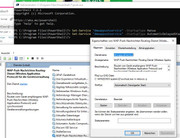
, then we can see that, for example by "dmwappushservice" , then now we can also get the option of Automatic (Delayed Start)
https://i.postimg.cc/VLHKgShb/Got-Au...ayed-Start.jpg https://i.postimg.cc/HkqBGqdY/Got-Au...ayed-Start.jpg
Share ‘teststarttype.txt’ https://app.box.com/s/u4xxiefbgh2b13e3vn10ho2l497lbzn5
Share ‘teststartuptype.txt’ https://app.box.com/s/q7lxmr1ffz9slf24cpgk7c1db3mourd4
Set-Service "dmwappushservice"
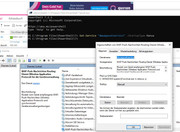
On the same computer I confirmed that I can set the option of Automatic (Delayed Start) provided I use something like this in PS7
Set-Service "dmwappushservice" –StartupType AutomaticDelayedStart
https://i.postimg.cc/BQDjYkYc/Set-Se...rter-Start.jpg
https://i.postimg.cc/BnBXsDGj/Set-Se...ice-Manual.jpg
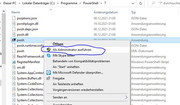
But note that I will need to open as Administrator , https://i.postimg.cc/vm8DmBQ3/Right-Click-PS7-Admin.jpg
, or else it will error, https://i.postimg.cc/13QfLBbx/Oops-P...t-as-Admin.jpg



 Reply With Quote
Bookmarks