


Extending download tool options to include chocolatey
Currently Chris’s tool on first running checks for if the Microsoft App winget is installed. If not, it is installed. This app is somehow used to download other things form a “Microsoft store”.
Previously Chris had a button to choose to install an alternative downloading app tool, chocolatey, which you can then use to download other things if you choose. ( https://excelfox.com/forum/showthrea...ge51#post12782
Script: 04.12.2020 The Best Windows 10 Toolbox
Share ‘Chris2December2020FirstGUI.ps1’ https://app.box.com/s/2btpz9fefsc57eqagy5iz9janq7622zg )
I was thinking of adding a multiple downloading App option, allowing you to use winget or chocolatey. (Those download tools may themselves first needs to be downloaded )
There seems to be some mixed opinions on what is best, Examples : https://www.youtube.com/watch?v=rPfz...RP5PL5l4AaABAg
https://github.com/ChrisTitusTech/wi...ipt/issues/229
Originally Chris was keen on, and used , chocolatey. He seems as keen on winget now. But he often swings a bit from one thing to the other. Sometimes it seems justifiable, sometimes it just seems like he is like that.
I am less keen generally on downloading stuff on the tool, especially as whether it works or not seems to be a bit unpredictable and changes, especially for winget.
But I might keep the option for now. Having the two options will increase the chance of it working.
What I thought would be cool is that if the background color of the buttons for you winget or chocolatey would be different, and on clicking them, the download background color of the buttons for the downloads changed correspondingly, and at the same time some flag was set to indicate which of the two download tools should be used
( One small complication for now: The winget install does not seem to work in a button.
https://eileenslounge.com/viewtopic.php?f=12&t=37771
https://excelfox.com/forum/showthrea...ge51#post16363
I will ignore that for now, and leave in Chris’s script at the start that installs it if necessary)
First I have at this stage the winget install button. It’s after most of the other buttons are made, so I can apply the background colour change to the download buttons. I will choose navy for winget and brown for chocolatey
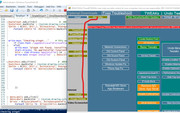
Examining the existing button I made for winget install, https://excelfox.com/forum/showthrea...6363#post16363 , we see we can make a bit of room by shifting everything down a bit, https://i.postimg.cc/HxVqtwhM/Shift-...make-space.jpg
A simple ForEach on an array of the relevant download button object variables gives us a convenient way to colour the background of the buttons
Later in the buttons, we can use a check on that color to determine what of the download apps is usedCode:$GetWinGet.BackColor = [System.Drawing.ColorTranslator]::FromHtml("#000080") # this could go in the array as well $Dnlds = @($PS, $PS7_2, $winterminal, $notepad, $vscode, $vscodium, $firefox, $gchrome, $mpc) ForEach ($Dnld in $Dnlds){$Dnld.BackColor = [System.Drawing.ColorTranslator]::FromHtml("#000080" )} #000080 navy .BackColor.Name is ff000080
_._________
Chocalety button
I don’t have this yet on my current script version, but I have a space that I anticipated using,, and so adding the button is easy, just as I added all the rest:
Three main things to do, ( It would be only two if I was not using a panel)
This first bit uses my buttton making function
This second bit adds the button to a panelCode:$GetWinGet = Create-Button -Text "winget" -FntSz 9 -Width 117 -Height 21 -ClmX 3 -RwY 1 -FClr "#FFFFFF" -BClr "#417394" ; $Getchoco = Create-Button -Text "chocolatey" -FntSz 9 -Width 117 -Height 21 -ClmX 121 -RwY 1 -FClr "#FFFFFF" -BClr "#417394"
( I don’t need to do the third bit, add the panel to the form, as the panel is that already added and having the winget button )Code:$Panel10.controls.AddRange(@($GetWinGet, $Getchoco))
The same technique for the background colouring can be applied at the start of, as I add, a new .Add_Click bit for chocolatey.
https://i.postimg.cc/zGPtFv4H/Added-...-Add-Click.jpg
It seems to work OK, ( I chose Olive as a common standard html color, close to brown color )
https://i.postimg.cc/KYCTZkHb/Olive-...chocolatey.jpg
Before moving on with the download issues, I want to review some downloading PowerShell. I may add a lot more to that later, so I will do it all in its own post, the next one. I may or may not come back to this post.

 Reply With Quote
Bookmarks