Page 52 of 93 FirstFirst ... 242505152535462 ... LastLast
Results 511 to 520 of 935

Thread: Windows 10 and Office Excel

Hybrid View

Previous Post Previous Post   Next Post Next Post
  1. #1
    Fuhrer, Vierte Reich DocAElstein's Avatar
    Join Date
    Aug 2014
    Posts
    10,457
    Rep Power
    10
    Extending download tool options to include chocolatey

    Currently Chris’s tool on first running checks for if the Microsoft App winget is installed. If not, it is installed. This app is somehow used to download other things form a “Microsoft store”.
    Previously Chris had a button to choose to install an alternative downloading app tool, chocolatey, which you can then use to download other things if you choose. ( https://excelfox.com/forum/showthrea...ge51#post12782
    Script: 04.12.2020 The Best Windows 10 Toolbox
    Share ‘Chris2December2020FirstGUI.ps1’ https://app.box.com/s/2btpz9fefsc57eqagy5iz9janq7622zg
    )

    I was thinking of adding a multiple downloading App option, allowing you to use winget or chocolatey. (Those download tools may themselves first needs to be downloaded )
    There seems to be some mixed opinions on what is best, Examples : https://www.youtube.com/watch?v=rPfz...RP5PL5l4AaABAg
    https://github.com/ChrisTitusTech/wi...ipt/issues/229

    Originally Chris was keen on, and used , chocolatey. He seems as keen on winget now. But he often swings a bit from one thing to the other. Sometimes it seems justifiable, sometimes it just seems like he is like that.
    I am less keen generally on downloading stuff on the tool, especially as whether it works or not seems to be a bit unpredictable and changes, especially for winget.
    But I might keep the option for now. Having the two options will increase the chance of it working.
    What I thought would be cool is that if the background color of the buttons for you winget or chocolatey would be different, and on clicking them, the download background color of the buttons for the downloads changed correspondingly, and at the same time some flag was set to indicate which of the two download tools should be used
    ( One small complication for now: The winget install does not seem to work in a button.
    https://eileenslounge.com/viewtopic.php?f=12&t=37771
    https://excelfox.com/forum/showthrea...ge51#post16363

    I will ignore that for now, and leave in Chris’s script at the start that installs it if necessary)
    First I have at this stage the winget install button. It’s after most of the other buttons are made, so I can apply the background colour change to the download buttons. I will choose navy for winget and brown for chocolatey

    Examining the existing button I made for winget install, https://excelfox.com/forum/showthrea...6363#post16363 , we see we can make a bit of room by shifting everything down a bit, https://i.postimg.cc/HxVqtwhM/Shift-...make-space.jpg
    A simple ForEach on an array of the relevant download button object variables gives us a convenient way to colour the background of the buttons
    Code:
       $GetWinGet.BackColor = [System.Drawing.ColorTranslator]::FromHtml("#000080") # this could go in the array as well 
       $Dnlds = @($PS, $PS7_2, $winterminal, $notepad, $vscode, $vscodium, $firefox, $gchrome, $mpc)
          ForEach ($Dnld in $Dnlds){$Dnld.BackColor = [System.Drawing.ColorTranslator]::FromHtml("#000080" )} #000080 navy .BackColor.Name is ff000080 
    Later in the buttons, we can use a check on that color to determine what of the download apps is used


    _._________

    Chocalety button
    I don’t have this yet on my current script version, but I have a space that I anticipated using, , and so adding the button is easy, just as I added all the rest:
    Three main things to do, ( It would be only two if I was not using a panel)
    This first bit uses my buttton making function
    Code:
     $GetWinGet = Create-Button -Text "winget" -FntSz 9 -Width 117 -Height 21 -ClmX 3 -RwY 1 -FClr "#FFFFFF" -BClr "#417394"   ;  $Getchoco = Create-Button -Text "chocolatey" -FntSz 9 -Width 117 -Height 21 -ClmX 121 -RwY 1 -FClr "#FFFFFF" -BClr "#417394" 
    This second bit adds the button to a panel
    Code:
     $Panel10.controls.AddRange(@($GetWinGet, $Getchoco))
    ( I don’t need to do the third bit, add the panel to the form, as the panel is that already added and having the winget button )


    The same technique for the background colouring can be applied at the start of, as I add, a new .Add_Click bit for chocolatey.
    https://i.postimg.cc/zGPtFv4H/Added-...-Add-Click.jpg
    It seems to work OK, ( I chose Olive as a common standard html color, close to brown color )
    https://i.postimg.cc/KYCTZkHb/Olive-...chocolatey.jpg


    Before moving on with the download issues, I want to review some downloading PowerShell. I may add a lot more to that later, so I will do it all in its own post, the next one. I may or may not come back to this post.
    Last edited by DocAElstein; 04-08-2022 at 08:16 PM.

  2. #2
    Fuhrer, Vierte Reich DocAElstein's Avatar
    Join Date
    Aug 2014
    Posts
    10,457
    Rep Power
    10
    This is post https://excelfox.com/forum/showthrea...e52#post127912
    https://excelfox.com/forum/showthread.php/2408-Windows-10-and-Office-Excel/page52#post127912


    Collecting a few downloading PowerShell scripts

    I can get some of this info from the archived stuff I recently learnt how to get at, ( https://excelfox.com/forum/showthrea...ge51#post12780
    https://excelfox.com/forum/showthrea...ge41#post12675
    ).
    As well as the basic download app, (chocalatrey or winget, I also look at some other stuff, for example, Richard’s original .Net 3.5, and Brave browser as that was done outside the download app initially


    Richard Newton’s original .Net 3.5, from around March 6 - October 2019, when Chris had not noticed yet that Richard already had a GUI!
    Code:
     $InstallNet35.Add_Click( {
    Write-Host "Initializing the installation of .NET 3.5..."
    DISM /Online /Enable-Feature /FeatureName:NetFx3 /All
    Write-Host ".NET 3.5 has been successfully installed!"
    } )
    Share ‘Richard6March2019GUI.ps1’ https://app.box.com/s/9jb475u0zfxub44hw0sd7212kft6moi7
    In April 2020 it had not changed, nor in April 2022

    _.________

    ChrisFirstScript27July2020.ps1 ( Not GUI )

    Code:
    Function InstallTitusProgs {
    Write-Output "Installing Chocolatey"
    Set-ExecutionPolicy Bypass -Scope Process -Force; [System.Net.ServicePointManager]::SecurityProtocol = [System.Net.ServicePointManager]::SecurityProtocol -bor 3072; iex ((New-Object System.Net.WebClient).DownloadString('https://chocolatey.org/install.ps1'))
    choco install chocolatey-core.extension -y
    Write-Output "Running O&O Shutup with Recommended Settings"
    Import-Module BitsTransfer
    Start-BitsTransfer -Source "https://raw.githubusercontent.com/ChrisTitusTech/win10script/master/ooshutup10.cfg" -Destination ooshutup10.cfg
    Start-BitsTransfer -Source "https://dl5.oo-software.com/files/ooshutup10/OOSU10.exe" -Destination OOSU10.exe
    ./OOSU10.exe ooshutup10.cfg /quiet
    }
    Share ‘ChrisFirstScript27July2020.ps1’ https://app.box.com/s/atcfp24bua063oi2mui4cf9hs5yada39

    _.__________________

    ChrisSecond( He says Version1)Script29Oct2020.ps1

    Function InstallTitusProgs is same as last script, for example to get chocolatey download app
    Brave added fist time

    Code:
    Function InstallBrave {
    do
    {
    Clear-Host
    Write-Host "================ Do You Want to Install Brave Browser? ================"
    Write-Host "Y: Press 'Y' to do this."
    Write-Host "2: Press 'N' to skip this."
    Write-Host "Q: Press 'Q' to stop the entire script."
    $selection = Read-Host "Please make a selection"
    switch ($selection)
    {
    'y' { 
    Invoke-WebRequest -Uri "https://laptop-updates.brave.com/download/CHR253" -OutFile $env:USERPROFILE\Downloads\brave.exe
    ~/Downloads/brave.exe
    }
    'n' { Break }
    'q' { Exit }
    }
    }
    until ($selection -match "y" -or $selection -match "n" -or $selection -match "q")
    
    }
    Share ‘ChrisSecond(Version1)Script29Oct2020.ps1’ https://app.box.com/s/s7zwspwft02klem81c747wpoycarkjac

    _._________________

    Chris2December2020FirstGUI

    Code:
    $installchoco.Add_Click({ 
    Write-Host "Installing Chocolatey"
    Set-ExecutionPolicy Bypass -Scope Process -Force; [System.Net.ServicePointManager]::SecurityProtocol = [System.Net.ServicePointManager]::SecurityProtocol -bor 3072; iex ((New-Object System.Net.WebClient).DownloadString('https://chocolatey.org/install.ps1'))
    choco install chocolatey-core.extension -y
    $wshell.Popup("Operation Completed",0,"Done",0x0)
    })


    $brave.Add_Click({ 
    Invoke-WebRequest -Uri "https://laptop-updates.brave.com/download/CHR253" -OutFile $env:USERPROFILE\Downloads\brave.exe
    ~/Downloads/brave.exe
    })

    Share ‘Chris2December2020FirstGUI.ps1’ https://app.box.com/s/2btpz9fefsc57eqagy5iz9janq7622zg


    _._______________

    Chris7JulySecondGUIGreyGUI2021.ps1
    First use of winget

    Code:
    Try{
    # Check if winget is already installed
    $er = (invoke-expression "winget -v") 2>&1
    if ($lastexitcode) {throw $er}
    Write-Host "winget is already installed."
    }
    Catch{
    # winget is not installed. Install it from the Github release
    Write-Host "winget is not found, installing it right now."
    
    $download = "https://github.com/microsoft/winget-cli/releases/download/v1.0.11692/Microsoft.DesktopAppInstaller_8wekyb3d8bbwe.msixbundle"
    $output = $PSScriptRoot + "\winget-latest.appxbundle"
    Write-Host "Dowloading latest release"
    Invoke-WebRequest -Uri $download -OutFile $output
    
    Write-Host "Installing the package"
    Add-AppxPackage -Path $output
    }
    Finally {
    # Start installing the packages with winget
    #Get-Content .\winget.txt | ForEach-Object {
    # iex ("winget install -e " + $_)
    #}
    }


    $brave.Add_Click({
    Write-Host "Installing Brave Browser"
    winget install BraveSoftware.BraveBrowser | Out-Host
    if($?) { Write-Host "Installed Brave Browser" }
    })
    Share ‘Chris7July2021.ps1’ https://app.box.com/s/2btpz9fefsc57eqagy5iz9janq7622zg


    _.______________________________________

    From here some work was done at GitHub Pulls on how winget was got

    Dynamically get the download Uri for the latest stable release of winget 3 Aug 2021

    Code:
      Try{
    # Check if winget is already installed
    $er = (invoke-expression "winget -v") 2>&1
    if ($lastexitcode) {throw $er}
    Write-Host "winget is already installed."
    }
    Catch{
    # winget is not installed. Install it from the Github release
    Write-Host "winget is not found, installing it right now."
    $asset = Invoke-RestMethod -Method Get -Uri 'https://api.github.com/repos/microsoft/winget-cli/releases/latest' | ForEach-Object assets | Where-Object name -like "*.msixbundle"
    $output = $PSScriptRoot + "\winget-latest.appxbundle"
    Write-Host "Downloading latest winget release"
    Invoke-WebRequest -Uri $asset.browser_download_url -OutFile $output
    Write-Host "Installing the winget package"
    Add-AppxPackage -Path $output
    Write-Host "Cleanup winget install package"
    if (Test-Path -Path $output) {
    Remove-Item $output -Force -ErrorAction SilentlyContinue
    }
    }
    Finally {
    # Start installing the packages with winget
    #Get-Content .\winget.txt | ForEach-Object {
    # iex ("winget install -e " + $_)
    #}
    }
    DynamicGetUriForLatestStablerelOfwinget3Aug2021.ps 1 https://app.box.com/s/7rmx2zsasymftrikjojjs3p3g1g8lng6


    _._______________________________

    MicrosoftStoreWinget28Aug2021

    Code:
     Write-Host "Checking winget..."
    Try{
    # Check if winget is already installed
    $er = (invoke-expression "winget -v") 2>&1
    if ($lastexitcode) {throw $er}
    Write-Host "winget is already installed."
    }
    Catch{
    # winget is not installed. Install it from the Microsoft Store
    Write-Host "winget is not found, installing it right now."
    Start-Process "ms-appinstaller:?source=https://aka.ms/getwinget"
    $nid = (Get-Process AppInstaller).id
    Wait-Process -Id $nid
    }
    Finally {
    # Start installing the packages with winget
    #Get-Content .\winget.txt | ForEach-Object {
    # iex ("winget install -e " + $_)
    #}
    }
    MicrosoftStoreWinget28Aug2021.ps1 https://app.box.com/s/0hde8k4ocsvx57l6ozldd8nxss6l8lmj

    _.________________________________________________ _____

    SlimedWinget31Aug2021
    Code:
     Write-Host "Checking winget..."
    # Check if winget is installed
    if (Test-Path ~\AppData\Local\Microsoft\WindowsApps\winget.exe){
    'Winget Already Installed'
    } 
    else{
    # Installing winget from the Microsoft Store
    Write-Host "Winget not found, installing it now."
    Start-Process "ms-appinstaller:?source=https://aka.ms/getwinget"
    $nid = (Get-Process AppInstaller).Id
    Wait-Process -Id $nid
    Write-Host Winget Installed
    }
    SlimedWinget31Aug2021.ps1 https://app.box.com/s/llsza3dbwdgnvn8no0tl5pr4ink8e2ya
    Last edited by DocAElstein; 04-11-2022 at 01:38 AM.

  3. #3
    Fuhrer, Vierte Reich DocAElstein's Avatar
    Join Date
    Aug 2014
    Posts
    10,457
    Rep Power
    10
    slkhflskhfslkhf

  4. #4
    Fuhrer, Vierte Reich DocAElstein's Avatar
    Join Date
    Aug 2014
    Posts
    10,457
    Rep Power
    10
    This is post #519 https://excelfox.com/forum/showthrea...ge52#post12794
    https://excelfox.com/forum/showthread.php/2408-Windows-10-and-Office-Excel/page52#post12794


    Process Manager

    This is a bit late in the winter for me to be still posting stuff here, and perhaps a bit off-topic, ( actually as it went on, maybe not so off-topic.. )
    By chance I stumbled on a short YouTube play list: https://www.youtube.com/watch?v=Qh_s...qYMCmHkbEIiver
    Initially I saw it as a nice well explained PowerShell GUI series to help my recently acquired PowerShell GUI knowledge. But then as I got more into understanding the second video, ( Process Manager - https://www.youtube.com/watch?v=GQSQ...EIiver&index=2 ) , I suddenly realised that there might be some application to some of my Debloat script ideas.

    I wont take this much further until much later in the year, but these notes are just intended to remind me of what I learnt to the workings of the script, in particular the Process Manager. I am basically working through, and doing a walkthrough explanation of, the script given : https://pastebin.com/b5VMrmz7

    _.___________
    Some basic script coding of relevance/ differences to VBA

    Basic concepts: . and | ( “dot” and “pipe/Piping” )

    I think if you know VBA then you can fairly easily pick up PowerShell.
    There is a similar object orientated hierarchical idea which you get through a . , and that is pretty well the same as in VBA.
    But then there is a similar concept in parallel, a piping, | , which works a bit as its name suggests in that you filter or select/modify things as you go along the pipe sections: Think of it as pipes of different dimensions and / or pipes that filter or use or present the stuff flowing in different ways. The | separates the different sections. Some of the things going on in these stream like piping concepts sections are similar to SQL stuff

    For Each Looping
    In VBA this idea can be shown approximately in this pseudo coding:
    __For Each Thing In theCollectionOfThings
    ___' This section is automatically looped for as many times as we have things, and each thing is put in the variable, Thing. We sometimes refer to Thing as the steering variable, and would need to be of type Variable or Object
    ___ Thing.doingstuff
    ___ Let SomethingElse = Thing.Something
    __Next Thing


    In PowerShell script we can approximately say that we have two ways to do this,
    _ the first is like that in VBA , but just the syntax looks slightly different.
    _ the second way is a bit more weird and needs us to introduce something completely new, which is usually used in conjunction with the looping: This - $_. ( That - $_ could also be used in the first way, but so far I have not seen it used there)
    PowerShell Way1:-
    Same idea , different syntax
    __ For Each ( $Thing In $theCollectionOfThings ) {
    ___# This section works similarly to the VBA case ( In PowerShell script all variable names tart with a $ )
    ___ $Thing.doingstuff
    ___ $SomethingElse = $Thing.Something
    __}


    PowerShellWay2 ( Way2a) and way2b) ):-
    This usually comes about during the piping of stuff, and it is less obvious that a loop happens. But is does. The difficulty in grasping this possibly comes about because the piping idea suggest that lots of things simultaneously are flowing. That can’t really happen., and they are really flowing one after the other, all be it so fast that to us they all are flowing in parallel simultaneously. I think perhaps the development and background low level stuff works so efficiency that it can be considered as if they all are flowing in parallel simultaneously. But as they are in fact looping, we can take advantage of this and “sneak in” a doing something loop. I suppose another way of thinking about this is that we have the ability to customise the filtering/selecting/modifying things going on in the Pipe sections.
    This way 2 is somewhat tricky to understand because, as I write this I have seen two ways to do it, so I am looking at Way2a) and way 2b). But there might be more ways I have not set yet.
    I will demo the two ways I have seen so far with pseudo script/coding examples. I might come back and add here later, if I come across more ways
    Way2a)
    _SomeThingsInThePipe | where { $_.Name –noteegaulto “Fred” } | hgIUdh………….
    In that script/code snippet we have effectively looped to remove thee things that had the name of “Fred”
    In that script/code snippet we have used for the first time the strange , $_ , which is the new PowerShell thing
    This is used to access the current thing or object in the looping process.
    So it is approximately equal to the Thing or $Thing in the previous examples:
    Approximately
    ____________Thing = $Thing = $_
    ( Note: This Way2a) may be a debatable one. It suggest to me it’s a For-Each thing. Mostly it’s not indicated as such by others. Possibly the Where thing is an old SQL thing, and not generally regarded as a thing that loops. I am not sure: The use of the $_ suggested to me that we are in a loop)
    Way2b)
    In the last example, the use of where, may have indicated to PowerShell that we are wanting to do something in a loop to the things “passing in the pipe”.
    We can also more explicitly indicate that we want to loop the things “passing in the pipe”. This then resembles the VBA and First PowerShell examples:
    _SomeThingsInThePipe | ForEach ( {
    ___ $_.doingstuff
    ___ $SomethingElse = $_.Something
    __ } )


    I expect there is some inter changeability in using alternative ways, which I may come back to demonstrating later.
    For now, with the gained knowledge I will go back to the script walkthrough and expanded explanations.
    Last edited by DocAElstein; 04-15-2022 at 01:51 PM.

  5. #5
    Fuhrer, Vierte Reich DocAElstein's Avatar
    Join Date
    Aug 2014
    Posts
    10,457
    Rep Power
    10
    Process Manager
    Introduction:

    So back to this “Process Manager”
    ( Process Manager - https://www.youtube.com/watch?v=GQSQ...EIiver&index=2
    https://pastebin.com/b5VMrmz7
    my version with expanded comments , Share ‘XS86Video2ProcessManager.ps1’ https://app.box.com/s/sig74y36c4tptmkumm62obznpef77iqz
    )

    I am not intending a full walkthrough of that script, as this is just notes on some important parts for my later reference. This is an overview that may help the more detailed comment navigation of the script.
    This first post will attempt to give an overview of the function to get the Processes complete with some detail, and then the nest post will look again in a bit more detail, and finally also cover the shorter function that stops the selected processes


    Basic idea: What does the script do
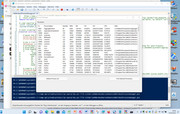
    This brings up inside a GUI, a ListView of a computers Processes, from which we could then select and stop some.


    ListView on a GUI##
    The script lines for this are very similar for those for the GUI itself or for those for a Panel.
    Basically it initially requires declaring a variable to a list view object, which then has its properties assigned in the usual OOP way.
    These are the main first 3 lines,
    $listview_Processes = New-Object System.Windows.Forms.ListView
    $listview_Processes.Location = New-Object System.Drawing.Size(8, 40)
    $listview_Processes.Size = New-Object System.Drawing.Size(800, 402)

    , then there are a few self explanatory lines defining properties
    , and then finally we have a controls .Add line
    $Form_HelloWorld.Controls.Add($listview_Processes)

    Functions to get the processes and to stop them
    A couple of significant differences to VBA and PowerShell script in regards to functions
    _ PowerShell script seems to not work as immediately as VBA.
    _ The functions in PowerShell are within the main script itself

    The result of this is that we need to put the functions at the top of the main script: They need to be passed through at least once. After that they are held in memory of the current open PowerShell shell/window session. (**It seems OK to use variables in the function which are not yet declared: Our variable for the Listview,
    $listview_Processes = New-Object System.Windows.Forms.ListView
    , is not declared until later down in the script )


    Function GetProcesses{
    }

    Function GetProcesses{
    We start with some clearing of the $Listview_Processes object variable , even though at the top of the script , that variable has not been declared or set to anything yet**

    We use a variable, $Processes for a sub set of the things in computer’s processes , ( they might actually be all of them ). I think them that we obtain an array of all those processes.
    In some way that is not completely clear to me, a script line like this,
    $AProcessProperties = $Processes[0].psObject.Properties
    , is returning me something that has, possibly amongst other things, the typical headings for the first Processes. ( I think using the first Process , item 0 , is arbitrary. Any process would do )

    # Make “columns”
    I think adding a “column” is based on a more abstract part of making the Listview.
    The script line uses the word Column, which is a bit strange, as the corresponding word row does not exist. ( Neither does the word record. Instead we have Item later where we might have expected row or record)
    This word Column might have been just as inappropriate as the word Field, so god knows why Column was used, other than perhaps no one really knows what’s going on, Lol
    It seems that we use Way2b) of a ForEach loop to Add the “Columns”, and this is done by giving some text name which effectively becomes the column or field header, in other words what appears across the top.
    So the loop is a ForEach applied to our first Process variable, $AProcessProperties
    ____$AProcessProperties | ForEach-Object ( {
    _____ $listview_Processes.Columns.Add("$($_.Name)")
    ____} )

    As ever we are flexible with the syntax, and the following is exactly the same
    __$AProcessProperties | ForEach-Object ( {$listview_Processes.Columns.Add("$($_.Name)")} )


    __The next part is the remaining main script to fill the list view.
    It comprises of a main Outer ForNext loop ######## , and then an Inner loop, -------##. Based on my explanations in the last post, in particular for way2a) , the inner loop section could be considered as two loops, one after the other
    Filling “rows” of data.
    The filling of “rows” in the listview is a slightly vague concept, similar to that for adding the “columns”, but at first glance the two concepts seem a bit mismatched:
    So far we have a seemingly equally important set of headings. But as we move on now, to fill the rows, it seems that the first column has some sort of higher significance.
    It’s a bit weird:
    The main outer loop is reasonably clear, the rest is a bit weird. The main outer loop is all the processes,
    __ ForEach ($Process in $Processes){ ########


    __ } _______________________________ ########

    That makes sense: A row for a process
    The column filling is a bit weird. It seems as if a “row” is considered an Item but that Item can be text or any unique number, like the left most column in an Excel spreadsheet, except that it does not have to be sequential numbers** and, this is the most peculiar, at the top of this first column is the first header value. That is weird. That is as if, for example our Excel spreadsheet looked like this
    header1
    Header 2
    A Header
    Last Column Header
    345
    232
    36
    So in the script that I am walking through, it looks like we try to make that first column look like a normal first column, then add the other column values. Weird!
    Just to confuse things a bit more, we can actually access later the “row” or Items by sequential number that starts at zero and goes down like, pseudo this strange situation
    header1
    Header2
    A Header
    Last Column Header
    0\345
    1\232
    2\36
    # Make a “row”s( Item )######################## MAIN Script LOOP
    So far, (what we have already done: it appears that the Column(headers) some how belong to the .Net Forms thing which were defined in the initial script lines## for the variable $listview_Processes
    $listview_Processes = New-Object System.Windows.Forms.ListView
    $listview_Processes.Location = New-Object System.Drawing.Size(8, 40)
    $listview_Processes.Size = New-Object System.Drawing.Size(800, 402)

    So that object thing has somehow “columns” as part of it.
    But now as we move on, it appears that we must make a new object thing for each for each row , and add that to the ListView
    Best recap that again: make a ListView
    _ Make a ListView object, add that object to the form, add columns to the ListView object
    _ __ For Each row you want ( {
    _____ make a ListView”row”(Item) object, add that object to the ListView object } )
    So its all a bit crazy and mental. Never mind. Onward
    So the main outer loop ####### on the script is for all “rows”, and it starts with
    ___ ForEach ($Process in $Processes)
    , and then the next line is the object thing that we need to make a “row” ( Item )
    ____ $ProcessListViewItem = New-Object System.Windows.Forms.ListViewItem(
    This seems to need some identifier, and will be the “left margin” number so we choose it for convenience to be what we want in the first column. So this may be a fiddle to use that “left margin” identifying “Item” as a normal column ………….System.Windows.Forms.ListViewItem( $Process.Id)
    At this point we effectively have an object thing which need to be added to in order to give it the entire “row”/ record data. The obscure way this is done is by adding to the Item , “sub items”.
    ## SubItems ##--
    It would appear that what we perceive as the columns from the second column, are regarded in the obscure PowerShell syntax as SubItems

    As this is all getting a bit crazy, and the main loop introduces a lot of even more crazy and obscure PowerShell object concepts so we had best start a new post for it.

    This schematic attempts to summarise the situation, but we will go into this and the functions again in more detail in the next post

    header1 header2 A Header Last Header <-- This bit with the created “column” is part of the main ListView object
    0\ 345
    SubItem SubItem SubItem <-- This brown thing is a ListViewItem object. It has an Item number of 0,
    and an Item identifier/name of 345
    Item 0
    1\ 232
    SubItem SubItem SubItem <-- This blue thing is a ListViewItem object. It has an Item number of 1,
    and an Item identifier/name of 232
    Item 1
    2\ 36
    SubItem SubItem SubItem <-- This purple thing is a ListViewItem object. It has an Item number of 2
    and an Item identifier/name of 36
    Item 2
    __
    In the above schematic we are showing 4 objects. The last three belong to the first one, ( after they have been ned to it ).
    The values in the first column somehow belong to the main ListView object.
    SubItems are Added to the ListViewItems
    Last edited by DocAElstein; 04-18-2022 at 12:57 PM.

  6. #6
    Fuhrer, Vierte Reich DocAElstein's Avatar
    Join Date
    Aug 2014
    Posts
    10,457
    Rep Power
    10
    Function GetProcesses{
    }

    Function GetProcesses{ ……………_
    This was the summary situation which we ended up with from the last post.
    An approximate schematic summary of the situation at which we have so far arrived at
    header1 header2 A Header Last Header <-- This bit with the created “column” is part of the main ListView object
    0\ 345
    SubItem SubItem SubItem <-- This brown thing is a ListViewItem object. It has an Item number of 0,
    and an Item identifier/name of 345
    Item 0
    1\ 232
    SubItem SubItem SubItem <-- This blue thing is a ListViewItem object. It has an Item number of 1,
    and an Item identifier/name of 232
    Item 1
    2\ 36
    SubItem SubItem SubItem <-- This purple thing is a ListViewItem object. It has an Item number of 2
    and an Item identifier/name of 36
    Item 2
    __
    In the above schematic we are showing 4 objects. The last three belong to the first one, ( after they have been ned to it ).
    The values in the first column somehow belong to the main ListView object.
    SubItems are Added to the ListViewItems


    Everything we need comes from early on in the function via
    $Processes = Get-Process | Select-Object Id,ProcessName,Handles,NPM,PM,WS,VM,CPU,Path, # and I think this is getting us an array of objects.
    Write-Host $Processes
    will get us one of these for every Process
    @{Id=5800; ProcessName=AggregatorHost; Handles=88; NPM=6112; PM=1200128; WS=2211840; VM=2203375075328; CPU=1,0625; Path=C:\WINDOWS\System32\AggregatorHost.exe}

    Similarly in PowerShell typing $Processes would get us a lot of things like this
    Code:
         #       Id          : 5800
    #            ProcessName : AggregatorHost
    #          Handles     : 88
    #           NPM         : 6112
    #           PM          : 1200128
    #           WS          : 2211840
    #           VM          : 2203375075328
    #           CPU         : 1,0625
    #           Path        : C:\WINDOWS\System32\AggregatorHost.exe
    The next line,
    ( and a similar one used a bit further down in the main function Loop for all processes, ForEach ($Process in $Processes){ ),
    could do with some elaboration possibly
    $AProcessProperties = $Processes[0].psObject.Properties
    ( _____ $Process.psObject.Properties )
    The way the script uses those last two lines, is such that $AProcessProperties is going to be the same as the first one of $Process.psObject.Properties , because that lattter is used in ForEach ($Process in $Processes){

    psObject
    The best guess I can give for this at the moment is this:
    Things generally in PowerShell are objects, or can usually be taken/ used as if they were.
    The .psObject for a thing is some sort of wrapper allowing the PowerShell command type things to somehow make use of the newest sort of OOP stuff which often goes under the use of the word .Net
    Anoother approximation could be to say it returns something similar to the Class of the thing we apply it to. It then follows that the .Properties is going to return the object things.

    As it happens we seem to be going around in circles in the given script that accompanies the video:
    We started with these, Id,ProcessName,Handles,NPM,PM,WS,VM,CPU,Path , and the two script bits using the .psObject seem to have the main purpose of returning them.

    Perhaps I can save a lot of time by giving a version of the given script, and then a script that seems to do exactly the same!
    Code:
     Function GetProcesses{
     $listview_Processes.Items.Clear()
     $listview_Processes.Columns.Clear()
     $Processes = Get-Process | Select Id,ProcessName,Handles,NPM,PM,WS,VM,CPU,Path
     $ProcessProperties = $Processes[0].psObject.Properties
     $ProcessProperties | ForEach-Object { $listview_Processes.Columns.Add("$($_.Name)") }
        ForEach ($Process in $Processes){
         $ProcessListViewItem = New-Object System.Windows.Forms.ListViewItem($Process.Id)
         $Process.psObject.Properties | Where {$_.Name -ne "Id"} | ForEach-Object {
                                 $ColumnName = $_.Name ;  $ProcessListViewItem.SubItems.Add("$($Process.$ColumnName)") 
                                                                                   }
         $listview_Processes.Items.Add($ProcessListViewItem) 
        }
     $listview_Processes.AutoResizeColumns("HeaderSize")
    }
    Code:
     Function GetProcesses{
     $listview_Processes.Items.Clear()
     $listview_Processes.Columns.Clear() 
     $Processes = Get-Process | Select-Object Id,ProcessName,Handles,NPM,PM,WS,VM,CPU,Path
        ForEach ($Hdr in @("Id", "ProcessName", "Handles", "NPM", "PM", "WS", "VM", "CPU", "Path")){$listview_Processes.Columns.Add($Hdr)}  
        ForEach ($Process in $Processes){           
         $ProcessListViewItem = New-Object System.Windows.Forms.ListViewItem($Process.Id) 
            ForEach ($Hdr in @( "ProcessName", "Handles", "NPM", "PM", "WS", "VM", "CPU", "Path")){$ProcessListViewItem.SubItems.Add("$($Process.$Hdr)")}  
            $listview_Processes.Items.Add($ProcessListViewItem)  
         }
     $listview_Processes.AutoResizeColumns("HeaderSize")
    }


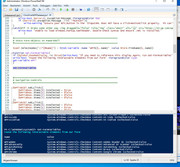
    Here is a comparison of a Write-Host line added to show for the first psObject returned thing, and then the same got from the PowerShell window
    Code:
     int Id=5236 string ProcessName=AggregatorHost int Handles=88 long NPM=6112 long PM=1142784 long WS=5099520 long VM=2203375075328 System.Double CPU=0,578125 System.String Path=C:\WINDOWS\System32\AggregatorHost.exe
    Code:
      PS C:\WINDOWS\system32> $Processes = Get-Process | Select Id,ProcessName,Handles,NPM,PM,WS,VM,CPU,Path
    PS C:\WINDOWS\system32> $ProcessProperties = $Processes[0].psObject.Properties
    PS C:\WINDOWS\system32> $ProcessProperties 
    
    MemberType : NoteProperty
    IsSettable : True
    IsGettable : True
    Value : 5236
    TypeNameOfValue : System.Int32
    Name : Id
    IsInstance : True
    MemberType : NoteProperty
    IsSettable : True
    IsGettable : True
    Value : AggregatorHost
    TypeNameOfValue : System.String
    Name : ProcessName
    IsInstance : True
    MemberType : NoteProperty
    IsSettable : True
    IsGettable : True
    Value : 88
    TypeNameOfValue : System.Int32
    Name : Handles
    IsInstance : True
    MemberType : NoteProperty
    IsSettable : True
    IsGettable : True
    Value : 6112
    TypeNameOfValue : System.Int64
    Name : NPM
    IsInstance : True
    MemberType : NoteProperty
    IsSettable : True
    IsGettable : True
    Value : 1142784
    TypeNameOfValue : System.Int64
    Name : PM
    IsInstance : True
    MemberType : NoteProperty
    IsSettable : True
    IsGettable : True
    Value : 5099520
    TypeNameOfValue : System.Int64
    Name : WS
    IsInstance : True
    MemberType : NoteProperty
    IsSettable : True
    IsGettable : True
    Value : 2203375075328
    TypeNameOfValue : System.Int64
    Name : VM
    IsInstance : True
    MemberType : NoteProperty
    IsSettable : True
    IsGettable : True
    Value : 0,578125
    TypeNameOfValue : System.Double
    Name : CPU
    IsInstance : True
    MemberType : NoteProperty
    IsSettable : True
    IsGettable : True
    Value : C:\WINDOWS\System32\AggregatorHost.exe
    TypeNameOfValue : System.String
    Name : Path
    IsInstance : True
    Last edited by DocAElstein; 04-19-2022 at 12:08 AM.

  7. #7
    Fuhrer, Vierte Reich DocAElstein's Avatar
    Join Date
    Aug 2014
    Posts
    10,457
    Rep Power
    10

    Bollox

    just testing

    test test

    This is not a love song
    This is post https://www.excelfox.com/forum/showt...ge53#post12797
    https://http://www.excelfox.com/forum/showth...ge53#post12797
    https://www.excelfox.com/forum/showthread.php/2408-Windows-10-and-Office-Excel/page53#post12797
    https://tinyurl.com/2p82naym


    I can comment here easily , and have lots of format to mess with to make it pretty

    _SomeThingsInThePipe | ForEach ( {
    ___ $_.doingstuff
    ___ $SomethingElse = $_.Something
    __ } )


    Code:
    'https://excelfox.com/forum/showthread.php/2559-Notes-tests-text-files-manipulation-of-text-files-in-Excel-and-with-Excel-VBA/page5
    'https://excelfox.com/forum/showthread.php/2559-Notes-tests-text-files-manipulation-of-text-files-in-Excel-and-with-Excel-VBA?p=16480&viewfull=1#post16480
    'https://excelfox.com/forum/showthread.php/2559-Notes-tests-text-files-manipulation-of-text-files-in-Excel-and-with-Excel-VBA/page5#post16480
    Sub CopyExcelColumnSpamURL()
    Selection.Copy ' This will put it in the clipboard
    
    'Dim objCliCodeCopied As DataObject   '**Early Binding.   This is for an Object from the class MS Forms. This will be a Data Object of what we "send" to the Clipboard. So I name it CLIpboardSend. But it is a DataObject. It has the Methods I need to send text to the Clipboard
    ' Set objCliCodeCopied = New DataObject '**Must enable Forms Library: In VB Editor do this:  Tools -- References - scroll down to Microsoft Forms 2.0 Object Library -- put checkmark in.  Note if you cannot find it try   OR IF NOT THERE..you can add that manually: VBA Editor -- Tools -- References -- Browse -- and find FM20.DLL file under C:\WINDOWS\system32 and select it --> Open --> OK.     https://web.archive.org/web/20140610055224/http://excelmatters.com/2013/10/04/late-bound-msforms-dataobject/
    ' ( or instead of those two lines  Dim obj As New DataObject ).    or  next two lines are.....Late Binding equivalent'
    Dim objCli As Object '  Late Binding equivalent'   If you declare a variable as Object, you are late binding it.  https://web.archive.org/web/20141119223828/http://excelmatters.com/2013/09/23/vba-references-and-early-binding-vs-late-binding/
     Set objCli = GetObject("New:{1C3B4210-F441-11CE-B9EA-00AA006B1A69}") ' https://web.archive.org/web/20140610055224/http://excelmatters.com/2013/10/04/late-bound-msforms-dataobject/
     objCli.GetFromClipboard 'All that is in the Clipboard goes in this Data Object initial instance of the Class
    Dim SpamURLs As String ' String varable to take the moodified code. This can be very long,                                                                                            like my cock
     Let SpamURLs = objCli.GetText() 'retrieve the text in the initial instance of the Class. ( In this case the original code modifies to have code lines )
    ' Call WtchaGot_Unic_NotMuchIfYaChoppedItOff(SpamURLs)
     
    Let SpamURLs = Replace(SpamURLs, vbCr & vbLf, "[/uRl]" & vbCr & vbLf, 1, -1, vbBinaryCompare)
    Let SpamURLs = Replace(SpamURLs, "http", "[uRl]http", 1, -1, vbBinaryCompare)
     
     ' Make a data Object to put back in clipboard. This a Another Object from class just to demo, could have used the first
    'Dim objDatCliBackIn As DataObject
    ' Set objDatCliBackIn = New DataObject 'Set to a new Instance ( Blue Print ) of dataobject
    Dim objDatCliBackIn As Object
     Set objDatCliBackIn = GetObject("New:{1C3B4210-F441-11CE-B9EA-00AA006B1A69}")
     objDatCliBackIn.SetText "Alan Spam Tests" & vbCr & vbLf & SpamURLs  'Make Data object's text equal to the long string of the modified code
     objDatCliBackIn.PutInClipboard 'Place current Data object into the Clipboard, effectivelly putting its text, which is oue final code in the Clipcoard
    End Sub
    Last edited by DocAElstein; 04-15-2022 at 02:43 PM.
    ….If you are my competitor, I will try all I can to beat you. But if I do, I will not belittle you. I will Salute you, because without you, I am nothing.
    If you are my enemy, we will try to kick the fucking shit out of you…..
    Winston Churchill, 1939
    Save your Forum..._
    KILL A MODERATOR!!

  8. #8
    Fuhrer, Vierte Reich DocAElstein's Avatar
    Join Date
    Aug 2014
    Posts
    10,457
    Rep Power
    10
    Github Updates and Obsidian Wizardry 22 04 2022

    Chris did a live stream of some relevance so,
    _ first some notes, part of which might be used in some comments, so they might appear as if I am talking to Chris.
    _ based on the changes I will update my Temp11.ps1 to Temp12.ps1

    Initially he talks about some software, Obsidian. I have no idea about that. A quick glance looks like it’s a limited less useful platform to do what I do at my well organised forum. But when I check it out, I might change my ideas. Its easy to get used to something, then think it’s the best. You do that frequently, and then change your mind, later. That’s cool

    He started looking at GitHub, at minute 36 He is going to close a lot as he is going to re write drastically the win 10 debloater script. That might include your idea to try out WPF.
    (1 Hr 10Min 55Secs, https://youtu.be/mXrmy8T74lM?t=4255 , check out there: You used 1440, untypical low for you, and you went on further at 1Hr 13Min 30Secs , https://youtu.be/mXrmy8T74lM?t=4410 , to bring up again the issue of WPF v WindowsForms , ( https://youtu.be/mXrmy8T74lM?t=4425 1hr 13min 45 secs ) )

    He started looking at Pull requests, PRs…
    PR #305 d4rklynk, add Librewolf
    Has some useful stuff, Chris couldn’t be bothered and was confused as everyone is in how things get linked to other peoples stuff in at GitHub, so he just closed it. (Librewolf may have been trying to link to his stuff, but it could partly be that Chris or both of them don’t understand GitHub completely)

    PR #304 SimPilotAdamT, Fix issue #299 and #302
    Good one – stops the “Task manager extra details bit hanging” – I think I noticed something screwy there myself once so was added that to latest version, and I will

    _.____
    After this Chris broke off a bit and decided to get a virtual machine up and test before doing more Merge/Commit stuff
    He went for a Windows 11 virtual machine up, and as usual got in a muddle,
    At min 42 30 https://youtu.be/mXrmy8T74lM?t=2550 he does windows 11 because he thinks most of us have switched.
    ( I think- Issues will be sorted out by chance I expect, which will take a while, and I don’t have the extra resources to be a Guinea Pig on windows 11
    So I am partially beginning to be switched to windows 11, but not as regards using Debloat scripts for a good improved and speeded up versions )
    It did not work, so he ended up using a windows 10.

    At Minute 50 , 30 secs ( https://youtu.be/mXrmy8T74lM?t=3030 ) , seconds you were not sure about recent windows 10 versions:
    21H2 was the latest released in middle November 2021
    ( From about that date until the current time, I had a few standard earlier versions, mostly connected to the internet permanently and mostly on default update settings. Microsoft never updated them surprisingly. One I forced to update, and it took a very long time, but was finally successful. Perhaps MS were uncharacteristically not in a rush to update on this one)

    Back to the PRs
    1 16 30 back to pull requests https://youtu.be/mXrmy8T74lM?t=4590

    PR Mrhaydendp #308 Batch Installer for WinGet
    A good one. Chris totally missed the point 1 Hr 19 you did not take the time to do justice to the batch instillation PR
    I think you should not get too excited by any particular way about installing winget. I have seen it vary which works from time to time, and most likely will continue to do so. Better would be to concentrate your efforts on some script to try a few ways, and pick the one that might work.
    (And betters still either
    _ don’t install stuff at all
    Or
    _ make it more bullet proof as I mentioned and even further perhaps to allow chocolaty install alternative. )


    1Hr 19Min 35secs host ( https://youtu.be/mXrmy8T74lM?t=4775 ) general comments on etc hosts, then on to the PR that was a major part of the Video, 1Hr 20Min 45Secs #306
    PR Brandonbr1 #306 Add a script to block ads and include things from the scripts folder into the actual main file the people download
    Chris liked most, ( takes out an anti spyware line
    # Disabling Antispyware flags script as virus and also doesn't work with anti-tamper measures introduced in 20H2+
    # Set-ItemProperty -Path "HKLM:\SOFTWARE\Policies\Microsoft\Windows Defender" -Name "DisableAntiSpyware" -Type DWord -Value 00000001
    )
    Chris loves the stuff at 1 22 22 , https://youtu.be/mXrmy8T74lM?t=4950 - The Guy is doing a NetSH to do a firewall

    An interesting comment from someone else on the PR Windows Defender (and most other antiviruses) has a history of blocking files that modify the hosts file due to it being a common technique used by viruses to create a backdoor in people's systems. This might be why there isn't a hosts file blocking implementation in the script yet. Also might be because hosts file blocking can introduce problems for people who use sites like Microsoft and Google services. Having it as a separate script might be best .
    Chris at 1 22 30 :
    , - “This is why I love G__H__ - go through PRs before you get a great one , like this one…”
    ( some time earlier Chris said he should test stuff before committing/Merging. But he forgot that, and committed/Merged this one, because he loved it so much )

    Chris a few minute later, still on the same PR –
    , - The TLDR: He was very, very, very upset by that PR – “Sometimes I hate PRs and wish I just code it all myself”

    _.. Another G__H__ fuck up
    But is good to see the development, ( or not ), on a Live stream. And entertaining
    ( Maybe you were a bit hard on the guy, Brandonbr1.
    OK, it broke stuff for you. You easily fixed it. Sometimes your script brakes stuff for others. Often they can’t fix it.

    ( 1Hr 27Min 50secs:- Chris you like Terminal. I don’t know much about these things myself, but some people smarter than me tell me that Terminal will probably go under when the open source PowerShell 7 becomes widely used )

    So.. the fuck up_
    On testing he was concerned that the write-host did not appear?
    There seemed to be some other errors
    I think he did some repair to fix the bad PR – after changing some things, ( mostly deleting stuff, he somehow did a GitHub PR repair Push/Commit/Merge or whatever, called Fix bad PR.
    Fix bad PR. Fuck up


    A re run in terminal seemed to error similarly, or maybe not after a refresh / wait. .. It then seemed to work .. got as far as ..”blocking Ip telemetry”.
    Then a bit after Chris was very, very, very upset… He vanished behind the scenes with a cable, …
    The repair details are summarised here : 1Hr 49min summarised fix https://youtu.be/mXrmy8T74lM?t=6558
    _.____

    Back to other Pull requests
    PR THEBOSSMAGNUS #298, Add microsoft visual c++ runtime
    Chris left it open

    Sparker-99 #291 ,Added waterfox install
    Chris don’t like that browser so closed it

    Sighi-04 #286 Fixed dead package name for adobe reader installer
    Simple one line change, Chris accepted
    684 winget install -e Adobe.AdobeAcrobatReaderDC | Out-Host
    684 winget install -e --id Adobe.Acrobat.Reader.64-bit | Out-Host


    Carterpersall #285 Tweaked a Few Things and Resolved Several Issues
    Looks like GitHub made it messy, and Chris was too tired and fed up to look at it, or he may hve hidden it in a branch. God knows. I doubt anyone else does
    Hit Files changed to take a look ( https://i.postimg.cc/Cdp50XVH/Hit-Fi...ske-a-look.jpg ) These may be individual files

    Myxxmikeyxx #282 Added Git For Windows Button Option
    This was to add a button, but Chris liked the idea, and said he will put it into Github Desktop button instead of another installer, and he may have done it.. I will need to check the $githubdsktop.Add_Click{(


    I liked your comments towards the end, of you wanting your own place, in parallel to anything or anywhere else that you do stuff, so as to keep some sort of longevity. That is exactly what I think about my forum. For a year or two I am mostly in the background trying to understand how to maintain it, reliably.
    Although I don’t always approve of some of the addicts, some of whom I think are psychos, spending all of their life at forums, some do have it as the most important part of their life.
    A few are nice people, just a bit lonely and sad, in their old age, with nothing better that they are able to do. They do provide a service from which others benefit. In recent years, some forums have vanished without warning, or some places been changed to read only. That has been very unkind to some of these people.


    Update Temp11.ps1 to Temp12.ps1 from Chris23April2022.ps1

    As usual, I would like to keep up to date with Chris’s development, so I add lines to my latest, Temp11.ps1 , using the latest from Chris, , to know where the lines are needed.
    Either the linnes are
    _ left empty
    or
    _ include all or part of what Chris has there: the purpose of that is.
    The purpose of that is to either use, and/ or make it easier to compare future versions of Chris’s script with mine.

    To do this I typically put the two files side by side in their own window ( ISE or Notepad++) , , and scroll down making a changes as I go along to keep similar code lines at the same place, as much as possible…


    Share ‘Temp11.ps1’ https://app.box.com/s/5btpnc72fbvn5biewfjirdq038xhkqvm
    Share ‘Chris23April2022.ps1’ https://app.box.com/s/hauwxph4624bo5j5xlq6nu6pxda3sdme


    9.34 Live - Github Updates and Obsidian Wizardry-mXrmy8T74lM_22 04 2022
    https://drive.google.com/file/d/1viq...?usp=drive_web
    https://www.youtube.com/watch?v=mXrmy8T74lM
    https://drive.google.com/file/d/1WdA...?usp=drive_web
    https://drive.google.com/file/d/1Y-W...?usp=drive_web
    Attached Images Attached Images
    Last edited by DocAElstein; 04-24-2022 at 09:40 PM.

  9. #9
    Fuhrer, Vierte Reich DocAElstein's Avatar
    Join Date
    Aug 2014
    Posts
    10,457
    Rep Power
    10
    Update Temp11.ps1 to Temp12.ps1 from Chris23April2022.ps1


    It looks like I might have accidentally added 2-3 empty lines from 577, so I took those out. Then I am back in sinc
    A single space line discrepancy at about 771, possibly my error again


    A single line has been used to include the extra Git.Git, so I take that ,

    From 983 we make the change for the If on task manager, which looks as though I need two extra lines,

    From 1026, # Network Tweaks has been shifted down for a # reducing ram via regedit I take that for now as it is , , ---

    Had a line out of wach , took out a line just before #Laptopnumlock to bring it back in sinc


    That’s it??
    So it looks like the entire host blocking ( P Request, Brandonbr1 #306 ) got missed out. The video suggested you wanted to , and did have, at least some of it still there.
    Probably another dimension to disaster that G__ Hub is: A G__ Hub F___ up on top of a G__ Hub F___ up


    Share ‘Temp11.ps1’ https://app.box.com/s/5btpnc72fbvn5biewfjirdq038xhkqvm
    Share ‘Chris23April2022.ps1’ https://app.box.com/s/hauwxph4624bo5j5xlq6nu6pxda3sdme

    Share ‘Temp12.ps1’ https://app.box.com/s/6q5kboz1pqj28o5vcsoja8w5xoxvxwfu
    Last edited by DocAElstein; 04-24-2022 at 09:37 PM.

  10. #10
    Fuhrer, Vierte Reich DocAElstein's Avatar
    Join Date
    Aug 2014
    Posts
    10,457
    Rep Power
    10

    First goes at "WPF" winutil


    This is post https://excelfox.com/forum/showthrea...ge53#post12800
    https://excelfox.com/forum/showthread.php/2408-Windows-10-and-Office-Excel/page53#Post12800


    Week later 29 Apr 2022 Chris surprised me with his first WPF attempt

    I was hoping Chris would not get around to doing this for a while, but he has done it very quickly following a week later from his last Live Stream which heavily mentioned the Debloat script.
    Chris said he did C stuff at college, ( 22 years ago ) – strange – he said before in a video that he never went to college?
    https://www.youtube.com/watch?v=xqBhFPW_LuM
    9.36 Live - New Windows Tool-xqBhFPW_LuM_29 04 2022
    https://drive.google.com/file/d/1qLz...?usp=drive_web

    It looks like Chris has started uploading the first attempts at GitHub: From 28 April, 2022
    Share ‘ChrisFirstWPFDeleted.ps1’ https://app.box.com/s/9ek7nd1hoc82nncizr91lf540sm3tblf

    What’s going on..
    Without looking at detail yet, just gleaning from Laymen info the video:
    WPF is some tool to make a nice GUI. Its based on the .Net stuff, but optimised to make a nice GUI. WPF seems to chuck out a “Semmel” ( xml ) coding. That comes from Visual Studio. I guess we can think of it initially, approximately, as a posh GUI that does not limit you to PowerShell.
    However, for now, Chris is going to use PowerShell, and the free Visual Studio. For now, we can think of Visual Studio as a development environment like the VB Editor in VBA or the ISE in PowerShell. But its somehow much more all encompassing.

    Lets say that again, partly graphically , and in particular showing also what Chris is doing in the video, ( which he mentions has some limitations, but for now he accepts that to keep it all free source in PowerShell .ps1 file. Going into a full executable, will remove some limitations, and he may be in danger of going into that , by the back door… )
    What’s going on..and how
    Intro:
    So the new stuff, somehow made a XML coding that in .Net gives us a nice GUI. Some of that is comprehendible as being obvious what it is referring to. So we can make some simple changes or additions, such as in this example, Chris added a few extra checkboxes.
    XML – PowerShell GUI coding
    This is an interesting bit: We can paste that XML coding in a normal .txt / .ps1 file, or rather we out that coding in a PowerShell variable, pseudo like
    Code:
    
    $inputXML = @"
    <Window x:Class="WinUtility.MainWindow"
            xmlns="http://schemas.microsoft.com/winfx/2006/xaml/presentation"
            xmlns:x="http://schemas.microsoft.com/winfx/2006/xaml"
            xmlns:d="http://schemas.microsoft.com/expression/blend/2008"
            xmlns:mc="http://schemas.openxmlformats.org/markup-compatibility/2006"
            xmlns:local="clr-namespace:WinUtility"
            mc:Ignorable="d"
            Background="#777777"
            Title="Chris Titus Tech's Windows Utility" Height="450" Width="800">
        <Viewbox>
    <Grid Background="#777777" ShowGridLines="False" Name="MainGrid">


        # Lots of html / xml  like stuff…….
    
    
        </Grid>
        </Viewbox>
    </Window>
     
    "@
    
    That above is just a random snippet. In the actual thing there is lots of Grid and other stuff

    There then follows some very complex and verbose coding that Chris does not understand and I doubt I ever will that makes the objects and there variables available to PowerShell. This worries me a bit, since understanding this coding may never take place
    In that complex coding is a final function, that gets the variables from the GUI.
    Get-Formvariables
    That line is done once, and if I do that code line manually it in the PowerShell Window, then I will get a list of the variables.
    Get-Formvariables.jpg
    The running of the form also gives these variables: This text file is what comes out in PowerShell on running, followed by my manual run of Get-Formvariables
    Code:
     PS C:\WINDOWS\system32> D:\Temp Opt\GitHub\ChrisNewWPF\ChrisFirstWPFDeleted.ps1
    If you need to reference this display again, run Get-FormVariables
    Found the following interactable elements from our form
     
    Name                           Value                                                                                   
    ----                           -----                                                                                   
    WPFadobe                       System.Windows.Controls.CheckBox Content:Adobe Reader DC IsChecked:False                
    WPFadvancedip                  System.Windows.Controls.CheckBox Content:Advanced IP Scanner IsChecked:False            
    WPFautohotkey                  System.Windows.Controls.CheckBox Content:AutoHotkey IsChecked:False                     
    WPFbrave                       System.Windows.Controls.CheckBox Content:Brave IsChecked:False                          
    WPFchrome                      System.Windows.Controls.CheckBox Content:Google Chrome IsChecked:False                  
    WPFdiscord                     System.Windows.Controls.CheckBox Content:Discord IsChecked:False                        
    WPFesearch                     System.Windows.Controls.CheckBox Content:Everything Search IsChecked:False              
    WPFetcher                      System.Windows.Controls.CheckBox Content:Etcher USB Creator IsChecked:False             
    WPFfirefox                     System.Windows.Controls.CheckBox Content:Firefox IsChecked:False                        
    WPFgimp                        System.Windows.Controls.CheckBox Content:GIMP (Image Editor) IsChecked:False            
    WPFgithubdesktop               System.Windows.Controls.CheckBox Content:GitHub Desktop IsChecked:False                 
    WPFIcon                        System.Windows.Controls.Image                                                           
    WPFimageglass                  System.Windows.Controls.CheckBox Content:ImageGlass (Image Viewer) IsChecked:False      
    WPFinstall                     System.Windows.Controls.Button: Start Install                                           
    WPFMainGrid                    System.Windows.Controls.Grid                                                            
    WPFmpc                         System.Windows.Controls.CheckBox Content:Media Player Classic (Video Player) IsChecke...
    WPFnotepadplus                 System.Windows.Controls.CheckBox Content:Notepad++ IsChecked:False                      
    WPFpowertoys                   System.Windows.Controls.CheckBox Content:Microsoft Powertoys IsChecked:False            
    WPFputty                       System.Windows.Controls.CheckBox Content:Putty and WinSCP IsChecked:False               
    WPFsevenzip                    System.Windows.Controls.CheckBox Content:7-Zip IsChecked:False                          
    WPFsharex                      System.Windows.Controls.CheckBox Content:ShareX (Screenshots) IsChecked:False           
    WPFsumatra                     System.Windows.Controls.CheckBox Content:Sumatra PDF IsChecked:False                    
    WPFTab1                        System.Windows.Controls.TabItem Header:Install Content:                                 
    WPFTab1BT                      System.Windows.Controls.Button: Install                                                 
    WPFTab2                        System.Windows.Controls.TabItem Header:Debloat Content:                                 
    WPFTab2BT                      System.Windows.Controls.Button: Debloat                                                 
    WPFTab3                        System.Windows.Controls.TabItem Header:Config Content:                                  
    WPFTab3BT                      System.Windows.Controls.Button: Config                                                  
    WPFTab4                        System.Windows.Controls.TabItem Header:Updates Content:                                 
    WPFTab4BT                      System.Windows.Controls.Button: Updates                                                 
    WPFTabNav                      System.Windows.Controls.TabControl Items.Count:4                                        
    WPFterminal                    System.Windows.Controls.CheckBox Content:Windows Terminal IsChecked:False               
    WPFTitusPB                     System.Windows.Controls.ProgressBar Minimum:0 Maximum:100 Value:0                       
    WPFttaskbar                    System.Windows.Controls.CheckBox Content:Translucent Taskbar IsChecked:False            
    WPFvlc                         System.Windows.Controls.CheckBox Content:VLC (Video Player) IsChecked:False             
    WPFvscode                      System.Windows.Controls.CheckBox Content:VS Code IsChecked:False                        
    WPFvscodium                    System.Windows.Controls.CheckBox Content:VS Codium IsChecked:False                      


    PS C:\WINDOWS\system32> Get-FormVariables
    Found the following interactable elements from our form
     
    Name                           Value                                                                                   
    ----                           -----                                                                                   
    WPFadobe                       System.Windows.Controls.CheckBox Content:Adobe Reader DC IsChecked:False                
    WPFadvancedip                  System.Windows.Controls.CheckBox Content:Advanced IP Scanner IsChecked:False            
    WPFautohotkey                  System.Windows.Controls.CheckBox Content:AutoHotkey IsChecked:False                     
    WPFbrave                       System.Windows.Controls.CheckBox Content:Brave IsChecked:False                          
    WPFchrome                      System.Windows.Controls.CheckBox Content:Google Chrome IsChecked:False                  
    WPFdiscord                     System.Windows.Controls.CheckBox Content:Discord IsChecked:False                        
    WPFesearch                     System.Windows.Controls.CheckBox Content:Everything Search IsChecked:False              
    WPFetcher                      System.Windows.Controls.CheckBox Content:Etcher USB Creator IsChecked:False             
    WPFfirefox                     System.Windows.Controls.CheckBox Content:Firefox IsChecked:False                        
    WPFgimp                        System.Windows.Controls.CheckBox Content:GIMP (Image Editor) IsChecked:False            
    WPFgithubdesktop               System.Windows.Controls.CheckBox Content:GitHub Desktop IsChecked:False                 
    WPFIcon                        System.Windows.Controls.Image                                                           
    WPFimageglass                  System.Windows.Controls.CheckBox Content:ImageGlass (Image Viewer) IsChecked:False      
    WPFinstall                     System.Windows.Controls.Button: Start Install                                           
    WPFMainGrid                    System.Windows.Controls.Grid                                                            
    WPFmpc                         System.Windows.Controls.CheckBox Content:Media Player Classic (Video Player) IsChecke...
    WPFnotepadplus                 System.Windows.Controls.CheckBox Content:Notepad++ IsChecked:False                      
    WPFpowertoys                   System.Windows.Controls.CheckBox Content:Microsoft Powertoys IsChecked:False            
    WPFputty                       System.Windows.Controls.CheckBox Content:Putty and WinSCP IsChecked:False               
    WPFsevenzip                    System.Windows.Controls.CheckBox Content:7-Zip IsChecked:False                          
    WPFsharex                      System.Windows.Controls.CheckBox Content:ShareX (Screenshots) IsChecked:False           
    WPFsumatra                     System.Windows.Controls.CheckBox Content:Sumatra PDF IsChecked:False                    
    WPFTab1                        System.Windows.Controls.TabItem Header:Install Content:                                 
    WPFTab1BT                      System.Windows.Controls.Button: Install                                                 
    WPFTab2                        System.Windows.Controls.TabItem Header:Debloat Content:                                 
    WPFTab2BT                      System.Windows.Controls.Button: Debloat                                                 
    WPFTab3                        System.Windows.Controls.TabItem Header:Config Content:                                  
    WPFTab3BT                      System.Windows.Controls.Button: Config                                                  
    WPFTab4                        System.Windows.Controls.TabItem Header:Updates Content:                                 
    WPFTab4BT                      System.Windows.Controls.Button: Updates                                                 
    WPFTabNav                      System.Windows.Controls.TabControl Items.Count:4                                        
    WPFterminal                    System.Windows.Controls.CheckBox Content:Windows Terminal IsChecked:False               
    WPFTitusPB                     System.Windows.Controls.ProgressBar Minimum:0 Maximum:100 Value:0                       
    WPFttaskbar                    System.Windows.Controls.CheckBox Content:Translucent Taskbar IsChecked:False            
    WPFvlc                         System.Windows.Controls.CheckBox Content:VLC (Video Player) IsChecked:False             
    WPFvscode                      System.Windows.Controls.CheckBox Content:VS Code IsChecked:False                        
    WPFvscodium                    System.Windows.Controls.CheckBox Content:VS Codium IsChecked:False                      


    PS C:\WINDOWS\system32>
    Because we have the variables we can do things to them as in the old tool script, such as adding Add_Click stuff


    Last edited by DocAElstein; 05-13-2022 at 02:11 PM.

Similar Threads

  1. Tests and Notes on Range Referrencing
    By DocAElstein in forum Test Area
    Replies: 70
    Last Post: 02-20-2024, 01:54 AM
  2. Tests and Notes for EMail Threads
    By DocAElstein in forum Test Area
    Replies: 29
    Last Post: 11-15-2022, 04:39 PM
  3. Notes tests. Excel VBA Folder File Search
    By DocAElstein in forum Test Area
    Replies: 39
    Last Post: 03-20-2018, 04:09 PM
  4. Replies: 2
    Last Post: 12-04-2012, 02:05 PM

Posting Permissions

  • You may not post new threads
  • You may not post replies
  • You may not post attachments
  • You may not edit your posts
  •