Page 2 of 7 FirstFirst 1234 ... LastLast
Results 11 to 20 of 70

Thread: A Semi automated way to note the IP addresses of things viewing us

  1. #11
    Fuhrer, Vierte Reich DocAElstein's Avatar
    Join Date
    Aug 2014
    Posts
    10,456
    Rep Power
    10
    Here are the files for the period Sat 28 June 2025 to ……………….- I will probably add to here as time goes on


    Code:
    https://app.box.com/s/88ynz9a0qz636g8habz4y3f45mk2lx48   IPAddressesWatchingExcelFox_Refresh_Monday Evening 28 July 2025 13min 4000 200.xls
    
    https://app.box.com/s/hjb0n38hz2kgsc0wxelsp9vgnrqi3bcz    IPAddressesWatchingExcelFox_Refresh_Monday 28 July 2025 4440 219.xls
    
    https://app.box.com/s/ucheljcbv17e48qe9ejcg8z0k9owonoh    IPAddressesWatchingExcelFox_Refresh_Sunday 27 July 14min 4360 218.xls
    
    https://app.box.com/s/xiig7etpy6e01uomrlx26d7b423wdkwm   IPAddressesWatchingExcelFox_Refresh_Saturday 26 July 11min 3940 197.xls
    
    https://app.box.com/s/jkz7preqxff79uzb3ua13c0aj9zoa7zz   IPAddressesWatchingExcelFox_Refresh_Saturday 26 July. 3min 1160 58xls.xls
    
    https://app.box.com/s/hvs5zs38htpam0wbawhfi4efcubsl3d3  IPAddressesWatchingExcelFox_Refresh_friday 25 July, just after 8 140 7.xls
    
    https://app.box.com/s/dp7em0dwgjvfmqh6dupx3pfy24d2zgbt   IPAddressesWatchingExcelFox_Refresh_Thursday 24 July, 2025 15min 4460 217.xls
    
    https://app.box.com/s/ougkv441qjj5ofybcmf12egcu9csff75  IPAddressesWatchingExcelFox_Refresh_Wednesday 23 July 2025 15min 4680 232.xls
    
    https://app.box.com/s/0xwrd8hji3a1vr0ky1mdhm8bjzw9sgp8      ‘IPAddressesWatchingExcelFox_Refresh_Tuesday Evening 22 July 2025 15min 4640 232.xls’
    
    https://app.box.com/s/1ueglq4tp6k0zjsb0zec1mh8c843bt2z    IPAddressesWatchingExcelFox_Refresh_Tuesday 22 July 2025 15min 4700 236.xls 
    
    https://app.box.com/s/bo1htufkcw33kvin0vm02yloc1od11sw    IPAddressesWatchingExcelFox_Refresh_Monday Evening 21 July 2025 15min 4600 223.xls
    
    https://app.box.com/s/ihal0jb4tmisvtrq613tezyca52jo10f  IPAddressesWatchingExcelFox_Refresh_Monday 21 July 2025 18min 4693 240.xls
    
    https://app.box.com/s/bu4zvdl5goltidjimsmsbur239j18mvf    IPAddressesWatchingExcelFox_Refresh_Sunday 20 July 2025 15min 223.xls
    
    https://app.box.com/s/kkd0ff0vwken8474qdlqp1cm2q8ip08l  IPAddressesWatchingExcelFox_Sunday 20 July, 2025 225.xls
    
    https://app.box.com/s/4d8hmesm26ai4nmt48v9fu822zw9vb1y   PAddressesWatchingExcelFox_Saturday 19 July, 2025 4745 238.xls
    
    https://app.box.com/s/v9tkfhv30ksge4f7vupspfdessybhknl    IPAddressesWatchingExcelFox_Friday 18 July 2025 4690 235 43min.xls
    https://app.box.com/s/5bw48x0ljjeqhz9fmqti9xj1xp554xgz      https://app.box.com/s/jx4r0e93amq58ug1rrvvq42g6b8ud00p    IPAddressesWatchingExcelFox_Friday 18 July 2025 Refresh 235 45min.xls
    
     https://app.box.com/s/99ycb1igkz3zqadhzudz9kjbf3uxpdqo       IPAddressesWatchingExcelFox_Thurs 17 July 2025_4658 233 36min.xls 
    
    https://app.box.com/s/hgf7tqhdmbi8ss3hj408vbe1lxzlwvjf  IPAddressesWatchingExcelFox_Wed 16 July 2025_Gone Clare 4775 239.xls
    
    https://app.box.com/s/0uui4e2pyq2sfbf70gh8doi63jhd02fi  IPAddressesWatchingExcelFox_Wed 16 July 2025_220Refreshes.xls
    
    https://app.box.com/s/5tibza24oc8xrmai9sqj71bb4nrys55w  IPAddressesWatchingExcelFox_Wed 16 July 2025_220Pages.xls
    
    https://app.box.com/s/3rnlxctecfmqg4c2g89r1agv8yf77wzn  ‘IPAddressesWatchingExcelFox_Tue 15 July 2025_4000_205 30min.xls’
    
    https://app.box.com/s/0a2rxhjqle6d9o53po032y7pl03oaimc  ‘IPAddressesWatchingExcelFox_Mon Ev 14 July 2025_ 4800_243.xls’
    
    https://app.box.com/s/yvmasbtugavwj4d0jxc2dzzgdo76exya  ‘IPAddressesWatchingExcelFox_Monday 14 July 2025_3100 156.xls’
    
    https://app.box.com/s/ikqmwqcik8ayrimd7rrqjqwsaoqq2rqh   ‘IPAddressesWatchingExcelFox_Sunday 13 July 2025_4200 210.xls’
    
     https://app.box.com/s/sy59rams5bhgneykbldvyidq4fvkfw4e  ‘IPAddressesWatchingExcelFox_Saturday 12 July 2025_4169 209.xls’
    
     https://app.box.com/s/3rnlxctecfmqg4c2g89r1agv8yf77wzn    ‘IPAddressesWatchingExcelFox_Friday 11 July 2025_3330_167.xls’
    
     https://app.box.com/s/btwwu08x8zkyhmu0duapr930aqsyblcb   ‘IPAddressesWatchingExcelFox_Thursday Evening 10 July 2025_3258_168.xls’
    
     https://app.box.com/s/3xqn5i9g3ey80g8ldnwu00x2uhbxj2cn   ‘IPAddressesWatchingExcelFox_Thursday 10 July 2025_3400_page 1 then Page 2 168.xls’
    
     https://app.box.com/s/2d8iqwh3268u2da488fuo6466j9fbhml  ‘IPAddressesWatchingExcelFox_Thursday 10 July 2025_3300_170Pages.xls’
    
     https://app.box.com/s/kk0xrn9dcc3oiryko9iyzcsky82nndbt    ‘IPAddressesWatchingExcelFox_Thursday 10 July 2025_3258_168.xls
    
     https://app.box.com/s/s8lnbn548tspmk209eidnykdhei84y30   ‘IPAddressesWatchingExcelFox_Wed 9 July 2025_3400_170Pages.xls’
    
    
     https://app.box.com/s/2z1u91kjeqpnxkzw63mxo2rj5g3jszgy   ‘IPAddressesWatchingExcelFox_Tues Evening 8 July 2025_3500_166Pages.xls’
    
     https://app.box.com/s/nx8e6kswau3w5yqzfsml2sapljikxhcp   ‘IPAddressesWatchingExcelFox_Tues 8 July 2025_3500_175Pages.xls’
    
     https://app.box.com/s/l4qnljrp91hkxfpeigu5mk3qqhcjwg0o   ‘IPAddressesWatchingExcelFox_Mon Evening 7 July 2025_3300.xls’
    
     https://app.box.com/s/jcx0cbrm31071mkja50ifyt3jpwt4dy5   ‘IPAddressesWatchingExcelFox_Mon 7 July 2025_3500.xls’
    
     https://app.box.com/s/ah65mrrt3f9c2w03ja24i4z2j3o74jbe   ‘IPAddressesWatchingExcelFox_Son Evening 6 July 2025_1800.xls’
    
     https://app.box.com/s/xmr3ptv74excxlw85ntcrruf2a90blcj    ‘IPAddressesWatchingExcelFox_Son 6 July 2025_2300.xls’
    
     https://app.box.com/s/v0pev10hl4g5q5m4z4xpvuykx74s9g93    ‘IPAddressesWatchingExcelFox_Sat Evening 5 July 2025_550.xls’
    
     https://app.box.com/s/awqlq3h19suo5evkk3dnwi9ax8ykhhgu   ‘IPAddressesWatchingExcelFox_Sat 5 July 2025_550.xls’
    
     https://app.box.com/s/omqp5m9ucqacvr6tooso9j3vj4v06jtf   ‘IPAddressesWatchingExcelFox_Fri Evening 4 July 2025_3500.xls’
    
     https://app.box.com/s/rxezqw5n32c0i600jlbuc53iyno4177h   ‘IPAddressesWatchingExcelFox_Fri 4 July 2025_3500.xls’
    
     https://app.box.com/s/3otgk68kj34s03jydkmi9drowyxrtbci    ‘IPAddressesWatchingExcelFox_Thur 3 July 2025_1150.xls’
    
     https://app.box.com/s/4najob4d9n8h9wjn16mvrgcrjdx9x3oj   ‘IPAddressesWatchingExcelFox_Wed Evening 2 July 2025_1900.xls’
    
     https://app.box.com/s/l3zeyn921ovqn5euhdc2d7ke0bxk7kaa   ‘IPAddressesWatchingExcelFox_Wed 2 July 2025_3300.xls’
    
     https://app.box.com/s/3a1k1ulwan8x54p8ovxt8zb4gut0fsyg   ‘IPAddressesWatchingExcelFox_Tues Evening 1 July 2025_2200.xls’
    
     https://app.box.com/s/jadvpro9ctsdkac1dag4cx44irhm4qag   ‘IPAddressesWatchingExcelFox_Tues 1 July 2025_1250.xls’
    
     https://app.box.com/s/t719pr891mhlnuzoipewu81ahuao4tjj      ‘IPAddressesWatchingExcelFox_Mon Evening 30 June 2025_1500.xls’
    
     https://app.box.com/s/5qysrs51604hgm4n0xf2l7mwyvgt1pt2    ‘IPAddressesWatchingExcelFox_Mon 30 June 2025_1500.xls’
    
     https://app.box.com/s/zehuflmzu65prkyq3tx1762rek8on3e7   ‘IPAddressesWatchingExcelFox_Sun 29 June 2025_1400.xls’
    
     https://app.box.com/s/kk0xrn9dcc3oiryko9iyzcsky82nndbt   ‘IPAddressesWatchingExcelFox_Sat 28 June 2025_2000.xls’
    The files are not necessarily a pretty sight, but they are there for later reference and from time to time with a fresh brain it might be possible to glean some info from them
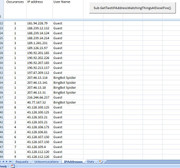
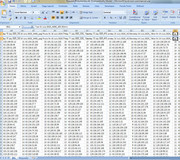
    https://i.postimg.cc/dtCkqDBf/IPAddr...at-12-July.jpg

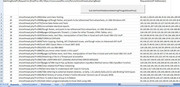
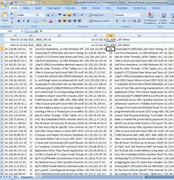
    https://i.postimg.cc/3xCkv6zC/Requests-Sat-12-July.jpg

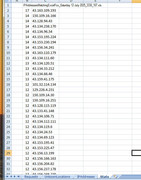
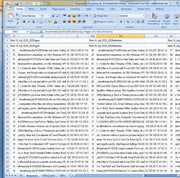
    https://i.postimg.cc/dQpZPG8d/Stats-Sat-12-July.jpg

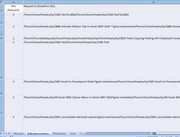
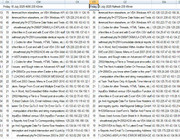
    https://i.postimg.cc/BnG8ts7n/Unkown...at-12-July.jpg


    In addition to help with analysis and trying to get some initial conclusions from the initial investigations, I manually copied some of the results ( The final Requests worksheet and the Stats worksheet ) to a summary file.

    As time went on I automated and refined thinbgs more
    Last edited by DocAElstein; 07-29-2025 at 12:03 AM.

  2. #12
    Fuhrer, Vierte Reich DocAElstein's Avatar
    Join Date
    Aug 2014
    Posts
    10,456
    Rep Power
    10
    The last thing that the two codings in worksheet Stats,
    Sub RequestsOrdering()
    Sub IPsSaniierung()

    , do is to .Copy to the clipboard the sanitised data, so then manually you can paste them somewhere, for example into file
    RequestsIPsSummary.xls https://app.box.com/s/u14negrvv4r009f9z183dmfbiimppo5w
    https://i.postimg.cc/TwV1WR09/Request-IPs-IP.jpg https://i.postimg.cc/63JT37rq/Request-IPs-Requsts.jpg
    Attached Files Attached Files
    Last edited by DocAElstein; 07-15-2025 at 02:08 PM.

  3. #13
    Fuhrer, Vierte Reich DocAElstein's Avatar
    Join Date
    Aug 2014
    Posts
    10,456
    Rep Power
    10
    Adding a couple of worksheets to the summary file
    In the existing initial 2 worksheets a couple of codings are added to help copy all the data so far to a single list

    Worksheet IPs
    Code:
    Option Explicit
    Sub CopyRequestsRange() ' select top left cell (Hit number cell) then run to copy range
    Dim wsIPs As Worksheet, wsReqs As Worksheet, wsAllReqs As Worksheet, wsAllIPs As Worksheet
     Set wsIPs = ThisWorkbook.Worksheets("IPs"): Set wsReqs = ThisWorkbook.Worksheets("Requests"): Set wsAllReqs = ThisWorkbook.Worksheets("AllRequests"): Set wsAllIPs = ThisWorkbook.Worksheets("AllIPs")
        If ActiveCell.Parent.Name <> "IPs" Then Exit Sub
    Dim Clm As Long, Rws As Long
    Dim rngIPs As Range
     Set rngIPs = ActiveCell
     Let Clm = rngIPs.Column
    Dim Lr As Long: Let Lr = wsIPs.Cells.Item(wsIPs.Rows.Count, Clm + 1).End(xlUp).Row
    
     Set rngIPs = rngIPs.Resize(Lr - 1, 2)
    ' rngReq.Copy
    
    wsAllIPs.Activate
    Dim LrA As Long
     Let LrA = wsAllIPs.Range("E" & wsAllIPs.Rows.Count & "").End(xlUp).Row
    
    rngIPs.Copy Destination:=wsAllIPs.Range("E" & LrA + 1)
    
    wsIPs.Activate
    'ActiveCell.Select
    'ActiveCell.Activate
    End Sub

    Worksheet Requests
    Code:
    Option Explicit
    Sub CopyRequestsRange() ' select top left cell (Hit number cell) then run to copy range
    Dim wsIPs As Worksheet, wsReqs As Worksheet, wsAllReqs As Worksheet, wsAllIPs As Worksheet
     Set wsIPs = ThisWorkbook.Worksheets("IPs"): Set wsReqs = ThisWorkbook.Worksheets("Requests"): Set wsAllReqs = ThisWorkbook.Worksheets("AllRequests"): Set wsAllIPs = ThisWorkbook.Worksheets("AllIPs")
        If ActiveCell.Parent.Name <> "Requests" Then Exit Sub
    Dim Clm As Long, Rws As Long
    Dim rngReq As Range
     Set rngReq = ActiveCell
     Let Clm = rngReq.Column
    Dim Lr As Long: Let Lr = wsReqs.Cells.Item(wsReqs.Rows.Count, Clm + 1).End(xlUp).Row
    
     Set rngReq = rngReq.Resize(Lr - 1, 3)
    ' rngReq.Copy
    
    wsAllReqs.Activate
    Dim LrA As Long
     Let LrA = wsAllReqs.Range("D" & wsAllReqs.Rows.Count & "").End(xlUp).Row
    
    rngReq.Copy Destination:=wsAllReqs.Range("D" & LrA + 1)
    
    wsReqs.Activate
    'ActiveCell.Select
    'ActiveCell.Activate
    End Sub


    Then a couple of new worksheets are added to get us a totals list for the period under consideration, in the uploaded example, all done so far up to 15 July.

    Codings in those worksheet object code modules "merge" , that is to say remove duplicates in the large total list after adding appropriately the hits to the unique entry before deleting that duplicate IP entry row.

    AllRequests Worksheet
    Code:
    Option Explicit
    Sub SingleReqList()
    Dim wsIPs As Worksheet, wsReqs As Worksheet, wsAllReqs As Worksheet, wsAllIPs As Worksheet
     Set wsIPs = ThisWorkbook.Worksheets("IPs"): Set wsReqs = ThisWorkbook.Worksheets("Requests"): Set wsAllReqs = ThisWorkbook.Worksheets("AllRequests"): Set wsAllIPs = ThisWorkbook.Worksheets("AllIPs")
    Dim Lr As Long
     Let Lr = wsAllReqs.Range("D" & wsAllReqs.Rows.Count & "").End(xlUp).Row
    
    Dim rngReqs As Range
     Set rngReqs = wsAllReqs.Range("D2:F" & Lr & "")
    
    Dim Cnt As Long
        For Cnt = 2 To Lr Step 1
            If Len(wsAllReqs.Range("E" & Cnt & "").Value2) > 255 Then GoTo NxtCnt
            If wsAllReqs.Range("E" & Cnt & "") = "" Or wsAllReqs.Range("E" & Cnt & "") = Empty Then Exit Sub ' This should happen as we are deleting cells so eventually we will reach the end of the shortened range ( It gets shortened every time a row is deleted
        Dim rngFnd As Range, rngSrch As Range
         Set rngSrch = wsAllReqs.Range("E" & Cnt + 1 & ":E" & Lr & "") ' I dont want to be searching the range including the value i am looking for, or I will find it as last, (after getting to the end and then starting again), and delete the fucker
         Set rngFnd = rngSrch.Find(What:=wsAllReqs.Range("E" & Cnt & "").Value2, After:=wsAllReqs.Range("E" & Cnt + 1 & ""), LookIn:=xlValues, Lookat:=xlPart, Searchorder:=xlByRows, searchdirection:=xlNext, MatchCase:=True)
            Do While Not rngFnd Is Nothing
             Let wsAllReqs.Range("D" & Cnt & "") = wsAllReqs.Range("D" & Cnt & "").Value + rngFnd.Offset(0, -1).Value ' Hits
             Let wsAllReqs.Range("F" & Cnt & "") = wsAllReqs.Range("F" & Cnt & "").Value & vbCr & vbLf & " " & rngFnd.Offset(0, 1).Value ' IP addresses making the hits/ requests
             Let wsAllReqs.Range("F" & Cnt & "").WrapText = False
             rngFnd.Offset(0, -1).Resize(1, 3).Delete shift:=xlUp ' Delete duplicate row after adding hits and ip addresses
            
             Set rngFnd = rngSrch.Find(What:=wsAllReqs.Range("E" & Cnt & "").Value2, After:=wsAllReqs.Range("E" & Cnt + 1 & ""), LookIn:=xlValues, Lookat:=xlPart, Searchorder:=xlByRows, searchdirection:=xlNext, MatchCase:=True)
            Loop ' While Not rngFnd = Nothing
    NxtCnt:
        Next Cnt
    
    
    End Sub
    
    Sub SortOf()
    Dim wsIPs As Worksheet, wsReqs As Worksheet, wsAllReqs As Worksheet, wsAllIPs As Worksheet
     Set wsIPs = ThisWorkbook.Worksheets("IPs"): Set wsReqs = ThisWorkbook.Worksheets("Requests"): Set wsAllReqs = ThisWorkbook.Worksheets("AllRequests"): Set wsAllIPs = ThisWorkbook.Worksheets("AllIPs")
    Dim Lr As Long
     Let Lr = wsAllReqs.Range("D" & wsAllReqs.Rows.Count & "").End(xlUp).Row
    Dim rngReqs As Range
     Set rngReqs = wsAllReqs.Range("D2:F" & Lr & "")
     rngReqs.Sort Key1:=rngReqs.Columns(1), Order1:=xlDescending
    End Sub
    AllIPs worksheet
    Code:
    Option Explicit
    Sub SingleReqList()
    Dim wsIPs As Worksheet, wsReqs As Worksheet, wsAllReqs As Worksheet, wsAllIPs As Worksheet
     Set wsIPs = ThisWorkbook.Worksheets("IPs"): Set wsReqs = ThisWorkbook.Worksheets("Requests"): Set wsAllReqs = ThisWorkbook.Worksheets("AllRequests"): Set wsAllIPs = ThisWorkbook.Worksheets("AllIPs")
    Dim Lr As Long
     Let Lr = wsAllIPs.Range("E" & wsAllIPs.Rows.Count & "").End(xlUp).Row
    
    Dim rngIPs As Range
     Set rngIPs = wsAllIPs.Range("E2:F" & Lr & "")
    
    Dim Cnt As Long
        For Cnt = 2 To Lr Step 1
            'If Len(wsAllReqs.Range("E" & Cnt & "").Value2) > 255 Then GoTo NxtCnt
            If wsAllIPs.Range("F" & Cnt & "") = "" Or wsAllIPs.Range("F" & Cnt & "") = Empty Then Exit Sub ' This should happen as we are deleting cells so eventually we will reach the end of the shortened range ( It gets shortened every time a row is deleted
        Dim rngFnd As Range, rngSrch As Range
         Set rngSrch = wsAllIPs.Range("F" & Cnt + 1 & ":F" & Lr & "") '  +1  because I dont want to be searching the range including the value I am looking for, or I will find it as last, (after getting to the end and then starting again), and delete the fucker
        Dim Wot As String
         Let Wot = Replace(wsAllIPs.Range("F" & Cnt & "").Value2, vbTab, "", 1, -1, vbBinaryCompare)
         Let Wot = Replace(Wot, vbCr & vbLf, "", 1, -1, vbBinaryCompare)
         Let Wot = Trim(Wot)
         Set rngFnd = rngSrch.Find(What:=Wot, After:=wsAllIPs.Range("F" & Cnt + 1 & ""), LookIn:=xlValues, Lookat:=xlPart, Searchorder:=xlByRows, searchdirection:=xlNext, MatchCase:=True)
            Do While Not rngFnd Is Nothing
             Let wsAllIPs.Range("E" & Cnt & "") = wsAllIPs.Range("E" & Cnt & "").Value + rngFnd.Offset(0, -1).Value ' Hits
             'Let wsAllReqs.Range("F" & Cnt & "") = wsAllReqs.Range("F" & Cnt & "").Value & vbCr & vbLf & " " & rngFnd.Offset(0, 1).Value ' IP addresses making the hits/ requests
             'Let wsAllReqs.Range("F" & Cnt & "").WrapText = False
             rngFnd.Offset(0, -1).Resize(1, 2).Delete shift:=xlUp ' Delete duplicate row after adding hits and ip addresses
            
             Set rngFnd = rngSrch.Find(What:=Wot, After:=wsAllIPs.Range("F" & Cnt + 1 & ""), LookIn:=xlValues, Lookat:=xlPart, Searchorder:=xlByRows, searchdirection:=xlNext, MatchCase:=True)
            Loop ' While Not rngFnd = Nothing
    'NxtCnt:
        Next Cnt
    
    
    End Sub
    
    Sub SortOf()
    Dim wsIPs As Worksheet, wsReqs As Worksheet, wsAllReqs As Worksheet, wsAllIPs As Worksheet
     Set wsIPs = ThisWorkbook.Worksheets("IPs"): Set wsReqs = ThisWorkbook.Worksheets("Requests"): Set wsAllReqs = ThisWorkbook.Worksheets("AllRequests"): Set wsAllIPs = ThisWorkbook.Worksheets("AllIPs")
    Dim Lr As Long
     Let Lr = wsAllIPs.Range("F" & wsAllReqs.Rows.Count & "").End(xlUp).Row
    Dim rngIPs As Range
     Set rngIPs = wsAllIPs.Range("E2:F" & Lr & "")
     rngIPs.Sort Key1:=rngIPs.Columns(1), Order1:=xlDescending
    End Sub


    Note: There may be some Bugs in my coding or the Range.Find, and it seems to need to be run a few times to get better results.
    But the higher view results seem to look approximately correct.


    Some of the results in the next post
    Attached Files Attached Files
    Last edited by DocAElstein; 07-16-2025 at 04:22 PM.

  4. #14
    Fuhrer, Vierte Reich DocAElstein's Avatar
    Join Date
    Aug 2014
    Posts
    10,456
    Rep Power
    10
    Top 500 IPs 28 June – 15 July 2025
    Code:
     515	43.134.41.39
    311	43.133.62.221
    309	"43.156.6.103	"
    304	"43.156.3.195	"
    304	"43.134.99.61	"
    296	"43.134.167.226	"
    293	43.134.46.116
    291	43.156.5.207
    290	129.226.91.207
    288	43.134.112.111
    288	"43.134.231.229	"
    287	129.226.156.129
    287	43.134.109.11
    286	43.134.16.138
    286	"43.134.118.145	"
    286	"43.134.91.49	"
    284	150.109.24.245
    284	43.134.12.237
    284	"101.32.244.173	"
    284	"129.226.192.111	"
    283	"43.134.236.64	"
    283	43.134.61.238
    283	43.156.29.120
    282	150.109.25.235
    282	43.134.176.114
    282	43.134.107.106
    282	43.156.2.243
    282	"124.156.207.130	"
    280	43.134.64.76
    280	150.109.23.33
    279	43.159.41.139
    278	101.32.243.24
    277	150.109.17.45
    277	150.109.21.76
    277	43.159.41.195
    277	"43.133.62.111	"
    276	"43.134.15.134	"
    276	43.134.57.196
    275	43.134.26.191
    275	43.133.43.227
    275	"43.163.0.23	"
    274	"129.226.158.117	"
    274	"101.32.115.96	"
    273	43.134.69.123
    273	129.226.193.30
    272	"43.134.26.28	"
    271	124.156.200.172
    271	43.134.119.86
    271	"43.159.32.86	"
    270	"43.156.29.145	"
    270	"43.134.229.118	"
    269	"129.226.146.19	"
    269	43.134.72.28
    268	"43.133.43.154	"
    268	"129.226.150.55	"
    265	129.226.192.224
    265	"124.156.205.228	"
    263	43.134.56.250
    263	"129.226.154.196	"
    263	"43.133.43.121	"
    262	43.133.60.97
    262	150.109.13.249
    261	43.133.57.8
    261	43.134.75.217
    261	"43.134.184.91	"
    259	43.153.193.211
    259	"129.226.92.236	"
    258	"43.134.41.2	"
    257	43.163.8.75
    256	43.134.73.181
    256	150.109.12.106
    256	"129.226.209.118	"
    255	150.109.11.222
    255	43.134.77.29
    254	43.134.69.90
    253	"101.32.240.178	"
    253	"43.134.91.203	"
    252	"43.128.89.170	"
    252	43.134.165.87
    251	"43.134.0.62	"
    250	43.159.37.213
    249	"43.133.56.146	"
    249	43.133.59.248
    249	43.134.63.65
    249	"101.32.254.77	"
    248	43.134.121.104
    247	101.32.242.16
    247	"43.134.61.126	"
    246	43.134.48.88
    246	129.226.151.215
    245	"43.156.12.8	"
    244	43.128.88.143
    244	129.226.92.4
    242	124.156.196.210
    241	"43.134.163.161	"
    240	43.156.107.145
    240	"119.28.105.111	"
    239	"43.133.38.100	"
    238	"43.128.84.42	"
    235	"43.133.60.115	"
    235	43.163.120.112
    224	"57.141.6.2	"
    220	43.156.171.15
    215	101.32.161.123
    208	"43.133.36.147	"
    202	43.153.224.103
    202	43.134.105.98
    197	"129.226.199.204	"
    187	124.156.204.28
    180	"43.156.151.83	"
    178	43.163.110.179
    178	43.153.194.158
    178	"43.134.54.39	"
    177	43.156.11.128
    176	"43.163.125.93	"
    175	129.226.89.190
    173	43.134.120.51
    170	"43.134.96.54	"
    169	43.133.46.111
    168	"43.134.183.162	"
    167	"43.134.67.203	"
    167	129.226.196.188
    163	"43.163.82.40	"
    163	43.156.237.69
    163	43.156.14.152
    163	43.156.37.7
    162	"43.163.110.214	"
    162	"43.128.92.8	"
    162	43.163.109.193
    162	"43.156.204.82	"
    162	"43.134.238.186	"
    161	43.156.165.43
    161	150.109.95.12
    161	"124.156.195.174	"
    161	"124.156.206.156	"
    161	43.156.19.206
    160	"57.141.6.1	"
    160	"101.32.161.122	"
    159	43.163.104.89
    159	43.159.38.115
    159	43.153.212.106
    158	"43.134.0.243	"
    158	43.163.91.186
    158	43.156.181.50
    158	43.156.210.199
    158	"129.226.92.181	"
    157	"43.163.104.135	"
    157	"43.163.94.151	"
    157	43.153.229.36
    157	"43.134.102.66	"
    157	"43.134.49.247	"
    156	"150.109.94.245	"
    156	"119.28.105.166	"
    155	43.156.180.125
    155	"43.134.188.73	"
    155	43.156.28.152
    155	"101.32.244.138	"
    155	"43.163.102.56	"
    155	"101.32.165.238	"
    155	"129.226.192.20	"
    154	"43.156.36.147	"
    154	43.134.39.201
    154	43.156.166.163
    154	43.163.3.198
    154	"43.134.48.50	"
    154	"43.156.19.208	"
    154	"129.226.198.218	"
    153	"43.134.70.136	"
    153	"43.134.238.170	"
    153	"101.32.114.230	"
    152	"43.134.35.139	"
    152	150.109.7.54
    152	"43.134.71.185	"
    152	"43.128.87.231	"
    152	43.156.107.47
    152	"43.163.122.82	"
    151	"43.156.182.165	"
    151	43.128.94.46
    151	"129.226.192.125	"
    151	43.156.216.191
    151	43.163.82.191
    151	43.163.96.25
    151	"43.163.126.69	"
    151	43.156.31.84
    150	43.153.214.66
    150	43.133.49.48
    150	"43.153.213.37	"
    150	"43.134.1.224	"
    150	43.163.104.232
    150	"43.134.36.91	"
    149	"43.128.87.140	"
    149	"43.163.100.142	"
    149	"43.134.116.91	"
    149	43.156.9.208
    149	43.156.151.25
    149	43.163.109.18
    149	129.226.196.96
    148	"150.109.25.190	"
    148	"129.226.223.80	"
    148	"43.128.81.207	"
    148	"43.156.54.7	"
    148	"43.163.102.108	"
    148	"43.134.170.148	"
    147	"43.134.125.88	"
    147	"43.163.110.88	"
    147	"43.128.76.69	"
    147	43.163.81.3
    147	"43.134.27.16	"
    147	"43.163.98.70	"
    147	"150.109.4.49	"
    147	"43.128.97.11	"
    147	"43.134.24.229	"
    147	"43.156.28.99	"
    146	43.163.98.61
    146	43.156.158.7
    146	43.134.125.57
    146	"43.134.49.155	"
    146	"43.134.136.217	"
    145	"101.32.109.36	"
    145	"124.156.206.198	"
    145	43.134.22.87
    145	"43.163.100.202	"
    144	119.28.107.17
    144	"43.163.0.181	"
    144	"43.156.237.178	"
    144	43.156.15.39
    144	"43.163.9.217	"
    144	"43.153.194.236	"
    144	"43.133.37.65	"
    143	"43.134.177.21	"
    143	"43.153.225.47	"
    143	43.134.71.69
    143	43.156.160.222
    143	"43.156.182.252	"
    142	"43.128.66.156	"
    142	"43.134.74.101	"
    142	43.156.181.249
    142	"101.32.141.224	"
    142	"43.156.181.133	"
    141	"43.134.127.238	"
    141	"43.156.36.74	"
    140	"119.28.106.115	"
    140	"43.156.25.152	"
    140	43.134.111.60
    140	150.109.20.64
    140	43.134.142.84
    140	"43.133.60.133	"
    140	"43.134.142.64	"
    139	"43.156.162.110	"
    139	43.134.13.251
    139	43.156.248.50
    139	"129.226.89.75	"
    139	"124.156.201.128	"
    139	"43.156.20.81	"
    139	"43.128.115.119	"
    138	43.163.84.145
    138	150.109.25.107
    138	43.128.94.43
    138	"43.134.68.95	"
    138	"43.163.100.92	"
    138	"43.128.89.135	"
    138	43.134.170.44
    138	"43.156.38.48	"
    137	43.134.24.53
    137	"43.156.213.105	"
    137	43.163.92.93
    136	43.163.97.123
    136	"119.28.122.24	"
    136	"43.156.247.105	"
    136	129.226.194.220
    135	"43.134.95.32	"
    135	"43.159.52.154	"
    135	"129.226.91.46	"
    135	"43.134.237.30	"
    135	"101.32.114.134	"
    135	"43.134.75.243	"
    135	"43.134.29.47	"
    135	"43.159.34.114	"
    135	"43.156.176.224	"
    134	43.134.132.161
    134	43.163.110.126
    134	43.156.154.111
    133	"101.32.163.251	"
    133	43.128.123.142
    133	"43.134.93.198	"
    133	43.134.117.138
    132	43.156.13.199
    132	"43.163.116.86	"
    132	"43.163.116.22	"
    132	"43.134.55.58	"
    132	"43.156.180.223	"
    132	"124.156.203.223	"
    132	"43.163.92.226	"
    132	"43.156.5.235	"
    131	"101.32.252.200	"
    131	43.134.178.89
    131	43.134.161.84
    131	43.134.71.164
    131	"43.163.123.20	"
    131	101.32.244.21
    131	"43.163.127.70	"
    130	150.109.14.30
    130	"43.134.22.205	"
    130	"43.163.95.209	"
    130	"43.156.15.240	"
    130	"43.156.21.71	"
    129	"43.156.43.81	"
    129	43.134.226.141
    129	"43.156.34.241	"
    129	"43.156.239.39	"
    129	"43.156.24.129	"
    129	"119.28.119.221	"
    129	"43.153.195.41	"
    128	43.134.130.220
    128	43.128.122.134
    128	"43.134.183.121	"
    128	"43.153.216.71	"
    127	"43.128.84.166	"
    127	"43.153.230.191	"
    127	43.163.117.135
    127	"43.128.96.254	"
    126	124.156.195.81
    126	43.156.176.76
    125	"43.128.106.173	"
    125	43.163.82.250
    125	43.134.241.184
    124	43.163.92.215
    124	"43.163.127.211	"
    124	"43.134.181.24	"
    122	"43.153.227.160	"
    121	43.163.89.213
    121	43.128.67.168
    121	43.134.129.74
    120	43.128.112.120
    120	"43.156.36.26	"
    119	129.226.156.183
    119	"43.163.113.81	"
    119	"43.156.168.76	"
    118	"43.163.97.56	"
    118	"43.133.32.204	"
    117	129.226.199.177
    117	"43.153.210.57	"
    116	"43.134.59.227	"
    116	"43.156.38.136	"
    113	43.163.94.35
    113	"129.226.145.228	"
    106	"43.134.9.204	"
    105	"43.163.115.11	"
    68	"57.141.6.3	"
    60	"66.249.66.72	"
    50	150.109.12.168
    48	"43.153.196.38	"
    47	"43.134.186.151	"
    46	66.249.66.71
    46	"43.133.41.148	"
    45	"43.134.240.166	"
    43	"150.109.16.166	"
    43	"129.226.4.231	"
    43	"150.109.16.251	"
    43	"119.28.116.27	"
    43	"43.134.73.73	"
    42	"66.249.66.73	"
    42	43.134.66.46
    42	"43.156.248.220	"
    42	"43.134.79.107	"
    41	"43.134.33.212	"
    41	43.128.100.125
    41	"43.163.93.156	"
    41	"43.133.47.57	"
    41	43.156.150.64
    41	"43.134.105.15	"
    41	"43.163.5.32	"
    40	43.134.169.65
    40	43.156.143.228
    40	"119.28.108.167	"
    40	43.163.107.117
    40	"43.134.62.216	"
    40	"43.156.40.116	"
    40	"129.226.221.213	"
    40	124.156.204.33
    39	43.128.107.150
    39	"119.28.117.147	"
    39	"43.163.112.214	"
    39	"101.32.164.254	"
    39	"43.163.123.40	"
    39	"43.134.96.215	"
    39	43.134.20.87
    38	"43.153.195.224	"
    38	43.163.109.51
    38	43.163.92.251
    38	"101.32.127.122	"
    38	43.134.64.110
    38	"43.163.125.108	"
    38	"129.226.221.20	"
    38	"43.128.123.20	"
    38	"43.134.142.250	"
    38	"43.128.96.52	"
    37	43.134.119.6
    37	"43.134.11.9	"
    37	"43.134.49.168	"
    37	43.163.121.244
    37	"43.156.187.158	"
    37	"43.128.80.54	"
    37	"43.134.185.29	"
    37	"43.163.82.80	"
    37	"43.134.239.235	"
    36	43.159.41.175
    36	"150.109.24.133	"
    36	"43.156.180.134	"
    36	"43.163.112.168	"
    36	43.156.107.12
    36	"43.156.43.193	"
    36	"119.28.104.124	"
    36	"43.133.41.97	"
    36	"43.134.96.13	"
    36	43.163.123.184
    36	"101.32.109.105	"
    36	"129.226.89.4	"
    36	43.163.9.166
    36	"43.163.87.248	"
    36	"119.28.119.4	"
    36	"43.156.186.176	"
    36	"43.156.27.217	"
    36	43.159.35.71
    36	"43.163.114.154	"
    36	"43.156.5.88	"
    36	"43.156.146.195	"
    35	"43.153.230.194	"
    35	"43.163.109.145	"
    35	43.134.103.115
    35	43.156.207.216
    35	43.134.63.182
    35	150.109.15.82
    35	"43.156.19.129	"
    35	43.163.114.128
    35	"124.156.199.83	"
    35	"43.134.11.197	"
    35	"119.28.99.253	"
    35	"129.226.223.34	"
    35	"43.134.228.20	"
    35	"129.226.150.99	"
    35	"43.128.116.42	"
    35	"43.153.216.117	"
    34	"43.156.17.101	"
    34	"43.163.86.132	"
    34	43.163.89.194
    34	"43.156.168.236	"
    34	"129.226.152.77	"
    34	"150.109.10.26	"
    34	"43.163.1.102	"
    34	43.134.93.239
    34	"43.133.46.234	"
    34	43.134.57.202
    34	"43.133.40.200	"
    33	43.133.45.19
    33	"43.128.99.181	"
    33	"43.134.232.153	"
    33	"43.134.118.141	"
    33	"43.163.103.173	"
    33	"43.156.248.101	"
    33	"43.134.134.5	"
    33	"43.134.135.26	"
    33	"43.134.68.22	"
    33	"43.156.43.80	"
    33	"101.32.161.96	"
    33	"129.226.221.43	"
    33	"43.134.179.254	"
    32	"57.141.6.14	"
    32	"43.134.103.26	"
    32	"43.163.1.237	"
    32	43.134.137.233
    32	"43.163.94.173	"
    32	"43.134.187.116	"
    32	"43.156.11.2	"
    32	"129.226.210.44	"
    32	"43.128.66.15	"
    32	"43.133.58.55	"
    32	"43.134.0.47	"
    32	"43.159.32.71	"
    32	43.134.104.189
    32	"43.163.102.118	"
    32	"124.156.204.228	"
    32	"43.128.106.81	"
    31	"125.228.216.16	"
    31	"43.134.106.71	"
    31	"43.163.109.112	"
    31	"43.163.120.211	"
    31	"43.134.79.215	"
    31	"124.156.201.233	"
    31	43.134.55.66
    31	"43.134.115.6	"
    31	"43.163.117.50	"
    31	"43.153.192.127	"
    31	"43.153.213.117	"
    31	43.163.85.86
    31	"129.226.211.236	"
    31	43.128.103.21
    31	43.134.77.34
    31	"43.156.1.59	"
    31	"43.156.3.217	"

  5. #15
    Fuhrer, Vierte Reich DocAElstein's Avatar
    Join Date
    Aug 2014
    Posts
    10,456
    Rep Power
    10
    Top 100 Requests 28 June – 15 July 2025

    Code:
    1284	showthread.php?t=2993/Alan and Clare Testing
    1207	showthread.php?t=2989&page=2/Rough Notes, and posts to be referenced from elsewhere, on VBA Windows API
    910	showthread.php?t=2772/Some Date Notes and Tests
    821	showthread.php?t=2989/Rough Notes, and posts to be referenced from elsewhere, on VBA Windows API
    643	showthread.php?t=2991/consolidate identical reports
    635	showthread.php?t=2056&page=19/Appendix Thread 2. ( Codes for other Threads, HTML Tables, etc.)
    589	showthread.php?t=2559/Notes tests, text files, manipulation of text files in Excel and with Excel VBA CSV stuff
    423	showthread.php?t=2988/FORMULA EXPLAIN
    413	showthread.php?t=2824/Tests Copying, Pasting, API Cliipboard issues. and Rough notes on Advanced API stuff
    354	showthread.php?t=2559&page=12/Notes tests, text files, manipulation of text files in Excel and with Excel VBA CSV stuff
    354	showthread.php?t=2952/ADS info via VBA 64bit
    336	showthread.php?t=2056/Appendix Thread 2. ( Codes for other Threads, HTML Tables, etc.)
    318	showthread.php?t=2985/VBA USERFORM NOT LOADING dISPLAYING ERROR MESSAGE
    314	showthread.php?t=2992/Attaching a File to a Thread post at excelfox
    295	showthread.php?t=2884/Do you know when Easter is this year?
    295	showthread.php?t=49/Excel 2003 Classic Menu in Excel 2007-2010
    286	showthread.php?t=390/InStrExact - Find Location Of A Word, As A Word, Not Embedded Within Another Word
    255	showthread.php?t=2986/Version Info using VBA and registry quirks. InterRegional Settings GmbH
    253	showthread.php?t=2221/VBA Range.Insert Method: Code line makes a space to put new range in
    252	showthread.php?t=2227&page=3/VBA Input Pop up Boxes: Application.InputBox Method versus VBA.InputBox Function
    245	showthread.php?t=2945/Brief History of some of Alan's Firefox Browser Versions (as of January 2024)
    241	/forum/tags.php?amp;tag=.pdf
    238	showthread.php?t=2601/Excel VBA Macro to Extract Outlook GAL Email Address Using Alias
    236	showthread.php?t=2860/Notes tests, string, manipulation of text files and string manipulations
    236	showthread.php?t=539/Remove UserForm's TitleBar And Frame
    234	showthread.php?t=1325/USD 15 VBA Macro To Create A Scheduled Task That Runs Only At Specific Time Interval
    234	showthread.php?t=1378/15 US Dollars For Macro To Merge And Aggregate Data For Same Row Headers
    233	showthread.php?t=219/Compact and Repair MS Access Database
    230	showthread.php?t=1635/Happy New Year
    225	showthread.php?t=2192/All Extended Property Of Windows Based Files
    225	showthread.php?t=1091/Exclude Contents From List :
    224	showthread.php?t=2311/Recursion Procedures in Excel VBA. Recursion technique in coding
    223	showthread.php?t=311/Rick Rothstein - New Forum Guru @ ExcelFox community
    222	showthread.php?t=2989&page=3/Rough Notes, and posts to be referenced from elsewhere, on VBA Windows API
    222	showthread.php?t=105/Add ribbon programmatically to Excel 2010 using VBA
    222	/forum/calendar.php
    221	showthread.php?t=1374/Split In To Individual MS-Access Reports And Email To Corresponding Address
    220	showthread.php?t=2986&page=2/Version Info using VBA and registry quirks. InterRegional Settings GmbH
    220	showthread.php?t=304/Send Outlook Mail With Signature, Range From Excel and Multiple Email IDs
    219	showthread.php?t=2953/How to Apply Payments to Aged Receivables Automatically using Excel VBA
    215	showthread.php?t=2096/ExcelFox Warning
    213	showthread.php?t=1457/Unable to import excel file in Access 2007
    211	showthread.php?t=2240/VBA referring to external shared Libraries, 1) Early, 1.5) Laterly Early and 2) Late Binding Techniques
    208	showthread.php?t=1774/$15 To Amend Macro To Find The Next Available Earlier Or Previous Date
    204	showthread.php?t=2977/Help Needed with VLOOKUP Function to Retrieve Data from Multiple Sheets - Emmanuel Katto Uganda
    203	showthread.php?t=1759/$15 Hire Help To Understand UDF Used In Formula
    201	showthread.php?t=2291/VBA to Reply All To Latest Email Thread
    201	showthread.php?t=1227/Save Workbook File With The Next Incrementing Version Number Index
    201	showthread.php?t=1637/Generalized Series Expansions (e.g. AB5-AB9 becomes AB5, AB6, AB7, AB8, AB9)
    199	showthread.php?t=2965/Class related Stuff Userforms
    196	showthread.php?t=938/VBA Versions of my "Get Field" and "Get Reverse Field" formulas
    194	showthread.php?t=2387/Excel to Powerpoint Slides
    193	showthread.php?t=1200/How To Bring Userform In Front Of Another Application Other Than Parent Application
    193	showthread.php?t=2886&page=2/Activate Ribbon Tab In Excel 2007 2010 *
    191	showthread.php?t=1059/Add Digital Signature To PDF Using VBA
    191	showthread.php?t=1236/10$ for modifying the VBA code to export the excel header and footer to Word Doc
    188	showthread.php?t=2295/ExtendingInsensibility into Code modules. Copy table contents to VBIDE VB Editor code modules. ..
    186	showthread.php?t=2138/Understanding VBA Range Object Properties and referring to ranges and spreadsheet cells
    186	showthread.php?t=355/Wrap Text On Spaces Up To A Maximum Number Of Characters Per Line
    185	showthread.php?t=2227/VBA Input Pop up Boxes: Application.InputBox Method versus VBA.InputBox Function
    184	showthread.php?t=2294/WithEvents of Excel.Application Events
    184	showthread.php?t=2053/Summary Of Maximum Rows Used Across Each Sheet In A Workbook
    183	showthread.php?t=2866/Hello
    183	showthread.php?t=894/Difference Between 'On Error GoTo 0' And 'On Error GoTo -1'
    183	showthread.php?t=29/How To Add Menu And Buttons To Ribbon Group
    183	showthread.php?t=277/Merry Christmas and Happy New Year
    181	showthread.php?t=2451/Class Stuff: VBA Custom Classes & Objects, Class Modules
    179	showthread.php?t=2789/Item way of thinking as alternative to conventional row column looping.
    178	showthread.php?t=2273/Protected: Link Chart
    178	showthread.php?t=236/Version 2003 to 2007
    177	showthread.php?t=2882/Validating PAN (Indian Format)
    177	showthread.php?t=423/Excel 2007 OfficeMenu Addin For Recent Files and Folders Using DynamicMenu
    176	showthread.php?t=1028/10$ For VBA Code Split Data To Multiple Workbook Based On Unique Values In A Column
    176	showthread.php?t=763/IE Automated Login/Table Pull
    176	showthread.php?t=345/LookUp Value and Concatenate All Found Results
    175	showthread.php?t=1579/Test Whether A Point Is In A Polygon Or Not
    174	showthread.php?t=2824&page=57/Tests Copying, Pasting, API Cliipboard issues. and Rough notes on Advanced API stuff
    173	showthread.php?t=2951/TestsExplorerWSO
    173	showthread.php?t=1641/Office RibbonX - Large SubMenu Items Within A Dynamic Menu
    173	showthread.php?t=2963/Triggering Save As dialog box when updating a dotm file
    167	showthread.php?t=2730/Using text in an excel cell drop down list to open Microsoft access to a specific record using VB.
    167	showthread.php?t=575/Ribbon DatePicker Calendar Control For Excel 2007-2010
    166	showthread.php?t=2932/Make a created file protected by password
    166	showthread.php?t=398/Nth Such-And-Such Day Of The Month
    166	showthread.php?t=2909/Appendix-Thread-Evaluate-Range-(-Codes-for-other-Threads-HTML-Tables-etc-)
    166	showthread.php?t=27/How To Add A New Group In A Ribbon
    166	showthread.php?t=1593/Excel 2007 To 2010 Ribbon Dynamic Menu Content Using VBA To Display MRU Most Recent
    164	showthread.php?t=951/Access Query Help
    164	showthread.php?t=2348/String text in Word html. Passing info between Word and Excel
    164	showthread.php?t=364/Yet Another Number-To-Words Function (Sorry, US Style Only)
    164	showthread.php?t=1018/Get Images From Word Document And Rename And Save To A Folder
    164	showthread.php?t=845/4000 and Counting !!!!
    162	showthread.php?t=1134/Update All Tables With Newly Added Data
    161	showthread.php?t=2058/Just testing a before a possible Thread post. No reply needed
    161	showthread.php?t=2856/Invalid Redirect (Workaround)
    160	showthread.php?t=1993/Displaying dates in reports as MM/DD
    159	showthread.php?t=2944/How to recover an MS Word Document Deleted From The Disk?
    159	showthread.php?t=2756/How to calculate best bowling figure (cricket)
    158	showthread.php?t=2134/Unpivot Columns in Excel
    Attached Files Attached Files
    Last edited by DocAElstein; 07-16-2025 at 04:25 PM.

  6. #16
    Fuhrer, Vierte Reich DocAElstein's Avatar
    Join Date
    Aug 2014
    Posts
    10,456
    Rep Power
    10
    Some ideas to speed the coding up a bit or make it a bit more automated.
    In the current first investigations crude coding, Sub GetTextIPAddressWatchingThingsAtExcelFox() , it goes like this

    _ Select a page
    _ Ctrl+a ( To select all the stuff there )
    _ Ctrl+c ( To copy all that selected to the clipboard )
    _ Now you run the coding, for example by selecting the Excel file and clicking the button,
    ( __ Go back and select the next page )
    _.....To try and get a snap shot of the situation the above is repeated for as many pages as are showing in the users on line page

    That is OK, but it can take a while. For example with 4000 viewing it can take about half an hour.
    Now, … this is not a true snap shot anyway, because in this time the pages are often refreshed.
    Never the less, perhaps, in the case of the exercise of getting idea of the flood of views from similar sources, it probably gives a good indication of what is going on. This suggestion is based on the idea that whatever is doing these floods is fairly constant in what it is doing over a short period of time. So we get a general idea of what IP addresses are being used, and what is being looked at.
    So, In the course of the experiments, a couple of times I tried the exercise sometimes a bit differently, immediately after doing it in the standard way so far. In other words, after finishing a full riun, I repeated it again but doing it slightly differently: Instead of selecting each page in turn, I had just one page selected, and I refreshed it. In other words I did something like this as an alternative

    _ Refresh a page
    _ Ctrl+a ( To select all the stuff there )
    _ Ctrl+c ( To copy all that selected to the clipboard )
    _ Now you run some coding, for example by selecting the Excel file and clicking the button,
    ( __ Go back and refresh the page )
    _..... To try and get a snap shot of the situation the above is repeated for as many pages as are showing in the…………….. etc.

    The results where almost the same, at least the general idea, for example:
    https://i.postimg.cc/Fz6LXhDb/All-Pa...es-Results.jpg

    https://app.box.com/s/0uui4e2pyq2sfbf70gh8doi63jhd02fi IPAddressesWatchingExcelFox_Wed 16 July 2025_220Refreshes.xls
    https://app.box.com/s/5tibza24oc8xrmai9sqj71bb4nrys55w IPAddressesWatchingExcelFox_Wed 16 July 2025_220Pages.xls
    _.______

    https://i.postimg.cc/CLQtZjHC/All-Pa...-Juli-2025.jpg

    https://app.box.com/s/v9tkfhv30ksge4f7vupspfdessybhknl IPAddressesWatchingExcelFox_Friday 18 July 2025 4690 235 43min.xls
    https://app.box.com/s/5bw48x0ljjeqhz9fmqti9xj1xp554xgz https://app.box.com/s/jx4r0e93amq58ug1rrvvq42g6b8ud00p IPAddressesWatchingExcelFox_Friday 18 July 2025 Refresh 235 45min.xls


    Those two pairs of results look very same. Whilst neither the one from selecting all pages or the one done from refreshing a page is a true snap shot, it may be getting a very similar general idea of what and who is making requests at and around approximately the time the coding is run.
    But the second refresh coding also takes a while, in any case a similar amount of time consuming manual keyboard tipping…
    But then how about this idea:
    Application.SendKeys-Method
    We can send key actions with VBA. Potentially we can do, amongst other things, these three manual keyboard actions
    Refresh, using Application.SendKeys "{F5}"
    Ctrl+a, using Application.SendKeys ("^a")
    Ctrl+c , using Application.SendKeys ("^a")


    I will take a look at that in the next posts
    Last edited by DocAElstein; 07-19-2025 at 02:20 PM.

  7. #17
    Fuhrer, Vierte Reich DocAElstein's Avatar
    Join Date
    Aug 2014
    Posts
    10,456
    Rep Power
    10
    Improving the Automation with Application.SendKeys-Method

    A coding like the following is/was helpful in the initial investigation. The first line will probably be the only one exactly as in a final coding: It waits after you start the coding so that you can select a page in users online [/color]
    In this investigation coding the idea is that after that, the coding automates getting two copies of the page with a refresh in between them. Once this is working, the basic coding can be done then in a loop for as many times you want.( Following the previous discussions, ( about refresh as an alternative to get similar results from copying each page ), that would probably be as many times as there are pages at the time you want to make the "semi " snapshot of what is going on.)
    Code:
    Sub AppKeys() '    https://web.archive.org/web/20220507200213/https://docs.microsoft.com/de-de/office/vba/api/excel.application.sendkeys
    On Error GoTo Bed
    1  Application.Wait (Now + TimeValue("0:00:03")) ' Wait for you to select a  who's online  page at excelfox.com
    
    2  Application.SendKeys Keys:=("^a") ', Wait:=True
    3  Application.SendKeys Keys:=("^c") ', Wait:=True
    4      With GetObject("New:{1C3B4210-F441-11CE-B9EA-00AA006B1A69}")  '    http://web.archive.org/web/20200124185244/http://excelmatters.com/2013/10/04/late-bound-msforms-dataobject/   ' https://www.eileenslounge.com/viewtopic.php?f=27&t=39784
    5      Dim StringBack1 As String ' This is for the entire text held  in the windows clipboard after a  . Ctrl+c
    6      'Application.Wait (Now + TimeValue("0:00:01")) ' without this there is sometimes error  -2147221404  DataObject:GetText Ungültige FORMATETC-Struktur
    7      .GetFromClipboard: Let StringBack1 = .GetText()
           .Clear
    8     End With
    9  ' Stop
    10 'Application.Wait (Now + TimeValue("0:00:03"))
    11 Application.SendKeys Keys:="{F5}", Wait:=True ' The  Wait:=True  may sometimes make the next line unecerssary
    12 Application.Wait (Now + TimeValue("0:00:01"))
    13 Application.SendKeys Keys:=("^a"), Wait:=True
    14 Application.SendKeys Keys:=("^c"), Wait:=True
    15    With GetObject("New:{1C3B4210-F441-11CE-B9EA-00AA006B1A69}")  '    http://web.archive.org/web/20200124185244/http://excelmatters.com/2013/10/04/late-bound-msforms-dataobject/   ' https://www.eileenslounge.com/viewtopic.php?f=27&t=39784
    16    Dim StringBack2 As String ' This is for the entire text held  in the windows clipboard after a  Ctrl+c
    17     Application.Wait (Now + TimeValue("0:00:01")) ' without this there is sometimes error  -2147221404  DataObject:GetText Ungültige FORMATETC-Struktur,  or  Stringback2  is always the same as  Stringback1  even if you wait for eternity and refresh a lot
    18     .GetFromClipboard: Let StringBack2 = .GetText()
    19    End With
    20    If StringBack1 = StringBack2 Then Debug.Print "Duplicate/ only one copy": Exit Sub
    21 Stop
    22 Exit Sub
    23 Bed:
    24 Debug.Print Erl & " " & Err.Number & "  " & Err.Description
    End Sub


    .Waits
    ( The first wait , as already mentioned, is necessary, as after the coding starts, you will need manually to quickly select a page in users online )

    The other .Wait lines play an important role and are determined empirically, so may need some refinement as time goes on.
    A wait after .SendKeys "{F5}" is perhaps understandable, - the thing being refreshed is something in Windows, but not part of Office so perhaps The coding cannot know if/when the refresh is finished.
    Line 5 will sometimes error if no wait is done, this being the error:
    -2147221404 DataObject:GetText Ungültige FORMATETC-Struktur
    -2147221404 DataObject:GetText Invalid FORMATETC structure

    Maybe that suggests some time is needed to get the information, as we know that one of the "mysteries" of the windows clipboard is that of a sort of deferred entry with something controlling the clipboard, meaning that the copy is sometimes in some way done sort of at the time when we may think we are getting the information from the clipboard.
    In the second use of this sometimes necessary wait, line 17, as well as sometimes getting this error, something else happens instead: There is no error, but persistently the second page text is the same as the first, suggesting somehow that the refresh did not work, and that even if a very large wait after the refresh is made. Maybe this results from a similar problem as before, except that rather than erroring, for some complicated reason and by some complicated way the last thing is taken. This slightly contradicts the idea that things are got at the time, but apparently part of the "mysteries" of the windows clipboard is these occasional contradictions / inconsistencies . The Microsoft Office's "own copy of the clipboard" may come into play here
    ….If you are my competitor, I will try all I can to beat you. But if I do, I will not belittle you. I will Salute you, because without you, I am nothing.
    If you are my enemy, we will try to kick the fucking shit out of you…..
    Winston Churchill, 1939
    Save your Forum..._
    KILL A MODERATOR!!

  8. #18
    Fuhrer, Vierte Reich DocAElstein's Avatar
    Join Date
    Aug 2014
    Posts
    10,456
    Rep Power
    10
    Developing the second coding to automate Getting the IPAddress used and what they are watching at Excel Fox
    Using the refresh way

    Sub GetRefreshesIPAddressWatchingThingsAtExcelFox()
    I take the opportunity to slightly re write the coding but keep for ease of understanding and comparison to the same basic sections. I will also still do a spreadsheet interaction coding as it is still in development and if we have some crashes along the way, then we will not lose data if the data so far has been pasted out.

    The main difference to the previous coding involves the refreshing section incorporated into the first Rem 1 section. This allows the looping, which removes the previous need to manually select a different page, or manually refresh a page, and re run.

    I have also allowed a bit to check for a hang, (that is to say when the same copy results are got), and then a few chances are given to try again
    Code:
    Sub GetRefreshesIPAddressWatchingThingsAtExcelFox() ' https://www.excelfox.com/forum/showthread.php/3007-A-Semi-automated-way-to-note-the-IP-addresses-of-things-viewing-us?p=25090&viewfull=1#post25090
     Application.Wait Time:=(Now + TimeValue("0:00:04")) ' Wait for you to select a  who's online  page at excelfox.com
    
    Dim Refresh As Long, En As Long: Let En = 223 ' HARD CODE this  En  every time
    Dim arrPgs() As String: ReDim arrPgs(1 To En) ' This is mainly helpful in development/debuging and checking for duplicate pages
        For Refresh = 1 To En ' Hard code the En, the number of refreshes
    RefreshLoop: ' ---------------------------------------------------------------------------------------
        Application.Wait Time:=(Now + TimeValue("0:00:01"))
        Application.SendKeys Keys:="{F5}", Wait:=True ' The  Wait:=True  may sometimes make the next line unecerssary
        Application.Wait (Now + TimeValue("0:00:01"))
        Application.SendKeys Keys:=("^a"), Wait:=True
        Application.SendKeys Keys:=("^c"), Wait:=True
    ' Stop ' A problem with debugging is that you are in the  VB Editor  all the time, so F8 Step mode is a problem sometims. So if you want to do a   F8  step mode, then do it after you get here from a normal  run  or  F5
    ' At this point we are more or less at the point in the previous coding, https://www.excelfox.com/forum/showthread.php/3007-A-Semi-automated-way-to-note-the-IP-addresses-of-things-viewing-us?p=25067&viewfull=1#post25067,  at which a page had been selected and the coding started
    '   Rem 1 Get text from clipboard
            With GetObject("New:{1C3B4210-F441-11CE-B9EA-00AA006B1A69}")  '    http://web.archive.org/web/20200124185244/http://excelmatters.com/2013/10/04/late-bound-msforms-dataobject/   ' https://www.eileenslounge.com/viewtopic.php?f=27&t=39784
            Dim StringBack As String ' This is for the entire text held  in the windows clipboard after a  Ctrl+c
             Application.Wait (Now + TimeValue("0:00:01")) ' without this there is sometimes error  -2147221404  DataObject:GetText Ungültige FORMATETC-Struktur,  or  Stringback  is always the same as  last time  even if you wait for eternity and refresh a lot
             .GetFromClipboard: Let StringBack = .GetText()
             Let arrPgs(Refresh) = StringBack
            End With
        ' 1a check to see that we have not copied the same as the last time
            If Refresh > 1 Then
            Dim Dups As Long ' To count how many times we get stuck
                If arrPgs(Refresh) = arrPgs(Refresh - 1) Then
                Debug.Print "Duplicate/ only one copy, Refresh " & Refresh
                 Let Dups = Dups + 1
                    If Dups = 20 Then Exit Sub
                 Let Refresh = Refresh - 1
                 GoTo RefreshLoop
                Else
                 Let Dups = 0
                End If
            Else
            End If
        Rem 2 Manipulate string
    From Rem 2 onwards, the coding I very similar to the previous one

    Full coding in the next post
    Last edited by DocAElstein; 07-21-2025 at 11:19 PM.

  9. #19
    Fuhrer, Vierte Reich DocAElstein's Avatar
    Join Date
    Aug 2014
    Posts
    10,456
    Rep Power
    10
    Coding ( from Rem 2 ) discussed in last post
    Code:
        Rem 2 Manipulate string
        ' 2a Start and stop, get rid of unwanted at start and end of full string in Clipboard,  StringBack
        Dim MainString As String
        Dim stPos As Long, spPos As Long
        Let stPos = InStr(1, StringBack, "IP Address" & vbCr & vbLf & "Instant Messaging" & vbCr & vbLf, vbBinaryCompare) + 31
        Let MainString = Mid(StringBack, stPos)
        Let spPos = InStr(stPos, StringBack, vbTab & vbCr & vbLf & "Page ", vbBinaryCompare) ' Start looking at  stPos  , don't have to though
        Let MainString = Mid(StringBack, stPos, (spPos - stPos))
        ' 2b Get rid of some stuff
        Dim arrOff() As Variant
         Let arrOff() = Array("You are subscribed to this thread ", "Viewing Error Message ", "Viewing " & "'" & "No Permission" & "'" & " Message ", "Viewing Calendar" & vbCr & vbLf & "Default Calendar")  '
        Dim Steer As Variant
            For Each Steer In arrOff()
             Let MainString = Replace(MainString, Steer, "", 1, -1, vbBinaryCompare)
            Next Steer
        ' 2c Replace some stuff - So far that is mainly - A word and a  vbCr & vbLf   makes a thread title a bit wrong and we have an extra unwanted line
        Dim arrWrdNwLn() As Variant
         Let arrWrdNwLn() = Array("Viewing Thread", "Viewing Index", "Viewing Printable Version", "Viewing Forum", "Viewing User Profile", "Replying to Thread", "Viewing Archives", "Searching Forums", "Creating Private Message", "Sending Thread to a Friend")
                                ' Let MainString = Replace(MainString, "Sending Thread to a Friend" & vbCr & vbLf, "/", 1, -1, vbBinaryCompare)
                                ' Let MainString = Replace(MainString, "", "", 1, -1, vbBinaryCompare)
            For Each Steer In arrWrdNwLn()
             Let MainString = Replace(MainString, Steer & vbCr & vbLf, "/", 1, -1, vbBinaryCompare)
            Next Steer
        '2d We have   2-4 words and a vbTab    where a     vbCr & vbLf    should be
        Dim arrWordTab() As Variant
         Let arrWordTab() = Array("Viewing Attachment", "Viewing Tag List", "Viewing Subscribed Threads", "Viewing Member List", "Viewing Archives", "Viewing Activity Stream", "Viewing Calendar", "Searching Forums", "Viewing Smilies", "Registering", "Viewing Event", "Private Messaging", "Viewing Who's Online", "Viewing User Control Panel", "Viewing FAQ", "Viewing BB Code", "Viewing Forum Leaders", "Viewing Forum", "Sending Forum Feedback", "Logging In", "Sending Thread to a Friend", "Creating Private Message", "Viewing Thread", "Modifying Profile")
            For Each Steer In arrWordTab()
             Let MainString = Replace(MainString, Steer & vbTab, vbCr & vbLf, 1, -1, vbBinaryCompare)
            Next Steer
        '2e Possibly broken link
         Let MainString = Replace(MainString, "Unknown Location" & vbCr & vbLf, "Unknown Location", 1, -1, vbBinaryCompare) ' leaving  Unknown Location  in to see that sort of thing later ###
        Rem 3 Getting the data.        ' At this point we appear to have a good structured string
        Dim arrRequestIP() As String ' ' Hoping that we have pairs of lines, the first has amoungst other things, the URL, the second has the IP Address of the thing or person looking
         Let arrRequestIP() = Split(MainString, vbCr & vbLf, -1, vbBinaryCompare)
        Dim Cnt As Long
          For Cnt = 0 To UBound(arrRequestIP()) ' == MAIN LOOP for a Refreshed page ======================
            ' 3a Check for non good structure, typically in a problem senario we get then two lines starting with Geust - a  '2d  synario. It may not get the problem if one or more of the lines is not a   Guest   oh well, that's life
            If Left(arrRequestIP(Cnt), 5) = "Guest" And Left(arrRequestIP(Cnt + 1), 5) = "Guest" Then
            Debug.Print ' just to make space in any other clutter in immediate window
            Debug.Print "Guest Guest   " & arrRequestIP(Cnt) ' to check out any still needed sanitation of the full string text to achieve a good structured string,
            Debug.Print ' just to make space in any other clutter in immediate window
            MsgBox prompt:="Guest Guest synario, (likely  words with a vbTab  where a  vbCr & vbLf  should be)"
            Stop
            Else
            ' This next array should be    User  vbTab   Time  vbTab   Request
            Dim arrWhenWhat() As String: Let arrWhenWhat() = Split(arrRequestIP(Cnt), vbTab, -1, vbBinaryCompare)
                ' 3b Check for non good structure, typically in a problem scenario ' 2c
                If UBound(arrWhenWhat()) <> 2 Then ' This might occur if there is an unwanted extra  vbCr & vblf  such as in the synario  '2c
                Debug.Print ' These  Debug.Print  lines should give me an idea  what the problem is
                Debug.Print arrRequestIP(Cnt - 2)
                Debug.Print arrRequestIP(Cnt - 1)
                Debug.Print arrRequestIP(Cnt - 0)
                Debug.Print arrRequestIP(Cnt + 1)
                Debug.Print
                '      /forum/showthread.php?17-Using-ListView-a-Listbox-on-steroidsViewing Thread 52.167.144.181
                '      /forum/showthread.php/17-Using-ListView-a-Listbox-on-steroids
                MsgBox prompt:="Possible  '2c scenario  you have a   word and extra vbCr & vnLf   to get rid of "
                Stop
                Else ' Now we are ready to start a hopefully regular ordered text, havong just finished checking form irregularities
                Rem 4
                Dim Request As String: Let Request = arrWhenWhat(2) ' This hould be the URL being requested
                Dim IPAddress As String: Let IPAddress = arrRequestIP(Cnt + 1) ' Zhe next line should be the IP Address of the thing or person viewing
                ' Worksheets info, maybe a better place for this is somewhere else.
                Dim WsReq As Worksheet, WsIP As Worksheet, WsReqErr As Worksheet
                 Set WsReq = ThisWorkbook.Worksheets("Requests"): Set WsIP = ThisWorkbook.Worksheets("IPAddresses"): Set WsReqErr = ThisWorkbook.Worksheets("UnkownLocations")
                Dim LrReq As Long, LrIP As Long, LrReqErr As Long
                 Let LrReq = WsReq.Range("B" & WsReq.Rows.Count & "").End(xlUp).Row: LrIP = WsIP.Range("B" & WsIP.Rows.Count & "").End(xlUp).Row: Let LrReqErr = WsReqErr.Range("B" & WsReqErr.Rows.Count & "").End(xlUp).Row
                Dim rngReq As Range, rngIP As Range, rngReqErr As Range
                 Set rngReq = WsReq.Range("B1:B" & LrReq & ""): Set rngIP = WsIP.Range("B1:B" & LrIP & ""): Set rngReqErr = WsReqErr.Range("B1:B" & LrReqErr & "")
                    If InStr(1, Request, "Unknown Location", vbBinaryCompare) > 0 Then   ' ###
                     Let Request = Replace(Request, "Unknown Location", "", 1, 1, vbBinaryCompare)
                    Rem 5 Problem URL requests, so URL into "UnkownLocations" worksheet
                    WsReqErr.Activate
                    Dim rngReqErrIn As Range '
                        If Len(Request) > 255 Then ' If an untypical very long URL crops up, the  .Find  below won't work, so here we just hope there are not so many of these and with that unlikely to be duplicates of them - this is a bit of a bodge done after all the coding was first done
                         Set rngReqErrIn = WsReqErr.Range("B" & LrReqErr + 1 & "")
                         Let rngReqErrIn = Request
                         Let rngReqErrIn.Offset(0, -1) = 1
                         Let rngReqErrIn.Offset(0, 1) = IPAddress
                        Else ' For more typical URLs we can check to see if we already have it, so as to avoid duplicate entries
                         Set rngReqErrIn = rngReqErr.Find(what:=Request, After:=WsReqErr.Range("B1"), LookIn:=xlValues, searchorder:=xlByRows, searchdirection:=xlNext, MatchCase:=True)
                           If rngReqErrIn Is Nothing Then
                            Set rngReqErrIn = WsReqErr.Range("B" & LrReqErr + 1 & "")
                            Let rngReqErrIn = Request
                            Let rngReqErrIn.Offset(0, -1) = 1
                            Let rngReqErrIn.Offset(0, 1) = IPAddress
                           Else
                            Let rngReqErrIn = Request
                            Let rngReqErrIn.Offset(0, -1) = rngReqErrIn.Offset(0, -1).Value + 1
                            Let rngReqErrIn.Offset(0, 1) = rngReqErrIn.Offset(0, 1).Value & vbCr & vbLf & " " & IPAddress
                           End If
                        End If ' Finished with problem requests here
                    Else '
                    Rem 6 For most URLs, URL goes into worksheet "Requests"
                    WsReq.Activate
                    Dim rngReqIn As Range '
                        If Len(Request) > 255 Then ' I csannot use the  .Find  for these rare occaisions, so i just put it at the end, hoping it is not a duplicate
                         Set rngReqIn = WsReq.Range("B" & LrReq + 1 & "")
                         Let rngReqIn = Request
                         Let rngReqIn.Offset(0, -1) = 1
                         Let rngReqIn.Offset(0, 1) = IPAddress
                        Else
                        Set rngReqIn = rngReq.Find(what:=Request, After:=WsReq.Range("B1"), LookIn:=xlValues, searchorder:=xlByRows, searchdirection:=xlNext, MatchCase:=True)
                           If rngReqIn Is Nothing Then
                            Set rngReqIn = WsReq.Range("B" & LrReq + 1 & "")
                            Let rngReqIn = Request
                            Let rngReqIn.Offset(0, -1) = 1
                            Let rngReqIn.Offset(0, 1) = IPAddress
                           Else
                            Let rngReqIn = Request
                            Let rngReqIn.Offset(0, -1) = rngReqIn.Offset(0, -1).Value + 1
                            Let rngReqIn.Offset(0, 1) = rngReqIn.Offset(0, 1).Value & vbCr & vbLf & " " & IPAddress
                           End If
                        End If
                    End If
                 Let Cnt = Cnt + 1 ' Hopefully now we are at the IP address line     (Bit naughty apparantly - cardinal sin apparantly to do this.)  Hopefully the  URL  has now been added, in either "Requests" or "UnkownLocations" worksheets, (and the IP address added in column C ), and we now go to next line for adding IP address worksheet info
                Rem 7 IP address info worksheet
                WsIP.Activate
                Dim rngIPIn As Range, UsrNme As String: Let UsrNme = arrWhenWhat(0)
                 Set rngIPIn = rngIP.Find(what:=IPAddress, After:=WsIP.Range("B1"), LookIn:=xlValues, searchorder:=xlByRows, searchdirection:=xlNext, MatchCase:=True)
                    If rngIPIn Is Nothing Then
                     Set rngIPIn = WsIP.Range("B" & LrIP + 1 & "")
                     Let rngIPIn = IPAddress
                     Let rngIPIn.Offset(0, -1) = 1
                     Let rngIPIn.Offset(0, 1) = UsrNme
                    Else
                     Let rngIPIn = IPAddress ' This is redundant
                     Let rngIPIn.Offset(0, -1) = rngIPIn.Offset(0, -1).Value + 1
                        If InStr(1, rngIPIn.Offset(0, 1).Value, UsrNme, vbBinaryCompare) > 0 Then
                        ' same User Name for this IP as last time, (the most likely case), so do nothing
                        Else
                         Let rngIPIn.Offset(0, 1) = rngIPIn.Offset(0, 1).Value & vbCr & vbLf & UsrNme
                        End If
                    End If
                End If ' end of a check for a likely situation where there is an extra unwanted   vbDr & vbLf
            End If ' End of the check for a  Guest Guest synario   (likely  words with a vbTab  where a  vbCr & vbLf  should be)
            
          Next Cnt ' == MAIN LOOP For a refreshed Page ==================================================
        ' 7b Sort order of IP addresses
         LrIP = WsIP.Range("B" & WsIP.Rows.Count & "").End(xlUp).Row ' refresh after last entry (probably just  LrIP = LrIP +1  would do
        Dim rngToSort As Range: Set rngToSort = WsIP.Range("A2:C" & LrIP & "")
         rngToSort.Sort Key1:=WsIP.Range("B2:B" & LrIP & ""), Order1:=xlAscending
        
        Rem 10 Miscalaneous
        ' A count sometimes useful to keep track how many times you run the coding, you will want to manually set this to 0 maybe dependiung on what when you are doing something
        ' let WsIP.Range("I2") = WsIP.Range("I2").Value + 1
         Let WsIP.Range("I2") = Refresh ' In this second coding, the manual selecitng of the pages is replaced by the refresh
        'End Sub from the first codoing,
        
        Next Refresh ' Next Refresh ----------------------------------------------------------------------
    End Sub
    Last edited by DocAElstein; 07-21-2025 at 11:42 PM.

  10. #20
    Fuhrer, Vierte Reich DocAElstein's Avatar
    Join Date
    Aug 2014
    Posts
    10,456
    Rep Power
    10
    spare post for later
    ….If you are my competitor, I will try all I can to beat you. But if I do, I will not belittle you. I will Salute you, because without you, I am nothing.
    If you are my enemy, we will try to kick the fucking shit out of you…..
    Winston Churchill, 1939
    Save your Forum..._
    KILL A MODERATOR!!

Similar Threads

  1. Replies: 2
    Last Post: 08-10-2016, 04:59 PM
  2. Replies: 1
    Last Post: 01-19-2015, 05:31 AM
  3. Changing Slideshow viewing mode to kiosk using vba
    By Times in forum Powerpoint Help
    Replies: 1
    Last Post: 05-10-2013, 12:37 AM
  4. IE Automated Login/Table Pull
    By mrmmickle1 in forum Hire A Developer
    Replies: 7
    Last Post: 04-04-2013, 04:58 PM
  5. How to create automated planning sheet.
    By Rajesh Kr Joshi in forum Excel Help
    Replies: 1
    Last Post: 03-21-2013, 01:01 PM

Posting Permissions

  • You may not post new threads
  • You may not post replies
  • You may not post attachments
  • You may not edit your posts
  •