Code:
Sub GetTextIPAddressWatchingThingsAtExcelFox()
Rem 1 Get text from clipboard
''Application.SendKeys Keys:="%{F11}", Wait:=True
'Stop
    With GetObject("New:{1C3B4210-F441-11CE-B9EA-00AA006B1A69}")  '    http://web.archive.org/web/20200124185244/http://excelmatters.com/2013/10/04/late-bound-msforms-dataobject/   ' https://www.eileenslounge.com/viewtopic.php?f=27&t=39784
    Dim StringBack As String ' This is for the entire text held for the range in the windows clipboard after a  .Copy
     .GetFromClipboard: Let StringBack = .GetText()
    End With
Rem 2 Manipulate string
' 2a Start and stop, get rid of unwanted at start and end of full string in Clipboard, StringBack
Dim MainString As String
Dim stPos As Long, spPos As Long
Let stPos = InStr(1, StringBack, "IP Address" & vbCr & vbLf & "Instant Messaging" & vbCr & vbLf, vbBinaryCompare) + 31
Let MainString = Mid(StringBack, stPos)
Let spPos = InStr(stPos, StringBack, vbTab & vbCr & vbLf & "Page ", vbBinaryCompare) ' Start looking at stPos , don't have to though
Let MainString = Mid(StringBack, stPos, (spPos - stPos))
' 2b Get rid of some stuff
Dim arrOff() As Variant: Let arrOff() = Array("You are subscribed to this thread ", "Viewing Error Message ", "Viewing " & "'" & "No Permission" & "'" & " Message ", "Viewing Calendar" & vbCr & vbLf & "Default Calendar") '
Dim Steer As Variant
For Each Steer In arrOff()
Let MainString = Replace(MainString, Steer, "", 1, -1, vbBinaryCompare)
Next Steer
' 2c Replace some stuff A word and a vbCr & vbLf makes a thread title a bit wrong and we have an extra unwanted line
Let MainString = Replace(MainString, "Viewing Thread" & vbCr & vbLf, "/", 1, -1, vbBinaryCompare)
Let MainString = Replace(MainString, "Viewing Index" & vbCr & vbLf, "/", 1, -1, vbBinaryCompare)
Let MainString = Replace(MainString, "Viewing Printable Version" & vbCr & vbLf, "/", 1, -1, vbBinaryCompare)
Let MainString = Replace(MainString, "Viewing Forum" & vbCr & vbLf, "/", 1, -1, vbBinaryCompare)
Let MainString = Replace(MainString, "Viewing User Profile" & vbCr & vbLf, "/", 1, -1, vbBinaryCompare)
Let MainString = Replace(MainString, "Replying to Thread" & vbCr & vbLf, "/", 1, -1, vbBinaryCompare)
Let MainString = Replace(MainString, "Viewing Archives" & vbCr & vbLf, "/", 1, -1, vbBinaryCompare)
Let MainString = Replace(MainString, "Searching Forums" & vbCr & vbLf, "/", 1, -1, vbBinaryCompare)
Let MainString = Replace(MainString, "Creating Private Message" & vbCr & vbLf, "/", 1, -1, vbBinaryCompare)
Let MainString = Replace(MainString, "Sending Thread to a Friend" & vbCr & vbLf, "/", 1, -1, vbBinaryCompare)
' Let MainString = Replace(MainString, "", "", 1, -1, vbBinaryCompare)
' Let MainString = Replace(MainString, "", "", 1, -1, vbBinaryCompare)
' Let MainString = Replace(MainString, "", "", 1, -1, vbBinaryCompare)
' Let MainString = Replace(MainString, "", "", 1, -1, vbBinaryCompare)
'2d We have 2-4 words and a vbTab where a vbCr & vbLf should be
Dim arrWordTab() As Variant
Let arrWordTab() = Array("Viewing Attachment", "Viewing Tag List", "Viewing Subscribed Threads", "Viewing Member List", "Viewing Archives", "Viewing Activity Stream", "Viewing Calendar", "Searching Forums", "Viewing Smilies", "Registering", "Viewing Event", "Private Messaging", "Viewing Who's Online", "Viewing User Control Panel", "Viewing FAQ", "Viewing BB Code", "Viewing Forum Leaders", "Viewing Forum", "Sending Forum Feedback", "Logging In", "Sending Thread to a Friend", "Creating Private Message", "Viewing Thread", "Modifying Profile")
For Each Steer In arrWordTab()
Let MainString = Replace(MainString, Steer & vbTab, vbCr & vbLf, 1, -1, vbBinaryCompare)
Next Steer
'2e Possibly broken link
Let MainString = Replace(MainString, "Unknown Location" & vbCr & vbLf, "Unknown Location", 1, -1, vbBinaryCompare) ' leaving Unknown Location in to see that sort of thing later ###
' http://www.excelfox.com/forum/showthread.php/1834-Extracting-images-of-slide-animation
'
'Stop
'Call WtchaGot_Unic_NotMuchIfYaChoppedItOff(MainString)
'Stop
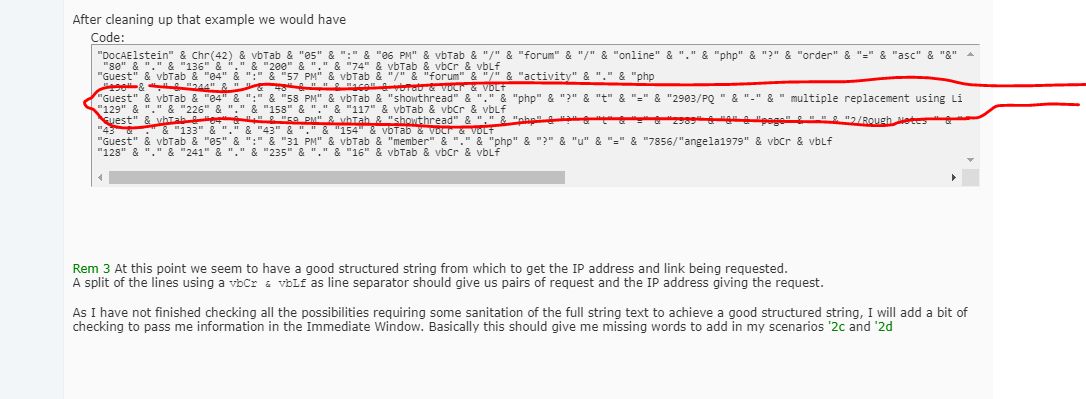
Rem 3 Getting the data. At this point we appear to have a good structured string
Dim arrRequestIP() As String
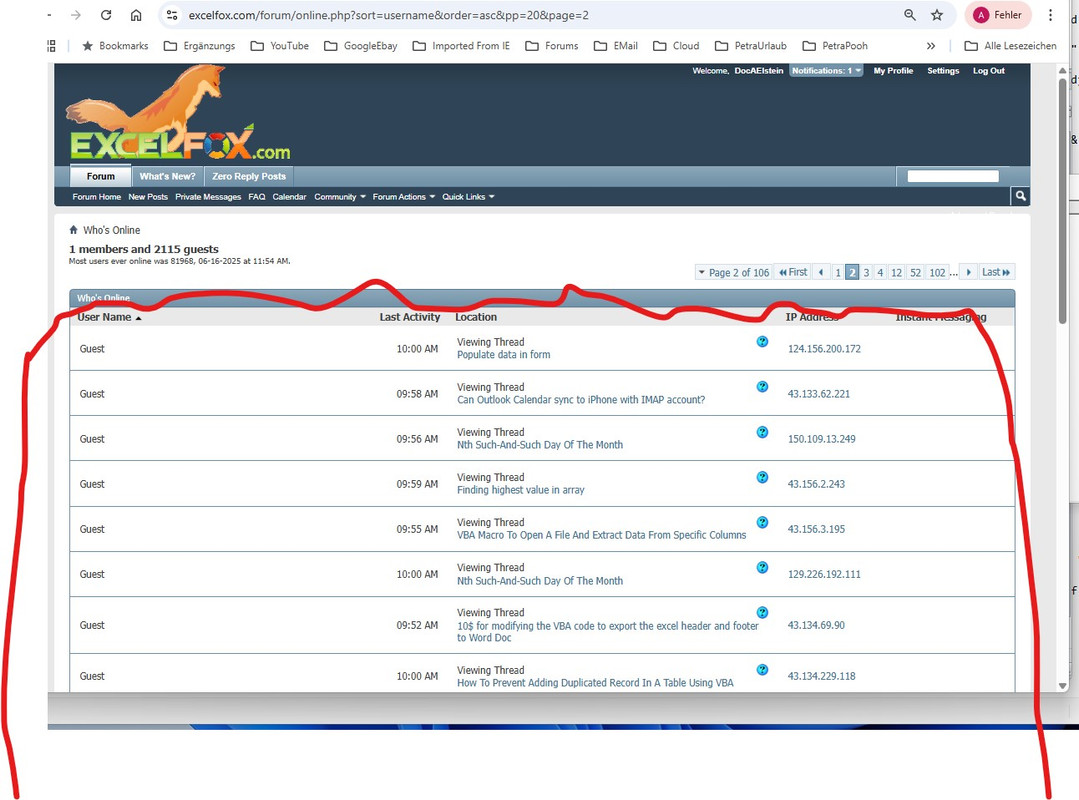
Let arrRequestIP() = Split(MainString, vbCr & vbLf, -1, vbBinaryCompare) ' Hoping that we have pairs of lines, the first has amoungst ither things, the URL, the second has the IP Address of the thing or person looking
Dim Cnt As Long
For Cnt = 0 To UBound(arrRequestIP()) ' == MAIN LOOP ================================================
' 3a Check for non good structure, typically in a problem senario we get then two lines starting with Geust - a '2d synario
If Left(arrRequestIP(Cnt), 5) = "Guest" And Left(arrRequestIP(Cnt + 1), 5) = "Guest" Then
Debug.Print ' just to make space in any other clutter in immediate window
Debug.Print "Guest Guest " & arrRequestIP(Cnt) ' to check out any still needed sanitation of the full string text to achieve a good structured string,
Debug.Print ' just to make space in any other clutter in immediate window
MsgBox prompt:="Guest Guest synario, (likely words with a vbTab where a vbCr & vbLf should be)"
Stop
Else
' This next array should be User vbTab Time vbTab Request
Dim arrWhenWhat() As String: Let arrWhenWhat() = Split(arrRequestIP(Cnt), vbTab, -1, vbBinaryCompare)
' 3b Check for non good structure, typically in a problem scenario ' 2c
If UBound(arrWhenWhat()) <> 2 Then ' This might occur if there is an unwanted extra vbCr & vblf such as in the synario '2c
Debug.Print ' These Debug.Print lines should give me an idea what the problem is
Debug.Print arrRequestIP(Cnt - 2)
Debug.Print arrRequestIP(Cnt - 1)
Debug.Print arrRequestIP(Cnt - 0)
Debug.Print arrRequestIP(Cnt + 1)
Debug.Print
' /forum/showthread.php?17-Using-ListView-a-Listbox-on-steroidsViewing Thread 52.167.144.181
' /forum/showthread.php/17-Using-ListView-a-Listbox-on-steroids
MsgBox prompt:="Possible '2c scenario you have a word and extra vbCr & vnLf to get rid of "
Stop
Else ' Now we are ready to start a hopefully regular ordered text, havong just finished checking form irregularities
Rem 4
Dim Request As String: Let Request = arrWhenWhat(2) ' This hould be the URL being requested
Dim IPAddress As String: Let IPAddress = arrRequestIP(Cnt + 1) ' Zhe next line should be the IP Address of the thing or person viewing
' Worksheets info
Dim WsReq As Worksheet, WsIP As Worksheet, WsReqErr As Worksheet
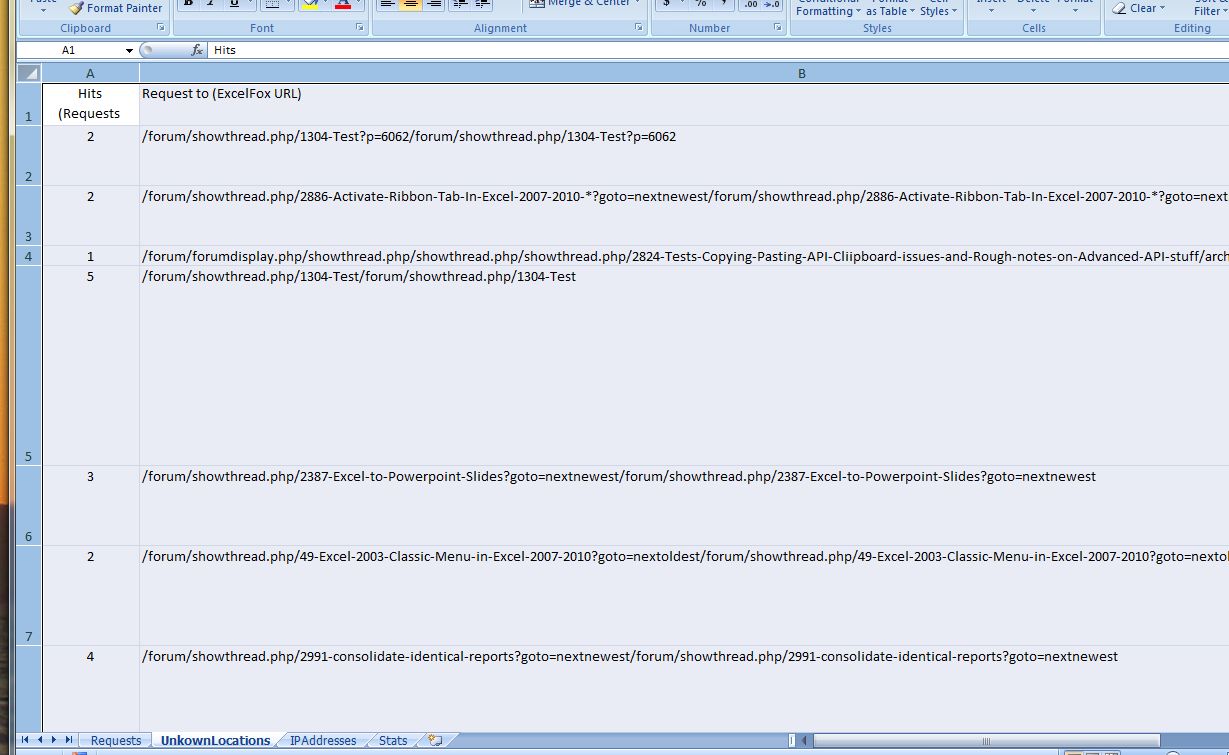
Set WsReq = ThisWorkbook.Worksheets("Requests"): Set WsIP = ThisWorkbook.Worksheets("IPAddresses"): Set WsReqErr = ThisWorkbook.Worksheets("UnkownLocations")
Dim LrReq As Long, LrIP As Long, LrReqErr As Long
Let LrReq = WsReq.Range("B" & WsReq.Rows.Count & "").End(xlUp).Row: LrIP = WsIP.Range("B" & WsIP.Rows.Count & "").End(xlUp).Row: Let LrReqErr = WsReqErr.Range("B" & WsReqErr.Rows.Count & "").End(xlUp).Row
Dim rngReq As Range, rngIP As Range, rngReqErr As Range
Set rngReq = WsReq.Range("B1:B" & LrReq & ""): Set rngIP = WsIP.Range("B1:B" & LrIP & ""): Set rngReqErr = WsReqErr.Range("B1:B" & LrReqErr & "")
If InStr(1, Request, "Unknown Location", vbBinaryCompare) > 0 Then ' ###
Let Request = Replace(Request, "Unknown Location", "", 1, 1, vbBinaryCompare)
Rem 5 Problem URL requests, so URL into "UnkownLocations" worksheet
WsReqErr.Activate
Dim rngReqErrIn As Range '
If Len(Request) > 255 Then ' If an untypical very long URL crops up, the .Find below won't work, so here we just hope there are not so many of these and with that unlikely to be duplicates of them - this is a bit of a bodge done after all the coding was first done
Set rngReqErrIn = WsReqErr.Range("B" & LrReqErr + 1 & "")
Let rngReqErrIn = Request
Let rngReqErrIn.Offset(0, -1) = 1
Let rngReqErrIn.Offset(0, 1) = IPAddress
Else ' For more typical URLs we can check to see if we already have it, so as to avoid duplicate entries
Set rngReqErrIn = rngReqErr.Find(what:=Request, After:=WsReqErr.Range("B1"), LookIn:=xlValues, searchorder:=xlByRows, searchdirection:=xlNext, MatchCase:=True)
If rngReqErrIn Is Nothing Then
Set rngReqErrIn = WsReqErr.Range("B" & LrReqErr + 1 & "")
Let rngReqErrIn = Request
Let rngReqErrIn.Offset(0, -1) = 1
Let rngReqErrIn.Offset(0, 1) = IPAddress
Else
Let rngReqErrIn = Request
Let rngReqErrIn.Offset(0, -1) = rngReqErrIn.Offset(0, -1).Value + 1
Let rngReqErrIn.Offset(0, 1) = rngReqErrIn.Offset(0, 1).Value & vbCr & vbLf & " " & IPAddress
End If
End If ' Finished with problem requests here
Else '
Rem 6 For most URLs, URL goes into worksheet "Requests"
WsReq.Activate
Dim rngReqIn As Range '
If Len(Request) > 255 Then ' I csannot use the .Find for these rare occaisions, so i just put it at the end, hoping it is not a duplicate
Set rngReqIn = WsReq.Range("B" & LrReq + 1 & "")
Let rngReqIn = Request
Let rngReqIn.Offset(0, -1) = 1
Let rngReqIn.Offset(0, 1) = IPAddress
Else
Set rngReqIn = rngReq.Find(what:=Request, After:=WsReq.Range("B1"), LookIn:=xlValues, searchorder:=xlByRows, searchdirection:=xlNext, MatchCase:=True)
If rngReqIn Is Nothing Then
Set rngReqIn = WsReq.Range("B" & LrReq + 1 & "")
Let rngReqIn = Request
Let rngReqIn.Offset(0, -1) = 1
Let rngReqIn.Offset(0, 1) = IPAddress
Else
Let rngReqIn = Request
Let rngReqIn.Offset(0, -1) = rngReqIn.Offset(0, -1).Value + 1
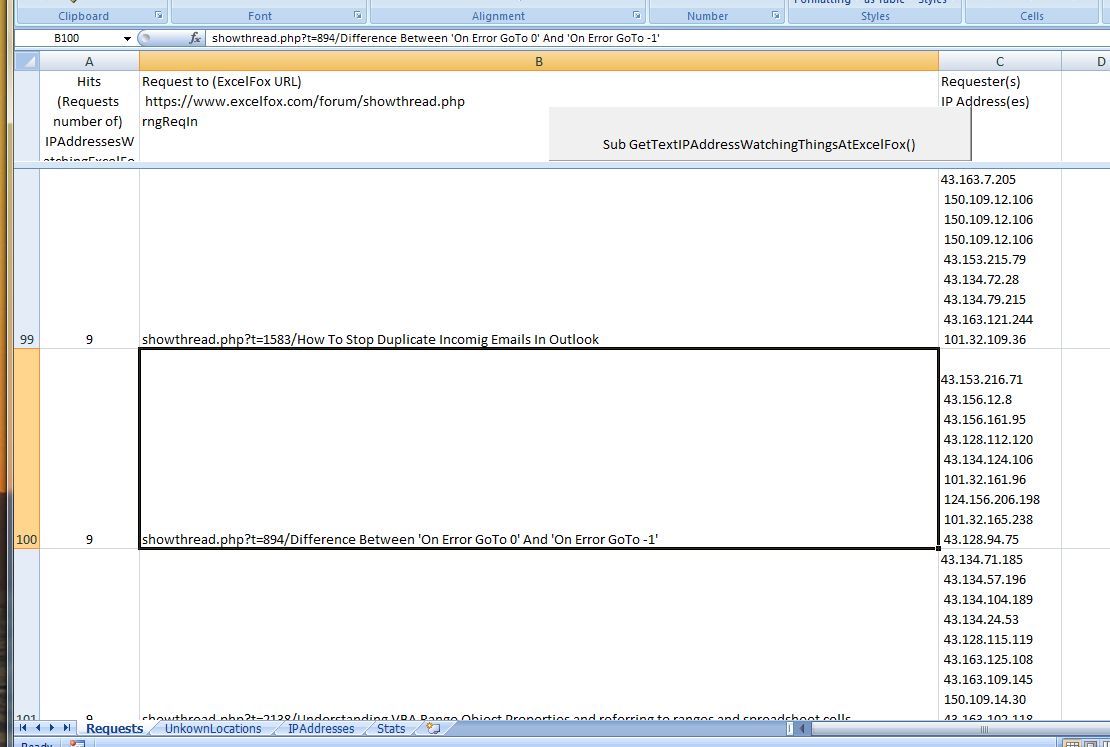
Let rngReqIn.Offset(0, 1) = rngReqIn.Offset(0, 1).Value & vbCr & vbLf & " " & IPAddress
End If
End If
End If
Let Cnt = Cnt + 1 ' Hopefully now we are at the IP address line (Bit naughty apparantly - cardinal sin apparantly to do this.) Hopefully the URL has now been added, in either "Requests" or "UnkownLocations" worksheets, (and the IP address added in column C ), and we now go to next line for adding IP address worksheet info
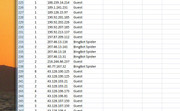
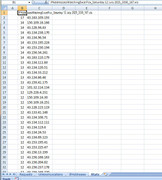
Rem 7 IP address info worksheet
WsIP.Activate
Dim rngIPIn As Range, UsrNme As String: Let UsrNme = arrWhenWhat(0)
Set rngIPIn = rngIP.Find(what:=IPAddress, After:=WsIP.Range("B1"), LookIn:=xlValues, searchorder:=xlByRows, searchdirection:=xlNext, MatchCase:=True)
If rngIPIn Is Nothing Then
Set rngIPIn = WsIP.Range("B" & LrIP + 1 & "")
Let rngIPIn = IPAddress
Let rngIPIn.Offset(0, -1) = 1
Let rngIPIn.Offset(0, 1) = UsrNme
Else
Let rngIPIn = IPAddress ' This is redundant
Let rngIPIn.Offset(0, -1) = rngIPIn.Offset(0, -1).Value + 1
If InStr(1, rngIPIn.Offset(0, 1).Value, UsrNme, vbBinaryCompare) > 0 Then
' same User Name for this IP as last time, (the most likely case), so do nothing
Else
Let rngIPIn.Offset(0, 1) = rngIPIn.Offset(0, 1).Value & vbCr & vbLf & UsrNme
End If
End If
End If ' end of a check for a likely situation where there is an extra unwanted vbDr & vbLf
End If ' End of the check for a Guest Guest synario (likely words with a vbTab where a vbCr & vbLf should be)
Next Cnt ' == MAIN LOOP ============================================================================
' 7b Sort order of IP addresses
LrIP = WsIP.Range("B" & WsIP.Rows.Count & "").End(xlUp).Row ' refresh after last entry (probably just LrIP = LrIP +1 would do
Dim rngToSort As Range: Set rngToSort = WsIP.Range("A2:C" & LrIP & "")
rngToSort.Sort Key1:=WsIP.Range("B2:B" & LrIP & ""), Order1:=xlAscending
Rem 10 Miscalaneous
' A count sometimes useful to keep track how many times you run the coding, you will want to manually set this to 0 maybe dependiung on what when you are doing something
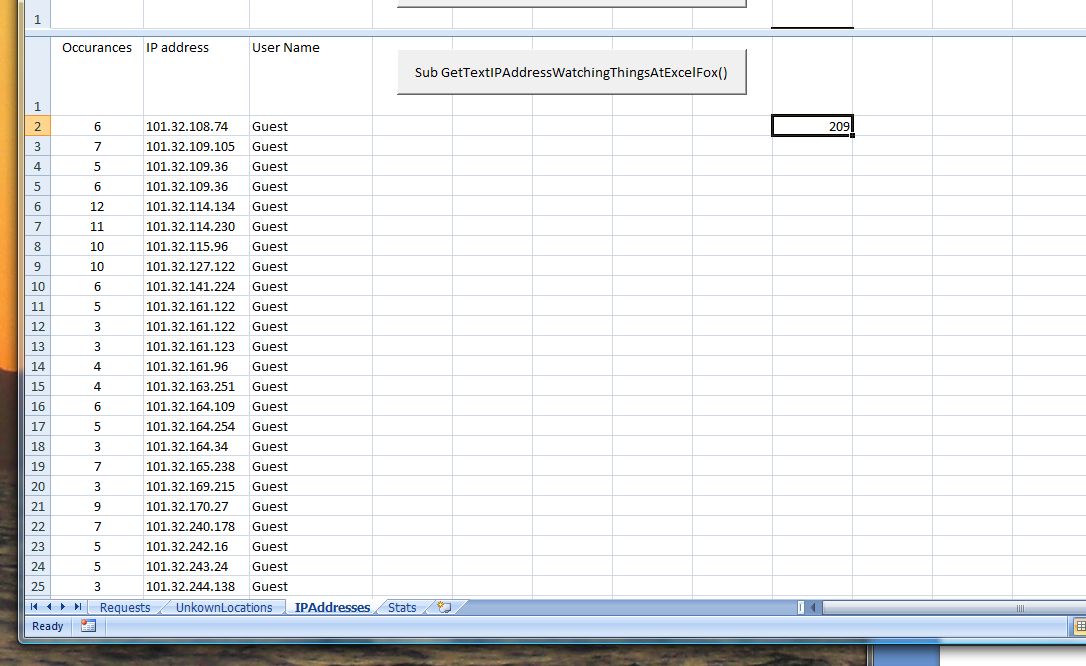
WsIP.Range("I2") = WsIP.Range("I2").Value + 1
End Sub



 Reply With Quote

Bookmarks