Results 1 to 10 of 51

Thread: VBA - Count filtered rows in the table
Threaded View

Previous Post Previous Post   Next Post Next Post
  1. #6
    Fuhrer, Vierte Reich DocAElstein's Avatar
    Join Date
    Aug 2014
    Posts
    10,457
    Rep Power
    10
    OK, I understand a bit better what you want, but I probably do not understand fully yet.

    This is what I done so far:
    Here is a macro https://www.excelfox.com/forum/showt...ll=1#post23204
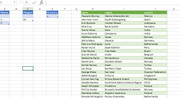
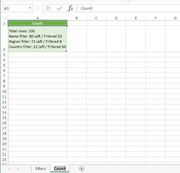
    It is also in the uploaded file. It works automatically if you type anything in column A or C or E ( or F * )

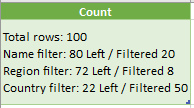
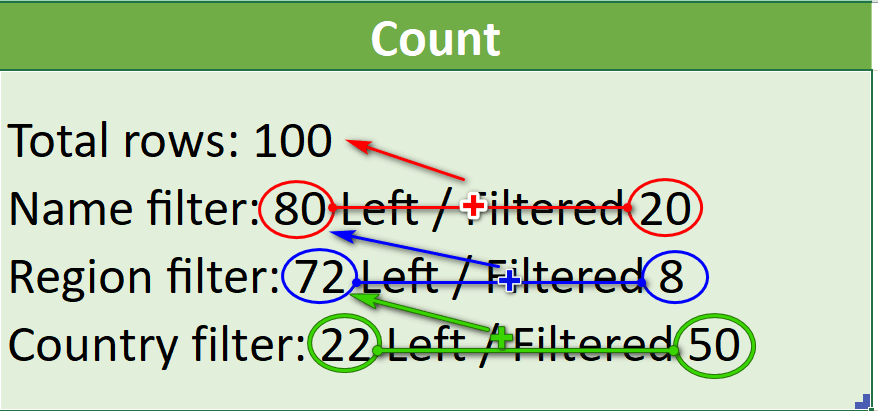
    It does not get exactly the results you want, but I don’t understand yet how you got those results: I don’t understand how you get this:
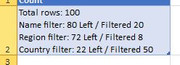
    " Total rows: 100
    Name filter: 80 Left / Filtered 20
    Region filter: 72 Left / Filtered 8
    Country filter: 22 Left / Filtered 50
    "


    This is what https://www.excelfox.com/forum/showt...ll=1#post23204 it does:
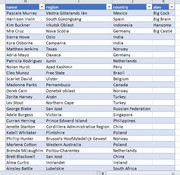
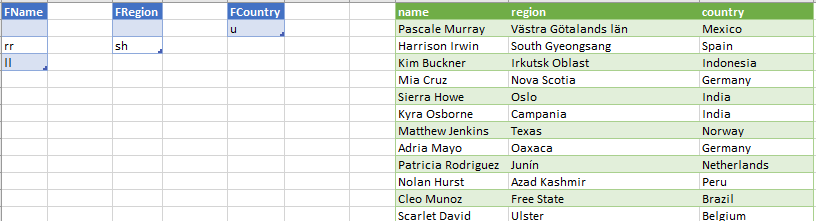
    If you type rr in column A , https://i.postimg.cc/s2G1SXKS/rr.jpg , it tells you automatically this
    name Filter by rr will get 6 rows

    Pascale Murray
    Harrison Irwin
    Sierra Howe
    Curran Herring
    Blake Herring
    Jarrod Mccarthy

    Total rows in name column was 100


    If you type ll in column A it tells you this
    name Filter by ll will get 14 rows

    Katell Whitaker
    Phillip Hunter
    Brett Blackwell
    Julian Castillo
    Kelly Ware
    Jin Mcmillan
    Yasir Rollins
    Yeo Allen
    Hilel Marshall
    Dillon Dunlap
    Jin Gilliam
    Petra Sellers
    Chancellor Ratliff
    Halla Hodges

    Total rows in name column was 100


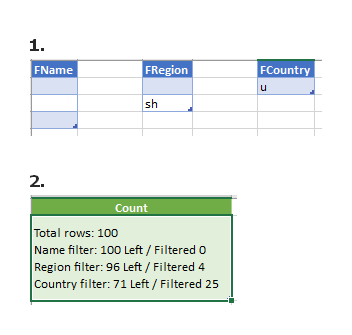
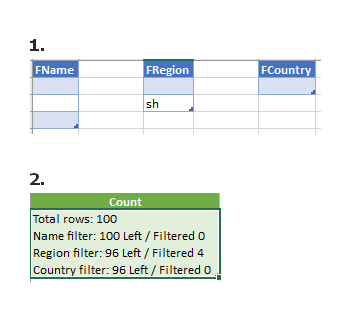
    If you type sh in column C it tells you this
    region Filter by sh will get 4 rows

    Azad Kashmir
    Flintshire
    Andhra Pradesh
    Kirkcudbrightshire

    Total rows in region column was 100


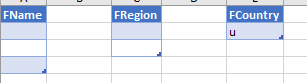
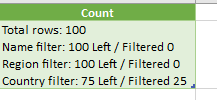
    If you type u in column E it tells you this
    country Filter by u will get 25 rows

    Peru
    Belgium
    Turkey
    Turkey
    Russian Federation
    South Africa
    Turkey
    United States
    South Africa
    South Korea
    Belgium
    Australia
    Russian Federation
    Belgium
    Peru
    South Korea
    Belgium
    Ukraine
    Belgium
    Belgium
    South Africa
    Peru
    Peru
    United Kingdom
    Austria

    Total rows in country column was 100


    *If you then add another column in the table, and add another single column like this
    BigAlan.JPG
    , and if you then type Big in column F, then it will tell you the truth
    alan Filter by Big will get 3 rows

    Big Cock
    Big Brain
    Big Castle

    Total rows in alan column was 4

    Alan Big Cock Big Brain Big Castle.JPG


    If you tell me exactly how you get your results, then I can maybe think again, or maybe whatever….
    Attached Files Attached Files
    Last edited by DocAElstein; 08-21-2023 at 02:45 PM.

Similar Threads

  1. Replies: 101
    Last Post: 06-11-2020, 02:01 PM
  2. Delete Filtered Rows Excluding The Header
    By xander1981 in forum Excel Help
    Replies: 5
    Last Post: 04-01-2014, 11:44 PM
  3. Replies: 1
    Last Post: 07-30-2013, 11:08 PM
  4. Lookup and Count Using Pivot Table
    By RobExcel in forum Excel Help
    Replies: 2
    Last Post: 12-21-2012, 11:08 AM
  5. Unique Count on a Filtered Range
    By Admin in forum Excel and VBA Tips and Tricks
    Replies: 0
    Last Post: 08-14-2011, 04:29 AM

Posting Permissions

  • You may not post new threads
  • You may not post replies
  • You may not post attachments
  • You may not edit your posts
  •