


 XML Spreadsheet
It is now clear to us that no matter what we do, we have to find a source that gives us information about the type of data. And we find this information in the XML Spreadsheet structure.
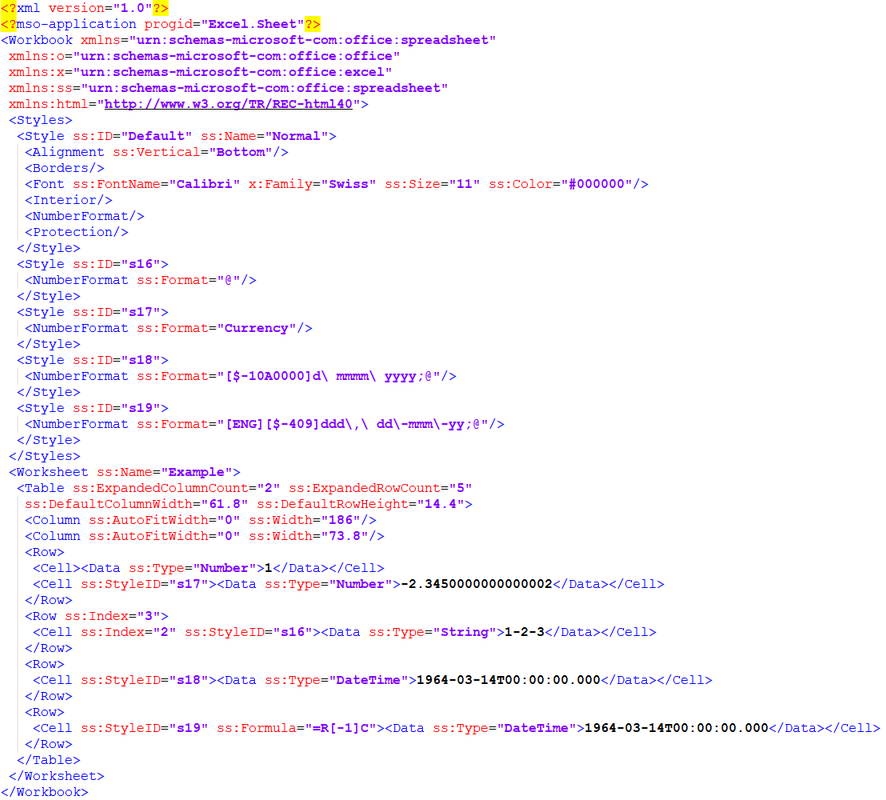
Let's download the sample file from Excel-Online, open it locally and copy the range and look what's inside.
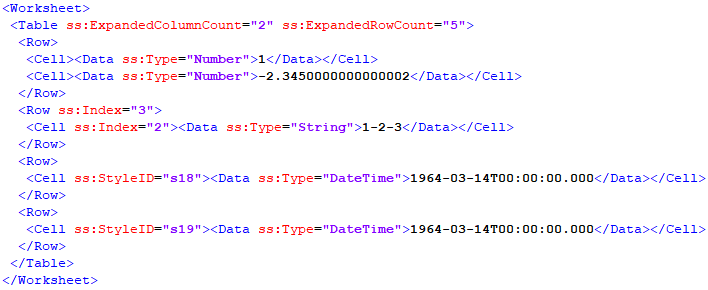
This looks confusing at first, but it looks similar to the HTML format. So, let me remove some of the attributes and get your eyes down to the important part.
There is also a "Table" and we can get the size of the two-dimensional array from the attributes in there. Row and column have the same name as we are used to in Excel.
In each cell there is a "Data" and with the attribute ss:Type we know the data type and there are only 3 of them:
- Number
- String
- DateTime
If we look at the value of the currency, then we also see the actual value -2.345000000000000002 contained in the cell. Why does this value have 16 decimal places? They always say that Excel can only have 15 decimal places? One of the many myths that have been haunting the Internet about Excel for ages.
Well, the details are terribly complicated and need their own article. The IEEE 754 standard defines the standard representations for binary and decimal floating-point numbers in computers and specifies precise procedures for performing mathematical operations, especially for rounding. If you want to deal with the details of floating-point arithmetic, this calculator is recommended.
It is only important to know that we also get a text from the XML structure, but can see from the attribute Number that it is a number and have to use VBA.Val to convert it into a number.
BTW, why VAL and not CDbl? CDbl respects the system's region settings, so it could be that your system uses the comma as a decimal separator, but a number in XML always has a dot as a decimal separator.
We can recognize a text by the String attribute, i.e. if we insert values and number formats, then we must first format the cell as text to suppress the automatic conversion of Excel. In addition, texts are also encoded in UTF-8, which we must convert to ANSI as already discussed.
A date (and also time) is always present as DateTime, but when converting it we have to consider a bug in Excel that VBA does not have, the 29 February 1900 which does not exist. This day is an intentional error in Excel that dates back to the early days of Excel. At that time there was still such serious competition: Lotus 1-2-3 and this software also had this error. If you're interested, check out the Function CDateTime in modClipboard.
Before we get to the formats, a small difference to the HTML format: There we also had an entry for empty cells, but here they are missing. To recognize them, the index attribute tells us the position of the next row or column. The position then continues to apply to all subsequent rows and columns.
Now let's look at the number formats.

 Reply With Quote
Bookmarks