Page 4 of 7 FirstFirst ... 23456 ... LastLast
Results 31 to 40 of 70

Thread: A Semi automated way to note the IP addresses of things viewing us

  1. #31
    Fuhrer, Vierte Reich DocAElstein's Avatar
    Join Date
    Aug 2014
    Posts
    10,457
    Rep Power
    10
    Splitting SummaryRequestsIPs.xlsm and tidying up a bit
    I want to spilt/ consolidate/ tidy up or similar to get a more full All columns – maybe a few across the whole time so far and maybe try to follow to some extent the patchy log notes so as to maybe get typical behaviours over a few days, if possible.
    I mean I want columns not too dissimilar to what I did so far for the IPs and Requests over certain time periods
    https://i.postimg.cc/2592Hkj1/All-IPs.jpg
    https://i.postimg.cc/TwyQFzhD/All-Requests.jpg


    SummaryRequestsIPsDailys.xlsm
    For the time being I may leave the Unknown locations worksheet , https://i.postimg.cc/Y948Z5jL/Unkown...-Worksheet.jpg , without an All worksheet perhaps left initially in a simple summary file,
    SummaryRequestsIPsDailys.xlsm
    This file will that used to pull into it the daily files, (daily files being the files like IPAddressesWatchingExcelFox_Refresh 7min 1674 84 samstag 18 oct 840 er.xls )
    (The file SummaryRequestsIPsDailys.xlsm is split out from SummaryRequestsIPsAlls.xlsm ) I might copy all or bits of the Unknown locations worksheet here and there to help in any time periods analysis and may even do a limit All on it from time to time
    So SummaryRequestsIPsDailys.xlsm will reduce to 3 worksheets

    ( I will tidy up just slightly the coding used to get the clipboard copy that I (will likely still ) manually copy to the SummaryRequestsIPsAlls.xlsm , and I will add/move the two unkownlocations coding as the third ( forth ) to be done from the daily files)

    SummaryRequestsIPsAlls(Merge).xlsm
    I will now split further to get a file, SummaryRequestsIPsAlls(Merge).xlsm which I will start by copying some of the All columns from the previous SummaryRequestsIPsAlls.xlsm

    SummaryRequestsIPsAlls.xlsm at its current form will be renamed at this point to SummaryRequestsIPsEarlyRickEtc.xlsm , to use if I get back to looking at the Crazy Alligator Log Days. My thinking that as time has gone on things may have moved on so there is more than enough data to use to reanalyze that bad early crazy time
    Last edited by DocAElstein; 10-25-2025 at 01:33 PM.

  2. #32
    Fuhrer, Vierte Reich DocAElstein's Avatar
    Join Date
    Aug 2014
    Posts
    10,457
    Rep Power
    10
    Some recap and renewal, changes related to the last post

    What I do most days, occasionally a few times if I think I catch something useful
    So every day I run at least once the big code in the Requests worksheet of IPAddressesWatchingExcelFox_Refresh.xls,
    Sub GetRefreshesIPAddressWatchingThingsAtExcelFox()
    , and before I run it I hard code a variable towards the start , En , to the current number of pages in the users online . (The coding refreshes for that number of times, which seems to give me similar results from the seen users on line as if I had gone through looking at all the pages)
    Quickly after I start the run I select a page of the users online , typically the second. (Any page other than page 1 is OK – if I use page 1 then I keep seeing myself and anyone else logged in. I want to see all the guests)
    (When finished the file, IPAddressesWatchingExcelFox_Refresh.xls, gets some extra bit on its name: The day/date and maybe other info)
    No major change there


    What I do to catch up putting the measurements made on a day into the now single cummulative days file
    The same day or maybe more likely after a few days, I bring the info into SummaryRequestsIPsDailys.xlsm
    Bit of tidying up/ changing for that:
    2 files must be open, SummaryRequestsIPsDailys.xlsm and the day one IPAddressesWatchingExcelFox_Refresh xxx xxxxx xyz day whatever.xls
    More detail to that next…


    Quote Originally Posted by DocAElstein View Post
    ( I will tidy up just slightly the coding used to get the clipboard copy that I (will likely still ) manually copy to the SummaryRequestsIPsAlls.xlsm , and I will add/move the two unkownlocations coding as the third ( forth ) to be done from the daily files)
    OK, I did that

    …… So every few days to catch up I proceed as follows: open the oldest file from the folder G:\AboutBoard\Viewing Bots\Daily Viewing Log Files that I have not yet considered sinct the day it was made/ saved last. It will be a file looking like
    IPAddressesWatchingExcelFox_Refresh xxx xxxxx xyz day whatever.xls
    Also the only other file to be open is
    SummaryRequestsIPsDailys.xlsm


    Three codings are then to be run in sequence, the ones in worksheet Stats in IPAddressesWatchingExcelFox_Refresh xxx xxxxx xyz day whatever.xls
    ( Latest version of those codings in the next post )
    Before running the fist two codings, the appropriate next top left must be selected, - top left of where you want the daily result range (that running the coding has put in the clipboard) into the cumulative results file, SummaryRequestsIPsDailys.xlsm
    The final code should be done last as after it has put the unknown location info into the the cumulative results file, SummaryRequestsIPsDailys.xlsm, it then saves and closes that file


    So that covers getting SummaryRequestsIPsDailys.xlsm up to date, running that coding which is in every day file IPAddressesWatchingExcelFox_Refresh xxx xxxxx xyz day whatever.xls
    From time to time an attempt is made to merge similar day file measurements…. Over Next post…
    Last edited by DocAElstein; 11-07-2025 at 06:32 PM.

  3. #33
    Fuhrer, Vierte Reich DocAElstein's Avatar
    Join Date
    Aug 2014
    Posts
    10,457
    Rep Power
    10
    Latest version of three codings to be run in sequence every few days when catching up

    Code:
    Option Explicit
    Sub RequestsOrdering()
    Dim WsReq As Worksheet, WsIP As Worksheet, WsReqErr As Worksheet, WsSts As Worksheet
     Set WsReq = ThisWorkbook.Worksheets("Requests"): Set WsIP = ThisWorkbook.Worksheets("IPAddresses"): Set WsReqErr = ThisWorkbook.Worksheets("UnkownLocations")
    Dim LrReq As Long, LrIP As Long, LrReqErr As Long
     Let LrReq = WsReq.Range("B" & WsReq.Rows.Count & "").End(xlUp).Row: LrIP = WsIP.Range("B" & WsIP.Rows.Count & "").End(xlUp).Row: Let LrReqErr = WsReqErr.Range("B" & WsReqErr.Rows.Count & "").End(xlUp).Row
     Let WsReq.Range("A1") = WsReq.Range("A1").Value & " " & ThisWorkbook.Name
    
    WsReq.Activate
     Let WsReq.Range("A1") = Replace(ThisWorkbook.Name, ".xls", "", 1, -1, vbBinaryCompare)
     Let WsReq.Range("A1") = Replace(WsReq.Range("A1").Value, "IPAddressesWatchingExcelFox_Refresh", "", 1, -1, vbBinaryCompare)
     Let WsReq.Range("B1:C1") = "" ' I don't want this info messing up the little space I have for title info, it is legacy here to remind me of somethhing, not sure what
    
    Dim rngReq As Range ' The three column range
     Set rngReq = WsReq.Range("A2:C" & LrReq & "")
     
     Let rngReq.WrapText = False ' all request lines same small/ normal height height
     Let WsReq.Range("A" & LrReq + 1 & "") = "=sum(A2:A" & LrReq & ")"
     rngReq.Sort Key1:=WsReq.Range("A2:A" & LrReq & ""), Order1:=xlDescending
    
     rngReq.Offset(-1, 0).Resize(rngReq.Rows.Count + 1, rngReq.Columns.Count).Copy
    End Sub
    
    '  showthread.php?t=2993/Alan and Clare Testing
    
    Sub IPsSaniierung() ' To tidy up after coding
    Rem 0 worksheets info
    Dim WsReq As Worksheet, WsIP As Worksheet, WsReqErr As Worksheet, WsSts As Worksheet
     Set WsReq = ThisWorkbook.Worksheets("Requests"): Set WsIP = ThisWorkbook.Worksheets("IPAddresses"): Set WsReqErr = ThisWorkbook.Worksheets("UnkownLocations"): Set WsSts = ThisWorkbook.Worksheets("Stats")
    WsSts.Cells.ClearContents
    Dim LrReq As Long, LrIP As Long, LrReqErr As Long, LrSts As Long
     Let LrReq = WsReq.Range("B" & WsReq.Rows.Count & "").End(xlUp).Row: LrIP = WsIP.Range("B" & WsIP.Rows.Count & "").End(xlUp).Row: Let LrReqErr = WsReqErr.Range("B" & WsReqErr.Rows.Count & "").End(xlUp).Row
    Dim LcSts As Long, NxtClm As Long
     Let LcSts = WsSts.Cells.Item(1, WsSts.Columns.Count).End(xlToLeft).Column
     Let NxtClm = LcSts + 1
    
     WsSts.Activate
     Let WsSts.Range("A1").Offset(0, NxtClm - 1) = Replace(ThisWorkbook.Name, ".xls", "", 1, -1, vbBinaryCompare) ' But iof legacy to when I might have had more / previous columns ion this worksheet
     Let WsSts.Range("A1").Offset(0, NxtClm - 1) = Replace(WsSts.Range("A1").Offset(0, NxtClm - 1), "IPAddressesWatchingExcelFox_Refresh", "", 1, -1, vbBinaryCompare) ' But iof legacy to when I might have had more / previous columns ion this worksheet
    
    Dim rngIPs As Range
     Set rngIPs = WsIP.Range("A2:B" & LrIP & "")
     rngIPs.Copy Destination:=WsSts.Range("A2").Offset(0, NxtClm - 1)
     Set rngIPs = WsSts.Range("A2").Offset(0, NxtClm - 1).Resize(rngIPs.Rows.Count, rngIPs.Columns.Count)
     Let LrSts = LrIP
    ' Rem Tidy up duplicate IP entries, based on assuming the order has been done on IPs  in   Sub GetRefreshesIPAddressWatchingThingsAtExcelFox()
    Dim Cnt As Long
        For Cnt = LrSts To 2 Step -1
        Dim strIP1 As String, strIP2 As String
         Let strIP1 = WsSts.Range("C" & Cnt & "").Value2: strIP2 = WsSts.Range("C" & Cnt + 1 & "").Value2
    '    Debug.Print
    '    Debug.Print Len(strIP1)
         Let strIP1 = Replace(strIP1, vbTab, "", 1, -1, vbBinaryCompare) ': Debug.Print Len(strIP1)
         Let strIP1 = Replace(strIP1, vbCr & vbLf, "", 1, -1, vbBinaryCompare) ': Debug.Print Len(strIP1)
         Let strIP1 = Trim(strIP1) ': Debug.Print Len(strIP1)
    '    Debug.Print
    '    Debug.Print Len(strIP2)
         Let strIP2 = Replace(strIP2, vbTab, "", 1, -1, vbBinaryCompare) ': Debug.Print Len(strIP2)
         Let strIP2 = Replace(strIP2, vbCr & vbLf, "", 1, -1, vbBinaryCompare) ': Debug.Print Len(strIP2)
         Let strIP2 = Trim(strIP2) ': Debug.Print Len(strIP2)
    '    Debug.Print
            If strIP1 = strIP2 Then
             Let WsSts.Range("B" & Cnt & "") = WsSts.Range("B" & Cnt & "").Value2 + WsSts.Range("B" & Cnt + 1 & "").Value2
             Let WsSts.Range("C" & Cnt & "") = strIP1 ' The sanitised value
             WsSts.Range("B" & Cnt + 1 & ":C" & Cnt + 1 & "").Delete Shift:=xlUp ' W deleted what was behiud/above us
            Else
            End If
        
        Next Cnt
    Rem  We lost some rows now, so the last row has changed
     Let LrSts = WsSts.Range("B" & WsSts.Rows.Count & "").End(xlUp).Row
     
    Rem  re-order
     Set rngIPs = WsSts.Range("B2:C" & LrSts & "")
     rngIPs.Sort Key1:=rngIPs.Columns(1), Order1:=xlDescending
    
    Rem
    ' Let WsSts.Range("B" & LrSts + 1 & "") = "=SUM(B2:B" & LrSts & ")"
     Let WsSts.Range("B" & LrSts + 1 & "") = WsSts.Evaluate("SUM(B2:B" & LrSts & ")")
    Rem get ready to paste in summary file
     rngIPs.Offset(-1, 0).Resize(rngIPs.Rows.Count + 2, rngIPs.Columns.Count).Copy
    End Sub
    
    
    Sub UnknownLocationsTotheSummaryFile()
    Dim DailyWb As Workbook, DailyWs As Worksheet
     Set DailyWb = Me.Parent
     Set DailyWs = DailyWb.Worksheets("UnkownLocations")
     DailyWs.Activate
    Dim DlyLr As Long: Let DlyLr = DailyWs.Range("B" & DailyWs.Rows.Count & "").End(xlUp).Row '
    Dim rngDly As Range
     Set rngDly = DailyWs.Range("A2:C" & DlyLr & "")
     rngDly.Sort Key1:=DailyWs.Range("A2:A" & DlyLr & ""), Order1:=xlDescending
        If DlyLr > 1 Then
         rngDly.Copy
        Else
         Let DailyWs.Range("A1") = DailyWs.Range("A1").Value  ' A quick trick to change something so that the last change date changes in file explorer
        End If
    ' rngDly.Offset(50, 0).Select ' To check to see if this effectively scroll


    Dim WsS As Worksheet: Set WsS = Workbooks("SummaryRequestsIPsDailys.xlsm").Worksheets("UnknownLocations")
     WsS.Activate
    Dim Nr As Long
     Let Nr = WsS.Range("A" & WsS.Rows.Count & "").End(xlUp).Row + 1  '  WsS.Range("B" & WsS.Rows.Count & "").End(xlUp).Row + 1  Bis an option to overwite the column A  of  the day before
     Let WsS.Range("A" & Nr & "") = Replace(Replace(DailyWs.Parent.Name, "IPAddressesWatchingExcelFox_", ""), ".xls", "")
    ' WsS.Range("A" & Nr & "").Offset(13, 0).Select
        If DlyLr > 1 Then WsS.Paste Destination:=WsS.Range("A" & Nr + 1 & "")


    Call ReCheckDuplicates
    
     Let WsS.Cells.WrapText = False
    DailyWs.Parent.Close savechanges:=True
    End Sub
    '   https://stackoverflow.com/a/79775234/4031841    https://stackoverflow.com/questions/35395789/excel-vba-need-workaround-for-255-transpose-character-limit-when-returning-vari/79775234#79775234   https://www.excelfox.com/forum/showthread.php/3007-A-Semi-automated-way-to-note-the-IP-addresses-of-things-viewing-us?p=27604&viewfull=1#post27604
    Sub ReCheckDuplicates()
    Dim rngSel As Range '
     Set rngSel = Selection ' Assume after the paste in last macro, what was pasted in is selected
    Dim StRw As Long, SpRw As Long
     Let StRw = Selection.Row: SpRw = Selection.Row + (Selection.Rows.Count - 1)
    Dim WsS As Worksheet: Set WsS = rngSel.Parent
    Dim Rw As Long, Rw2 As Long
        For Rw = SpRw To StRw Step -1
            For Rw2 = Rw - 1 To StRw Step -1
                If Me.Range("B" & Rw2 & "") = Me.Range("B" & Rw & "") Then ' As soon as we have a match, we can delete the current  Rw row  after  incrementing the count at the matched row, and adding therer the IP address
                 Let Me.Range("A" & Rw2 & "") = Me.Range("A" & Rw2 & "").Value + Me.Range("A" & Rw & "").Value
                 Let Me.Range("C" & Rw2 & "") = Me.Range("C" & Rw2 & "") & " " & vbCr & vbLf & Me.Range("C" & Rw & "")
                 Me.Range("A" & Rw & "").EntireRow.Delete Shift:=xlUp
                 GoTo NxtRw:
                Else
                End If
            Next Rw2
    NxtRw:
        Next Rw
    
     Let Me.Cells.WrapText = False
    End Sub

    So that covered getting SummaryRequestsIPsDailys.xlsm up to date, running that coding which is in every day file IPAddressesWatchingExcelFox_Refresh xxx xxxxx xyz day whatever.xls
    From time to time an attempt is made to merge similar day file measurements…. Next post…
    Last edited by DocAElstein; 11-07-2025 at 10:12 PM.

  4. #34
    Fuhrer, Vierte Reich DocAElstein's Avatar
    Join Date
    Aug 2014
    Posts
    10,457
    Rep Power
    10
    Some Merging coding

    The last post updated getting SummaryRequestsIPsDailys.xlsm up to date,( running coding which is in every day file IPAddressesWatchingExcelFox_Refresh xxx xxxxx xyz day whatever.xls )
    From time to time an attempt is made to merge similar day file measurements. The coding for that will be updated here.

    The current coding will be updated/ sanitised a bit. Coding is all in SummaryRequestsIPsAlls(Merge).xlsm , so that needs to be open, as does the one with all the day measurements, SummaryRequestsIPsDailys.xlsm
    SummaryRequestsIPsDailys.xlsm has the worksheets IPs, Requests and UnknownLocations
    For the time being, UnknownLocations will be left as it is, and we will concentrate in the next posts on codings to get some more
    _ merged URL lists
    and
    _ merged IP lists in SummaryRequestsIPsAlls(Merge).xlsm

    The changes/ updates are mainly to allow continual adding to the next free column on the right, as previously column lists and things were being juggled around in a bit of a hap hazard way.

    AllRequests Merged Columns coding
    The following newest macros are just minor adjusted versions of the previous, ( so we are still using the improved Dictionary ( Sub SingleReqListDics() https://www.excelfox.com/forum/showt...ll=1#post27553 , https://www.excelfox.com/forum/showt...ll=1#post27554 ) to consolidate the lists which are brought in from top left selection of a few day columns from SummaryRequestsIPsDailys.xlsm by Sub CopyTLReqToAllReq()
    Code:
    Option Explicit
    Sub CopyTLReqToAllReq() ' Copy based on top left selection of range. Pasting in the 3 columns of the selected one and the next 2 columns to the right
    ' Range from the  Dailys  SummaryRequestsIPsDailys.xlsm
    Dim wsIPs As Worksheet, wsReqs As Worksheet
    ' I assume you have  SummaryRequestsIPsDailys.xlsm   open
     Set wsIPs = Workbooks("SummaryRequestsIPsDailys.xlsm").Worksheets("IPs"): Set wsReqs = Workbooks("SummaryRequestsIPsDailys.xlsm").Worksheets("Requests")
    wsReqs.Activate: Dim TL As Range: Set TL = Selection
    Dim Lr As Long
     Let Lr = TL.Offset(0, 1).Item(wsReqs.Rows.Count).End(xlUp).Row ' This will error if you have not selected first row so that is a good check.    Offset 1 is so as not to use the first of the three columns, incase I did a  Sum  there
    Dim rngReq As Range
     Set rngReq = TL.Offset(1, 0).Resize(Lr - 1, 3)
    ' rngReq.Copy ' For a quick check
    
    
    ' The merging of a few days workbook ranges into  SummaryRequestsIPAlls.xlsm
    Dim wsAllReqs As Worksheet ' , wsAllIPs As Worksheet ' This workbook
     Set wsAllReqs = ThisWorkbook.Worksheets("AllRequests") ' : Set wsAllIPs = ThisWorkbook.Worksheets("AllIPs")
    wsAllReqs.Activate
    Dim NxtClm As Long ' This assumes I have manualy added some date info, or any info, ONLY in the first column on row 1 of where all the copies ranges go, one on top of the other
     Let NxtClm = wsAllReqs.Cells.Item(1, wsAllReqs.Columns.Count).End(xlToLeft).Column
    wsAllReqs.Cells.Item(1, NxtClm).Select
    Dim NxtRw As Long: Let NxtRw = wsAllReqs.Cells.Item(wsAllReqs.Rows.Count, NxtClm).End(xlUp).Row + 1
        If NxtRw = 2 Then Let NxtRw = 4 ' For the first range to be pasted in, ( I am saving the first 3 rows for dates, notes, observations   etc
    
    ' rngReq.Copy Destination:=wsAllReqs.Range("D" & NxtRw & "")
    ' rngReq.Copy Destination:=wsAllReqs.Range("J" & NxtRw & "")
     rngReq.Copy Destination:=wsAllReqs.Cells.Item(NxtRw, NxtClm)
    wsReqs.Activate
    End Sub '
    Sub SingleReqListDics()
    Dim StTime As Long: Let StTime = Timer
    Dim wsAllReqs As Worksheet, wsAllIPs As Worksheet
     Set wsAllReqs = ThisWorkbook.Worksheets("AllRequests"): Set wsAllIPs = ThisWorkbook.Worksheets("AllIPs")
    wsAllReqs.Activate
    Dim NxtClm As Long ' This assumes I have manualy added some date info, or any info, ONLY in the first column on row 1 of where all the copies ranges go, one on top of the other
     Let NxtClm = wsAllReqs.Cells.Item(1, wsAllReqs.Columns.Count).End(xlToLeft).Column
    wsAllReqs.Cells.Item(1, NxtClm).Select
    
    Dim Lr As Long
    ' Let Lr = wsAllReqs.Range("D" & wsAllReqs.Rows.Count & "").End(xlUp).Row
    ' Let Lr = wsAllReqs.Range("J" & wsAllReqs.Rows.Count & "").End(xlUp).Row
     Let Lr = wsAllReqs.Cells.Item(wsAllReqs.Rows.Count, NxtClm + 1).End(xlUp).Row '  +1  is just incase I did a  Sum  in the first column, which is unlikely here
    Dim rngReqs As Range
    ' Set rngReqs = wsAllReqs.Range("D2:F" & Lr & "")
     Set rngReqs = wsAllReqs.Cells.Item(4, NxtClm).Resize(Lr - 3, 3)
    ' rngReqs.Copy ' just to check
    Dim DicVw As Object, DicIP As Object
     Set DicVw = CreateObject("Scripting.Dictionary"): Set DicIP = CreateObject("Scripting.Dictionary")
    Dim Cnt As Long
    Rem Make Dics Item or adds to it
        For Cnt = 4 To Lr Step 1
            If Not DicVw.exists(wsAllReqs.Cells(Cnt, NxtClm + 1).Value) Then ' NxtClm + 1 gives the URL bit
            ' Here the  Key/Item s   pair are made for the first time
            ' The URL part is the  Key     I only need one later for the middle output column, either   DicVw(Keys)  or   DicIP(Keys)  will do
             DicVw.Add Key:=wsAllReqs.Cells(Cnt, NxtClm + 1).Value, Item:=wsAllReqs.Cells(Cnt, NxtClm).Value ' NxtClm, the first of the three output columns,  has the views
             DicIP.Add Key:=wsAllReqs.Cells(Cnt, NxtClm + 1).Value, Item:=wsAllReqs.Cells(Cnt, NxtClm + 2).Value ' NxtClm+2, the third of the three columns, has the IPs
            Else ' Add the infomation of view count and IPAddresses  if the  Key/Item s    already exists.
             Let DicVw(wsAllReqs.Cells(Cnt, NxtClm + 1).Value) = DicVw(wsAllReqs.Cells(Cnt, NxtClm + 1).Value) + wsAllReqs.Cells(Cnt, NxtClm).Value ' add the views to the current view count
             Let DicIP(wsAllReqs.Cells(Cnt, NxtClm + 1).Value) = DicIP(wsAllReqs.Cells(Cnt, NxtClm + 1).Value) & vbCr & vbLf & " " & wsAllReqs.Cells(Cnt, NxtClm + 2).Value ' tack on all the IPs
            End If
    NxtCnt:
        'Debug.Print Cnt
        Next Cnt
    ' Quick range copy - I am slightly nervous about not temporarily keeping the original range. I will copy it to the right - I will delete it manually or perhaops later forget this section
     wsAllReqs.Cells(4, NxtClm).Resize(Lr - 3, 3).Copy Destination:=wsAllReqs.Cells(4, NxtClm).Offset(0, 3)
     wsAllReqs.Cells(4, NxtClm).Resize(Lr - 3, 3).ClearContents
    Rem output  Keys NxtClm+1,  View count NxtClm,  IPs NxtClm + 2      , arrReqIP() another possibility for the middle column  Keys (URL bit)
    Dim arrReqVw() As Variant, arrVw() As Variant, arrIP() As Variant ' , arrReqIP() As Variant
     Let arrReqVw() = DicVw.keys(): arrVw() = DicVw.items(): arrIP() = DicIP.items() ': arrReqIP() = DicIP.keys()
    
     Let wsAllReqs.Cells(4, NxtClm + 1).Resize(UBound(arrReqVw()) + 1, 1) = Application.Transpose(arrReqVw())
     Let wsAllReqs.Cells(4, NxtClm).Resize(UBound(arrVw()) + 1, 1) = Application.Transpose(arrVw())
    Dim strIPs As String, arrIPsstr() As String ' Problem with string longer than 255 characters in a Transpose (or Index) when variant arrays have any element with a string over 255 characters
     Let strIPs = Join(arrIP(), "|")  '   https://stackoverflow.com/questions/35395789/excel-vba-need-workaround-for-255-transpose-character-limit-when-returning-vari/79775234#79775234
     Let arrIPsstr() = Split(strIPs, "|") ' https://stackoverflow.com/a/79775234/4031841
     Let wsAllReqs.Cells(4, NxtClm + 2).Resize(UBound(arrIPsstr()) + 1, 1) = Application.Transpose(arrIPsstr())


    ' Let wsAllReqs.Range("N2").Resize(UBound(arrReqVw()) + 1, 1) = Application.Transpose(arrReqVw())
    ' Let wsAllReqs.Range("P2").Resize(UBound(arrReqIP()) + 1, 1) = Application.Transpose(arrReqIP())
    ' Let wsAllReqs.Range("M2").Resize(UBound(arrVw()) + 1, 1) = Application.Transpose(arrVw())
    ' Let wsAllReqs.Range("M2").Resize(UBound(arrVw()) + 1, 1) = Application.Index(arrVw(), 1, Evaluate("Row(1:" & UBound(arrVw()) + 1 & ")"))
    'Dim strIPs As String, arrIPsstr() As String ' Problem with string longer than 255 characters in a Transpose (or Index) when variant arrays have any element with a string over 255 characters
    ' Let strIPs = Join(arrIP(), "|")  '   https://stackoverflow.com/questions/35395789/excel-vba-need-workaround-for-255-transpose-character-limit-when-returning-vari/79775234#79775234
    ' Let arrIPsstr() = Split(strIPs, "|") ' https://stackoverflow.com/a/79775234/4031841
    ' Let wsAllReqs.Range("O2").Resize(UBound(arrIPsstr()) + 1, 1) = Application.Index(arrIPsstr(), 1, Evaluate("Row(1:" & UBound(arrIPsstr()) + 1 & ")"))
     Let wsAllReqs.Cells.WrapText = False
    ExtSb:
    Debug.Print Int((Timer - StTime) / 60) & "min  " & Format(Now, "ddd dd mmm yyyy hh:nn")
    End Sub '
    
    Sub SortOf()
    Dim wsAllReqs As Worksheet ', wsAllIPs As Worksheet ' This workbook
     Set wsAllReqs = ThisWorkbook.Worksheets("AllRequests") ': Set wsAllIPs = ThisWorkbook.Worksheets("AllIPs")
    Dim NxtClm As Long ' This assumes I have manualy added some date info, or any info, ONLY in the first column on row 1 of where all the copies ranges go, one on top of the other
     Let NxtClm = wsAllReqs.Cells.Item(1, wsAllReqs.Columns.Count).End(xlToLeft).Column
    wsAllReqs.Cells.Item(1, NxtClm).Select
    Dim Lr As Long
     Let Lr = wsAllReqs.Cells(wsAllReqs.Rows.Count, NxtClm).End(xlUp).Row
    Dim rngReqs As Range
    
     Set rngReqs = wsAllReqs.Cells(4, NxtClm).Resize(Lr - 3, 3)
     'rngReqs.Copy ' quick check
     rngReqs.Sort Key1:=rngReqs.Columns(1), Order1:=xlDescending
    End Sub
    Last edited by DocAElstein; 11-07-2025 at 02:42 PM.

  5. #35
    Fuhrer, Vierte Reich DocAElstein's Avatar
    Join Date
    Aug 2014
    Posts
    10,457
    Rep Power
    10
    AllRequests Merged Columns coding
    Some further notes/ problems/ later bug notes

    _1) Further transposing variant string problem
    The original coding got arrays from the dictionaries in the typical ( at least for me ), way, like for example, the Keys of either the two dictionaries were the URLs, either these would do
    Let arrReqVw() = DicVw.keys()
    Let arrReqVw() = DicIP.keys()

    This one dimensional, pseudo horizontal array can be conveniently be turned into a "vertical" , single column array to be pasted out via a transpose. We know there can be problems with either the transpose function or my alternative thing,
    Application.Index(arrIPsstr(), 1, Evaluate("Row(1:" & UBound(arrIPsstr()) + 1 & ")"))
    , if the variant type array has any element with a string bigger than 255 characters.


    For the first column, the view number, that should not be a problem, and it never has been yet. It will be a simple number that cannot be too big either in actual number or number of digits.


    The last column was a problem as it could be a very long string of concatenated, ( joined up ), IP addresses.
    So I did a simple fix for that , ' https://stackoverflow.com/questions/...75234#79775234
    ' https://stackoverflow.com/a/79775234/4031841 me
    Code:
    Dim arrIP() As Variant
     Let arrIP() = DicIP.items()
    Dim strIPs As String, arrIPsstr() As String ' Problem with string longer than 255 characters in a Transpose (or Index) when variant arrays have any element with a string over 255 characters
     Let strIPs = Join(arrIP(), "|")  '   https://stackoverflow.com/questions/35395789/excel-vba-need-workaround-for-255-transpose-character-limit-when-returning-vari/79775234#79775234
     Let arrIPsstr() = Split(strIPs, "|") ' https://stackoverflow.com/a/79775234/4031841
     Let wsAllReqs.Cells(4, NxtClm + 2).Resize(UBound(arrIPsstr()) + 1, 1) = Application.Transpose(arrIPsstr())
     
    The middle column was for a while no problem, but then it was once, and a bit of investigation found a rogue long URL, for example with this little extra debug loop
    Code:
        For Cnt = LBound(arrReqVw()) To UBound(arrReqVw())
            If Len(arrReqVw(Cnt)) > 255 Then Stop  '  len(arrReqVw(1462)   314
                '   ? arrReqVw(1462)         /forum/showthread.php/showthread.php/showthread.php/showthread.php/showthread.php/showthread.php/showthread.php/showthread.php/showthread.php/showthread.php/showthread.php/showthread.php/showthread.php/showthread.php/showthread.php/misc.php?do=showrules/Excel, Access, PowerPoint and Word VBA Macro Automation Help
    ' BJ804 Wed 9 July _3400_170Page   3422  /forum/showthread.php/showthread.php/showthread.php/showthread.php/showthread.php/showthread.php/showthread.php/showthread.php/showthread.php/showthread.php/showthread.php/showthread.php/showthread.php/showthread.php/showthread.php/misc.php?do=showrules/Excel, Access, PowerPoint and Word VBA Macro Automation Help
    
        Next Cnt
    That URL did not work by the way, so I thought it might have been caught by an unknown location so would not be in the list. Never mind, this similar to the last fix gets over that
    Code:
    Dim strReqVw As String, arrReqVwstr() As String ' Problem with string longer than 255 characters in a Transpose (or Index) when variant arrays have any element with a string over 255 characters
     Let strReqVw = Join(arrReqVw(), "|")  '   https://stackoverflow.com/questions/35395789/excel-vba-need-workaround-for-255-transpose-character-limit-when-returning-vari/79775234#79775234
     Let arrReqVwstr() = Split(strReqVw, "|") ' https://stackoverflow.com/a/79775234/4031841
    '  Let wsAllReqs.Cells(4, NxtClm + 1).Resize(UBound(arrReqVw()) + 1, 1) = Application.Transpose(arrReqVw())
     Let wsAllReqs.Cells(4, NxtClm + 1).Resize(UBound(arrReqVw()) + 1, 1) = Application.Transpose(arrReqVwstr())
     
    I will leave all the extra debug loop in
    Code:
    ' 4a URL middle column
    Dim arrReqVw() As Variant ' , arrVw() As Variant, arrIP() As Variant ' , arrReqIP() As Variant
     Let arrReqVw() = DicVw.keys() ' : arrVw() = DicVw.items(): arrIP() = DicIP.items() ': arrReqIP() = DicIP.keys()
        For Cnt = LBound(arrReqVw()) To UBound(arrReqVw())
            If Len(arrReqVw(Cnt)) > 255 Then Stop  '  len(arrReqVw(1462)   314
                '   ? arrReqVw(1462)         /forum/showthread.php/showthread.php/showthread.php/showthread.php/showthread.php/showthread.php/showthread.php/showthread.php/showthread.php/showthread.php/showthread.php/showthread.php/showthread.php/showthread.php/showthread.php/misc.php?do=showrules/Excel, Access, PowerPoint and Word VBA Macro Automation Help
    ' BJ804 Wed 9 July _3400_170Page   3422  /forum/showthread.php/showthread.php/showthread.php/showthread.php/showthread.php/showthread.php/showthread.php/showthread.php/showthread.php/showthread.php/showthread.php/showthread.php/showthread.php/showthread.php/showthread.php/misc.php?do=showrules/Excel, Access, PowerPoint and Word VBA Macro Automation Help
        Next Cnt
    Dim strReqVw As String, arrReqVwstr() As String ' Problem with string longer than 255 characters in a Transpose (or Index) when variant arrays have any element with a string over 255 characters
     Let strReqVw = Join(arrReqVw(), "|")  '   https://stackoverflow.com/questions/35395789/excel-vba-need-workaround-for-255-transpose-character-limit-when-returning-vari/79775234#79775234
     Let arrReqVwstr() = Split(strReqVw, "|") ' https://stackoverflow.com/a/79775234/4031841
    '  Let wsAllReqs.Cells(4, NxtClm + 1).Resize(UBound(arrReqVw()) + 1, 1) = Application.Transpose(arrReqVw())
     Let wsAllReqs.Cells(4, NxtClm + 1).Resize(UBound(arrReqVw()) + 1, 1) = Application.Transpose(arrReqVwstr())
     
     
    That fixed the middle column problem, and still so far the first column has no problem


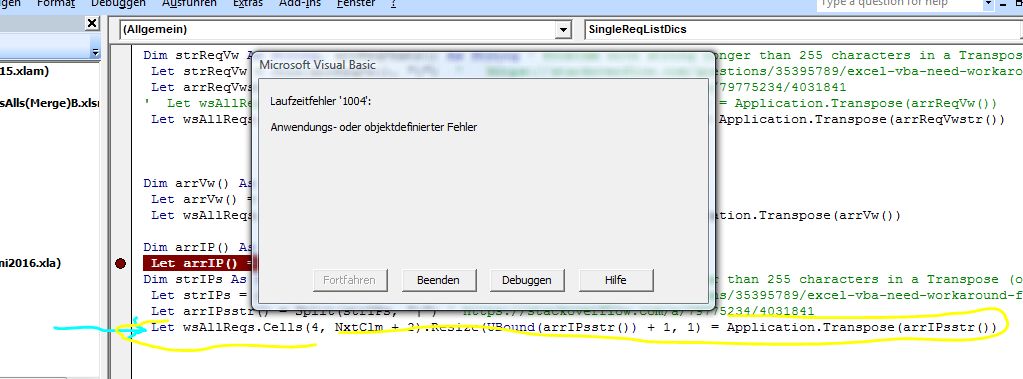
    Suddenly I did hit a problem with the last column, despite the fix

    I have not figured out the problem yet.
    For now, if and when I need it, this workaround seems to work
    Code:
    ' Let wsAllReqs.Cells(4, NxtClm + 2).Resize(UBound(arrIPsstr()) + 1, 1) = Application.Transpose(arrIPsstr())
        For Cnt = 4 To UBound(arrIPsstr()) + 4
         Let wsAllReqs.Cells(Cnt, NxtClm + 2) = arrIPsstr(Cnt - 4)
        Next Cnt
    
    Last edited by DocAElstein; 11-07-2025 at 02:41 PM.

  6. #36
    Fuhrer, Vierte Reich DocAElstein's Avatar
    Join Date
    Aug 2014
    Posts
    10,457
    Rep Power
    10
    All IPs Merged columns coding

    I am still using the slow spreadsheet interaction coding for now, as it only takes a few minutes and it is nice to watch it.
    The coding is just tidied up a bit and adjusted to dynamically add columns to the right of the worksheet

    _.____________--


    An aside, but important point: VBA Looping and deleting
    One small important point, it's off-topic but then we are human with all the great things that entrails ….
    We are still looping forward, which is bad when you delete things, because… of what might happen if things are close to each other that are wanted to be deleted. …. Easiest is to show that with an example: I want to delete the red X's here at position 3 an 4 ( I deliberately made them slightly different shades of red , the second one is a darker red, to help with the explanation, but let us assume Excel VBA is seeing them as both the same red color)
    1 Y
    2 Y
    3 X
    4 X
    5 Z
    6 Z
    So I loop along …. ( … looping down, up, across, the list, according to your positional perception …. )…., whatever way you perceive it, I am going in the positive/ "forward" direction: 1, then 2 , then 3, … etc.

    A couple of points about how Excel and Excel VBA works
    _1) "Holes" cannot exist in a spreadsheet, so a deleted cell gets filled with another cell as it were
    When we delete in an Excel spreadsheet range, ( range = cells(s) ), you can’t have empty "black holes" left there after the deletion. Also the cell(s) at the point of the deletion there, is/are not replaced with a fresh virgin one(s). Rather what happens is that cells get Shifted so as to fill the hole as it were. (At the edge of the spreadsheet the "hole(s)" are replaced by new virgin cell(s) )

    ( From now on, just to simplify the writing, let us concern ourselves to what happens when a single cell is deleted )

    We generally only have 2 options for the shifting direction,, not 4, which in a situation such as depicted there, meaning we could fill the hole from the right, ( shifting cells that are to the right to the left as it were ), or more likely as we would choose, filling the hole from below, shifting cells that are below up. Another way of looking at that is to say we have the two options of
    _ squeezing/pushing in a new virgin cell from the right edge of the spreadsheet in the same row as where the hole is
    or
    _ squeezing/ pushing in a new virgin cell from the bottom of the spreadsheet in the same column as where the hole is.
    Effectively the whole row or column up to as far as the hole gets shifted one cell along/ back.
    Ok, so in that example, we would loop and check for a red cell deleting it if it is red. Deleting usually means we want to get rid of it, and not replace it with an empty cell, so generally in such a case we would use pseudo coding like
    Delete, Shift cells Up
    , rather than
    Delete, Shift cells to the Left
    In such a case, if we do not specify, then Shifting up would likely be the Excel default chosen. The reason for this is that the default is usually the most likely wanted by a human. If you think about it that decision to use that default makes sense. If I have a list then deleting usually means wanting it removed/ cutted out. If I shifted from the right, I likely end up with an empty cell there, so I would see a space in my list. We usually would not want that. If we wanted that, then as humans we would be talking usually about either changing the contents in the cell, or emptying the cell, or erasing the entry there, etc., rather than deleting the cell. In either case of the two shift options, we have deleted the cell, but in the case of the shifting to the left, it would not look like it to a human. A human would thing we emptied the cell.

    _2) A cell reference from VBA .
    A cell reference from VBA, via a (row, column ) type reference is referring to the spreadsheet grid at the time it is referenced, and generally, or at least in this situation, VBA, has no memory of deleted cells at any point in time .


    So here we go, looping "forwards" (in typical VBA coding)
    Our pseudo coding would be like
    For spreadsheet positions 1 to 6 , if X , then delete and shift the cells from below up

    When we get to position 3, or rather when we have finished considering position 3, the list changes to look like
    Y
    Y
    X
    Z
    Z
    , because we deleted the X that was at position 3, and shifted the rest up .
    Now here is the thing: That shifting caused the second X to now be at position 3 in the spreadsheet, - the X shown there now , was originally at position 4 in the spreadsheet, but the shift means it now occupies position 3
    But we have finished considering position 3, and we now move on to consider spreadsheet position 4, meaning we go on to consider the first Z , and have missed considering the original second X

    (***Another problem(s) might occur at the end as when we consider position 6 we are considering a cell that was shifted up from outside the original range of interest. That may or may not cause us problems depending on the fuller picture of what we are doing and how.
    A related point is that In computing generally it is not a good idea to delete things ahead of you that you were planning to consider. It might cause some messy confusions somewhere along the way. Something my get out of step somehow and trip over
    )

    That last sketch is how we will likely end up. So we missed deleting an X

    Now consider looping backwards, (In typical VBA coding)
    We start at the last Z ( at our original position 6 ) and when we reach the second X ( at our original position 4 ) we delete it, and once again cells from below get shifted up.
    The situation looks similar to the last sketch
    Y
    Y
    X
    Z
    Z
    But it is not quite the same. We last considered the original position 4 and have not yet considered position 3 yet. We do that now and so delete that remaining X
    Finally we end up as we wanted,
    Y
    Y
    Z
    Z
    (*** Also we do not consider any cells other than the original ones of interest, and so avoid possible strange problems )

    _.______________________---


    The coding in the next post below loops forward, which I prefer to do as it just looks a bit more understandable to me when I enjoy watching it do its stuff on the spreadsheet. But I do not have the problems mentioned above in the aside, as
    _ It is unlikely that cells to be deleted will be close to each other, (since we have a few lists on top of each other which already had duplicates in those individual lists removed, (it is the duplicates that the coding is concerned with deleting ) )
    _ *** I have an additional check that stops looping before we consider cells that were originally outside the original range, ( those being any cells that got shifted/ shoved in as it were, after a delete )


    Coding in next post …….
    Last edited by DocAElstein; 11-07-2025 at 02:27 PM.

  7. #37
    Fuhrer, Vierte Reich DocAElstein's Avatar
    Join Date
    Aug 2014
    Posts
    10,457
    Rep Power
    10
    Coding from last post

    All IPs Merged columns coding


    Code:
    Option Explicit ' https://www.excelfox.com/forum/showthread.php/3007-A-Semi-automated-way-to-note-the-IP-addresses-of-things-viewing-us?p=27606&viewfull=1#post27606
    Sub CopyTLIPsToAllIPs() ' Copy based on top left selection of range
    ' Copy based on top left selection of range. Pasting in 2 columns the selected one and 1 to the right
    ' Range from the Dailys SummaryRequestsIPsDailys.xlsm
    Dim wsIPs As Worksheet
    ' I assume you have SummaryRequestsIPsDailys.xlsm open
     Set wsIPs = Workbooks("SummaryRequestsIPsDailys.xlsm").Worksheets("IPs")
    wsIPs.Activate: Dim TL As Range: Set TL = Selection
    Dim Lr As Long
     Let Lr = TL.Offset(0, 1).Item(wsIPs.Rows.Count).End(xlUp).Row ' This will error if you have not selected first row so that is a good check
    Dim rngIPs As Range
     Set rngIPs = TL.Offset(1, 0).Resize(Lr - 1, 2)
    ' rngIPs.Copy ' Quick check
    
    
    ' The merging of a few days workbook ranges into SummaryRequestsIPsAlls(Merge).xlsm
    Dim wsAllIPs As Worksheet ' This workbook
     Set wsAllIPs = ThisWorkbook.Worksheets("AllIPs")
    wsAllIPs.Activate
    Dim NxtClm As Long ' This assumes I have manualy added some date info, or any info, ONLY in the first column on row 1 of where all the copies ranges go, one on top of the other
     Let NxtClm = wsAllIPs.Cells.Item(1, wsAllIPs.Columns.Count).End(xlToLeft).Column
    wsAllIPs.Cells.Item(1, NxtClm).Select
    Dim NxtRw As Long: Let NxtRw = wsAllIPs.Cells.Item(wsAllIPs.Rows.Count, NxtClm).End(xlUp).Row + 1
     If NxtRw = 2 Then Let NxtRw = 4 ' For the first range to be pasted in, ( I am saving the first 3 rows for dates, notes, observations etc
    
     rngIPs.Copy Destination:=wsAllIPs.Cells.Item(NxtRw, NxtClm)
    
    wsIPs.Activate
    End Sub '
    
    Sub SingleIPList()
    Dim StTime As Long: Let StTime = Timer
    Dim wsAllIPs As Worksheet
     Set wsAllIPs = ThisWorkbook.Worksheets("AllIPs")
    Dim NxtClm As Long ' This assumes I have manualy added some date info, or any info, ONLY in the first column on row 1 of where all the copies ranges go, one on top of the other
     Let NxtClm = wsAllIPs.Cells.Item(1, wsAllIPs.Columns.Count).End(xlToLeft).Column
    Dim Lr As Long
     Let Lr = wsAllIPs.Cells(wsAllIPs.Rows.Count, NxtClm).End(xlUp).Row
    Dim rngIPs As Range
     Set rngIPs = wsAllIPs.Cells(4, NxtClm).Resize(Lr - 3, 2)
    'rngIPs.Copy ' quick check
    Dim Cnt As Long
     For Cnt = 4 To Lr Step 1 ' Usually we would go backwards, but as similar IP values will nver be next to eachother we will not miss
     If wsAllIPs.Cells(Cnt, NxtClm + 1) = "" Or wsAllIPs.Cells(Cnt, NxtClm + 1) = Empty Or Cnt = Lr Then GoTo ExtSb ' This should happen as we are deleting cells so eventually we will reach the end of the shortened range ( It gets shortened every time a row is deleted. ) If we are doung a second take nd nothing happens we will reach Lr but the search range becomes that with Lr in it which causes a glitch Then goto ExtSb ' This should happen as we are deleting cells so eventually we will reach the end of the shortened range ( It gets shortened every time a row is deleted
     wsAllIPs.Cells(Cnt, NxtClm + 1).Select ' So I can see where we are
     Dim rngFnd As Range, rngSrch As Range
     Set rngSrch = wsAllIPs.Cells(Cnt + 1, NxtClm + 1).Resize(Lr - (Cnt - 1 + 1), 1) ' +1 because I dont want to be searching the range including the value I am looking for, or I will find it as last, (after getting to the end and then starting again), and delete the fucker
     'rngSrch.Copy ' quick check
     Dim Wot As String
     Let Wot = Replace(wsAllIPs.Cells(Cnt, NxtClm + 1).Value2, vbTab, "", 1, -1, vbBinaryCompare)
     Let Wot = Replace(Wot, vbCr & vbLf, "", 1, -1, vbBinaryCompare)
     Let Wot = Trim(Wot)
     Set rngFnd = rngSrch.Find(What:=Wot, After:=wsAllIPs.Cells(Cnt + 1, NxtClm + 1), LookIn:=xlValues, Lookat:=xlWhole, Searchorder:=xlByRows, searchdirection:=xlNext, MatchCase:=True)
     Do While Not rngFnd Is Nothing
     Let wsAllIPs.Cells(Cnt, NxtClm) = wsAllIPs.Cells(Cnt, NxtClm) + rngFnd.Offset(0, -1).Value ' Hits
     rngFnd.Offset(0, -1).Resize(1, 2).Delete Shift:=xlUp ' Delete duplicate row after adding hits and ip addresses
     
     ' Same search range again - we have deleted any found row, so if theere is a next, then that will be found
     Set rngFnd = rngSrch.Find(What:=Wot, After:=wsAllIPs.Cells(Cnt + 1, NxtClm + 1), LookIn:=xlValues, Lookat:=xlWhole, Searchorder:=xlByRows, searchdirection:=xlNext, MatchCase:=True)
     Loop ' While Not rngFnd = Nothing
    'NxtCnt:
     Next Cnt
    
    ExtSb:
    Debug.Print Lr - 3 & " " & Int((Timer - StTime) / 60) & "min " & Format(Now, "ddd dd mmm yyyy hh:nn")
     Let wsAllIPs.Cells(1, NxtClm) = wsAllIPs.Cells(1, NxtClm).Value & Lr - 3 & " " & Int((Timer - StTime) / 60) & "min " & Format(Now, "ddd dd mmm yyyy hh:nn")
    End Sub
    
    Sub SortOf()
    Dim wsAllIPs As Worksheet
     Set wsAllIPs = ThisWorkbook.Worksheets("AllIPs")
    Dim NxtClm As Long ' This assumes I have manualy added some date info, or any info, ONLY in the first column on row 1 of where all the copies ranges go, one on top of the other
     Let NxtClm = wsAllIPs.Cells.Item(1, wsAllIPs.Columns.Count).End(xlToLeft).Column
    Dim Lr As Long
     Let Lr = wsAllIPs.Cells(wsAllIPs.Rows.Count, NxtClm).End(xlUp).Row
    Dim rngIPs As Range
     Set rngIPs = wsAllIPs.Cells(4, NxtClm).Resize(Lr - 3, 2)
     rngIPs.Sort Key1:=rngIPs.Columns(1), Order1:=xlDescending
    End Sub
    
    
    Last edited by DocAElstein; 01-17-2026 at 04:48 PM.

  8. #38
    Fuhrer, Vierte Reich DocAElstein's Avatar
    Join Date
    Aug 2014
    Posts
    10,457
    Rep Power
    10
    Later

  9. #39
    Fuhrer, Vierte Reich DocAElstein's Avatar
    Join Date
    Aug 2014
    Posts
    10,457
    Rep Power
    10
    later

  10. #40
    Fuhrer, Vierte Reich DocAElstein's Avatar
    Join Date
    Aug 2014
    Posts
    10,457
    Rep Power
    10
    later
    asskkskjafsjhfjkfchhfsa

Similar Threads

  1. Replies: 2
    Last Post: 08-10-2016, 04:59 PM
  2. Replies: 1
    Last Post: 01-19-2015, 05:31 AM
  3. Changing Slideshow viewing mode to kiosk using vba
    By Times in forum Powerpoint Help
    Replies: 1
    Last Post: 05-10-2013, 12:37 AM
  4. IE Automated Login/Table Pull
    By mrmmickle1 in forum Hire A Developer
    Replies: 7
    Last Post: 04-04-2013, 04:58 PM
  5. How to create automated planning sheet.
    By Rajesh Kr Joshi in forum Excel Help
    Replies: 1
    Last Post: 03-21-2013, 01:01 PM

Posting Permissions

  • You may not post new threads
  • You may not post replies
  • You may not post attachments
  • You may not edit your posts
  •