Page 1 of 7 123 ... LastLast
Results 1 to 10 of 70

Thread: A Semi automated way to note the IP addresses of things viewing us

Hybrid View

Previous Post Previous Post   Next Post Next Post
  1. #1
    Fuhrer, Vierte Reich DocAElstein's Avatar
    Join Date
    Aug 2014
    Posts
    10,456
    Rep Power
    10

    A Semi automated way to note the IP addresses of things viewing us

    https://www.excelfox.com/forum/showt...ngs-viewing-us
    Post #1 #post25053 https://www.excelfox.com/forum/showt...ll=1#post25053


    A Semi automated way to note the IP addresses of things viewing us

    Semi automated, - meaning you need to do a
    Ctrl+a
    , then
    Ctrl+c
    , on each users online page
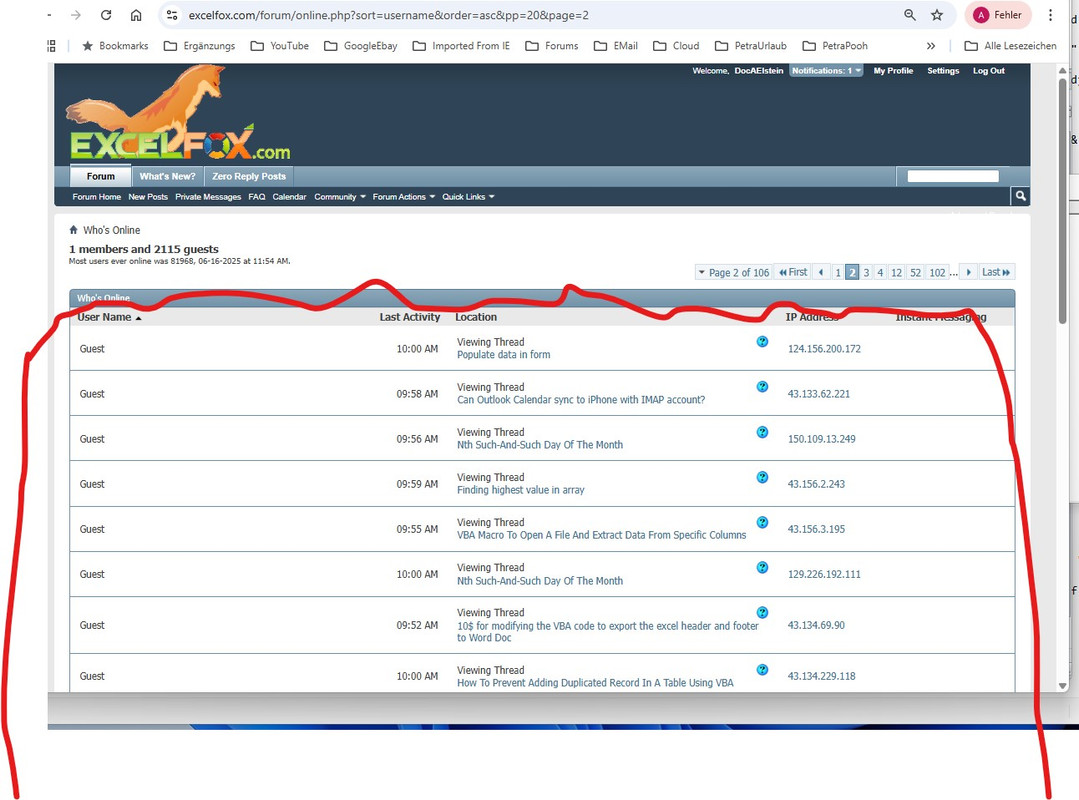
    ( https://i.postimg.cc/x1RJj8Ch/users-on-line.jpg
    https://i.postimg.cc/TYn5SCXR/Who-s-Online-pages.jpg
    )
    , then run the macro
    In other words I want to get the information you get here (using the links such as http://www.excelfox.com/forum/online.php
    https://www.excelfox.com/forum/onlin...&pp=20&page=11
    https://www.excelfox.com/forum/onlin...rder=asc&pp=20
    https://www.excelfox.com/forum/onlin...c&pp=20&page=2
    ),

    https://i.postimg.cc/D0XwGDd3/Get-th...omatically.jpg Get this info semi automatically.jpg


    , and then manipulate the got data to get some record of it , in a way that helps to see who what where is going on


    The macro will be crap and inefficient, - it will be a simple adding to a spreadsheet record type thing,


    Before we start, Lets have a quick look at what ends up in the (windows) clipboard.
    Firstly just do the copy
    , (Ctrl+a on a page to select it all, then Ctrl+c to copy)
    , then paste in a text file, just to initially get the general idea of what we have –
    Page 1 Top
    Code:
     Excel, Access, PowerPoint and Word VBA Macro Automation Help - Powered by vBulletin
    Log Out
    Settings
    My Profile
    Notifications: 1
    Welcome, DocAElstein
    Forum
    Forum HomeNew PostsPrivate MessagesFAQCalendarCommunityForum ActionsQuick Links
    What's New?
    Zero Reply Posts
    Senden
    Advanced Search
    HomeWho's Online
    1 members and 897 guests
    Most users ever online was 81968, 06-16-2025 at 11:54 AM.
    
    Page 1 of 4512311...NextLastLast
    Who's Online
    User Name Reverse Sort Order
    Last Activity
    Location
    IP Address
    Instant Messaging
    DocAElstein*	11:50 AM	/forum/online.php?order=asc&sort=username&pp=20&page=1Viewing Who's Online	80.136.200.74	
    Guest	11:42 AM	showthread.php?t=2772Viewing Thread
    You are subscribed to this thread Some Date Notes and Tests
    Page 1 Middel
    Code:
     Guest	11:37 AM	/forum/tags.php?amp;tag=.pdfViewing Tag List	113.172.178.50	
    Guest	11:50 AM	forumdisplay.php?f=30Viewing Forum
    ETL PQ Tips and Tricks
    8.210.10.143	
    BingBot Spider	11:46 AM	showthread.php?t=2985Viewing Thread
    You are subscribed to this thread VBA USERFORM NOT LOADING dISPLAYING ERROR MESSAGE
    207.46.13.92	
    Guest	11:44 AM	showthread.php?t=2903Viewing Thread
    PQ - multiple replacement using List.Generate()
    43.134.109.11	
    Guest	11:50 AM	showthread.php?t=2355&page=8Viewing Thread
    You are subscribed to this thread Tests and Notes on Range Referrencing
    101.32.254.77
    Page 1 Bottom
    Code:
     Guest	11:42 AM	showthread.php?t=610Viewing Thread
    Macro to check values based on certain text
    124.156.200.172	
    Page 1 of 4512311...NextLastLast
    Quick Navigation Who's Online Top
    Icon Legend
    +User is on your contact list*User is invisible to othersViewing 'Forum Closed' MessageViewing 'Forum Closed' MessageViewing 'No Permission' MessageViewing 'No Permission' MessageViewing Error MessageViewing Error Message
    Who's Online Options
    Display:
    All
    User Agent:
    No
    Per Page:
    20
    
    -- Default Style
    Contact Us Excel, Access, PowerPoint and Word Help Admin Mod Archive Top
    All times are GMT +2. The time now is 11:51 AM.
    Powered by vBulletin® Version 4.2.5
    Copyright © 2025 vBulletin Solutions, Inc. All rights reserved.
     ExcelFox is Not Associated With Microsoft®

    Last page Top Bit
    Code:
     Excel, Access, PowerPoint and Word VBA Macro Automation Help - Powered by vBulletin
    Log Out
    Settings
    My Profile
    Notifications: 1
    Welcome, DocAElstein
    Forum
    Forum HomeNew PostsPrivate MessagesFAQCalendarCommunityForum ActionsQuick Links
    What's New?
    Zero Reply Posts
    Senden
    Advanced Search
    HomeWho's Online
    1 members and 964 guests
    Most users ever online was 81968, 06-16-2025 at 11:54 AM.
    
    Page 49 of 49FirstFirstPrevious...39474849
    Who's Online
    User Name Reverse Sort Order
    Last Activity
    Location
    IP Address
    Instant Messaging
    Guest	12:04 PM	showthread.php?t=345Viewing Thread
    LookUp Value and Concatenate All Found Results
    43.134.16.138
    Last page Middle Bit
    Code:
     Guest	12:00 PM	showthread.php?t=539Viewing Thread
    Remove UserForm's TitleBar And Frame
    43.134.26.191	
    Guest	11:53 AM	showthread.php?t=1982Viewing Thread
    Link Chart
    43.134.48.88	
    Guest	12:05 PM	showthread.php?t=1172Viewing Thread
    Message To Cross Posters
    43.133.43.227
    Last page Last Bit
    Code:
     Guest	12:04 PM	showthread.php?t=2824&page=12Viewing Thread
    You are subscribed to this thread Tests Copying, Pasting, API Cliipboard issues. and Rough notes on Advanced API stuff
    57.141.0.13	
    Page 49 of 49FirstFirstPrevious...39474849
    Quick Navigation Who's Online Top
    Icon Legend
    +User is on your contact list*User is invisible to othersViewing 'Forum Closed' MessageViewing 'Forum Closed' MessageViewing 'No Permission' MessageViewing 'No Permission' MessageViewing Error MessageViewing Error Message
    Who's Online Options
    Display:
    All
    User Agent:
    No
    Per Page:
    20
    
    -- Default Style
    Contact Us Excel, Access, PowerPoint and Word Help Admin Mod Archive Top
    All times are GMT +2. The time now is 12:07 PM.
    Powered by vBulletin® Version 4.2.5
    Copyright © 2025 vBulletin Solutions, Inc. All rights reserved.
    ExcelFox is Not Associated With Microsoft®

    To look at those parts of the data pasted into the text files in more detail we can bring the text files into VBA as a long simple string , using coding from about here
    https://www.excelfox.com/forum/showt...age9#post16632

    , then feed that string into my function for looking at what is in a string
    https://pastebin.com/eutzzxHv
    https://www.excelfox.com/forum/showt...ll=1#post15524


    Here is a typical coding to look at the first text file
    Code:
     Option Explicit
    Sub GetTextFromTxtFiles()
    ' Rem 1 Get the text file as a long single string
    Dim FileNum As Long: Let FileNum = FreeFile(1)                                    ' https://msdn.microsoft.com/en-us/vba/language-reference-vba/articles/freefile-function
    Dim PathAndFileName As String, TotalFile As String
     Let PathAndFileName = ThisWorkbook.Path & Application.PathSeparator & "Who s Online Page 1 CtrlA CtrlC Top Bit.txt"   '
    Open PathAndFileName For Binary As #FileNum 'Open Route to data. Binary is a fundamental type data input...
    ' Let TotalFile = Space(LOF(FileNum)) '....and wot receives it has to be a string of exactly the right length
    'Get #FileNum, , TotalFile
    '  Or  http://www.eileenslounge.com/viewtopic.php?p=295782&sid=f6dcab07c4d24e00e697fe4343dc7392#p295782
     Let TotalFile = Input(LOF(FileNum), FileNum)
    Close #FileNum
    
    ' Rem 2 What is in Text File    ' https://excelfox.com/forum/showthread.php/2302-quot-What%e2%80%99s-in-a-String-quot-VBA-break-down-Loop-through-character-contents-of-a-string?p=15524&viewfull=1#post15524
    'Sub WtchaGot_Unic_NotMuchIfYaChoppedItOff(ByVal strIn As String, Optional ByVal FlNme As String) '
    Call WtchaGot_Unic_NotMuchIfYaChoppedItOff(TotalFile)
    End Sub

    Various outputs are given and some of them are looked at in the next post, (and a few are in the uploaded file)
    Note we will still be just looking at what we pasted into a text file, for a quick look, but our final goal is to bypass that and look directly at the text in the clipboard. We are just trying to get an initial idea of the structure of the complete text: Initially a text file is OK, but we cannot be too sure about exactly what "invisible" characters for example like Tabs and new line making characters
    Attached Files Attached Files
    Last edited by DocAElstein; 07-08-2025 at 12:04 AM.

  2. #2
    Fuhrer, Vierte Reich DocAElstein's Avatar
    Join Date
    Aug 2014
    Posts
    10,456
    Rep Power
    10
    A few results. As noted, we are looking at the output pasted into a text file, for a quick look, (but our final goal is to bypass that and look directly at the text in the clipboard, which we will do in the next post)


    Page 1 Top
    Code:
     "Excel" & "," & " Access" & "," & " PowerPoint and Word VBA Macro Automation Help " & "-" & " Powered by vBulletin" & vbCr & vbLf
    "Log Out" & vbCr & vbLf
    "Settings" & vbCr & vbLf
    "My Profile" & vbCr & vbLf
    "Notifications" & ":" & " 1" & vbCr & vbLf
    "Welcome" & "," & " DocAElstein" & vbCr & vbLf
    "Forum" & vbCr & vbLf
    "Forum HomeNew PostsPrivate MessagesFAQCalendarCommunityForum ActionsQuick Links" & vbCr & vbLf
    "What" & "'" & "s New" & "?" & vbCr & vbLf
    "Zero Reply Posts" & vbCr & vbLf
    "Senden" & vbCr & vbLf
    "Advanced Search" & vbCr & vbLf
    "HomeWho" & "'" & "s Online" & vbCr & vbLf
    "1 members and 897 guests" & vbCr & vbLf
    "Most users ever online was 81968" & "," & " 06" & "-" & "16" & "-" & "2025 at 11" & ":" & "54 AM" & "." & vbCr & vbLf
    vbCr & vbLf
    "Page 1 of 4512311" & "." & "." & "." & "NextLastLast" & vbCr & vbLf
    "Who" & "'" & "s Online" & vbCr & vbLf
    "User Name Reverse Sort Order" & vbCr & vbLf
    "Last Activity" & vbCr & vbLf
    "Location" & vbCr & vbLf
    "IP Address" & vbCr & vbLf
    "Instant Messaging" & vbCr & vbLf
    "DocAElstein" & Chr(42) & vbTab & "11" & ":" & "50 AM" & vbTab & "/" & "forum" & "/" & "online" & "." & "php" & "?" & "order" & "=" & "asc" & "&" & "amp" & ";" & "sort" & "=" & "username" & "&" & "amp" & ";" & "pp" & "=" & "20" & "&" & "amp" & ";" & "page" & "=" & "1Viewing Who" & "'" & "s Online" & vbTab & "80" & "." & "136" & "." & "200" & "." & "74" & vbTab & vbCr & vbLf
    "Guest" & vbTab & "11" & ":" & "42 AM" & vbTab & "showthread" & "." & "php" & "?" & "t" & "=" & "2772Viewing Thread" & vbCr & vbLf
    "You are subscribed to this thread Some Date Notes and Tests" & vbCr & vbLf
    Page 1 Middle Bit
    Code:
     "Guest" & vbTab & "11" & ":" & "37 AM" & vbTab & "/" & "forum" & "/" & "tags" & "." & "php" & "?" & "amp" & ";" & "tag" & "=" & "." & "pdfViewing Tag List" & vbTab & "113" & "." & "172" & "." & "178" & "." & "50" & vbTab & vbCr & vbLf
    "Guest" & vbTab & "11" & ":" & "50 AM" & vbTab & "forumdisplay" & "." & "php" & "?" & "f" & "=" & "30Viewing Forum" & vbCr & vbLf
    "ETL PQ Tips and Tricks" & vbCr & vbLf
    "8" & "." & "210" & "." & "10" & "." & "143" & vbTab & vbCr & vbLf
    "BingBot Spider" & vbTab & "11" & ":" & "46 AM" & vbTab & "showthread" & "." & "php" & "?" & "t" & "=" & "2985Viewing Thread" & vbCr & vbLf
    "You are subscribed to this thread VBA USERFORM NOT LOADING dISPLAYING ERROR MESSAGE" & vbCr & vbLf
    "207" & "." & "46" & "." & "13" & "." & "92" & vbTab & vbCr & vbLf
    "Guest" & vbTab & "11" & ":" & "44 AM" & vbTab & "showthread" & "." & "php" & "?" & "t" & "=" & "2903Viewing Thread" & vbCr & vbLf
    "PQ " & "-" & " multiple replacement using List" & "." & "Generate" & "(" & ")" & vbCr & vbLf
    "43" & "." & "134" & "." & "109" & "." & "11" & vbTab & vbCr & vbLf
    "Guest" & vbTab & "11" & ":" & "50 AM" & vbTab & "showthread" & "." & "php" & "?" & "t" & "=" & "2355" & "&" & "page" & "=" & "8Viewing Thread" & vbCr & vbLf
    "You are subscribed to this thread Tests and Notes on Range Referrencing" & vbCr & vbLf
    "101" & "." & "32" & "." & "254" & "." & "77" & vbTab & vbCr & vbLf
    Page 1 Last Bit
    Code:
     "Guest" & vbTab & "11" & ":" & "42 AM" & vbTab & "showthread" & "." & "php" & "?" & "t" & "=" & "610Viewing Thread" & vbCr & vbLf
    "Macro to check values based on certain text" & vbCr & vbLf
    "124" & "." & "156" & "." & "200" & "." & "172" & vbTab & vbCr & vbLf
    "Page 1 of 4512311" & "." & "." & "." & "NextLastLast" & vbCr & vbLf
    "Quick Navigation Who" & "'" & "s Online Top" & vbCr & vbLf
    "Icon Legend" & vbCr & vbLf
    "+" & "User is on your contact list" & Chr(42) & "User is invisible to othersViewing " & "'" & "Forum Closed" & "'" & " MessageViewing " & "'" & "Forum Closed" & "'" & " MessageViewing " & "'" & "No Permission" & "'" & " MessageViewing " & "'" & "No Permission" & "'" & " MessageViewing Error MessageViewing Error Message" & vbCr & vbLf
    "Who" & "'" & "s Online Options" & vbCr & vbLf
    "Display" & ":" & vbCr & vbLf
    "All" & vbCr & vbLf
    "User Agent" & ":" & vbCr & vbLf
    "No" & vbCr & vbLf
    "Per Page" & ":" & vbCr & vbLf
    "20" & vbCr & vbLf
    vbCr & vbLf
    "-" & "-" & " Default Style" & vbCr & vbLf
    "Contact Us Excel" & "," & " Access" & "," & " PowerPoint and Word Help Admin Mod Archive Top" & vbCr & vbLf
    "All times are GMT " & "+" & "2" & "." & " The time now is 11" & ":" & "51 AM" & "." & vbCr & vbLf
    "Powered by vBulletin" & Chr(174) & " Version 4" & "." & "2" & "." & "5" & vbCr & vbLf
    "Copyright " & Chr(169) & " 2025 vBulletin Solutions" & "," & " Inc" & "." & " All rights reserved" & "." & vbCr & vbLf
    " ExcelFox is Not Associated With Microsoft" & Chr(174)


    Last Page First Bit
    Code:
     "Excel" & "," & " Access" & "," & " PowerPoint and Word VBA Macro Automation Help " & "-" & " Powered by vBulletin" & vbCr & vbLf
    "Log Out" & vbCr & vbLf
    "Settings" & vbCr & vbLf
    "My Profile" & vbCr & vbLf
    "Notifications" & ":" & " 1" & vbCr & vbLf
    "Welcome" & "," & " DocAElstein" & vbCr & vbLf
    "Forum" & vbCr & vbLf
    "Forum HomeNew PostsPrivate MessagesFAQCalendarCommunityForum ActionsQuick Links" & vbCr & vbLf
    "What" & "'" & "s New" & "?" & vbCr & vbLf
    "Zero Reply Posts" & vbCr & vbLf
    "Senden" & vbCr & vbLf
    "Advanced Search" & vbCr & vbLf
    "HomeWho" & "'" & "s Online" & vbCr & vbLf
    "1 members and 964 guests" & vbCr & vbLf
    "Most users ever online was 81968" & "," & " 06" & "-" & "16" & "-" & "2025 at 11" & ":" & "54 AM" & "." & vbCr & vbLf
    vbCr & vbLf
    "Page 49 of 49FirstFirstPrevious" & "." & "." & "." & "39474849" & vbCr & vbLf
    "Who" & "'" & "s Online" & vbCr & vbLf
    "User Name Reverse Sort Order" & vbCr & vbLf
    "Last Activity" & vbCr & vbLf
    "Location" & vbCr & vbLf
    "IP Address" & vbCr & vbLf
    "Instant Messaging" & vbCr & vbLf
    "Guest" & vbTab & "12" & ":" & "04 PM" & vbTab & "showthread" & "." & "php" & "?" & "t" & "=" & "345Viewing Thread" & vbCr & vbLf
    "LookUp Value and Concatenate All Found Results" & vbCr & vbLf
    "43" & "." & "134" & "." & "16" & "." & "138" & vbTab & vbCr & vbLf
    Last Page Middle Bit
    Code:
     "Guest" & vbTab & "12" & ":" & "00 PM" & vbTab & "showthread" & "." & "php" & "?" & "t" & "=" & "539Viewing Thread" & vbCr & vbLf
    "Remove UserForm" & "'" & "s TitleBar And Frame" & vbCr & vbLf
    "43" & "." & "134" & "." & "26" & "." & "191" & vbTab & vbCr & vbLf
    "Guest" & vbTab & "11" & ":" & "53 AM" & vbTab & "showthread" & "." & "php" & "?" & "t" & "=" & "1982Viewing Thread" & vbCr & vbLf
    "Link Chart" & vbCr & vbLf
    "43" & "." & "134" & "." & "48" & "." & "88" & vbTab & vbCr & vbLf
    "Guest" & vbTab & "12" & ":" & "05 PM" & vbTab & "showthread" & "." & "php" & "?" & "t" & "=" & "1172Viewing Thread" & vbCr & vbLf
    "Message To Cross Posters" & vbCr & vbLf
    "43" & "." & "133" & "." & "43" & "." & "227" & vbTab & vbCr & vbLf
    Last Page Last Bit
    Code:
     "Guest" & vbTab & "12" & ":" & "04 PM" & vbTab & "showthread" & "." & "php" & "?" & "t" & "=" & "2824" & "&" & "page" & "=" & "12Viewing Thread" & vbCr & vbLf
    "You are subscribed to this thread Tests Copying" & "," & " Pasting" & "," & " API Cliipboard issues" & "." & " and Rough notes on Advanced API stuff" & vbCr & vbLf
    "57" & "." & "141" & "." & "0" & "." & "13" & vbTab & vbCr & vbLf
    "Page 49 of 49FirstFirstPrevious" & "." & "." & "." & "39474849" & vbCr & vbLf
    "Quick Navigation Who" & "'" & "s Online Top" & vbCr & vbLf
    "Icon Legend" & vbCr & vbLf
    "+" & "User is on your contact list" & Chr(42) & "User is invisible to othersViewing " & "'" & "Forum Closed" & "'" & " MessageViewing " & "'" & "Forum Closed" & "'" & " MessageViewing " & "'" & "No Permission" & "'" & " MessageViewing " & "'" & "No Permission" & "'" & " MessageViewing Error MessageViewing Error Message" & vbCr & vbLf
    "Who" & "'" & "s Online Options" & vbCr & vbLf
    "Display" & ":" & vbCr & vbLf
    "All" & vbCr & vbLf
    "User Agent" & ":" & vbCr & vbLf
    "No" & vbCr & vbLf
    "Per Page" & ":" & vbCr & vbLf
    "20" & vbCr & vbLf
    vbCr & vbLf
    "-" & "-" & " Default Style" & vbCr & vbLf
    "Contact Us Excel" & "," & " Access" & "," & " PowerPoint and Word Help Admin Mod Archive Top" & vbCr & vbLf
    "All times are GMT " & "+" & "2" & "." & " The time now is 12" & ":" & "07 PM" & "." & vbCr & vbLf
    "Powered by vBulletin" & Chr(174) & " Version 4" & "." & "2" & "." & "5" & vbCr & vbLf
    "Copyright " & Chr(169) & " 2025 vBulletin Solutions" & "," & " Inc" & "." & " All rights reserved" & "." & vbCr & vbLf
    "ExcelFox is Not Associated With Microsoft" & Chr(174)

    Some ideas about how to manipulate that text from the Who's Online pages in the over next posts
    But first in next post we had better check we can get that same complete page text from the clipboard directly - we have been looking at the output pasted into a text file, for a quick look, but our final goal is to bypass that and look directly at the text in the clipboard
    Last edited by DocAElstein; 06-28-2025 at 01:32 PM.

  3. #3
    Fuhrer, Vierte Reich DocAElstein's Avatar
    Join Date
    Aug 2014
    Posts
    10,456
    Rep Power
    10
    Text out of the Clipboard
    Manipulating the MS Forms Data Object should help us here .

    This seems to do it
    Code:
        With GetObject("New:{1C3B4210-F441-11CE-B9EA-00AA006B1A69}")  '    http://web.archive.org/web/20200124185244/http://excelmatters.com/2013/10/04/late-bound-msforms-dataobject/   ' https://www.eileenslounge.com/viewtopic.php?f=27&t=39784
        Dim StringBack As String ' This is for the entire text held for the range in the windows clipboard after a  .Copy
         .GetFromClipboard: Let StringBack = .GetText()
        End With
    Rem 2 Manipulate string


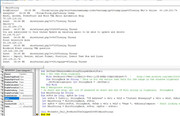
    One way to look at the text in that string variable, StringBack, is to stop the coding before the macro is finished and then write in the immediate window **

    ? StringBack


    https://i.postimg.cc/CxnPrZ9n/String...-C-ipboard.jpg


    (**You can get the Immediate window by using keys Ctrl+g when in the VB Editor environment , ( then drag that window somewhere convenient that can also be outside the VB Editor environment ) )


    Here first is the text from the Immediate window, copied and pasted into a forum code window, and also under just directly pasted into the forum editor
    Code:
    Excel, Access, PowerPoint and Word VBA Macro Automation Help - Powered by vBulletin
    Log Out
    Settings
    My Profile
    Notifications: 1
    Welcome, DocAElstein
    Forum
    Forum HomeNew PostsPrivate MessagesFAQCalendarCommunityForum ActionsQuick Links
    What's New?
    Zero Reply Posts
    Senden
    Advanced Search
    HomeWho's Online
    1 members and 1182 guests
    Most users ever online was 81968, 06-16-2025 at 11:54 AM.
    
    Page 1 of 601231151...NextLastLast
    Who's Online
    User Name Reverse Sort Order
    Last Activity
    Location
    IP Address
    Instant Messaging
    DocAElstein*    12:12 PM    /forum/forum.phpViewing Index
    Excel, Access, PowerPoint and Word VBA Macro Automation Help
    80.136.200.74   
    Guest   12:07 PM    showthread.php?t=155Viewing Thread
    Trim all Cells in a Worksheet - VBA
    43.134.165.87   
    Guest   12:12 PM    showthread.php?t=26Viewing Thread
    How To Add A New Ribbon Tab In Excel
    43.134.57.196   
    Guest   12:12 PM    showthread.php?t=2347Viewing Thread
    You are subscribed to this thread what is the best way to populate word specific locations from Excel Data
    43.133.62.221   
    Guest   12:11 PM    showthread.php?t=671Viewing Thread
    Find Chart's Parent worksheet with given chart name
    119.28.105.111  
    Guest   12:10 PM    showthread.php?t=2307Viewing Thread
    You are subscribed to this thread VBA Range.Sort with arrays. Alternative for simple use.
    43.156.3.195    
    Guest   12:02 PM    showthread.php?t=466Viewing Thread
    Import html source of url list in each cell
    47.128.52.19    
    Guest   12:12 PM    showthread.php?t=236Viewing Thread
    Version 2003 to 2007
    101.32.242.16   
    Guest   12:11 PM    showthread.php?t=1944Viewing Thread
    Rename tab on cell value from another worksheet
    150.109.25.235  
    Guest   12:12 PM    showthread.php?t=1635Viewing Thread
    Happy New Year
    101.32.240.178  
    Guest   12:09 PM    showthread.php?t=2917Viewing Thread
    You are subscribed to this thread Appendix Thread: Testing Pic redirect
    129.226.91.207  
    Guest   12:07 PM    showthread.php?t=263Viewing Thread
    Count with Multiple Criteria
    101.32.115.96   
    Guest   12:10 PM    showthread.php?t=2884Viewing Thread
    Do you know when Easter is this year?
    43.134.107.106  
    Guest   12:06 PM    showthread.php?t=845Viewing Thread
    4000 and Counting !!!!
    43.156.2.243    
    Guest   12:12 PM    showthread.php?t=1147Viewing Thread
    Afterupdate does not work
    43.156.6.103    
    Guest   12:12 PM    showthread.php?t=2993Viewing Thread
    You are subscribed to this thread Alan and Clare Testing
    43.134.69.90    
    Guest   12:11 PM    showthread.php?t=2160Viewing Thread
    Excel Macro to Send Multiple Emails w/ Attachments using Microsoft Outlook 2007
    129.226.193.30  
    Guest   12:10 PM    showthread.php?t=580Viewing Thread
    How to extract all text from a ppt file
    43.134.64.76    
    Guest   12:00 PM    forumdisplay.php?f=16Viewing Forum
    Greetings and Inception
    47.238.13.4 
    Guest   12:12 PM    showthread.php?t=1314Viewing Thread
    Calculating data from other Worksheets
    43.134.69.90    
    Page 1 of 601231151...NextLastLast
    Quick Navigation Who's Online Top
    Icon Legend
    +User is on your contact list*User is invisible to othersViewing 'Forum Closed' MessageViewing 'Forum Closed' MessageViewing 'No Permission' MessageViewing 'No Permission' MessageViewing Error MessageViewing Error Message
    Who's Online Options
    Display:
    All
    User Agent:
    No
    Per Page:
    20
    
    -- Default Style
    Contact Us Excel, Access, PowerPoint and Word Help Admin Mod Archive Top
    All times are GMT +2. The time now is 12:12 PM.
    Powered by vBulletin® Version 4.2.5
    Copyright © 2025 vBulletin Solutions, Inc. All rights reserved.
    ExcelFox is Not Associated With Microsoft®


    Excel, Access, PowerPoint and Word VBA Macro Automation Help - Powered by vBulletin
    Log Out
    Settings
    My Profile
    Notifications: 1
    Welcome, DocAElstein
    Forum
    Forum HomeNew PostsPrivate MessagesFAQCalendarCommunityForum ActionsQuick Links
    What's New?
    Zero Reply Posts
    Senden
    Advanced Search
    HomeWho's Online
    1 members and 1182 guests
    Most users ever online was 81968, 06-16-2025 at 11:54 AM.

    Page 1 of 601231151...NextLastLast
    Who's Online
    User Name Reverse Sort Order
    Last Activity
    Location
    IP Address
    Instant Messaging
    DocAElstein* 12:12 PM /forum/forum.phpViewing Index
    Excel, Access, PowerPoint and Word VBA Macro Automation Help
    80.136.200.74
    Guest 12:07 PM showthread.php?t=155Viewing Thread
    Trim all Cells in a Worksheet - VBA
    43.134.165.87
    Guest 12:12 PM showthread.php?t=26Viewing Thread
    How To Add A New Ribbon Tab In Excel
    43.134.57.196
    Guest 12:12 PM showthread.php?t=2347Viewing Thread
    You are subscribed to this thread what is the best way to populate word specific locations from Excel Data
    43.133.62.221
    Guest 12:11 PM showthread.php?t=671Viewing Thread
    Find Chart's Parent worksheet with given chart name
    119.28.105.111
    Guest 12:10 PM showthread.php?t=2307Viewing Thread
    You are subscribed to this thread VBA Range.Sort with arrays. Alternative for simple use.
    43.156.3.195
    Guest 12:02 PM showthread.php?t=466Viewing Thread
    Import html source of url list in each cell
    47.128.52.19
    Guest 12:12 PM showthread.php?t=236Viewing Thread
    Version 2003 to 2007
    101.32.242.16
    Guest 12:11 PM showthread.php?t=1944Viewing Thread
    Rename tab on cell value from another worksheet
    150.109.25.235
    Guest 12:12 PM showthread.php?t=1635Viewing Thread
    Happy New Year
    101.32.240.178
    Guest 12:09 PM showthread.php?t=2917Viewing Thread
    You are subscribed to this thread Appendix Thread: Testing Pic redirect
    129.226.91.207
    Guest 12:07 PM showthread.php?t=263Viewing Thread
    Count with Multiple Criteria
    101.32.115.96
    Guest 12:10 PM showthread.php?t=2884Viewing Thread
    Do you know when Easter is this year?
    43.134.107.106
    Guest 12:06 PM showthread.php?t=845Viewing Thread
    4000 and Counting !!!!
    43.156.2.243
    Guest 12:12 PM showthread.php?t=1147Viewing Thread
    Afterupdate does not work
    43.156.6.103
    Guest 12:12 PM showthread.php?t=2993Viewing Thread
    You are subscribed to this thread Alan and Clare Testing
    43.134.69.90
    Guest 12:11 PM showthread.php?t=2160Viewing Thread
    Excel Macro to Send Multiple Emails w/ Attachments using Microsoft Outlook 2007
    129.226.193.30
    Guest 12:10 PM showthread.php?t=580Viewing Thread
    How to extract all text from a ppt file
    43.134.64.76
    Guest 12:00 PM forumdisplay.php?f=16Viewing Forum
    Greetings and Inception
    47.238.13.4
    Guest 12:12 PM showthread.php?t=1314Viewing Thread
    Calculating data from other Worksheets
    43.134.69.90
    Page 1 of 601231151...NextLastLast
    Quick Navigation Who's Online Top
    Icon Legend
    +User is on your contact list*User is invisible to othersViewing 'Forum Closed' MessageViewing 'Forum Closed' MessageViewing 'No Permission' MessageViewing 'No Permission' MessageViewing Error MessageViewing Error Message
    Who's Online Options
    Display:
    All
    User Agent:
    No
    Per Page:
    20

    -- Default Style
    Contact Us Excel, Access, PowerPoint and Word Help Admin Mod Archive Top
    All times are GMT +2. The time now is 12:12 PM.
    Powered by vBulletin® Version 4.2.5
    Copyright © 2025 vBulletin Solutions, Inc. All rights reserved.
    ExcelFox is Not Associated With Microsoft®


    At first glance, all looks similar to the initial pasting into a text editor.

    But we need to look at more detail at the exact character breakdown, as there will be some so called "invisible" characters, - things like tab spaces, new line making characters etc. Our aim is to get finally some nice well ordered structure so that we can manipulate the string efficiently
    We will do that in the next posts
    Last edited by DocAElstein; 07-08-2025 at 12:47 AM.

  4. #4
    Fuhrer, Vierte Reich DocAElstein's Avatar
    Join Date
    Aug 2014
    Posts
    10,456
    Rep Power
    10

    Start looking at all characters in the clipboard, including " invisible ones "

    To get a more exact detailed look at the text we can use a clumsy function I wrote some time ago. We already noted this in the first post, and used it already in the second post
    https://pastebin.com/eutzzxHv
    https://www.excelfox.com/forum/showt...ll=1#post15524


    We could do it again, this time directly on a string from the clipboard ( so we wold have needed to first done the
    Ctrl+a
    , then
    Ctrl+c
    , on a users online page
    )
    A coding like this would get me various detailed outputs.
    Code:
    Sub QuickWotchaGot()
    Rem 1 Get text from clipboard
     With GetObject("New:{1C3B4210-F441-11CE-B9EA-00AA006B1A69}") ' http://web.archive.org/web/20200124185244/http://excelmatters.com/2013/10/04/late-bound-msforms-dataobject/ ' https://www.eileenslounge.com/viewtopic.php?f=27&t=39784
     Dim StringBack As String ' This is for the entire text held for the range in the windows clipboard after a .Copy
     .GetFromClipboard: Let StringBack = .GetText()
     End With
    Rem 3 WachaGot
    Call WtchaGot_Unic_NotMuchIfYaChoppedItOff(MainString)
    End Sub
    
    One of the outputs useful is a text file that starts a new line whenever it sees a typical line separator combination vbCr & vbLf . This output is often useful as using the vbCr & vbLf is often a good way to divide up information, since typically we Humans like to look at, and have given to us in User interfaces presented to us, this sort of well structured, List / Lines type thing

    That text file, (one of a few that my function makes), will look then something like this. (An example of an actual text file is also uploaded)
    The point of this text file is that it is simply easier to look at and analyse than a long continuous text that you would have to horizontally scroll along to see all the same information

    I know this is all getting a bit confusing with different views of the text file. These are just my notes for now. Maybe later I will start again, and even do a shorter customised version of my function specific for this work. Or maybe not. What will be will be….
    Code:
     "Excel" & "," & " Access" & "," & " PowerPoint and Word VBA Macro Automation Help " & "-" & " Powered by vBulletin" & vbCr & vbLf
    "Log Out" & vbCr & vbLf
    "Settings" & vbCr & vbLf
    "My Profile" & vbCr & vbLf
    "Notifications" & ":" & " 1" & vbCr & vbLf
    "Welcome" & "," & " DocAElstein" & vbCr & vbLf
    "Forum" & vbCr & vbLf
    "Forum HomeNew PostsPrivate MessagesFAQCalendarCommunityForum ActionsQuick Links" & vbCr & vbLf
    "What" & "'" & "s New" & "?" & vbCr & vbLf
    "Zero Reply Posts" & vbCr & vbLf
    "Senden" & vbCr & vbLf
    "Advanced Search" & vbCr & vbLf
    "HomeWho" & "'" & "s Online" & vbCr & vbLf
    "1 members and 1736 guests" & vbCr & vbLf
    "Most users ever online was 81968" & "," & " 06" & "-" & "16" & "-" & "2025 at 11" & ":" & "54 AM" & "." & vbCr & vbLf
    vbCr & vbLf
    "Page 16 of 87FirstFirstPrevious" & "." & "." & "." & "614151617182666" & "." & "." & "." & "NextLastLast" & vbCr & vbLf
    "Who" & "'" & "s Online" & vbCr & vbLf
    "User Name Reverse Sort Order" & vbCr & vbLf
    "Last Activity" & vbCr & vbLf
    "Location" & vbCr & vbLf
    "IP Address" & vbCr & vbLf
    "Instant Messaging" & vbCr & vbLf
    "Guest" & vbTab & "11" & ":" & "45 AM" & vbTab & "showthread" & "." & "php" & "?" & "t" & "=" & "917Viewing Thread" & vbCr & vbLf
    "Populate Ribbon Controls On Load Dynamically Through VBA Variables" & vbCr & vbLf
    "43" & "." & "134" & "." & "69" & "." & "90" & vbTab & vbCr & vbLf
    "Guest" & vbTab & "11" & ":" & "34 AM" & vbTab & "showthread" & "." & "php" & "?" & "t" & "=" & "1641Viewing Thread" & vbCr & vbLf
    "Office RibbonX " & "-" & " Large SubMenu Items Within A Dynamic Menu" & vbCr & vbLf
    "43" & "." & "134" & "." & "41" & "." & "39" & vbTab & vbCr & vbLf
    "Guest" & vbTab & "11" & ":" & "42 AM" & vbTab & "showthread" & "." & "php" & "?" & "t" & "=" & "720Viewing Thread" & vbCr & vbLf
    "Workbook Event running VBA question" & vbCr & vbLf
    "150" & "." & "109" & "." & "24" & "." & "245" & vbTab & vbCr & vbLf
    "Guest" & vbTab & "11" & ":" & "39 AM" & vbTab & "member" & "." & "php" & "?" & "u" & "=" & "16225Viewing User Profile" & vbCr & vbLf
    "AlisaCooperEB" & vbCr & vbLf
    "34" & "." & "116" & "." & "22" & "." & "65" & vbTab & vbCr & vbLf
    "Guest" & vbTab & "11" & ":" & "42 AM" & vbTab & "/" & "forum" & "/" & "tags" & "." & "php" & "?" & "amp" & ";" & "tag" & "=" & "." & "pdfViewing Tag List" & vbTab & "222" & "." & "255" & "." & "48" & "." & "202" & vbTab & vbCr & vbLf
    "Guest" & vbTab & "11" & ":" & "43 AM" & vbTab & "showthread" & "." & "php" & "?" & "t" & "=" & "1378Viewing Thread" & vbCr & vbLf
    "15 US Dollars For Macro To Merge And Aggregate Data For Same Row Headers" & vbCr & vbLf
    "43" & "." & "133" & "." & "38" & "." & "100" & vbTab & vbCr & vbLf
    "Google Spider" & vbTab & "11" & ":" & "36 AM" & vbTab & "member" & "." & "php" & "?" & "u" & "=" & "12210Viewing User Profile" & vbCr & vbLf
    "jadilok" & vbCr & vbLf
    "66" & "." & "249" & "." & "66" & "." & "193" & vbTab & vbCr & vbLf
    "Guest" & vbTab & "11" & ":" & "45 AM" & vbTab & "showthread" & "." & "php" & "?" & "t" & "=" & "2601Viewing Thread" & vbCr & vbLf
    "Excel VBA Macro to Extract Outlook GAL Email Address Using Alias" & vbCr & vbLf
    "43" & "." & "134" & "." & "99" & "." & "61" & vbTab & vbCr & vbLf
    "Guest" & vbTab & "11" & ":" & "44 AM" & vbTab & "showthread" & "." & "php" & "?" & "t" & "=" & "2944Viewing Thread" & vbCr & vbLf
    "You are subscribed to this thread How to recover an MS Word Document Deleted From The Disk" & "?" & vbCr & vbLf
    "43" & "." & "134" & "." & "41" & "." & "2" & vbTab & vbCr & vbLf
    "Guest" & vbTab & "11" & ":" & "47 AM" & vbTab & "showthread" & "." & "php" & "?" & "t" & "=" & "424Viewing Thread" & vbCr & vbLf
    "Size limitation on Uploads" & vbCr & vbLf
    "43" & "." & "134" & "." & "75" & "." & "217" & vbTab & vbCr & vbLf
    "Guest" & vbTab & "11" & ":" & "44 AM" & vbTab & "showthread" & "." & "php" & "?" & "t" & "=" & "893Viewing Thread" & vbCr & vbLf
    "How To Use Frequency Function In Excel" & vbCr & vbLf
    "43" & "." & "163" & "." & "8" & "." & "75" & vbTab & vbCr & vbLf
    "Guest" & vbTab & "11" & ":" & "47 AM" & vbTab & "showthread" & "." & "php" & "?" & "t" & "=" & "1059Viewing Thread" & vbCr & vbLf
    "Add Digital Signature To PDF Using VBA" & vbCr & vbLf
    "119" & "." & "28" & "." & "105" & "." & "111" & vbTab & vbCr & vbLf
    "Guest" & vbTab & "11" & ":" & "46 AM" & vbTab & "showthread" & "." & "php" & "?" & "t" & "=" & "539Viewing Thread" & vbCr & vbLf
    "Remove UserForm" & "'" & "s TitleBar And Frame" & vbCr & vbLf
    "43" & "." & "134" & "." & "73" & "." & "181" & vbTab & vbCr & vbLf
    "Guest" & vbTab & "11" & ":" & "37 AM" & vbTab & "showthread" & "." & "php" & "?" & "t" & "=" & "2988Viewing Thread" & vbCr & vbLf
    "You are subscribed to this thread FORMULA EXPLAIN" & vbCr & vbLf
    "150" & "." & "109" & "." & "25" & "." & "235" & vbTab & vbCr & vbLf
    "Guest" & vbTab & "11" & ":" & "43 AM" & vbTab & "showthread" & "." & "php" & "?" & "t" & "=" & "2860" & "&" & "page" & "=" & "11Viewing Thread" & vbCr & vbLf
    "You are subscribed to this thread Notes tests" & "," & " string" & "," & " manipulation of text files and string manipulations" & vbCr & vbLf
    "129" & "." & "226" & "." & "92" & "." & "236" & vbTab & vbCr & vbLf
    "Guest" & vbTab & "11" & ":" & "47 AM" & vbTab & "showthread" & "." & "php" & "?" & "t" & "=" & "2329Viewing Thread" & vbCr & vbLf
    "How to Modify Header having table" & vbCr & vbLf
    "43" & "." & "134" & "." & "69" & "." & "90" & vbTab & vbCr & vbLf
    "Guest" & vbTab & "11" & ":" & "40 AM" & vbTab & "showthread" & "." & "php" & "?" & "t" & "=" & "1579Viewing Thread" & vbCr & vbLf
    "You are subscribed to this thread Test Whether A Point Is In A Polygon Or Not" & vbCr & vbLf
    "124" & "." & "156" & "." & "200" & "." & "172" & vbTab & vbCr & vbLf
    "Guest" & vbTab & "11" & ":" & "45 AM" & vbTab & "showthread" & "." & "php" & "?" & "t" & "=" & "50Viewing Thread" & vbCr & vbLf
    "You are subscribed to this thread Test copy Activate Ribbon Tab In Excel 2007 2010 " & Chr(42) & vbCr & vbLf
    "43" & "." & "133" & "." & "62" & "." & "221" & vbTab & vbCr & vbLf
    "Guest" & vbTab & "11" & ":" & "34 AM" & vbTab & "showthread" & "." & "php" & "?" & "t" & "=" & "1028Viewing Thread" & vbCr & vbLf
    "10" & "$" & " For VBA Code Split Data To Multiple Workbook Based On Unique Values In A Column" & vbCr & vbLf
    "43" & "." & "134" & "." & "118" & "." & "145" & vbTab & vbCr & vbLf
    "Guest" & vbTab & "11" & ":" & "41 AM" & vbTab & "showthread" & "." & "php" & "?" & "t" & "=" & "2566Viewing Thread" & vbCr & vbLf
    "You are subscribed to this thread Testing Image Links" & vbCr & vbLf
    "43" & "." & "134" & "." & "41" & "." & "39" & vbTab & vbCr & vbLf
    "Page 16 of 87FirstFirstPrevious" & "." & "." & "." & "614151617182666" & "." & "." & "." & "NextLastLast" & vbCr & vbLf
    "Quick Navigation Who" & "'" & "s Online Top" & vbCr & vbLf
    "Icon Legend" & vbCr & vbLf
    "+" & "User is on your contact list" & Chr(42) & "User is invisible to othersViewing " & "'" & "Forum Closed" & "'" & " MessageViewing " & "'" & "Forum Closed" & "'" & " MessageViewing " & "'" & "No Permission" & "'" & " MessageViewing " & "'" & "No Permission" & "'" & " MessageViewing Error MessageViewing Error Message" & vbCr & vbLf
    "Who" & "'" & "s Online Options" & vbCr & vbLf
    "Display" & ":" & vbCr & vbLf
    "All" & vbCr & vbLf
    "User Agent" & ":" & vbCr & vbLf
    "No" & vbCr & vbLf
    "Per Page" & ":" & vbCr & vbLf
    "20" & vbCr & vbLf
    vbCr & vbLf
    "-" & "-" & " Default Style" & vbCr & vbLf
    "Contact Us Excel" & "," & " Access" & "," & " PowerPoint and Word Help Admin Mod Archive Top" & vbCr & vbLf
    "All times are GMT " & "+" & "2" & "." & " The time now is 11" & ":" & "48 AM" & "." & vbCr & vbLf
    "Powered by vBulletin" & Chr(174) & " Version 4" & "." & "2" & "." & "5" & vbCr & vbLf
    "Copyright " & Chr(169) & " 2025 vBulletin Solutions" & "," & " Inc" & "." & " All rights reserved" & "." & vbCr & vbLf
    "ExcelFox is Not Associated With Microsoft" & Chr(174)
    Attached Images Attached Images
    Attached Files Attached Files
    Last edited by DocAElstein; 07-09-2025 at 04:26 PM.

  5. #5
    Fuhrer, Vierte Reich DocAElstein's Avatar
    Join Date
    Aug 2014
    Posts
    10,456
    Rep Power
    10
    Some ideas about how to manipulate that text from the Who's Online pages
    Get rid of odd bits of unwanted text or changing bits of text a bit

    I am interested in both the IP addresses and also what is being looked at. The IP addresses are as given reasonably clearly. What is being looked at may be given in some obfuscated or pickled form.
    After a bit of initial investigating, it seems we need to do a bit of tidying up in order to get a nice regular ordered text string looking like this:
    https://i.postimg.cc/G21rj0zm/Nice-r...middle-bit.jpg https://i.postimg.cc/5y4VZwhc/Nice-r...middle-bit.jpg

    In that final ordered form, we have nice ordered pairs of lines
    The first line has
    _the Thread being looked at,
    _ who is looking by there name, (which mostly will be Guest )
    _ ( the time they appeared is also there, but we are not interested in that. )
    , the next line has the IP address

    Here some examples and discussions of the tidying up needed to get that ordered form
    The next snippet shows some disorder and untidyness
    Code:
    "DocAElstein" & Chr(42) & vbTab & "05" & ":" & "06 PM" & vbTab & "/" & "forum" & "/" & "online" & "." & "php" & "?" & "order" & "=" & "asc" & "&" & "amp" & ";" & "sort" & "=" & "username" & "&" & "amp" & ";" & "pp" & "=" & "20" & "&" & "amp" & ";" & "page" & "=" & "1Viewing Who" & "'" & "s Online" & vbTab  & "80" & "." & "136" & "." & "200" & "." & "74" & vbTab & vbCr & vbLf
    "Guest" & vbTab & "04" & ":" & "57 PM" & vbTab & "/" & "forum" & "/" & "activity" & "." & "phpViewing Activity Stream" & vbTab & "196" & "." & "244" & "." & "48" & "." & "169" & vbTab & vbCr & vbLf
    "Guest" & vbTab & "04" & ":" & "58 PM" & vbTab & "showthread" & "." & "php" & "?" & "t" & "=" & "2903Viewing Thread" & vbCr & vbLf
    "PQ " & "-" & " multiple replacement using List" & "." & "Generate" & "(" & ")" & vbCr & vbLf
    "129" & "." & "226" & "." & "158" & "." & "117" & vbTab & vbCr & vbLf
    "Guest" & vbTab & "04" & ":" & "59 PM" & vbTab & "showthread" & "." & "php" & "?" & "t" & "=" & "2989" & "&" & "page" & "=" & "2Viewing Thread" & vbCr & vbLf
    "You are subscribed to this thread  Rough Notes " & "," & " and posts to be referenced from elsewhere" & "," & " on VBA Windows API" & vbCr & vbLf
    "43" & "." & "133" & "." & "43" & "." & "154" & vbTab & vbCr & vbLf 
    "Guest" & vbTab & "05" & ":" & "31 PM" & vbTab & "member" & "." & "php" & "?" & "u" & "=" & "7856Viewing User Profile" & vbCr & vbLf
    "angela1979" & vbCr & vbLf
    "128" & "." & "241" & "." & "235" & "." & "16" & vbTab & vbCr & vbLf
    From that snippet we see we can make out 3 main types of disorder/ untidiness. (I will order them in the section number I use in the final coding to deal with them )

    ' 2b
    A word group such as "You are subscribed to this thread " ( note a space at the end) just needs to be got rid of. Such a word group is not always present and if it is it present it is simply is added to the more useful words related to what is being viewed. Mostly the thing being viewed is a Thread, and so this unwanted set of words is tacked on at the start. Further investigations show that we have a few words. These are the ones I have noticed so far
    Code:
     "You are subscribed to this thread ", "Viewing Error Message ", "Viewing " & "'" & "No Permission" & "'" & " Message ", "Viewing Calendar" & vbCr & vbLf & "Default Calendar"
    ' 2c A word and a vbCr & vbLf makes a thread title or a location (aka a request) a bit wrong looking and we have an extra unwanted line
    This was discussed a few posts back when we discussed the very initially conclusions. We noted there that in a typical Thread URL, after the Thread number , anything can be added, or we could even remove everything and/ or put anything including invisible characters. But
    _any extra vbCr & vbLf gives us an unwanted line, and
    _ if we remove some extra text such as Viewing Thread then we are left with the correct Thread title, or a more correct description, which is useful
    In the snippet we have the most typical Viewing Thread" & vbCr & vbLf and one other, Viewing User Profile" & vbCr & vbLf
    These are the other ones that I have noticed so far
    Code:
     "Viewing Thread" & vbCr & vbLf , "Viewing Index" & vbCr & vbLf,  "Viewing Printable Version" & vbCr & vbLf, "Viewing Forum" & vbCr & vbLf, "Viewing User Profile" & vbCr & vbLf, "Replying to Thread" & vbCr & vbLf, "Searching Forums" & vbCr & vbLf, "Sending Thread to a Friend" & vbCr & vbLf 
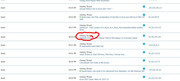
    For neatness, I replace these with a forward slash as it makes the Thread title or location look a bit neater https://i.postimg.cc/wv64YJJ0/Replac...ward-slash.jpg
    Just a quick reminder here as to what section ' 2c is about. This takes out some things which make the request I finally print out, more like the actual request coming in, ( even though the extra things could have been left in and the request would be somehow corrected by the forum software, since after some identifying location/request number, all else seems to be ignored by the receiving forum software)

    '2d
    The seem to be a few cases where a word (which we do not need) and a vbTab just before the IP address appears, whereas in most other cases, we have at this point a vbCr & vbLf
    So for these occurrences, I replace the word and the vbTab with a vbCr & vbLf
    In the snippet I have two example of this occurrence, "Viewing Who's Online" & vbTab and "Viewing Activity Stream" & vbTab
    ¬Here are the other words involved that I have found so far
    Code:
     "Viewing Attachment", "Viewing Tag List", "Viewing Subscribed Threads", "Viewing Member List", "Viewing Archives", "Viewing Activity Stream", "Viewing Calendar", "Searching Forums", "Viewing Smilies", "Registering", "Viewing Event", "Private Messaging", "Viewing Who's Online", "Viewing User Control Panel", "Viewing FAQ", "Viewing BB Code", "Viewing Forum Leaders", "Viewing Forum", "Sending Forum Feedback", "Logging In", "Sending Thread to a Friend", "Creating Private Message" 
    Those are the most important and typical corrections


    '2e
    This is a specific example of a '2c example. Specifically "Unknown Location" & vbCr & vbLf
    For this specific example I only take out the vbCr & vbLf at this point. This is so that I can identify these later in order to put them in a separate worksheet, (at which point I will remove the word "Unknown Location"


    Usually at this point in the coding I have a well structured text, which when split by vbCr & vbLf will give me the line pairs discussed previously – in each pair,
    _ the second has the IP address, and
    _ the first has, amongst other things, the username and the request, (request = what is being looked for)


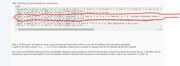
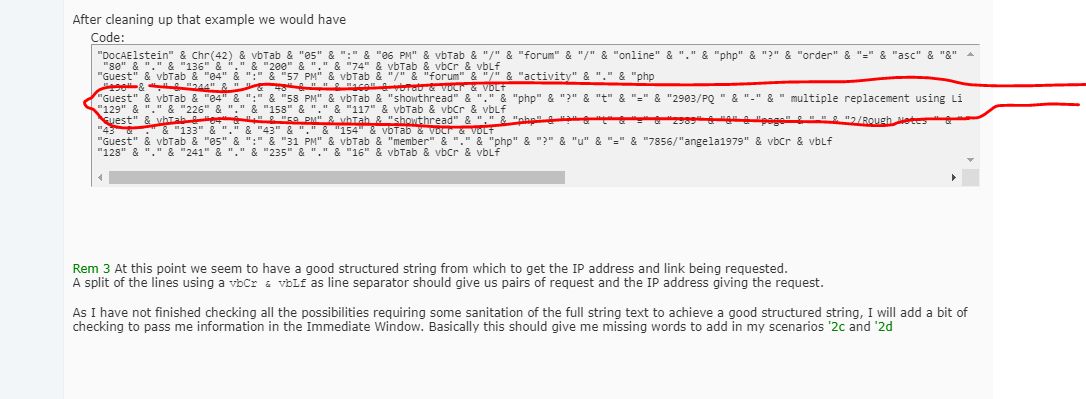
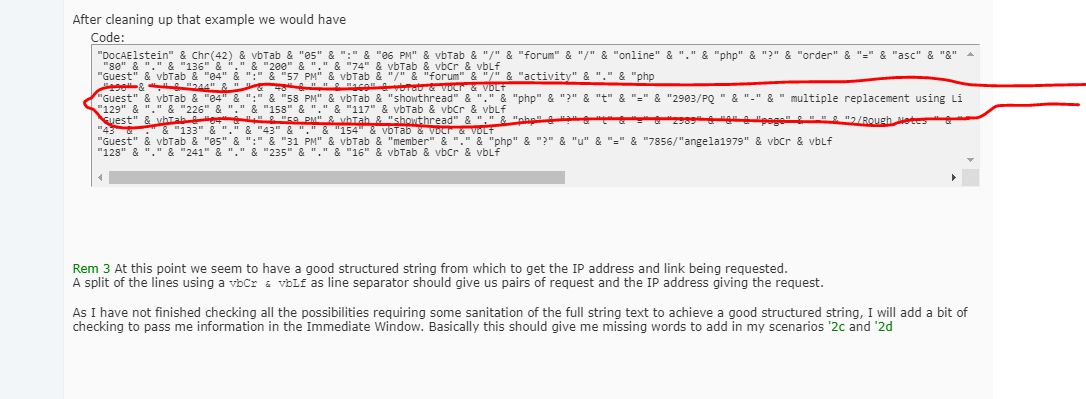
    After cleaning up that example we would have
    Code:
    "DocAElstein" & Chr(42) & vbTab & "05" & ":" & "06 PM" & vbTab & "/" & "forum" & "/" & "online" & "." & "php" & "?" & "order" & "=" & "asc" & "&" & "amp" & ";" & "sort" & "=" & "username" & "&" & "amp" & ";" & "pp" & "=" & "20" & "&" & "amp" & ";" & "page" & "=" & "1
     "80" & "." & "136" & "." & "200" & "." & "74" & vbTab & vbCr & vbLf
    "Guest" & vbTab & "04" & ":" & "57 PM" & vbTab & "/" & "forum" & "/" & "activity" & "." & "php
     "196" & "." & "244" & "." & "48" & "." & "169" & vbTab & vbCr & vbLf
    "Guest" & vbTab & "04" & ":" & "58 PM" & vbTab & "showthread" & "." & "php" & "?" & "t" & "=" & "2903/PQ " & "-" & " multiple replacement using List" & "." & "Generate" & "(" & ")" & vbCr & vbLf
    "129" & "." & "226" & "." & "158" & "." & "117" & vbTab & vbCr & vbLf
    "Guest" & vbTab & "04" & ":" & "59 PM" & vbTab & "showthread" & "." & "php" & "?" & "t" & "=" & "2989" & "&" & "page" & "=" & "2/Rough Notes " & "," & " and posts to be referenced from elsewhere" & "," & " on VBA Windows API" & vbCr & vbLf
    "43" & "." & "133" & "." & "43" & "." & "154" & vbTab & vbCr & vbLf 
    "Guest" & vbTab & "05" & ":" & "31 PM" & vbTab & "member" & "." & "php" & "?" & "u" & "=" & "7856/"angela1979" & vbCr & vbLf
    "128" & "." & "241" & "." & "235" & "." & "16" & vbTab & vbCr & vbLf


    Rem 3 At this point we seem to have a good structured string from which to get the IP address and link being requested.
    A split of the lines using a vbCr & vbLf as line separator should give us pairs of request and the IP address giving the request.
    https://i.postimg.cc/YCD94f9G/A-line-Pair.jpg
    A line Pair.JPG


    (As I have not finished checking all the possibilities requiring some sanitation of the full string text to achieve a good structured string, I will add a bit of checking to pass me information in the Immediate Window. Basically this should give me missing words to add in my scenarios '2c and '2d ? )
    Last edited by DocAElstein; 07-10-2025 at 02:04 AM.

  6. #6
    Fuhrer, Vierte Reich DocAElstein's Avatar
    Join Date
    Aug 2014
    Posts
    10,456
    Rep Power
    10
    Some ideas about how to manipulate that text from the Who's Online pages
    Get rid of start and end text bits

    One quick initial useful manipulation , often worth doing at an early stage, that we can do is to get rid of unwanted text at the start and stop
    _ To narrow down the text we want , we can probably use something like this to know where to start
    "IP Address" & vbCr & vbLf & "Instant Messaging" & vbCr & vbLf
    , and maybe something like this to know where to stop
    vbTab & vbCr & vbLf & "Page "

    Using this coding for example, _...
    Code:
    Sub QuickWotchaGot()
    Rem 1 Get text from clipboard
        With GetObject("New:{1C3B4210-F441-11CE-B9EA-00AA006B1A69}")  '    http://web.archive.org/web/20200124185244/http://excelmatters.com/2013/10/04/late-bound-msforms-dataobject/   ' https://www.eileenslounge.com/viewtopic.php?f=27&t=39784
        Dim StringBack As String ' This is for the entire text held for the range in the windows clipboard after a  .Copy
         .GetFromClipboard: Let StringBack = .GetText()
        End With
    Rem 2 Manipulate string
    ' 2a Start and stop, get rid of unwanted at start and end of full string in Clipboard,  StringBack
    Dim MainString As String
    Dim stPos As Long, spPos As Long
     Let stPos = InStr(1, StringBack, "IP Address" & vbCr & vbLf & "Instant Messaging" & vbCr & vbLf, vbBinaryCompare) + 31
     Let MainString = Mid(StringBack, stPos)
     Let spPos = InStr(stPos, StringBack, vbTab & vbCr & vbLf & "Page ", vbBinaryCompare) ' Start looking at  stPos  , don't have to though
     Let MainString = Mid(StringBack, stPos, (spPos - stPos))
    Rem 3 WachaGot
    Call WtchaGot_Unic_NotMuchIfYaChoppedItOff(MainString)
    End Sub
    , _... we get these results, looking at a similar output text file as from the last post. Uploaded is the same file as uploaded in the last post, and / but the start and stop bits are removed, so the filke is a bit smaller https://i.postimg.cc/zBvNNS4p/Exampl...-Addresses.jpg

    Code:
    "DocAElstein" & Chr(42) & vbTab & "06" & ":" & "38 PM" & vbTab & "/" & "forum" & "/" & "online" & "." & "php" & "?" & "sort" & "=" & "username" & "&" & "amp" & ";" & "order" & "=" & "asc" & "&" & "amp" & ";" & "pp" & "=" & "20" & "&" & "amp" & ";" & "page" & "=" & "2Viewing Who" & "'" & "s Online" & vbTab & "80" & "." & "136" & "." & "200" & "." & "74" & vbTab & vbCr & vbLf
    "sandy666" & Chr(42) & vbTab & "06" & ":" & "35 PM" & vbTab & "/" & "forum" & "/" & "forum" & "." & "phpViewing Index" & vbCr & vbLf
    "Excel" & "," & " Access" & "," & " PowerPoint and Word VBA Macro Automation Help" & vbCr & vbLf
    "78" & "." & "129" & "." & "115" & "." & "131" & vbTab & vbCr & vbLf
    "Guest" & vbTab & "06" & ":" & "36 PM" & vbTab & "showthread" & "." & "php" & "?" & "t" & "=" & "717Viewing Thread" & vbCr & vbLf
    "Smiley" & "'" & "s" & vbCr & vbLf
    "101" & "." & "32" & "." & "244" & "." & "173" & vbTab & vbCr & vbLf
    "Guest" & vbTab & "06" & ":" & "37 PM" & vbTab & "showthread" & "." & "php" & "?" & "t" & "=" & "2825Viewing Thread" & vbCr & vbLf
    "You are subscribed to this thread Update my existing macro to be able to update and delete" & vbCr & vbLf
    "43" & "." & "134" & "." & "75" & "." & "217" & vbTab & vbCr & vbLf
    "Guest" & vbTab & "06" & ":" & "38 PM" & vbTab & "showthread" & "." & "php" & "?" & "t" & "=" & "447Viewing Thread" & vbCr & vbLf
    "Print Selective Area" & vbCr & vbLf
    "43" & "." & "134" & "." & "229" & "." & "118" & vbTab & vbCr & vbLf
    "Guest" & vbTab & "06" & ":" & "30 PM" & vbTab & "showthread" & "." & "php" & "?" & "t" & "=" & "720Viewing Thread" & vbCr & vbLf
    "Workbook Event running VBA question" & vbCr & vbLf
    "129" & "." & "226" & "." & "154" & "." & "196" & vbTab & vbCr & vbLf
    "Guest" & vbTab & "06" & ":" & "38 PM" & vbTab & "showthread" & "." & "php" & "?" & "t" & "=" & "1058Viewing Thread" & vbCr & vbLf
    "Macro " & "-" & " Import" & "," & " Resize" & "," & " Adjust Format" & "," & " Position" & "," & " Insert Text Box and Lines" & vbCr & vbLf
    "150" & "." & "109" & "." & "21" & "." & "76" & vbTab & vbCr & vbLf
    "Guest" & vbTab & "06" & ":" & "34 PM" & vbTab & "showthread" & "." & "php" & "?" & "t" & "=" & "2914" & "&" & "page" & "=" & "4Viewing Thread" & vbCr & vbLf
    "You are subscribed to this thread Tests and Notes on Range objects in Excel Cell" & vbCr & vbLf
    "43" & "." & "134" & "." & "75" & "." & "217" & vbTab & vbCr & vbLf
    "Guest" & vbTab & "06" & ":" & "37 PM" & vbTab & "showthread" & "." & "php" & "?" & "t" & "=" & "334Viewing Thread" & vbCr & vbLf
    "Get " & """" & "Reversed" & """" & " Field from Delimited Text String" & vbCr & vbLf
    "43" & "." & "159" & "." & "37" & "." & "213" & vbTab & vbCr & vbLf
    "Guest" & vbTab & "06" & ":" & "34 PM" & vbTab & "showthread" & "." & "php" & "?" & "t" & "=" & "1091Viewing Thread" & vbCr & vbLf
    "Exclude Contents From List " & ":" & vbCr & vbLf
    "43" & "." & "133" & "." & "43" & "." & "121" & vbTab & vbCr & vbLf
    "Guest" & vbTab & "06" & ":" & "36 PM" & vbTab & "showthread" & "." & "php" & "?" & "t" & "=" & "380Viewing Thread" & vbCr & vbLf
    "Info" & ":" & " different Value " & "!" & vbCr & vbLf
    "43" & "." & "134" & "." & "112" & "." & "111" & vbTab & vbCr & vbLf
    "Guest" & vbTab & "06" & ":" & "28 PM" & vbTab & "showthread" & "." & "php" & "?" & "t" & "=" & "845Viewing Thread" & vbCr & vbLf
    "4000 and Counting " & "!" & "!" & "!" & "!" & vbCr & vbLf
    "150" & "." & "109" & "." & "21" & "." & "76" & vbTab & vbCr & vbLf
    "Guest" & vbTab & "06" & ":" & "37 PM" & vbTab & "showthread" & "." & "php" & "?" & "t" & "=" & "2789Viewing Thread" & vbCr & vbLf
    "You are subscribed to this thread Item way of thinking as alternative to conventional row column looping" & "." & vbCr & vbLf
    "43" & "." & "134" & "." & "91" & "." & "49" & vbTab & vbCr & vbLf
    "Guest" & vbTab & "06" & ":" & "32 PM" & vbTab & "showthread" & "." & "php" & "?" & "t" & "=" & "2952Viewing Thread" & vbCr & vbLf
    "You are subscribed to this thread ADS info via VBA 64bit" & vbCr & vbLf
    "129" & "." & "226" & "." & "92" & "." & "236" & vbTab & vbCr & vbLf
    "Guest" & vbTab & "06" & ":" & "35 PM" & vbTab & "showthread" & "." & "php" & "?" & "t" & "=" & "2057Viewing Thread" & vbCr & vbLf
    "You are subscribed to this thread Code Mod to prevent further " & "." & "Replacement" & "." & "Text over complete Document" & "." & vbCr & vbLf
    "43" & "." & "133" & "." & "56" & "." & "146" & vbTab & vbCr & vbLf
    "Guest" & vbTab & "06" & ":" & "38 PM" & vbTab & "showthread" & "." & "php" & "?" & "t" & "=" & "277Viewing Thread" & vbCr & vbLf
    "Merry Christmas and Happy New Year" & vbCr & vbLf
    "43" & "." & "134" & "." & "48" & "." & "88" & vbTab & vbCr & vbLf
    "Guest" & vbTab & "06" & ":" & "38 PM" & vbTab & "showthread" & "." & "php" & "?" & "t" & "=" & "2584Viewing Thread" & vbCr & vbLf
    "You are subscribed to this thread Avinash Crap Pending sorting out" & vbCr & vbLf
    "43" & "." & "134" & "." & "41" & "." & "39" & vbTab & vbCr & vbLf
    "Guest" & vbTab & "06" & ":" & "38 PM" & vbTab & "showthread" & "." & "php" & "?" & "t" & "=" & "2784Viewing Thread" & vbCr & vbLf
    "You are subscribed to this thread Excel Wordle" & vbCr & vbLf
    "43" & "." & "134" & "." & "41" & "." & "39" & vbTab & vbCr & vbLf
    "Guest" & vbTab & "06" & ":" & "37 PM" & vbTab & "showthread" & "." & "php" & "?" & "t" & "=" & "2993Viewing Thread" & vbCr & vbLf
    "You are subscribed to this thread Alan and Clare Testing" & vbCr & vbLf
    "43" & "." & "133" & "." & "57" & "." & "8" & vbTab & vbCr & vbLf
    "Guest" & vbTab & "06" & ":" & "37 PM" & vbTab & "showthread" & "." & "php" & "?" & "t" & "=" & "1481Viewing Thread" & vbCr & vbLf
    "Convert Excel Formulas That Contain Specific Function In To Value" & vbCr & vbLf
    "129" & "." & "226" & "." & "154" & "." & "196"
    ( In a final coding the bit to take out the start and end text bit will be section ' 2a )

    The next thing to do perhaps is get rid of, or change, a few bits of text that often crop up which we do not want and/or which may often confuse things. We will take a look at them in the next post
    Attached Files Attached Files
    Last edited by DocAElstein; 07-08-2025 at 01:27 AM.

  7. #7
    Fuhrer, Vierte Reich DocAElstein's Avatar
    Join Date
    Aug 2014
    Posts
    10,456
    Rep Power
    10

    Very Initial conclusion

    Very Initial conclusions
    For many situation, that is to say the most common viewing thing, we see we have a "Viewing Thread" & vbCr & vbLf
    https://i.postimg.cc/wBWdgM0W/Viewin...b-Cr-vb-Lf.jpg , https://i.postimg.cc/fTcJR5cJ/Viewin...b-Cr-vb-Lf.jpg


    This thing seems to be stuck inside the URL string of a thread , for some strange reason. It takes the place of what in a normal URL would be one of the forward slashes / or a space or nothing

    Take an Example: Lets investigate a Location from the Who’s Online list. This one:
    Viewing Thread
    DATA SHEET UPDATE INFO CODE
    ( https://i.postimg.cc/1ttH8s5S/Thread...-INFO-CODE.jpg )
    https://i.postimg.cc/K8hR0LZS/Viewin...-INFO-CODE.jpg
    Viewing Thread & vbCr & vbLf & DATA SHEET UPDATE INFO CODE.JPG

    These are a few valid forms of a forum URL to get to that Thread post
    Code:
    http://www.excelfox.com/forum/showthread.php/2103-DATA-SHEET-UPDATE-INFO-CODE
    http://www.excelfox.com/forum/showthread.php/2103 DATA SHEET UPDATE INFO CODE
    https://www.excelfox.com/forum/showthread.php?t=2103 DATA SHEET UPDATE INFO CODE
    http://www.excelfox.com/forum/showthread.php/2103/DATA-SHEET-UPDATE-INFO-CODE
    http://www.excelfox.com/forum/showthread.php/2103/DATA SHEET UPDATE INFO CODE
    https://www.excelfox.com/forum/showthread.php?t=2103 /DATA SHEET UPDATE INFO CODE
    http://www.excelfox.com/forum/showthread.php/2103 Anything at all here
    , copying and pasting any of those all end up at the same Thread post( https://i.postimg.cc/5txt1yMG/Thread...-INFO-CODE.jpg )

    From our initial investigations, it seems that such a URL will be found looking something g like this
    Code:
     "Guest" & vbTab & "10" & ":" & "20 AM" & vbTab & "showthread" & "." & "php?t=2103Viewing Thread" & vbCr & vbLf "DATA SHEET UPDATE INFO CODE" & vbCr & vbLf
    Consider the last example of valid URLs , http://www.excelfox.com/forum/showthread.php/2103 Anything at all here
    , and looking a bit further…… we can put something including some invisible characters in it in the clipboard, for example with coding like this,
    Code:
    Sub PutInClipboardSomethingWithAnInvisibleCharacterIn()
    Dim LaterDtaObj As Object
     Set LaterDtaObj = CreateObject("New:{1C3B4210-F441-11CE-B9EA-00AA006B1A69}")
     LaterDtaObj.SetText Text:="http://www.excelfox.com/forum/showthread.php/2103" & "Anything" & vbCr & vbLf
     LaterDtaObj.PutInClipboard
    ' http://www.excelfox.com/forum/showthread.php/2103Anything
    '
    Stop
     LaterDtaObj.SetText Text:="http://www.excelfox.com/forum/showthread.php/2103" & "Anything" & vbCr & vbLf & "Anything Else"
     LaterDtaObj.PutInClipboard
    ' http://www.excelfox.com/forum/showthread.php/2103Anything
    ' Anything Else
    End Sub
    , and if we paste into the URL bar those, we also get to the same Thread post

    The fact that there is some tolerance of this unwanted text & vbCr & vbLf , may explain some of the lower level back end workings, but for us, we likely will want a more normal liking URL and also an extra vbCr & vbLf is usually undesirable, so we may need to get rid of any Viewing Thread" & vbCr & vbLf , and we might consider replacing it with a / or a space or nothing

    In the over next post we will look further at this and also see that there are a few other simple similar manipulations desirable or necessary.

    But, first in the next post we can simplify things by getting rid of a big chunk of text at the start and finish
    Attached Images Attached Images
    Attached Files Attached Files
    Last edited by DocAElstein; 07-10-2025 at 06:50 PM.

  8. #8
    Fuhrer, Vierte Reich DocAElstein's Avatar
    Join Date
    Aug 2014
    Posts
    10,456
    Rep Power
    10
    Rem 3 Manipulating the now sanitised and so regular ordered text section
    These notes are just for future reference. The coding itself is crude crap made up as I went along and then dodged later based on problems encountered while using it for a few weeks.
    Using the coding needs a bit if time of manual interaction, which is very inefficient, but it can be helpful in gaining experience leading up to a more efficient coding later.

    The first thing that is done is to split the now, ( hopefully ), well structured text string by the vbCr & vbLf, effectively giving us an 1 dimensional array, arrRequestIP() ,
    The MAIN LOOP == actually loops the pairs of lines, ( in other words pairs of the array elements ), comprising
    _ the one with all the request info except the IP address
    _ the IP address
    https://i.postimg.cc/5t6wqpLd/A-line-Pair.jpg
    This is achieved by doing something that is apparently a bit naughty: Down at Rem 7, when we are ready to look at the second line, we increase the loop cant variable, Cnt, by 1

    ' 3a and ' 3b are some checks that may help to catch the scenarios of ' 2d and ' 2c that I have not yet encountered. In other words the y may catch some things that might cause an error, and the output in the immediate window given may reveal the word(s) I need to add to my lists so far in ' 2d and ' 2c

    ' 3a tries to catch when two consecutive lines ( 2 consecutive array elements ) both start with Guest. This could occur for example when we have the ' 2d scenario where a word(s) and a vbTab need to be replaced with a vbCr & vbLf, so that the next line starts with the IP address. (This would miss the problem occurring if the two usernames were not Guest )

    ' 3b identifies when the array used for the split by vbTab to get
    Username vbTab Time vbTab Viewing/Request
    , does not have an upper limit of 2
    This may catch a few problems but mostly it should catch when things go out of step by an extra word(s) and a vbCr & vbLf ( that make the over next line(array element a single thing, ( the IP address ) , and the IP address would have been incorrectly taken as the view/request text). In other words it catches a ' 2c scenario
    Here is an example that occurred. - There are these 4 Debug.Print lines done when a problem is detected
    Debug.Print arrRequestIP(Cnt - 2)
    Debug.Print arrRequestIP(Cnt - 1)
    Debug.Print arrRequestIP(Cnt - 0)
    Debug.Print arrRequestIP(Cnt + 1)

    This is what they gave on the example occasion
    https://i.postimg.cc/WzBNF7NJ/2c-Sen...-Excel-Fox.jpg
    Code:
    Guest   09:59 AM    /forum/private.php?do=newpm&u=1Creating Private Message
    Excel Fox
    47.128.123.168  
    Guest   09:59 AM    showthread.php?t=2053/Summary Of Maximum Rows Used Across Each Sheet In A Workbook
    The Immediate window is probably experiencing a vbCr & vbLf, and I need to include Creating Private Message in the list of things that make the substitution to a / from , in this case replace any
    Creating Private Message & vbCr & vbLf
    with a
    /
    The resulting text would then have been
    Code:
    Guest   09:59 AM    /forum/private.php?do=newpm&u=1/Excel Fox
    47.128.123.168  
    Guest   09:59 AM    showthread.php?t=2053/Summary Of Maximum Rows Used Across Each Sheet In A Workbook
    With that text the error would have not occurred
    (Note the effect of not having this checking would be that our results would include an erroneous word in placer of a IP address, in this example of Excel Fox , and due to the extra line we would go on to be out of step in our line pairing, and an error would occur on the attempt to get the request from
    47.128.123.168
    When it should have been trying to do that with
    Code:
    Guest    vbTab   09:59 AM    vbTab   showthread.php?t=2053/Summary Of Maximum Rows Used Across Each Sheet In A Workbook


    From Rem 4, we are trying to put the required results in one of three worksheets. Section Rem 4, itself gets the last request array element arrWhenWhat(2) which should be the request, and then Rem 5 tries to catch problem requests, and Rem 6 deals with most of the requests


    Rem 7 deals with putting the IP addresses in the IPAddresses worksheet
    Last edited by DocAElstein; 07-11-2025 at 06:44 PM.

  9. #9
    Fuhrer, Vierte Reich DocAElstein's Avatar
    Join Date
    Aug 2014
    Posts
    10,456
    Rep Power
    10
    This is the coding that I have so far, for the initial investigation. It is responsible for making the worksheets Requests IPAddresses and UnkownLocations


    Code:
    Sub GetTextIPAddressWatchingThingsAtExcelFox()
    Rem 1 Get text from clipboard
    ''Application.SendKeys Keys:="%{F11}", Wait:=True
    'Stop
        With GetObject("New:{1C3B4210-F441-11CE-B9EA-00AA006B1A69}")  '    http://web.archive.org/web/20200124185244/http://excelmatters.com/2013/10/04/late-bound-msforms-dataobject/   ' https://www.eileenslounge.com/viewtopic.php?f=27&t=39784
        Dim StringBack As String ' This is for the entire text held for the range in the windows clipboard after a  .Copy
         .GetFromClipboard: Let StringBack = .GetText()
        End With
    Rem 2 Manipulate string
    ' 2a Start and stop, get rid of unwanted at start and end of full string in Clipboard,  StringBack
    Dim MainString As String
    Dim stPos As Long, spPos As Long
     Let stPos = InStr(1, StringBack, "IP Address" & vbCr & vbLf & "Instant Messaging" & vbCr & vbLf, vbBinaryCompare) + 31
     Let MainString = Mid(StringBack, stPos)
     Let spPos = InStr(stPos, StringBack, vbTab & vbCr & vbLf & "Page ", vbBinaryCompare) ' Start looking at  stPos  , don't have to though
     Let MainString = Mid(StringBack, stPos, (spPos - stPos))
    ' 2b Get rid of some stuff
    Dim arrOff() As Variant: Let arrOff() = Array("You are subscribed to this thread ", "Viewing Error Message ", "Viewing " & "'" & "No Permission" & "'" & " Message ", "Viewing Calendar" & vbCr & vbLf & "Default Calendar")  '
    Dim Steer As Variant
        For Each Steer In arrOff()
         Let MainString = Replace(MainString, Steer, "", 1, -1, vbBinaryCompare)
        Next Steer
    ' 2c Replace some stuff  A word and a  vbCr & vbLf  makes a thread title a bit wrong and we have an extra unwanted line
     Let MainString = Replace(MainString, "Viewing Thread" & vbCr & vbLf, "/", 1, -1, vbBinaryCompare)
     Let MainString = Replace(MainString, "Viewing Index" & vbCr & vbLf, "/", 1, -1, vbBinaryCompare)
     Let MainString = Replace(MainString, "Viewing Printable Version" & vbCr & vbLf, "/", 1, -1, vbBinaryCompare)
     Let MainString = Replace(MainString, "Viewing Forum" & vbCr & vbLf, "/", 1, -1, vbBinaryCompare)
     Let MainString = Replace(MainString, "Viewing User Profile" & vbCr & vbLf, "/", 1, -1, vbBinaryCompare)
     Let MainString = Replace(MainString, "Replying to Thread" & vbCr & vbLf, "/", 1, -1, vbBinaryCompare)
     Let MainString = Replace(MainString, "Viewing Archives" & vbCr & vbLf, "/", 1, -1, vbBinaryCompare)
     Let MainString = Replace(MainString, "Searching Forums" & vbCr & vbLf, "/", 1, -1, vbBinaryCompare)
     Let MainString = Replace(MainString, "Creating Private Message" & vbCr & vbLf, "/", 1, -1, vbBinaryCompare)
     Let MainString = Replace(MainString, "Sending Thread to a Friend" & vbCr & vbLf, "/", 1, -1, vbBinaryCompare)
    ' Let MainString = Replace(MainString, "", "", 1, -1, vbBinaryCompare)
    ' Let MainString = Replace(MainString, "", "", 1, -1, vbBinaryCompare)
    ' Let MainString = Replace(MainString, "", "", 1, -1, vbBinaryCompare)
    ' Let MainString = Replace(MainString, "", "", 1, -1, vbBinaryCompare)
    
    
    '2d We have   2-4 words and a vbTab    where a     vbCr & vbLf    should be
    Dim arrWordTab() As Variant
     Let arrWordTab() = Array("Viewing Attachment", "Viewing Tag List", "Viewing Subscribed Threads", "Viewing Member List", "Viewing Archives", "Viewing Activity Stream", "Viewing Calendar", "Searching Forums", "Viewing Smilies", "Registering", "Viewing Event", "Private Messaging", "Viewing Who's Online", "Viewing User Control Panel", "Viewing FAQ", "Viewing BB Code", "Viewing Forum Leaders", "Viewing Forum", "Sending Forum Feedback", "Logging In", "Sending Thread to a Friend", "Creating Private Message", "Viewing Thread", "Modifying Profile")
        For Each Steer In arrWordTab()
         Let MainString = Replace(MainString, Steer & vbTab, vbCr & vbLf, 1, -1, vbBinaryCompare)
        Next Steer
        
    '2e Possibly broken link
     Let MainString = Replace(MainString, "Unknown Location" & vbCr & vbLf, "Unknown Location", 1, -1, vbBinaryCompare) ' leaving  Unknown Location  in to see that sort of thing later ###
    ' http://www.excelfox.com/forum/showthread.php/1834-Extracting-images-of-slide-animation
    '
    'Stop
    'Call WtchaGot_Unic_NotMuchIfYaChoppedItOff(MainString)
    'Stop
    Rem 3 Getting the data.  At this point we appear to have a good structured string
    Dim arrRequestIP() As String
     Let arrRequestIP() = Split(MainString, vbCr & vbLf, -1, vbBinaryCompare) ' Hoping that we have pairs of lines, the first has amoungst ither things, the URL, the second has the IP Address of the thing or person looking
    Dim Cnt As Long
      For Cnt = 0 To UBound(arrRequestIP()) ' == MAIN LOOP ================================================
        ' 3a Check for non good structure, typically in a problem senario we get then two lines starting with Geust - a  '2d  synario
        If Left(arrRequestIP(Cnt), 5) = "Guest" And Left(arrRequestIP(Cnt + 1), 5) = "Guest" Then
        Debug.Print ' just to make space in any other clutter in immediate window
        Debug.Print "Guest Guest   " & arrRequestIP(Cnt) ' to check out any still needed sanitation of the full string text to achieve a good structured string,
        Debug.Print ' just to make space in any other clutter in immediate window
        MsgBox prompt:="Guest Guest synario, (likely  words with a vbTab  where a  vbCr & vbLf  should be)"
        Stop
        Else
        ' This next array should be    User  vbTab   Time  vbTab   Request
        Dim arrWhenWhat() As String: Let arrWhenWhat() = Split(arrRequestIP(Cnt), vbTab, -1, vbBinaryCompare)
            ' 3b Check for non good structure, typically in a problem scenario ' 2c
            If UBound(arrWhenWhat()) <> 2 Then ' This might occur if there is an unwanted extra  vbCr & vblf  such as in the synario  '2c
            Debug.Print ' These  Debug.Print  lines should give me an idea  what the problem is
            Debug.Print arrRequestIP(Cnt - 2)
            Debug.Print arrRequestIP(Cnt - 1)
            Debug.Print arrRequestIP(Cnt - 0)
            Debug.Print arrRequestIP(Cnt + 1)
            Debug.Print
            '      /forum/showthread.php?17-Using-ListView-a-Listbox-on-steroidsViewing Thread 52.167.144.181
            '      /forum/showthread.php/17-Using-ListView-a-Listbox-on-steroids
            MsgBox prompt:="Possible  '2c scenario  you have a   word and extra vbCr & vnLf   to get rid of "
            Stop
            Else ' Now we are ready to start a hopefully regular ordered text, havong just finished checking form irregularities
            Rem 4
            Dim Request As String: Let Request = arrWhenWhat(2) ' This hould be the URL being requested
            Dim IPAddress As String: Let IPAddress = arrRequestIP(Cnt + 1) ' Zhe next line should be the IP Address of the thing or person viewing
            ' Worksheets info
            Dim WsReq As Worksheet, WsIP As Worksheet, WsReqErr As Worksheet
             Set WsReq = ThisWorkbook.Worksheets("Requests"): Set WsIP = ThisWorkbook.Worksheets("IPAddresses"): Set WsReqErr = ThisWorkbook.Worksheets("UnkownLocations")
            Dim LrReq As Long, LrIP As Long, LrReqErr As Long
             Let LrReq = WsReq.Range("B" & WsReq.Rows.Count & "").End(xlUp).Row: LrIP = WsIP.Range("B" & WsIP.Rows.Count & "").End(xlUp).Row: Let LrReqErr = WsReqErr.Range("B" & WsReqErr.Rows.Count & "").End(xlUp).Row
            Dim rngReq As Range, rngIP As Range, rngReqErr As Range
             Set rngReq = WsReq.Range("B1:B" & LrReq & ""): Set rngIP = WsIP.Range("B1:B" & LrIP & ""): Set rngReqErr = WsReqErr.Range("B1:B" & LrReqErr & "")
                If InStr(1, Request, "Unknown Location", vbBinaryCompare) > 0 Then   ' ###
                 Let Request = Replace(Request, "Unknown Location", "", 1, 1, vbBinaryCompare)
                Rem 5 Problem URL requests, so URL into "UnkownLocations" worksheet
                WsReqErr.Activate
                Dim rngReqErrIn As Range '
                    If Len(Request) > 255 Then ' If an untypical very long URL crops up, the  .Find  below won't work, so here we just hope there are not so many of these and with that unlikely to be duplicates of them - this is a bit of a bodge done after all the coding was first done
                     Set rngReqErrIn = WsReqErr.Range("B" & LrReqErr + 1 & "")
                     Let rngReqErrIn = Request
                     Let rngReqErrIn.Offset(0, -1) = 1
                     Let rngReqErrIn.Offset(0, 1) = IPAddress
                    Else ' For more typical URLs we can check to see if we already have it, so as to avoid duplicate entries
                     Set rngReqErrIn = rngReqErr.Find(what:=Request, After:=WsReqErr.Range("B1"), LookIn:=xlValues, searchorder:=xlByRows, searchdirection:=xlNext, MatchCase:=True)
                       If rngReqErrIn Is Nothing Then
                        Set rngReqErrIn = WsReqErr.Range("B" & LrReqErr + 1 & "")
                        Let rngReqErrIn = Request
                        Let rngReqErrIn.Offset(0, -1) = 1
                        Let rngReqErrIn.Offset(0, 1) = IPAddress
                       Else
                        Let rngReqErrIn = Request
                        Let rngReqErrIn.Offset(0, -1) = rngReqErrIn.Offset(0, -1).Value + 1
                        Let rngReqErrIn.Offset(0, 1) = rngReqErrIn.Offset(0, 1).Value & vbCr & vbLf & " " & IPAddress
                       End If
                    End If ' Finished with problem requests here
                Else '
                Rem 6 For most URLs, URL goes into worksheet "Requests"
                WsReq.Activate
                Dim rngReqIn As Range '
                    If Len(Request) > 255 Then ' I csannot use the  .Find  for these rare occaisions, so i just put it at the end, hoping it is not a duplicate
                     Set rngReqIn = WsReq.Range("B" & LrReq + 1 & "")
                     Let rngReqIn = Request
                     Let rngReqIn.Offset(0, -1) = 1
                     Let rngReqIn.Offset(0, 1) = IPAddress
                    Else
                    Set rngReqIn = rngReq.Find(what:=Request, After:=WsReq.Range("B1"), LookIn:=xlValues, searchorder:=xlByRows, searchdirection:=xlNext, MatchCase:=True)
                       If rngReqIn Is Nothing Then
                        Set rngReqIn = WsReq.Range("B" & LrReq + 1 & "")
                        Let rngReqIn = Request
                        Let rngReqIn.Offset(0, -1) = 1
                        Let rngReqIn.Offset(0, 1) = IPAddress
                       Else
                        Let rngReqIn = Request
                        Let rngReqIn.Offset(0, -1) = rngReqIn.Offset(0, -1).Value + 1
                        Let rngReqIn.Offset(0, 1) = rngReqIn.Offset(0, 1).Value & vbCr & vbLf & " " & IPAddress
                       End If
                    End If
                End If
             Let Cnt = Cnt + 1 ' Hopefully now we are at the IP address line     (Bit naughty apparantly - cardinal sin apparantly to do this.)  Hopefully the  URL  has now been added, in either "Requests" or "UnkownLocations" worksheets, (and the IP address added in column C ), and we now go to next line for adding IP address worksheet info
            Rem 7 IP address info worksheet
            WsIP.Activate
            Dim rngIPIn As Range, UsrNme As String: Let UsrNme = arrWhenWhat(0)
             Set rngIPIn = rngIP.Find(what:=IPAddress, After:=WsIP.Range("B1"), LookIn:=xlValues, searchorder:=xlByRows, searchdirection:=xlNext, MatchCase:=True)
                If rngIPIn Is Nothing Then
                 Set rngIPIn = WsIP.Range("B" & LrIP + 1 & "")
                 Let rngIPIn = IPAddress
                 Let rngIPIn.Offset(0, -1) = 1
                 Let rngIPIn.Offset(0, 1) = UsrNme
                Else
                 Let rngIPIn = IPAddress ' This is redundant
                 Let rngIPIn.Offset(0, -1) = rngIPIn.Offset(0, -1).Value + 1
                    If InStr(1, rngIPIn.Offset(0, 1).Value, UsrNme, vbBinaryCompare) > 0 Then
                    ' same User Name for this IP as last time, (the most likely case), so do nothing
                    Else
                     Let rngIPIn.Offset(0, 1) = rngIPIn.Offset(0, 1).Value & vbCr & vbLf & UsrNme
                    End If
                End If
            End If ' end of a check for a likely situation where there is an extra unwanted   vbDr & vbLf
        End If ' End of the check for a  Guest Guest synario   (likely  words with a vbTab  where a  vbCr & vbLf  should be)
        
      Next Cnt ' == MAIN LOOP ============================================================================
    ' 7b Sort order of IP addresses
     LrIP = WsIP.Range("B" & WsIP.Rows.Count & "").End(xlUp).Row ' refresh after last entry (probably just  LrIP = LrIP +1  would do
    Dim rngToSort As Range: Set rngToSort = WsIP.Range("A2:C" & LrIP & "")
     rngToSort.Sort Key1:=WsIP.Range("B2:B" & LrIP & ""), Order1:=xlAscending
    
    Rem 10 Miscalaneous
    ' A count sometimes useful to keep track how many times you run the coding, you will want to manually set this to 0 maybe dependiung on what when you are doing something
    WsIP.Range("I2") = WsIP.Range("I2").Value + 1
    
    
    End Sub
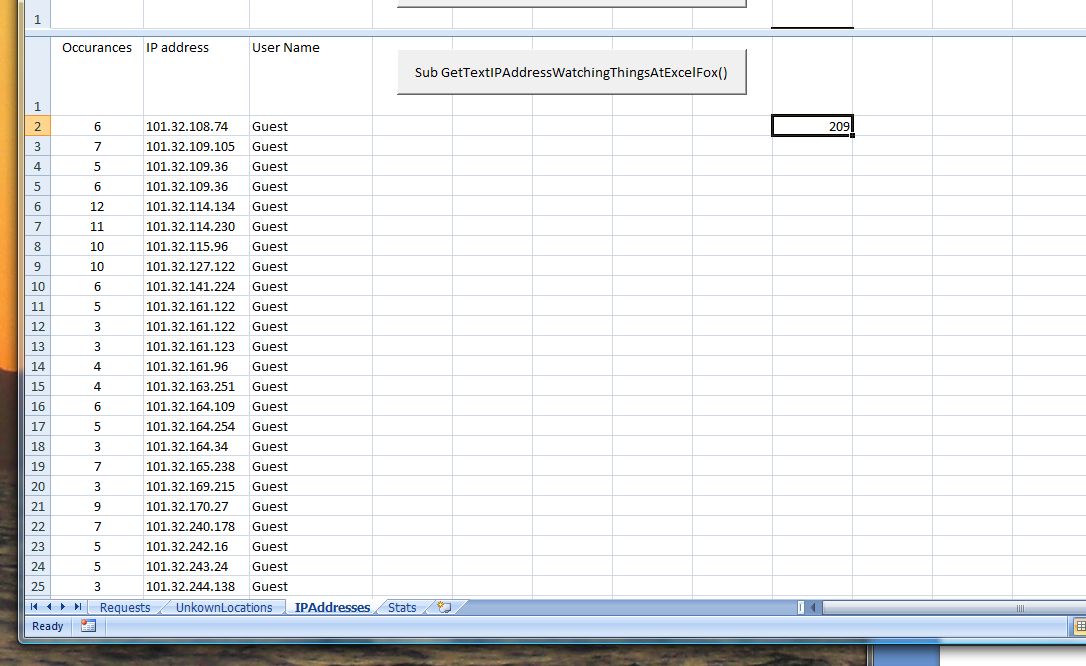
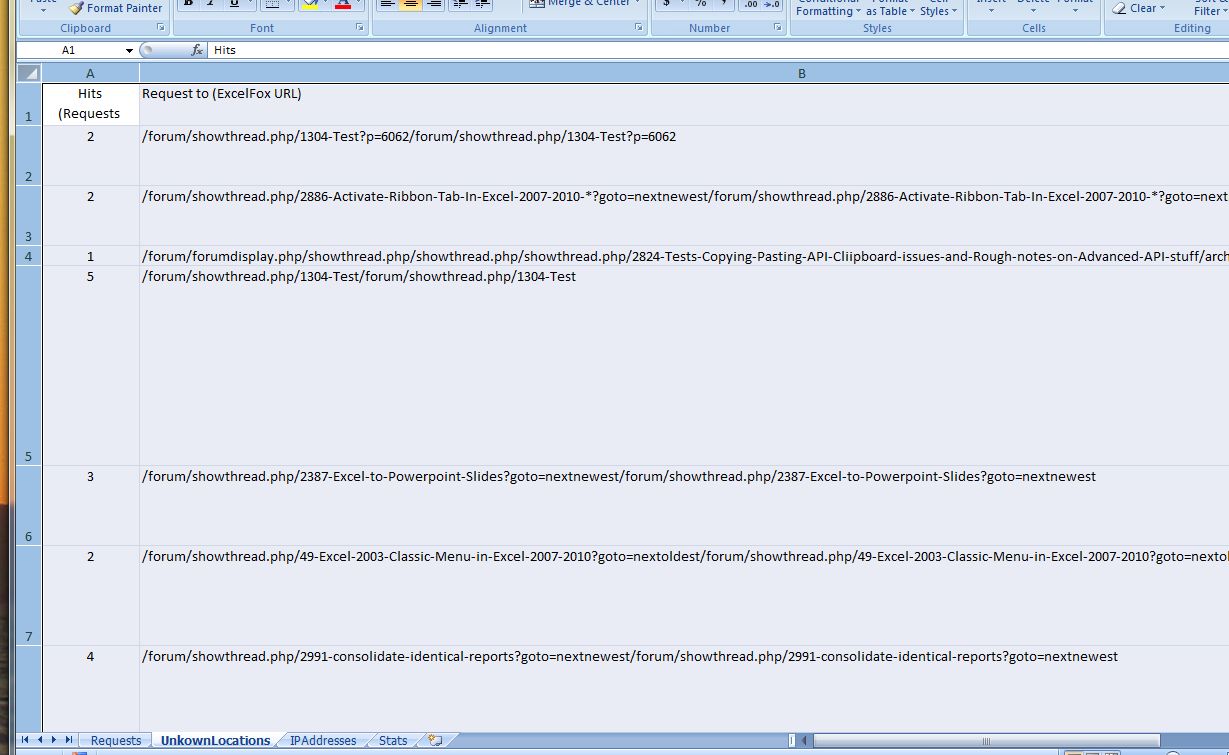
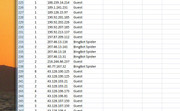
    https://i.postimg.cc/SxmyhND6/IPAddresses-worksheet.jpg


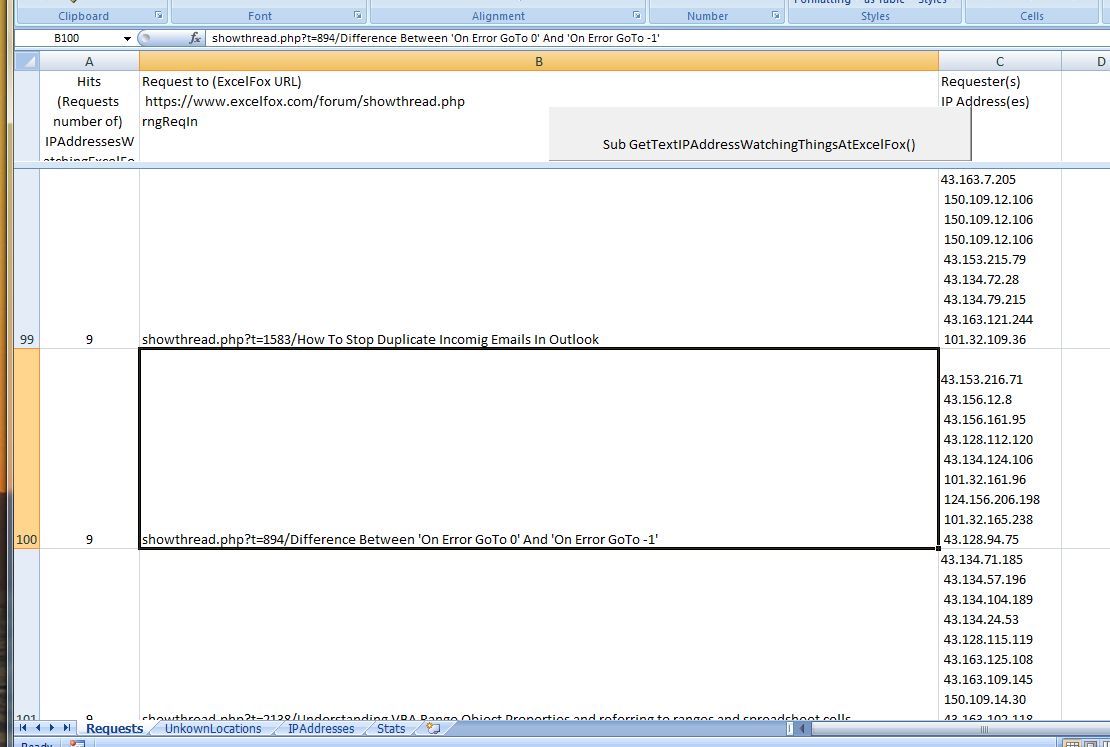
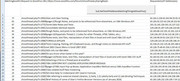
    https://i.postimg.cc/mrDBPpxh/Request-worksheet.jpg


    https://i.postimg.cc/9fnVZPVb/Unkown...-worksheet.jpg


    Some of the characteristics of the output are that
    _we have a wrap text for the IP addresses making the requests on the requests worksheet a bit difficult to see for the requests that were made many times ( No sort is done on the requests )
    _ a sort done in the IP addresses that helps to group together similar IP addresses https://i.postimg.cc/HkkfzJ6h/Sort-g...-Addresses.jpg


    The next post introduces another worksheet and some coding to give slightly different output
    Last edited by DocAElstein; 07-12-2025 at 11:33 PM.

  10. #10
    Fuhrer, Vierte Reich DocAElstein's Avatar
    Join Date
    Aug 2014
    Posts
    10,456
    Rep Power
    10
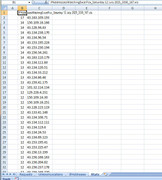
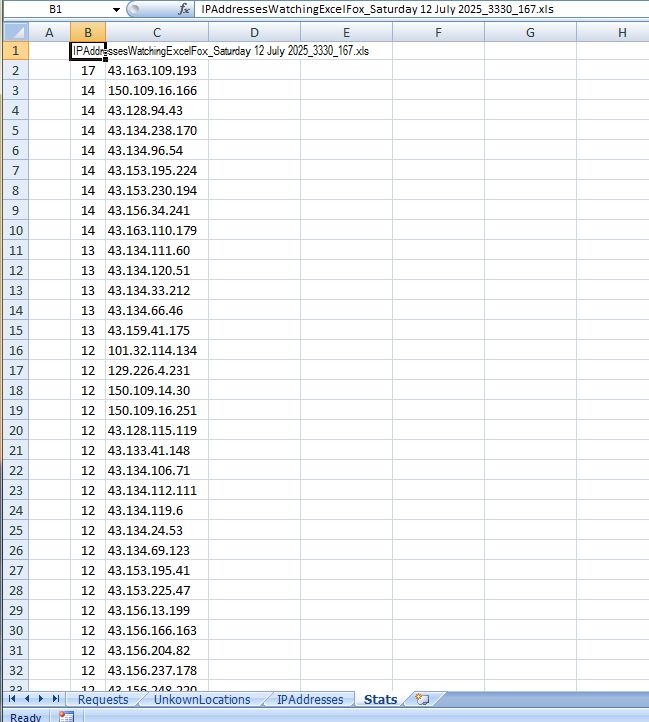
    Another worksheet ( Stats ) was introduced and some coding in it does 2 main things
    _ The request worksheet has the wrap text removed and is ordered by number of times the same request was made
    https://i.postimg.cc/MHNJjzSG/Reques...ats-coding.jpg


    _ In the new worksheet duplicates are removed ( these sometimes appear as a result of some having an invisible character in ), and the list is ordered by the number of times the address appears.
    https://i.postimg.cc/J0GWnGSg/New-Stats-worksheet.jpg


    Coding in Stats worksheets object code module
    Code:
    Option Explicit
    Sub RequestsOrdering()
    Dim WsReq As Worksheet, WsIP As Worksheet, WsReqErr As Worksheet, WsSts As Worksheet
     Set WsReq = ThisWorkbook.Worksheets("Requests"): Set WsIP = ThisWorkbook.Worksheets("IPAddresses"): Set WsReqErr = ThisWorkbook.Worksheets("UnkownLocations")
    Dim LrReq As Long, LrIP As Long, LrReqErr As Long
     Let LrReq = WsReq.Range("B" & WsReq.Rows.Count & "").End(xlUp).Row: LrIP = WsIP.Range("B" & WsIP.Rows.Count & "").End(xlUp).Row: Let LrReqErr = WsReqErr.Range("B" & WsReqErr.Rows.Count & "").End(xlUp).Row
     Let WsReq.Range("A1") = WsReq.Range("A1").Value & " " & ThisWorkbook.Name
    
    WsReq.Activate
    Dim rngReq As Range ' The three column range
     Set rngReq = WsReq.Range("A2:C" & LrReq & "")
     
     Let rngReq.WrapText = False ' all request lines same small/ normal height height
     Let WsReq.Range("A" & LrReq + 1 & "") = "=sum(A2:A" & LrReq & ")"
     rngReq.Sort Key1:=WsReq.Range("A2:A" & LrReq & ""), Order1:=xlDescending
    
     rngReq.Offset(-1, 0).Resize(rngReq.Rows.Count + 1, rngReq.Columns.Count).Copy
    End Sub


    Sub IPsSaniierung() ' To tidy up after coding
    Rem 0 worksheets info
    Dim WsReq As Worksheet, WsIP As Worksheet, WsReqErr As Worksheet, WsSts As Worksheet
     Set WsReq = ThisWorkbook.Worksheets("Requests"): Set WsIP = ThisWorkbook.Worksheets("IPAddresses"): Set WsReqErr = ThisWorkbook.Worksheets("UnkownLocations"): Set WsSts = ThisWorkbook.Worksheets("Stats")
    WsSts.Cells.ClearContents
    Dim LrReq As Long, LrIP As Long, LrReqErr As Long, LrSts As Long
     Let LrReq = WsReq.Range("B" & WsReq.Rows.Count & "").End(xlUp).Row: LrIP = WsIP.Range("B" & WsIP.Rows.Count & "").End(xlUp).Row: Let LrReqErr = WsReqErr.Range("B" & WsReqErr.Rows.Count & "").End(xlUp).Row
    Dim LcSts As Long, NxtClm As Long
     Let LcSts = WsSts.Cells.Item(1, WsSts.Columns.Count).End(xlToLeft).Column
     Let NxtClm = LcSts + 1
    
     WsSts.Activate
     Let WsSts.Range("A1").Offset(0, NxtClm - 1) = ThisWorkbook.Name
    Dim rngIPs As Range
     Set rngIPs = WsIP.Range("A2:B" & LrIP & "")
     rngIPs.Copy Destination:=WsSts.Range("A2").Offset(0, NxtClm - 1)
     Set rngIPs = WsSts.Range("A2").Offset(0, NxtClm - 1).Resize(rngIPs.Rows.Count, rngIPs.Columns.Count)
     Let LrSts = LrIP
    ' Rem Tidy up duplicate IP entries
    Dim Cnt As Long
        For Cnt = LrSts To 2 Step -1
        Dim strIP1 As String, strIP2 As String
         Let strIP1 = WsSts.Range("C" & Cnt & "").Value2: strIP2 = WsSts.Range("C" & Cnt + 1 & "").Value2
        Debug.Print
        Debug.Print Len(strIP1)
         Let strIP1 = Replace(strIP1, vbTab, "", 1, -1, vbBinaryCompare): Debug.Print Len(strIP1)
         Let strIP1 = Replace(strIP1, vbCr & vbLf, "", 1, -1, vbBinaryCompare): Debug.Print Len(strIP1)
         Let strIP1 = Trim(strIP1): Debug.Print Len(strIP1)
        Debug.Print
        Debug.Print Len(strIP2)
         Let strIP2 = Replace(strIP2, vbTab, "", 1, -1, vbBinaryCompare): Debug.Print Len(strIP2)
         Let strIP2 = Replace(strIP2, vbCr & vbLf, "", 1, -1, vbBinaryCompare): Debug.Print Len(strIP2)
         Let strIP2 = Trim(strIP2): Debug.Print Len(strIP2)
        Debug.Print
            If strIP1 = strIP2 Then
             Let WsSts.Range("B" & Cnt & "") = WsSts.Range("B" & Cnt & "").Value2 + WsSts.Range("B" & Cnt + 1 & "").Value2
             Let WsSts.Range("C" & Cnt & "") = strIP1 ' The sanitised value
             WsSts.Range("B" & Cnt + 1 & ":C" & Cnt + 1 & "").Delete shift:=xlUp ' W deleted what was behiud/above us
            Else
            End If
        
        Next Cnt
    Rem  We lost some rows now, so the last row has changed
     Let LrSts = WsSts.Range("B" & WsSts.Rows.Count & "").End(xlUp).Row
     
    Rem  re-order
     Set rngIPs = WsSts.Range("B2:C" & LrSts & "")
     rngIPs.Sort Key1:=rngIPs.Columns(1), Order1:=xlDescending
    
    Rem
     Let WsSts.Range("B" & LrSts + 1 & "") = "=SUM(B2:B" & LrSts & ")"
     
    Rem get ready to paste in summary file
     rngIPs.Offset(-1, 0).Resize(rngIPs.Rows.Count + 2, rngIPs.Columns.Count).Copy
    End Sub
    Last edited by DocAElstein; 07-12-2025 at 11:50 PM.

Similar Threads

  1. Replies: 2
    Last Post: 08-10-2016, 04:59 PM
  2. Replies: 1
    Last Post: 01-19-2015, 05:31 AM
  3. Changing Slideshow viewing mode to kiosk using vba
    By Times in forum Powerpoint Help
    Replies: 1
    Last Post: 05-10-2013, 12:37 AM
  4. IE Automated Login/Table Pull
    By mrmmickle1 in forum Hire A Developer
    Replies: 7
    Last Post: 04-04-2013, 04:58 PM
  5. How to create automated planning sheet.
    By Rajesh Kr Joshi in forum Excel Help
    Replies: 1
    Last Post: 03-21-2013, 01:01 PM

Posting Permissions

  • You may not post new threads
  • You may not post replies
  • You may not post attachments
  • You may not edit your posts
  •