Hi,

Originally Posted by
hhap

I was a bit under the weather.
There is lots of things to feel under the weather about everywhere currently, chin up,  .
.
Life’s a piece of Shit, when ya look at it, so Always look on the bright side of life
There are not so many people passing here anyway, and the Email notifications rarely work, so fast responses are not the norm here…
OK, your last post makes it a lot clearer to me. I think now I either understand fully or I am close
I will do a simpler coding for you that will work on a single row. If you need help in adapting that to a final coding to suit you better, then let me know.
The coding is similar to my first attempt for you
( Note it is also easy to adapt the coding to run automatically when any entry is made )
Here is the next coding for you
Code:
Sub ReduceDebtStartingFromRight2() ' https://www.excelfox.com/forum/showthread.php/2953-How-to-Apply-Payments-to-Aged-Receivables-Automatically-using-Excel-VBA?p=24007&viewfull=1#post24007
Dim RngSelect As Range, SelRow As Long, Ws As Worksheet
 Set Ws = Selection.Parent   ' The  Parent  will get the correct worksheet.
 Let SelRow = Selection.Row
 Set RngSelect = Ws.Range("E" & SelRow & ":I" & SelRow & "")               '   We know the columns, and the row will be that of the selected row

Dim TPNA As Double ' This will be the  Total Payments Not Applied  something like SUMIF(E4:I4,"<0",E4:I4)
 Let TPNA = -1 * Ws.Range("K" & SelRow & "").Value                      ' Let TPNA = Ws.Evaluate("SUMIF(" & RngSelect.Address & ",""<0""," & RngSelect.Address & ")")

Dim ClmDebt As Long, Clm As Long
     For Clm = 9 To 5 Step -1 ' ======= Looping columns  9 8 7 6 5 (I H G F E ) ================
      Let ClmDebt = Ws.Cells(SelRow, Clm).Value
        If ClmDebt > 0 Then    ' this will allow empty columns or -ve columns to be ignorred
            If ClmDebt = TPNA Then Let Ws.Cells(SelRow, Clm).Value = "":  Exit For                                             ' we have used up all payment so we are finished
            If ClmDebt > TPNA Then Let Ws.Cells(SelRow, Clm).Value = Ws.Cells(SelRow, Clm).Value - TPNA:  Exit For    ' we have used up all payment so we are finished
        ' If we get this far, then the payment is more than the column debt.
         Let TPNA = TPNA - Ws.Cells(SelRow, Clm).Value
         Let Ws.Cells(SelRow, Clm).Value = ""    ' All debt in this column is removed
        Else
        ' Column Debt is 0 or -ve so we do nothing at this column
        End If

     Next Clm ' ================================================================================

'  Empty negative values
    For Clm = 5 To 9 Step 1
        If Ws.Cells(SelRow, Clm).Value < 0 Then Let Ws.Cells(SelRow, Clm).Value = ""
    Next Clm
End Sub
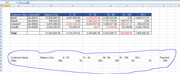
To test this, select any cell in a row. Any cell will do. For example, select CharlesP, ( in worksheet Aging Summary 2 in the returned File attached to this post
https://postimg.cc/1gmtBHvm
Select CharlesP in Worksheet Aging Summary 2.JPG
This is what the row looks like initially
_____ Workbook: Copy of Receivable Ageing Example for VBA 2.xls ( Using Excel 2007 32 bit )
| Row\Col |
B |
C |
D |
E |
F |
G |
H |
I |
J |
K |
|---|
| 6 |
CharlesP |
GA-00020 |
5,875,488.00 |
-2,037,344.35 |
6,547,617.32 |
1,485,671.86 |
-706,127.37 |
585,670.54 |
|
-2,743,471.72 |
Now run the macro, Sub ReduceDebtStartingFromRight2()
That should change the worksheet to look like this
_____ Workbook: Copy of Receivable Ageing Example for VBA 2.xls ( Using Excel 2007 32 bit )
| Row\Col |
B |
C |
D |
E |
F |
G |
H |
I |
J |
K |
|---|
| 6 |
CharlesP |
GA-00020 |
5,875,488.00 |
|
5,875,488.00 |
|
|
|
|
0.00 |
See how you get on with that
Alan


 Reply With Quote



Bookmarks