


Hello hhap
Welcome to ExcelFox
I think I understand only understand partially or approximately what you want, and I don’t know anything about your Excel VBA abilities. So I will initially give you some simple example coding
Take a look at this simple example in your returned workbook
https://i.postimg.cc/QN6QwQXv/Peter-Pays-200-Euros.jpg
Peter Pays 200 Euros.jpg
upload picture
In this example, Peter Pays Payment Paying 200
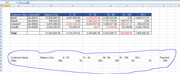
Here is that range again before anything is done
_____ Workbook: Copy of Receivable Ageing Example for VBA.xls ( Using Excel 2007 32 bit )
Worksheet: Aging Summary
Row\Col B C D E F G H I J K 17 Customer Name Balance Due 0 - 30 31 - 45 46 - 90 91 - 180 181+ Payment 18 Peter 580 50 200 300 20 10 200
Now we run the macro below, and the debts are reduced working from the right
_____ Workbook: Copy of Receivable Ageing Example for VBA.xls ( Using Excel 2007 32 bit )
Worksheet: Aging Summary
Row\Col B C D E F G H I J K 17 Customer Name Balance Due 0 - 30 31 - 45 46 - 90 91 - 180 181+ Payment 18 Peter 380 50 200 130 0 0 0
Code:Option Explicit ' I have several rows representing customers who owe (receivables). These receivables have been aged into 0 - 30 , 31 - 45, 46 - 90, 91 - 180 , 181+ ; The cumulative balance appears under the column named " Balance Due". The debts or receivable amounts are in positive . When the customers make payments (negative in the attached file) our system is supposed to automatically apply it to reduce reduce the oldest aged debts before applying to the recent debts. Unfortunately the system we are using is not able to do that. As result we do that manually in Excel. This is very tedious since there are about 1500 rows. Sub ReduceDebtStartingFromRight() ' https://www.excelfox.com/forum/showthread.php/2953-How-to-Apply-Payments-to-Aged-Receivables-Automatically-using-Excel-VBA?p=23995#post23995 Dim RngPeter As Range Set RngPeter = Range("E18:I18") Dim ClmDebt As Long, Clm As Long For Clm = 9 To 5 Step -1 ' ======= Looping columns 9 8 7 6 5 (I H G F E ) ================ Let ClmDebt = Cells(18, Clm).Value If ClmDebt <> 0 Then If ClmDebt = Range("K18").Value Then Let Cells(18, Clm).Value = 0: Let Range("K18").Value = 0: Exit For ' we have used up all payment so we are finished If ClmDebt > Range("K18").Value Then Let Cells(18, Clm).Value = Cells(18, Clm).Value - Range("K18").Value: Let Range("K18").Value = 0: Exit For ' we have used up all payment so we are finished ' If we get this far, then the payment is more than the column debt. Let Range("K18").Value = Range("K18").Value - Cells(18, Clm).Value ' Reduce the payment by the amount needed to remove debt for this column Let Cells(18, Clm).Value = 0 ' We no longer have any debt for this column Else ' Column Debt is 0 so we do nothing at this column End If Next Clm ' ================================================================================ End Sub
Alan

 Reply With Quote
Bookmarks