This is post#post23768 https://www.excelfox.com/forum/showt...age2#post23768
https://www.excelfox.com/forum/showthread.php/2936-YouTube-Video-making-and-editing-etc-coupled-to-excelfox-(-windows-Movie-Maker-)/page2#post23768
Some macro refinements: Explorer view
Recap: Simple coding
In the simplest initial coding pairs, the second macro presented in each column a file item from the main Movie Maker folder. The results as presented are perhaps as we might perceive them, all as it were, "at the same level". https://i.postimg.cc/j26gmtNm/Versio...ub-folders.jpg
That is OK, but it might be helpful if we had some way to get a view more of the windows explorer / "full levels type", whereby we could see more clearly which sub folders or main folder the files and sub folders are in. https://i.postimg.cc/m2C3FXDk/Explor...evels-view.jpg
In general, I find it useful to have some indication, perhaps a simple number count in a number variable, of which copy level of the recursion / reoccurring routine is working at any time. Important to avoid confusion here is that I am not saying here a number to indicate how many times the recursion coding is used, but rather which copy level. In other words a number which both increases in value every time the recursion code is run and decreases every time the current running copy of the recursion coding ends
( We may in addition want to keep another number in a variable that increases every time something is done. In our example this would be the column count, Clm , as we use this to read the results across the page )
Reasons for keeping a count of things:
_ One reason is for debugging purposes: the usual F8 debug step mode can be misleading for the case of a recursion. The reason for this is that we don’t actually ever see the code lines that we are running in step mode, even though that is often said that we do that, and it is easy to believe. We are actually stepping through some low level coding or low level compiled coding that we can’t see, and just for our convenience, the written text of the coding we wrote is highlighted in yellow to give us an idea of what code part is being executed. This can confuse for the case of recursion as we see only being used the same recursion coding text, so we don’t know which copy of the recursion coding is in use, and may think we are always using the same highlighted coding, but this would only be the case if no sub levels ( sub folders in our case ). (Check the coding shown here: - In F8 debug step mode, we would not be shown the full coding which is actually used. When in step mode you get to the code line that sets of another copy, what should happen at that point in order to make a clear indication of what is going on, is that another copy appears and you continue going down. But what actually happens is that you appear to jump back to the start of the recursion coding as if you were looping it. That’s wrong. You are not looping it. You are starting a new copy of it whilst you pause the previous one )
_ Another reason is that if the macro is giving you some output in a worksheet, as in our case, then this number can be used to offset the cell used in some way convenient to show the explorer level type structure.
It’s very simple to add the necessary code lines to keep track of this code copy number, and, as I routinely do in recursion coding, I have already put them in Private Sub ReoccurringFileFolderProps(ByVal Pf As String)
Rem 0
Let Reocopy = Reocopy + 1 ' Originally the variable Reocopy is zero. It will become 1 on first entering the macro. Every time we leave this macro, this number is reduced by 1 So in simple use it will be 1 or zero indicating that a copy is in use. However, should this macro "Call itself", before its finished , ( the recursion idea ) then the value will be 2 and so on. So effectively it tells us which copy is running at any time
Let Reocopy = Reocopy - 1 ' We are finished at this point with this running copy of the macro. (The next code line ends it). This code line here will reduce the value used to keep track of the copy number being run
End Sub
How to use Reocopy to give a more useful level / code copy output
In my requirement of comparing files (and sub folders and their contents) in a main folder, I would like to have something like a row which I can compare with similar results from another main folder. My results for a single main folder are already over a few rows, so making an offset of a few rows may make considering similar results from other main folders. So I think a single row offset will be adequate. I do note that the offset data will no longer match the property name, but as the different properties are characteristically of different looking forms, I think it will be obvious which properties are showing. What I mean from this last bit is that, for example, it will be obvious that something like this, 2.1.4026.0 , will be the version number, and something like this , 20.12.2002 , will be a date, especially as I know that data in the first two columns is correct and has a similar pattern sequence looking down the rows
I need to do no more than change Rw = 1 + Reocopy + 1 in the second recursion coding to Rw = 1 + Reocopy + 1 to achieve the following modified results , whereby files ( or sub folders) are shown one row below the level of the folder in which they are : https://i.postimg.cc/R0yjqNDf/Versio...els-offset.jpgAttachment 5728
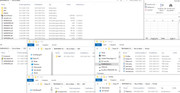
Here is the 3 views comparison:
_ The "one level" view (for just files and sub folders in the ( Movie Maker ) main folder)
_ the full level view ( for all files and sub folders and all contents of sub folders and any further sub folders)
_ the full level view with an offset to help show at what level all the files and sub folders are https://i.postimg.cc/MGvCWydq/3-view-comparison.jpgAttachment 5729
Here is the full pair of macros , the new recursion coding, Sub ReoccurringFileFolderProps2( , and the macro that calls it. (The calling macro has had no other modification other than changing the name of the recursion macro it calls to Sub ReoccurringFileFolderProps2( ) https://www.excelfox.com/forum/showt...ll=1#post23923







 Reply With Quote
Bookmarks