Results 1 to 10 of 117

Thread: Tests and Notes on Range objects in Excel Cell

Hybrid View

Previous Post Previous Post   Next Post Next Post
  1. #1
    Fuhrer, Vierte Reich DocAElstein's Avatar
    Join Date
    Aug 2014
    Posts
    10,457
    Rep Power
    10
    Text strings in and out of spreadsheet and effect on Text held as number thing


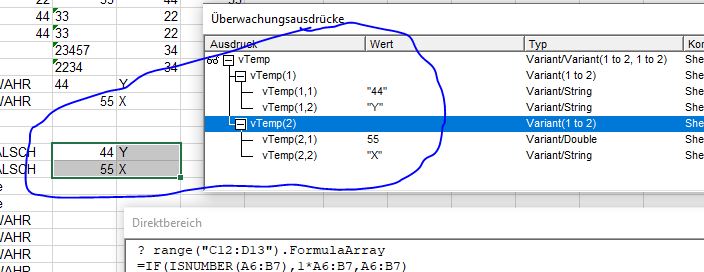
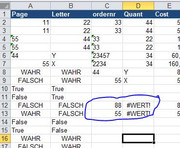
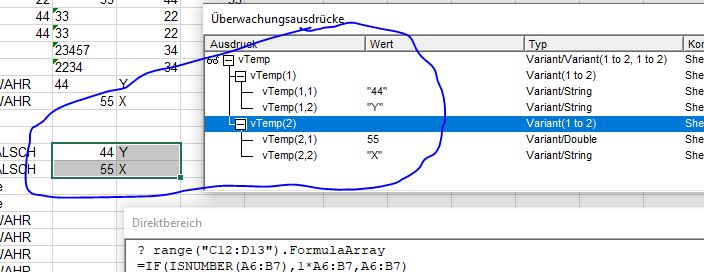
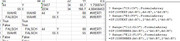
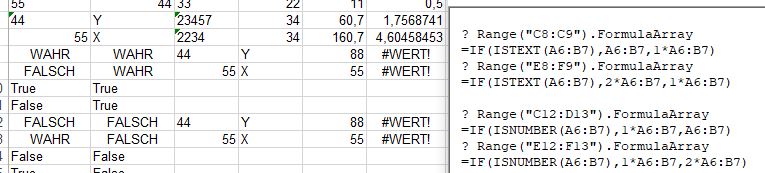
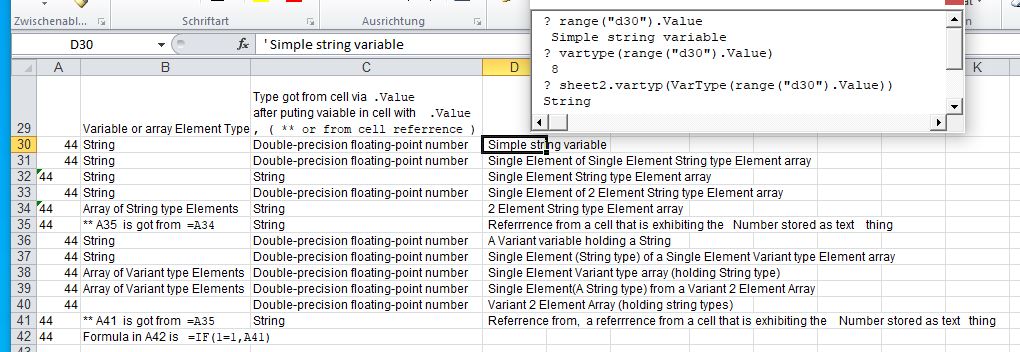
    The following macro in conjunction with the spreadsheet range, in this post in picture, (in the next post in more detail), experiments with putting the value of 44 in a spreadsheet in different ways, mostly as a string, and makes some attempt to see how the thing is then seen.
    It is a bit too boring to explain every code line and everything in great detail. If and when you have the time then best go through the macro in the VB Editor in step F8 debug mode and follow through the various 'comments as you go along.
    I will just give my conclusions at the end of the next post


    Code:
    '  https://www.excelfox.com/forum/showthread.php/2345-Appendix-Thread-(-Codes-for-other-Threads-HTML-Tables-etc-)?p=21975&viewfull=1#post21975
    Sub Putting44HeldAsStringTypeInSpreadsheet_ThatStringIsInVariousVariablesAndArrays() ' https://www.excelfox.com/forum/showthread.php/2345-Appendix-Thread-(-Codes-for-other-Threads-HTML-Tables-etc-)?p=21975&viewfull=1#post21975
        Dim Ws12 As Worksheet: Set Ws12 = ThisWorkbook.Worksheets.Item("Sheet1 (2)")
         Ws12.Range("A30:C42").Clear
    30  ' Simple string variable
        Dim StrNmbr As String
         Let StrNmbr = "44": Ws12.Range("B30").Value = VarTyp(VarType(StrNmbr))
         Let Ws12.Range("A30").Value = StrNmbr: Let Ws12.Range("C30").Value = VarTyp(VarType(Ws12.Range("A30").Value))
    31  ' Single Element of Single Element String type Element array
        Dim StrNbr(1 To 1) As String
         Let StrNbr(1) = "44": Ws12.Range("B31").Value = VarTyp(VarType(StrNbr(1)))
         Let Ws12.Range("A31").Value = StrNbr(1): Let Ws12.Range("C31").Value = VarTyp(VarType(Ws12.Range("A31").Value))
    32  ' Single Element String type Element array
                               Ws12.Range("B32").Value = VarTyp(VarType(StrNbr(1)))
         Let Ws12.Range("A32").Value = StrNbr(): Let Ws12.Range("C32").Value = VarTyp(VarType(Ws12.Range("A32").Value))
    33  ' Single Element of 2 Element String type Element array
        Dim StrNbrs(1 To 2) As String
         Let StrNbrs(1) = "44": Ws12.Range("B33").Value = VarTyp(VarType(StrNbrs(1)))
         Let StrNbrs(2) = "45"
         Let Ws12.Range("A33").Value = StrNbrs(1): Let Ws12.Range("C33").Value = VarTyp(VarType(Ws12.Range("A33").Value))
    34  ' 2 Element String type Element array
                               Ws12.Range("B34").Value = VarTyp(VarType(StrNbrs()))
         Let Ws12.Range("A34").Value = StrNbrs(): Let Ws12.Range("C34").Value = VarTyp(VarType(Ws12.Range("A34").Value))
    
    35  ' Referrrence from a cell that is exhibiting the  Number stored as text
                                                                                                                         Let Ws12.Range("A35").Value = "=A34": Ws12.Range("B35").Value = "** A35  is got from  =A34": Ws12.Range("B35").Characters(Start:=21, Length:=5).Font.Name = "Courier New"
                                                  Let Ws12.Range("C35").Value = VarTyp(VarType(Ws12.Range("A35").Value))
         
    36  ' A Variant variable holding a String
        Dim vStrNmbr As Variant
         Let vStrNmbr = "44": Ws12.Range("B36").Value = VarTyp(VarType(vStrNmbr))
         Let Ws12.Range("A36").Value = vStrNmbr: Let Ws12.Range("C36").Value = VarTyp(VarType(Ws12.Range("A36").Value))
    37  ' Single Element (String type) of a Single Element Variant type Element array
        Dim vStrNbr(1 To 1) As Variant
         Let vStrNbr(1) = "44": Ws12.Range("B37").Value = VarTyp(VarType(vStrNbr(1)))
         Let Ws12.Range("A37").Value = vStrNbr(1): Let Ws12.Range("C37").Value = VarTyp(VarType(Ws12.Range("A37").Value))
                               Ws12.Range("B38").Value = VarTyp(VarType(vStrNbr()))
    38  ' Single Element Variant type array (holding String type)
         Let Ws12.Range("A38").Value = vStrNbr(): Let Ws12.Range("C38").Value = VarTyp(VarType(Ws12.Range("A38").Value))
    39  ' Single Element(A String type) from a Variant 2 Element Array
        Dim vStrNbrs(1 To 2) As Variant
         Let vStrNbrs(1) = "44": Ws12.Range("B39").Value = VarTyp(VarType(vStrNbrs(1)))
         Let vStrNbrs(2) = "45"
         Let Ws12.Range("A39").Value = vStrNbrs(1): Let Ws12.Range("C39").Value = VarTyp(VarType(Ws12.Range("A39").Value))
                               Ws12.Range("B39").Value = VarTyp(VarType(vStrNbrs()))
    40  ' Variant 2 Element Array (holding string types)
         Let Ws12.Range("A40").Value = vStrNbrs(): Let Ws12.Range("C40").Value = VarTyp(VarType(Ws12.Range("A40").Value))
        
                                                   
    41  ' Referrence from a referrrence from a cell that is exhibiting the  Number stored as text
                                                                                                                         Let Ws12.Range("A41").Value = "=A35": Ws12.Range("B41").Value = "** A41  is got from  =A35": Ws12.Range("B41").Characters(Start:=21, Length:=5).Font.Name = "Courier New"
                                                   Let Ws12.Range("C41").Value = VarTyp(VarType(Ws12.Range("A41").Value))


    '     https://i.postimg.cc/8z8NGnQ9/Text-strings-in-and-out-of-spreadsheet-and-effect-on-Text-held-as-number-thing.jpg 
    '    Attachment 5123 
    '    
                                                                                                                         
                                                                                                                         Let Ws12.Range("A42").Value = "=IF(1=1,A41)"
    End Sub
    Public Function VarTyp(ByVal Nr As Long) As String
        Select Case Nr
         Case 0
          Let VarTyp = "Empty" ' (uninitialized)
         Case 1
          Let VarTyp = "Null"  '  (no valid data)
         Case 2
          Let VarTyp = "Integer"
         Case 3
          Let VarTyp = "Long integer"
         Case 4
          Let VarTyp = "Single-precision floating-point number"
         Case 5
          Let VarTyp = "Double-precision floating-point number"
         Case 6
          Let VarTyp = "Currency value"
         Case 7
          Let VarTyp = "Date value"
         Case 8
          Let VarTyp = "String"
         Case 9
          Let VarTyp = "Object"   'If an object is passed and has a default property, VarType(object) returns the type of the object's default property.
         Case 10
          Let VarTyp = "Error value"
         Case 11
          Let VarTyp = "Boolean value"
         Case 12
          Let VarTyp = "Variant" '  (used only with arrays of variants)
         Case 13
          Let VarTyp = "A data access object"
         Case 14
          Let VarTyp = "Decimal value"
         Case 17
          Let VarTyp = "Byte value"
         Case 20
          Let VarTyp = "LongLong integer (valid on 64-bit platforms only)"
         Case 36
          Let VarTyp = "Variants that contain user-defined types"
          
          'vbArray 8192    Array (always added to another constant when returned by this function)
          'The VarType function never returns the value for vbArray by itself. It's always added to some other value to indicate an array of a particular type. For example, the value returned for an array of integers is calculated as vbInteger + vbArray, or 8194.
         Case 8192 + 8
          Let VarTyp = "Array of String type Elements"
         Case 8192 + 12
          Let VarTyp = "Array of Variant type Elements"
         Case Else
          Let VarTyp = "Bollox to  " & Nr & "   because I don't recognise that number"
        End Select
        
    End Function
    '  https://learn.microsoft.com/en-us/of...rtype-function
    'Either one of the following constants or the summation of a number of them is returned. ( These constants are specified by Visual Basic for Applications. The names can be used anywhere in your code in place of the actual values. )
    '
    'Constant    Value   Description
    'vbEmpty 0   Empty (uninitialized)
    'vbNull  1   Null (no valid data)
    'vbInteger   2   Integer
    'vbLong  3   Long integer
    'vbSingle    4   Single-precision floating-point number
    'vbDouble    5   Double-precision floating-point number
    'vbCurrency  6   Currency value
    'vbDate  7   Date value
    'vbString    8   String
    'vbObject    9   Object
    'If an object is passed and has a default property, VarType(object) returns the type of the object's default property.
    'vbError 10  Error value
    'vbBoolean   11  Boolean value
    'vbVariant   12  Variant (used only with arrays of variants)
    'vbDataObject    13  A data access object
    'vbDecimal   14  Decimal value
    'vbByte  17  Byte value
    'vbLongLong  20  LongLong integer (valid on 64-bit platforms only)
    'vbUserDefinedType   36  Variants that contain user-defined types
    'vbArray 8192    Array (always added to another constant when returned by this function)
    'The VarType function never returns the value for vbArray by itself. It's always added to some other value to indicate an array of a particular type. For example, the value returned for an array of integers is calculated as vbInteger + vbArray, or 8194.
    '
    
    
    https://i.postimg.cc/8z8NGnQ9/Text-s...mber-thing.jpg
    Text strings in and out of spreadsheet and effect on Text held as number thing.jpg


    https://www.youtube.com/channel/UCnxwq2aGJRbjOo_MO54oaHA
    Last edited by DocAElstein; 08-01-2023 at 06:38 PM.

Similar Threads

  1. Some Date Notes and Tests
    By DocAElstein in forum Test Area
    Replies: 5
    Last Post: 03-26-2025, 02:56 AM
  2. Replies: 116
    Last Post: 02-23-2025, 12:13 AM
  3. Tests and Notes on Range Referrencing
    By DocAElstein in forum Test Area
    Replies: 70
    Last Post: 02-20-2024, 01:54 AM
  4. Tests and Notes for EMail Threads
    By DocAElstein in forum Test Area
    Replies: 29
    Last Post: 11-15-2022, 04:39 PM
  5. Notes tests. Excel VBA Folder File Search
    By DocAElstein in forum Test Area
    Replies: 39
    Last Post: 03-20-2018, 04:09 PM

Posting Permissions

  • You may not post new threads
  • You may not post replies
  • You may not post attachments
  • You may not edit your posts
  •