


Number stored as text, alignment of numeric values in cells
Improved/ Extended Evaluate Range solution.
Based on all the posts so far on this page, we have got this far,
This is our test data, https://i.postimg.cc/KvhPVN44/Test-Data.jpgCode:Sub Number_stored_as_text() ' https://www.excelfox.com/forum/showthread.php/2909-Appendix-Thread-Evaluate-Range-(-Codes-for-other-Threads-HTML-Tables-etc-)?p=21967&viewfull=1#post21967 Dim Ws1 As Worksheet, Rng As Range Set Ws1 = ThisWorkbook.Worksheets.Item("Sheet1") Set Rng = Ws1.Range("A1:F7") Dim strEval As String Let strEval = "=1*" & Rng.Address & "" Debug.Print strEval ' gives =1*$A$1:$F$7 Let Rng.Offset(0, Rng.Columns.Count + 1).Value = Evaluate(strEval) End Sub
https://i.postimg.cc/8PkRNCBV/Test-Data.jpg
Attachment 5116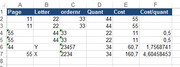
_____ Workbook: Number stored as text, alignment of numeric values in cells.xls ( Using Excel 2013 32 bit )
Worksheet: Sheet1
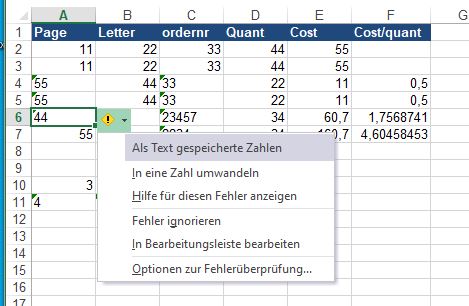
Row\Col A B C D E F 1 Page Letter ordernr Quant Cost Cost/quant 2 11 22 33 44 55 3 11 22 33 44 55 4 55 44 33 22 11 0,5 5 55 44 33 22 11 0,5 6 44 Y 23457 34 60,7 1,7568741 7 55 X 2234 34 160,7 4,60458453
This is the result after running the macro
_____ Workbook: Number stored as text, alignment of numeric values in cells.xls ( Using Excel 2013 32 bit )
Worksheet: Sheet1
Row\Col A B C D E F G H I J K L M 1 Page Letter ordernr Quant Cost Cost/quant #WERT! #WERT! #WERT! #WERT! #WERT! #WERT! 2 11 22 33 44 55 11 22 33 44 55 0 3 11 22 33 44 55 11 22 33 44 55 0 4 55 44 33 22 11 0,5 55 44 33 22 11 0,5 5 55 44 33 22 11 0,5 55 44 33 22 11 0,5 6 44 Y 23457 34 60,7 1,7568741 44 #WERT! 23457 34 60,7 1,756874 7 55 X 2234 34 160,7 4,60458453 55 #WERT! 2234 34 160,7 4,604585
Oh bollox, a couple of problems
We see a couple of problems. An empty cell comes out as a 0 in the output, and text in any cell results in an error in the output.
In the next post, we look at overcoming these two problems


 Reply With Quote
Bookmarks