


_... continued
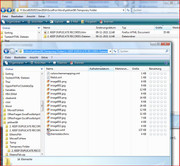
These are the files and folders produced Files and Folders from OPs file saved as htm.jpgCode:</o:shapelayout></xml><![endif]--> </head> <body lang=DE style='tab-interval:36.0pt'> <div class=WordSection1> <p class=MsoNormal style='margin-bottom:0cm;margin-bottom:.0001pt;text-align: justify;line-height:normal;mso-outline-level:2;background:white;vertical-align: baseline'><b><span lang=EN-US style='font-size:12.0pt;font-family:"Times New Roman","serif"; mso-fareast-font-family:"Times New Roman"'>2. Keep Duplicate Records<o:p></o:p></span></b></p> <p class=MsoNormal style='margin-bottom:0cm;margin-bottom:.0001pt;text-align: justify;line-height:normal;background:white;vertical-align:baseline'><u><span lang=EN-US style='font-size:12.0pt;font-family:"Times New Roman","serif"; mso-fareast-font-family:"Times New Roman"'>Power Query</span></u><span lang=EN-US style='font-size:12.0pt;font-family:"Times New Roman","serif"; mso-fareast-font-family:"Times New Roman"'> lets you perform a series of steps to transform your Excel data.<span style='mso-spacerun:yes'> </span>One of the steps it allows you to take is to<b> keep duplicate records</b>.<o:p></o:p></span></p> <p class=MsoNormal style='margin-bottom:0cm;margin-bottom:.0001pt;text-align: justify;line-height:normal;background:white;vertical-align:baseline'><span lang=EN-US style='font-size:12.0pt;font-family:"Times New Roman","serif"; mso-fareast-font-family:"Times New Roman"'>We usually remove duplicate lines but if we need to keep and check what the duplicates are, Excel allows us to do that too!<o:p></o:p></span></p> <p class=MsoNormal style='margin-bottom:0cm;margin-bottom:.0001pt;text-align: justify;line-height:normal;background:white;vertical-align:baseline'><span lang=EN-US style='font-size:12.0pt;font-family:"Times New Roman","serif"; mso-fareast-font-family:"Times New Roman"'>Let’s suppose you have this set of data. You can see that the marked ones are duplicate values, let us keep them!<o:p></o:p></span></p> <p class=MsoNormal style='margin-bottom:0cm;margin-bottom:.0001pt;text-align: justify;line-height:normal;background:white;vertical-align:baseline'><span style='font-size:12.0pt;font-family:"Times New Roman","serif";mso-fareast-font-family: "Times New Roman";mso-ansi-language:DE;mso-fareast-language:DE;mso-no-proof: yes'><!--[if gte vml 1]><v:shapetype id="_x0000_t75" coordsize="21600,21600" o:spt="75" o:preferrelative="t" path="m@4@5l@4@11@9@11@9@5xe" filled="f" stroked="f"> <v:stroke joinstyle="miter"/> <v:formulas> <v:f eqn="if lineDrawn pixelLineWidth 0"/> <v:f eqn="sum @0 1 0"/> <v:f eqn="sum 0 0 @1"/> <v:f eqn="prod @2 1 2"/> <v:f eqn="prod @3 21600 pixelWidth"/> <v:f eqn="prod @3 21600 pixelHeight"/> <v:f eqn="sum @0 0 1"/> <v:f eqn="prod @6 1 2"/> <v:f eqn="prod @7 21600 pixelWidth"/> <v:f eqn="sum @8 21600 0"/> <v:f eqn="prod @7 21600 pixelHeight"/> <v:f eqn="sum @10 21600 0"/> </v:formulas> <v:path o:extrusionok="f" gradientshapeok="t" o:connecttype="rect"/> <o:lock v:ext="edit" aspectratio="t"/> </v:shapetype><v:shape id="Picture_x0020_38" o:spid="_x0000_i1030" type="#_x0000_t75" alt="Keep Duplicates Using Power Query or Get & Transform" style='width:122.25pt; height:121.5pt;visibility:visible;mso-wrap-style:square'> <v:imagedata src="2.%20KEEP%20DUPLICATE%20RECORDS-Dateien/image001.png" o:title="Keep Duplicates Using Power Query or Get & Transform"/> </v:shape><![endif]--><![if !vml]><img width=163 height=162 src="2.%20KEEP%20DUPLICATE%20RECORDS-Dateien/image002.jpg" alt="Keep Duplicates Using Power Query or Get & Transform" v:shapes="Picture_x0020_38"><![endif]></span><span lang=EN-US style='font-size:12.0pt;font-family:"Times New Roman","serif"; mso-fareast-font-family:"Times New Roman"'><o:p></o:p></span></p> <p class=MsoNormal style='margin-bottom:0cm;margin-bottom:.0001pt;text-align: justify;line-height:normal;background:white;vertical-align:baseline'><b><u><span lang=EN-US style='font-size:12.0pt;font-family:"Times New Roman","serif"; mso-fareast-font-family:"Times New Roman"'>STEP 1</span></u></b><span lang=EN-US style='font-size:12.0pt;font-family:"Times New Roman","serif"; mso-fareast-font-family:"Times New Roman"'>: Select your data and turn it into an Excel Table by pressing the shortcut <b>Ctrl + T </b>or by going to<b> Insert > Table</b><o:p></o:p></span></p> <p class=MsoNormal style='margin-bottom:0cm;margin-bottom:.0001pt;text-align: justify;line-height:normal;background:white;vertical-align:baseline'><span style='font-size:12.0pt;font-family:"Times New Roman","serif";mso-fareast-font-family: "Times New Roman";mso-ansi-language:DE;mso-fareast-language:DE;mso-no-proof: yes'><!--[if gte vml 1]><v:shape id="Picture_x0020_39" o:spid="_x0000_i1029" type="#_x0000_t75" alt="Keep Duplicates Using Power Query or Get & Transform" style='width:105pt;height:132pt;visibility:visible;mso-wrap-style:square'> <v:imagedata src="2.%20KEEP%20DUPLICATE%20RECORDS-Dateien/image003.png" o:title="Keep Duplicates Using Power Query or Get & Transform"/> </v:shape><![endif]--><![if !vml]><img width=140 height=176 src="2.%20KEEP%20DUPLICATE%20RECORDS-Dateien/image004.jpg" alt="Keep Duplicates Using Power Query or Get & Transform" v:shapes="Picture_x0020_39"><![endif]></span><span lang=EN-US style='font-size:12.0pt;font-family:"Times New Roman","serif"; mso-fareast-font-family:"Times New Roman"'><o:p></o:p></span></p> <p class=MsoNormal style='margin-bottom:0cm;margin-bottom:.0001pt;text-align: justify;line-height:normal;background:white;vertical-align:baseline'><span lang=EN-US style='font-size:12.0pt;font-family:"Times New Roman","serif"; mso-fareast-font-family:"Times New Roman"'><o:p> </o:p></span></p> <p class=MsoNormal style='margin-bottom:0cm;margin-bottom:.0001pt;text-align: justify;line-height:normal;background:white;vertical-align:baseline'><b><u><span lang=EN-US style='font-size:12.0pt;font-family:"Times New Roman","serif"; mso-fareast-font-family:"Times New Roman"'>STEP 2</span></u></b><span lang=EN-US style='font-size:12.0pt;font-family:"Times New Roman","serif"; mso-fareast-font-family:"Times New Roman"'>: Go to <b><i>Power Query > Excel Data > From Table</i>:</b><o:p></o:p></span></p> <p class=MsoNormal style='margin-bottom:0cm;margin-bottom:.0001pt;text-align: justify;line-height:normal;background:white;vertical-align:baseline'><span lang=EN-US style='font-size:12.0pt;font-family:"Times New Roman","serif"; mso-fareast-font-family:"Times New Roman"'><o:p> </o:p></span></p> <p class=MsoNormal style='margin-bottom:0cm;margin-bottom:.0001pt;text-align: justify;line-height:normal;background:white;vertical-align:baseline'><a name="_GoBack"></a><span style='font-size:12.0pt;font-family:"Times New Roman","serif"; mso-fareast-font-family:"Times New Roman";mso-ansi-language:DE;mso-fareast-language: DE;mso-no-proof:yes'><!--[if gte vml 1]><v:shape id="Picture_x0020_41" o:spid="_x0000_i1028" type="#_x0000_t75" alt="Keep Duplicates Using Power Query or Get & Transform" style='width:291pt;height:48pt;visibility:visible;mso-wrap-style:square'> <v:imagedata src="2.%20KEEP%20DUPLICATE%20RECORDS-Dateien/image005.png" o:title="Keep Duplicates Using Power Query or Get & Transform"/> </v:shape><![endif]--><![if !vml]><img width=388 height=64 src="2.%20KEEP%20DUPLICATE%20RECORDS-Dateien/image006.jpg" alt="Keep Duplicates Using Power Query or Get & Transform" v:shapes="Picture_x0020_41"><![endif]></span><span lang=EN-US style='font-size:12.0pt;font-family:"Times New Roman","serif"; mso-fareast-font-family:"Times New Roman"'><o:p></o:p></span></p> <p class=MsoNormal style='margin-bottom:0cm;margin-bottom:.0001pt;text-align: justify;line-height:normal;background:white;vertical-align:baseline'><span lang=EN-US style='font-size:12.0pt;font-family:"Times New Roman","serif"; mso-fareast-font-family:"Times New Roman"'><o:p> </o:p></span></p> <p class=MsoNormal style='margin-bottom:0cm;margin-bottom:.0001pt;text-align: justify;line-height:normal;background:white;vertical-align:baseline'><b><u><span lang=EN-US style='font-size:12.0pt;font-family:"Times New Roman","serif"; mso-fareast-font-family:"Times New Roman"'>STEP 3: </span></u></b><span lang=EN-US style='font-size:12.0pt;font-family:"Times New Roman","serif"; mso-fareast-font-family:"Times New Roman"'>This will open up the Power Query Editor.<o:p></o:p></span></p> <p class=MsoNormal style='margin-bottom:0cm;margin-bottom:.0001pt;text-align: justify;line-height:normal;background:white;vertical-align:baseline'><span lang=EN-US style='font-size:12.0pt;font-family:"Times New Roman","serif"; mso-fareast-font-family:"Times New Roman"'>Go to <b><i>Home > Keep Rows > Keep Duplicates</i></b><o:p></o:p></span></p> <p class=MsoNormal style='margin-bottom:0cm;margin-bottom:.0001pt;text-align: justify;line-height:normal;background:white;vertical-align:baseline'><span style='font-size:12.0pt;font-family:"Times New Roman","serif";mso-fareast-font-family: "Times New Roman";mso-ansi-language:DE;mso-fareast-language:DE;mso-no-proof: yes'><!--[if gte vml 1]><v:shape id="Picture_x0020_42" o:spid="_x0000_i1027" type="#_x0000_t75" alt="Keep Duplicates Using Power Query or Get & Transform" style='width:198pt;height:163.5pt;visibility:visible;mso-wrap-style:square'> <v:imagedata src="2.%20KEEP%20DUPLICATE%20RECORDS-Dateien/image007.png" o:title="Keep Duplicates Using Power Query or Get & Transform"/> </v:shape><![endif]--><![if !vml]><img width=264 height=218 src="2.%20KEEP%20DUPLICATE%20RECORDS-Dateien/image008.jpg" alt="Keep Duplicates Using Power Query or Get & Transform" v:shapes="Picture_x0020_42"><![endif]></span><span lang=EN-US style='font-size:12.0pt;font-family:"Times New Roman","serif"; mso-fareast-font-family:"Times New Roman"'><o:p></o:p></span></p> <p class=MsoNormal style='margin-bottom:0cm;margin-bottom:.0001pt;text-align: justify;line-height:normal;background:white;vertical-align:baseline'><span lang=EN-US style='font-size:12.0pt;font-family:"Times New Roman","serif"; mso-fareast-font-family:"Times New Roman"'><o:p> </o:p></span></p> <p class=MsoNormal style='margin-bottom:0cm;margin-bottom:.0001pt;text-align: justify;line-height:normal;background:white;vertical-align:baseline'><b><span lang=EN-US style='font-size:12.0pt;font-family:"Times New Roman","serif"; mso-fareast-font-family:"Times New Roman"'>STEP 4: </span></b><span lang=EN-US style='font-size:12.0pt;font-family:"Times New Roman","serif";mso-fareast-font-family: "Times New Roman"'>Click <b>Close & Load</b> from the <b>Home</b> tab and this will <b>open up a brand new worksheet</b> in your Excel workbook with the updated table.<o:p></o:p></span></p> <p class=MsoNormal style='margin-bottom:0cm;margin-bottom:.0001pt;text-align: justify;line-height:normal;background:white;vertical-align:baseline'><span style='font-size:12.0pt;font-family:"Times New Roman","serif";mso-fareast-font-family: "Times New Roman";mso-ansi-language:DE;mso-fareast-language:DE;mso-no-proof: yes'><!--[if gte vml 1]><v:shape id="Picture_x0020_43" o:spid="_x0000_i1026" type="#_x0000_t75" alt="Keep Duplicates Using Power Query or Get & Transform" style='width:115.5pt;height:126.75pt;visibility:visible;mso-wrap-style:square'> <v:imagedata src="2.%20KEEP%20DUPLICATE%20RECORDS-Dateien/image009.png" o:title="Keep Duplicates Using Power Query or Get & Transform"/> </v:shape><![endif]--><![if !vml]><img width=154 height=169 src="2.%20KEEP%20DUPLICATE%20RECORDS-Dateien/image010.jpg" alt="Keep Duplicates Using Power Query or Get & Transform" v:shapes="Picture_x0020_43"><![endif]></span><span lang=EN-US style='font-size:12.0pt;font-family:"Times New Roman","serif"; mso-fareast-font-family:"Times New Roman"'><o:p></o:p></span></p> <p class=MsoNormal style='margin-bottom:0cm;margin-bottom:.0001pt;text-align: justify;line-height:normal;background:white;vertical-align:baseline'><span lang=EN-US style='font-size:12.0pt;font-family:"Times New Roman","serif"; mso-fareast-font-family:"Times New Roman"'>You now have your new table with the duplicate rows kept!<o:p></o:p></span></p> <p class=MsoNormal style='margin-bottom:0cm;margin-bottom:.0001pt;text-align: justify;line-height:normal;background:white;vertical-align:baseline'><span style='font-size:12.0pt;font-family:"Times New Roman","serif";mso-fareast-font-family: "Times New Roman";mso-ansi-language:DE;mso-fareast-language:DE;mso-no-proof: yes'><!--[if gte vml 1]><v:shape id="Picture_x0020_44" o:spid="_x0000_i1025" type="#_x0000_t75" alt="Keep Duplicates Using Power Query or Get & Transform" style='width:89.25pt;height:70.5pt;visibility:visible;mso-wrap-style:square'> <v:imagedata src="2.%20KEEP%20DUPLICATE%20RECORDS-Dateien/image011.png" o:title="Keep Duplicates Using Power Query or Get & Transform"/> </v:shape><![endif]--><![if !vml]><img width=119 height=94 src="2.%20KEEP%20DUPLICATE%20RECORDS-Dateien/image012.jpg" alt="Keep Duplicates Using Power Query or Get & Transform" v:shapes="Picture_x0020_44"><![endif]></span><span lang=EN-US style='font-size:12.0pt;font-family:"Times New Roman","serif"; mso-fareast-font-family:"Times New Roman"'><o:p></o:p></span></p> <p class=MsoNormal><span lang=EN-US><o:p> </o:p></span></p> </div> </body> </html>
Here is the actual file as seen in word
OPs sample file.JPG
And it might be interesting to see the OPs file seen in the text format, if I delete all that stuff seen , making a new file, 2. KEEP DUPLICATE RECORDS All stuff removed.htm
OPs sample file All stuff removed.jpg
This is what that file looks like in the text format view:
2. KEEP DUPLICATE RECORDS All stuff removed.txt: https://app.box.com/s/f00nejo3edwygrz6jq3u8zvny7ceakp7Code:mso-ansi-language:EN-US; mso-fareast-language:EN-US;} </style> <![endif]--><!--[if gte mso 9]><xml> <o:shapedefaults v:ext="edit" spidmax="5122"/> </xml><![endif]--><!--[if gte mso 9]><xml> <o:shapelayout v:ext="edit"> <o:idmap v:ext="edit" data="1"/> </o:shapelayout></xml><![endif]--> </head> <body lang=DE style='tab-interval:36.0pt'> <div class=WordSection1> <p class=MsoNormal><span style='mso-ansi-language:DE'><o:p> </o:p></span></p> </div> </body> </html>


 Reply With Quote
Bookmarks