


Following on, and in support of, these Forum Posts:
http://www.eileenslounge.com/viewtop...292266#p292266
https://excelfox.com/forum/showthrea...ge51#post12776
In one of those Posts we figured out how to get a text file 3 column list of the service´s Name , DisplayName and StartType, using a single PowerShell script commandlet.
Here I want to automate that a bit.
First I reduced the text file a bit to this
The I took a look using thisCode:Name DisplayName StartType ---- ----------- --------- AarSvc_72b48 Agent Activation Runtime_72b48 Manual AJRouter AllJoyn-Routerdienst Manual ALG Gatewaydienst auf Anwendungsebene Manual ApHidMonitorService AlpsAlpine SMBus Monitor Service Automatic
That produced a total strong with rather a lot of CHR(0)sCode:Sub LookInFirstBitOfTextString() ' https://excelfox.com/forum/showthread.php/2408-Windows-10-and-Office-Excel/page51#post12776 ' Get the text file as a long single string Dim FileNum As Long: Let FileNum = FreeFile(1) ' https://msdn.microsoft.com/en-us/vba/language-reference-vba/articles/freefile-function Dim PathAndFileName As String, TotalFile As String Let PathAndFileName = ThisWorkbook.Path & Application.PathSeparator & "test4lines.txt" ' CHANGE TO SUIT From vixer zyxw1234 : http://www.eileenslounge.com/viewtopic.php?f=30&t=34629 DF.txt https://app.box.com/s/gw941dh9v8sqhvzin3lo9rfc67fjsbic Open PathAndFileName For Binary As #FileNum 'Open Route to data. Binary is a fundamental type data input... Let TotalFile = Space(LOF(FileNum)) '....and wot receives it has to be a string of exactly the right length Get #FileNum, , TotalFile 'Debug.Print TotalFile Close #FileNum Call WtchaGot_Unic_NotMuchIfYaChoppedItOff(TotalFile) End Sub
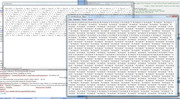
https://i.postimg.cc/t43HCQr9/Rather...of-Chr-0-s.jpg
So I modified the code a bit to take them out, since I am not too interested in them, and I am not sure what they might do. This is a mod I would most likely want to do permanently, and initially now, I would like to do it as its obscuring the main stuff I want to see: That is easily done with TotalFile = Replace(TotalFile, Chr(0), "", 1, -1, vbBinaryCompare)
After that it looks a bit better.
I have 4 characters at the start, Chr(255) Chr(254) vbCr vbLf , which I can probably do away with as well, same again: TotalFile = Replace(TotalFile, Chr(255) & Chr(254) & vbCr & vbLf , "", 1, 1, vbBinaryCompare) ( Altertnativel we can just consider the Chr(255) & Chr(254) as the first line and disregard that later.)
The title line I could probably do away with as well, as I know what it is, or rather I know the 3 header words that I am interested in, as well as the order that they come in, "Name DisplayName StartType"
and
I can forget about the second line as well, as it seems to be just some dashes used to underline the headers.
So I will be disregarding the first 2 ( or 3 ) lines
The line separator is as expected, vbCr & vbLf . ( There are few extra trailing ones. I can leave those, as I don’t think they will confuse much of my further plans for manipulating the total string
My plan will be to split by the vbCr & vbLf to get 1 dimensional array or the rows.
The separator just seems to be a lot of spaces. As I have three text things that I want on each row, and they appear to have no spaces in them, I can do a simple bit of text manipulation to get at those three words at each row.
After that, putting each word in a “row” of a 2 D array of 3 “columns” will be convenient to then paste out in an Excel worksheet
This does all that
Code:' make array for output Dim arrOut() As String: ReDim arrOut(1 To UBound(arrRws()) - 2, 1 To 3) ' we are ignoring the first 3 lines. The UBound of the 1 dimensional array is already 1 less then the lines we need because a 1 dimensional array starts at 0 Dim Cnt As Long For Cnt = 1 To UBound(arrRws()) - 2 If arrRws(Cnt + 2) = "" Then ' This should occur at the last empty rows, so we could consider jumping out of the loop here Else ' time to split the line string Dim Pos1 As Long: Let Pos1 = InStr(1, arrRws(Cnt + 2), " ", vbBinaryCompare) Dim Nme As String: Let Nme = Left(arrRws(Cnt + 2), Pos1 - 1) Dim Pos3 As Long: Let Pos3 = Len(arrRws(Cnt + 2)) - InStrRev(arrRws(Cnt + 2), " ", -1, vbBinaryCompare) Dim StrtTyp As String: Let StrtTyp = Right(arrRws(Cnt + 2), Pos3) Dim DispNme As String: Let DispNme = Replace(arrRws(Cnt + 2), Nme, "", 1, -1, vbBinaryCompare) Let DispNme = Replace(DispNme, StrtTyp, "", 1, -1, vbBinaryCompare) Let DispNme = Trim(DispNme) ' fill the array for output Let arrOut(Cnt, 1) = Nme: arrOut(Cnt, 2) = DispNme: arrOut(Cnt, 3) = StrtTyp End If Next Cnt
The rest is just pasting that arrOut() directly in a spreadsheet
https://www.youtube.com/channel/UCnxwq2aGJRbjOo_MO54oaHA
https://www.youtube.com/watch?v=v_1iqtOnUMg&lc=UgxUbeYSvsBH2Gianox4AaABAg.9VYH-07VTyW9gJV5fDAZNe
https://www.youtube.com/watch?v=v_1iqtOnUMg&lc=UgxLtKj969oiIu7zNb94AaABAg
https://www.youtube.com/watch?v=v_1iqtOnUMg&lc=UgyhQ73u0C3V4bEPhYB4AaABAg
https://www.youtube.com/watch?v=v_1iqtOnUMg&lc=UgzIElpI5OFExnUyrk14AaABAg.9fsvd9zwZii9gMUka-NbIZ
https://www.youtube.com/watch?v=jdPeMPT98QU
https://www.youtube.com/watch?v=QdwDnUz96W0&lc=Ugx3syV3Bw6bxddVyBx4AaABAg
https://www.youtube.com/channel/UCnxwq2aGJRbjOo_MO54oaHA

 Reply With Quote
Bookmarks