Hello again! I'm here with something I always use, but never seemed to understand; this is the matter:
What would be the correct and most efficient way to fill a Textbox?
I was able to fill different Textbox in various ways, but really I was just settling for it to display what I wanted. In these ways the TextBox is filled without problems:
Code:
Private Sub UserForm_Initialize()

TextBox1 = "Niebla"
TextBox2 = 7
TextBox3 = Worksheets("Sheet1").Range("B6").Value
TextBox4.Text = Worksheets("Sheet1").Range("B7").Value
TextBox5.Value = Worksheets("Sheet1").Range("B8").Value
TextBox6.Value = Worksheets("Sheet1").Range("B9").Text
TextBox7.Value = Worksheets("Sheet1").Range("B10")

End Sub
What I don't know is:
- If after TextBox(n) it is necessary to put the .text or .value
- If not putting anything is wrong (although it works)
- What is the difference between the three things.
Regarding the data that I push to the TextBox:
- Should I necessarily declare that, for example, "Niebla" is a variable of type Str?
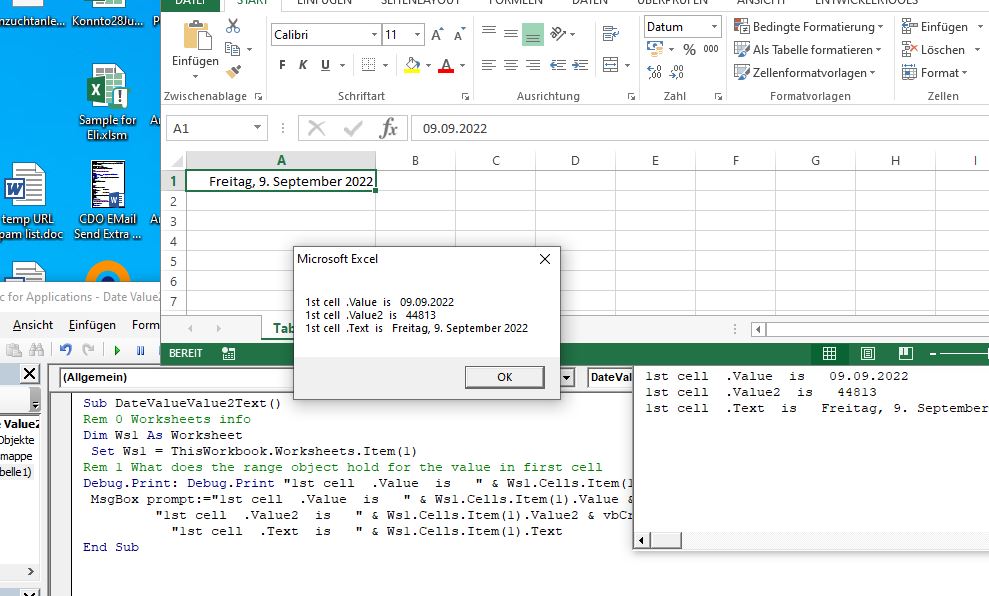
- After the range, should I put .text, .value or just nothing?
Check that the Textbox is always filled, but I'm worried about not knowing if it's done right or what's most convenient.
I would appreciate your advice, thank you in advance.


 Reply With Quote

 Originally Posted by Amelynn




Bookmarks