


_... continued from last post
It would appear that a registered P2P account with Sannce, ( in our worked example the newly made account with the user name of cloudpoohpee ) , exists to hold information for, and to act as a form of authorisation to, access one or more DVRs remotely over the internet .
We have successfully Added this information to the account, after the first log in, ( https://i.postimg.cc/c432gY08/Fill-i...de-then-OK.jpg )
Necessarily this registered P2P account with Sannce also needs to be able to collect the necessary details of the DVR which are required to allow the P2P access. This does not appear to occur at the same time as the information is Added to the count. That is perhaps a bit strange and not as expected, but maybe there is some technical reason for that. Also, so far, I have not seen a “button” or any other way to evoke the “bringing in” , or “setting up with” or “using” of this information in such a way that things start working as we want them to , or as they need to in order to get the functioning P2P remote internet access.
This is a dilemma. My guess is that not just me, but the entire technical people at Sannce have been in this dilemma, and never consciously got out of it. I will further guess, that like me, anyone that ever got this functioning P2P remote internet access had spent many frustrating hours trying, and then at some point, a random combination of events resulted in it working.
However , we have done correctly and fully and successfully all we can and all we need to do get the remote cloud P2P way working
This is a dilemma. But I figured out that the necessary action which we are missing is referred to as something like “importing”. The software appears to have been written to carry out this importing when a valid account is logged in. Currently we are at the situation where the account with user name cloudpoohpee holds information for, and has authorisation to, access our DVR remotely over the internet. )
All we need to do is log in with the account. But we can’t, as we are already are logged in!
So, the final action needed is Log out , and then re log in
So , first we logout from the Device Management window, https://i.postimg.cc/yYQbJPSj/logout...ant-window.jpg
Because we have the Cloud P2P Device selected, we are returned to the large Sannce P2P cloud login window. We then check that we are in Germany , https://i.postimg.cc/66hSKwWD/Check-...n-re-Login.jpg , and then re Login https://i.postimg.cc/nccWc5MM/then-re-Login.jpg . ( Typically the last username used would be remembered and written in already)
Note that we are only interested in logging in, - the registration no longer concerns us, so we ignore the Register button, https://i.postimg.cc/QMdTPQMB/Log-in...-of-window.jpg .
After entering our current account name and password, and hitting the Login , some processing appears to be happening and if all goes well then a small black window pops up for a second to inform that “[FONT=Courier New]Importing succeeded![/FONT ]” https://i.postimg.cc/kG401ZVt/Import...ack-window.jpg
https://i.postimg.cc/7hXQn1tx/Importing-succeded.jpg
Now, in Device Management we see the same as we did just before logging out, https://i.postimg.cc/Ss6PJbWY/Device...gout-login.jpg
But the first thing we notice new in Main View is that we now have a + appearing to the left of the folder corresponding to the P2P account name , cloudpoohpee and either immediately or after a few seconds we get a working picture.
( Sometimes the receiver may “ hang” during a camera cycling process – We can “wake up” the receiver by either hitting the small restart/refresh symbol, https://i.postimg.cc/L5mbPQTC/A-refr...times-help.jpg , or alternatively, select the + to expand the drop down camera list, then double click on the first camera, https://i.postimg.cc/dVgN6V6T/click-...rst-camera.jpg
For a single camera, viewing in 1-Screen view, https://i.postimg.cc/52Xk8CBV/1-Screen-view.jpg , may give slightly more stable results, but it seems that in the Cloud P2P viewing, a click on the recycle/refresh symbol is still needed occasionally to “wake up” the DVR, https://i.postimg.cc/LXK798ZM/1-Scre...often-good.jpg . There may be some settings to influence recycling and updating, as there are certainly many more features to be tried with the Guarding Vision Software , but for now, that concludes the main purpose of this Blog.
1 - Screen viewclick on the restart refresh often good.JPG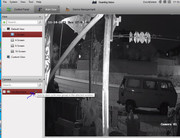

 Reply With Quote
Bookmarks