Hi

Originally Posted by
prkhan56

.., why did it happened after running the macro in the Normal Template.
I don’t know. I have not yet experienced that problem.
Originally Posted by
prkhan56
...
Is the code renaming the files and moving or deleting them?
The macro uses the VBA Name Statement
https://docs.microsoft.com/en-us/off...name-statement - ...... The Name statement renames a file and moves it to a different directory or folder, if necessary ……
The exact processes involved may be a secret that Microsoft would not ell us. But you can test yourself and experiment yourself with simple coding so as to learn and understand what finally happens.
Example 1: Move
Make a folder, anywhere, for example on your desktop https://i.postimg.cc/SQDZbxwk/Make-a...ur-desktop.jpg
Put two folders in it https://i.postimg.cc/Gt7zFXkH/Put-two-folders-in-it.jpg
Put any file in SubFolder1 https://i.postimg.cc/2y82LsLs/Put-an...ub-Folder1.jpg
So now we have a file in SubFolder1 and SubFolder2 is empty https://i.postimg.cc/bNrmyjhb/a-file...2-is-empty.jpg
Now run a simple test macro like this
Code:
Sub TestWhatVBANameStatementDoes()
Dim strPath As String: Let strPath = "C:\Users\Elston\Desktop\Temporary\" ' --- CHANGE TO SUIT YOUR PATH
 Name strPath & "SubFolder1\Neues Textdokument.txt" As strPath & "SubFolder2\Neues Textdokument.txt"
End Sub
After running that macro you will see that the file is now in the other folder only https://i.postimg.cc/XJgsJjqK/the-fi...older-only.jpg
Before running macro:
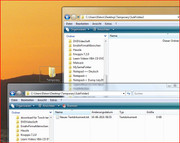 a file in SubFolder1 and SubFolder2 is empty.JPG
After running macro:
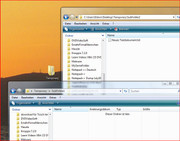 the file is now in the other folder only.JPG
Example 2: Move and rename
Make a folder, anywhere, for example on your desktop https://i.postimg.cc/SQDZbxwk/Make-a...ur-desktop.jpg
Put two folders in it https://i.postimg.cc/Gt7zFXkH/Put-two-folders-in-it.jpg
Put any file in SubFolder1 https://i.postimg.cc/2y82LsLs/Put-an...ub-Folder1.jpg
So now we have a file in SubFolder1 and SubFolder2 is empty https://i.postimg.cc/bNrmyjhb/a-file...2-is-empty.jpg
Now run a simple test macro like this
Code:
Sub TestWhatVBANameStatementDoes()
Dim strPath As String: Let strPath = "C:\Users\Elston\Desktop\Temporary\" ' --- CHANGE TO SUIT YOUR PATH
 Name strPath & "SubFolder1\Neues Textdokument.txt" As strPath & "SubFolder2\New Name.txt"
End Sub
After running that macro you will see that the file is now in the other folder only https://i.postimg.cc/9fjmHhkt/the-fi...a-new-name.jpg and also it has a new name
Before running macro:
a file in SubFolder1 and SubFolder2 is empty.JPG
After running macro:
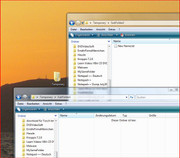 the file is now in the other folder only and has a new name.JPG
Alan


 Reply With Quote
Bookmarks