


Some notes in support of this Thread: https://excelfox.com/forum/showthrea...ll=1#post15623
Compare an empty Word document with a Word document with some arbitrary text, when both are saved in the .htm format.
To help with later programming, I will run the macro recorder while making the two files.
So this is a walk through it…
_ Start the macro recorder
_ make a new file
_ save it as docHTML1.htm
_ close it
_ make a new file
_ add the text some arbitrary text
¬_ save it as docHTML2.htm
_ close it
This is the basic macro produced by recorder. ( I changed/ rearranged a few things and added a few 'comments, but it is the same basic coding
This is what I see appear as a result of doing the above:Code:Sub Makro5() Documents.Add Template:="Normal", NewTemplate:=False, DocumentType:=0 ' _ make a new file ActiveDocument.SaveAs Filename:="docHTML1.htm", FileFormat:=wdFormatHTML, LockComments:=False, Password:="", AddToRecentFiles:=True, WritePassword:="", ReadOnlyRecommended:=False, EmbedTrueTypeFonts:=False, SaveNativePictureFormat:=False, SaveFormsData:=False, SaveAsAOCELetter:=False ' _ save it as docHTML1.htm ActiveWindow.View.Type = wdWebView ActiveDocument.Close ' _ close it Documents.Add Template:="Normal", NewTemplate:=False, DocumentType:=0 ' _ make a new file Selection.TypeText Text:="some arbritrary text" ' _ add the text some arbitrary text ActiveDocument.SaveAs Filename:="docHTML2.htm", FileFormat:=wdFormatHTML, LockComments:=False, Password:="", AddToRecentFiles:=True, WritePassword:="", ReadOnlyRecommended:=False, EmbedTrueTypeFonts:=False, SaveNativePictureFormat:=False, SaveFormsData:=False, SaveAsAOCELetter:=False ' _ save it as docHTML2.htm ActiveWindow.View.Type = wdWebView ActiveDocument.Close ' _ close it End Sub
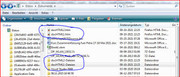
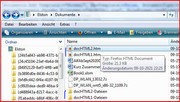
Two htm files and other stuff appeared.JPG
If I now open those two htm files with a text editor, I see this ( I am only showing the last bits below as there is more than the post limit allows )
docHTML1.htm: https://app.box.com/s/l16u4vxavd8kjd1lzo3arb97rw4yoww1
Code:mso-hansi-font-family:Calibri; mso-hansi-theme-font:minor-latin; mso-fareast-language:EN-US;} </style> <![endif]--><!--[if gte mso 9]><xml> <o:shapedefaults v:ext="edit" spidmax="2050"/> </xml><![endif]--><!--[if gte mso 9]><xml> <o:shapelayout v:ext="edit"> <o:idmap v:ext="edit" data="1"/> </o:shapelayout></xml><![endif]--> </head> <body lang=DE style='tab-interval:35.4pt'> <div class=WordSection1> <p class=MsoNormal><o:p> </o:p></p> </div> </body>
docHTML2.htm: https://app.box.com/s/quzanrhoopgdyzvk9dc5cbj9y0quuk4x
Code:font-family:"Calibri","sans-serif"; mso-ascii-font-family:Calibri; mso-ascii-theme-font:minor-latin; mso-hansi-font-family:Calibri; mso-hansi-theme-font:minor-latin; mso-fareast-language:EN-US;} </style> <![endif]--><!--[if gte mso 9]><xml> <o:shapedefaults v:ext="edit" spidmax="2050"/> </xml><![endif]--><!--[if gte mso 9]><xml> <o:shapelayout v:ext="edit"> <o:idmap v:ext="edit" data="1"/> </o:shapelayout></xml><![endif]--> </head> <body lang=DE style='tab-interval:35.4pt'> <div class=WordSection1> <p class=MsoNormal><span class=SpellE>some</span> <span class=SpellE>arbritrary</span> text</p> </div> </body> </html>
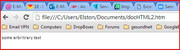
What is going on there is that the lot of complicated html stuff ( of which I only show a bit ) is how a simple Microsoft Word document looks like if written in html. So for example, if you wanted to view your word document using an internet browser, then you would give the browser something like that. You can actually try that:
View htm file in browser.JPG
Here for comparison is a file I used to give some summary in a Word doco. This is the file without yet any info in it, ( as a text file )
DailyProtable.txt : https://app.box.com/s/q0tyxq8qptdb50oxxxtplbf9ur3xaeu2
Code:</style> <![endif]--><!--[if gte mso 9]><xml> <o:shapedefaults v:ext="edit" spidmax="4098"/> </xml><![endif]--><!--[if gte mso 9]><xml> <o:shapelayout v:ext="edit"> <o:idmap v:ext="edit" data="1"/> </o:shapelayout></xml><![endif]--> </head> <body lang=DE style='tab-interval:35.4pt'> <div class=WordSection1> <p class=MsoNormal><o:p> </o:p></p> <p class=MsoNormal><o:p> </o:p></p> <p class=MsoNormal><b><span style='color:#D99594;mso-themecolor:accent2; mso-themetint:153'>X <span class=SpellE>x</span> <span class=SpellE>x</span> <span class=SpellE>x</span> <span class=SpellE>x</span> <o:p></o:p></span></b></p> </div> </body> </html>
This is the same file again with the information filled in it:
DailyProtableFilled.txt : https://app.box.com/s/l16u4vxavd8kjd1lzo3arb97rw4yoww1
Just for my memory revision , in the macro I use ( e.g. xxxxx ) , this is the code line which adds my stuff ( which I have in a variable, MyLengthyStreaming ) so as to make DailyProtableFilled from DailyProtableCode:<style> <!-- /* Font Definitions */ @font-face {font-family:"Cambria Math"; panose-1:2 4 5 3 5 4 6 3 2 4; mso-font-charset:1; mso-generic-font-family:roman; mso-font-format:other; mso-font-pitch:variable; mso-font-signature:0 0 0 0 0 0;} @font-face {font-family:Calibri; panose-1:2 15 5 2 2 2 4 3 2 4; mso-font-charset:0; mso-generic-font-family:swiss; mso-font-pitch:variable; mso-font-signature:-1610611985 1073750139 0 0 159 0;} /* Style Definitions */ p.MsoNormal, li.MsoNormal, div.MsoNormal {mso-style-unhide:no; mso-style-qformat:yes; mso-style-parent:""; margin-top:0cm; margin-right:0cm; margin-bottom:10.0pt; margin-left:0cm; line-height:115%; mso-pagination:widow-orphan; font-size:11.0pt; font-family:"Calibri","sans-serif"; mso-ascii-font-family:Calibri; mso-ascii-theme-font:minor-latin; mso-fareast-font-family:Calibri; mso-fareast-theme-font:minor-latin; mso-hansi-font-family:Calibri; mso-hansi-theme-font:minor-latin; mso-bidi-font-family:Arial; mso-bidi-theme-font:minor-bidi; mso-fareast-language:EN-US;} span.SpellE {mso-style-name:""; mso-spl-e:yes;} .MsoChpDefault {mso-style-type:export-only; mso-default-props:yes; font-size:10.0pt; mso-ansi-font-size:10.0pt; mso-bidi-font-size:10.0pt; mso-ascii-font-family:Calibri; mso-ascii-theme-font:minor-latin; mso-fareast-font-family:Calibri; mso-fareast-theme-font:minor-latin; mso-hansi-font-family:Calibri; mso-hansi-theme-font:minor-latin; mso-bidi-font-family:Arial; mso-bidi-theme-font:minor-bidi; mso-fareast-language:EN-US;} @page WordSection1 {size:595.3pt 841.9pt; margin:70.85pt 70.85pt 2.0cm 70.85pt; mso-header-margin:35.4pt; mso-footer-margin:35.4pt; mso-paper-source:0;} div.WordSection1 {page:WordSection1;} --> </style> <!--[if gte mso 10]> <style> /* Style Definitions */ table.MsoNormalTable {mso-style-name:"Normale Tabelle"; mso-tstyle-rowband-size:0; mso-tstyle-colband-size:0; mso-style-noshow:yes; mso-style-priority:99; mso-style-qformat:yes; mso-style-parent:""; mso-padding-alt:0cm 5.4pt 0cm 5.4pt; mso-para-margin:0cm; mso-para-margin-bottom:.0001pt; mso-pagination:widow-orphan; font-size:10.0pt; font-family:"Calibri","sans-serif"; mso-ascii-font-family:Calibri; mso-ascii-theme-font:minor-latin; mso-hansi-font-family:Calibri; mso-hansi-theme-font:minor-latin; mso-fareast-language:EN-US;} </style> <![endif]--><!--[if gte mso 9]><xml> <o:shapedefaults v:ext="edit" spidmax="4098"/> </xml><![endif]--><!--[if gte mso 9]><xml> <o:shapelayout v:ext="edit"> <o:idmap v:ext="edit" data="1"/> </o:shapelayout></xml><![endif]--> </head> <body lang=DE style='tab-interval:35.4pt'> <div class=WordSection1> <p><span style="color: #ff00ff;">'_-Start=========== 02 April 2018 02.04.2018 21:55:52 ------------------------------------</span></p><table width=800 <col width=200 <col width=50> <col width=50> <col width=50> <col width=50> <col width=50> <col width=50> <col width=50> <col width=50> <col width=50> <col width=50> <tr height=17> <td>Food Product</td> <td>g</td> <td>Kcal</td> <td style="color:red;background:#F2DDDC">Fett</td> <td style="color:blue;background:#DBE5F1">Protein</td> <td style="background:#D8D8D8">Koh</td> <td style="color:silver;background:#D8D8D8">Zucker</td> <td style="color:brown;background:#DDD9C3">Ballastoffe</td> <td style="color:green;background:#EAF1DD">Wasser</td> <td style="color:purple;background:#E5E0EC">kalium</td> <td style="background:#DBEEF3">Natrium+</td> </tr><tr height=17> <td>NescafeEntkoffinieret</td> <td>14g</td> <td>16.52</td> <td style="color:red;background:#F2DDDC">0.028</td> <td style="color:blue;background:#DBE5F1">1.092</td> <td style="background:#D8D8D8">0.434</td> <td style="color:silver;background:#D8D8D8">0.434</td> <td style="color:brown;background:#DDD9C3">4.774</td> <td style="color:green;background:#EAF1DD"></td> <td style="color:purple;background:#E5E0EC"></td> <td style="background:#DBEEF3">0.014</td> </tr> <tr height=17> <td>G&GSuessstoffTabletten</td> <td>0.2g</td> <td>0.04</td> <td style="color:red;background:#F2DDDC"></td> <td style="color:blue;background:#DBE5F1"></td> <td style="background:#D8D8D8">0</td> <td style="color:silver;background:#D8D8D8">0</td> <td style="color:brown;background:#DDD9C3">0</td> <td style="color:green;background:#EAF1DD"></td> <td style="color:purple;background:#E5E0EC"></td> <td style="background:#DBEEF3">0.0274</td> </tr> <tr height=17> <td>SuessliStevia(Flussig)</td> <td>0.2g</td> <td>0.001</td> <td style="color:red;background:#F2DDDC"></td> <td style="color:blue;background:#DBE5F1"></td> <td style="background:#D8D8D8"></td> <td style="color:silver;background:#D8D8D8"></td> <td style="color:brown;background:#DDD9C3"></td> <td style="color:green;background:#EAF1DD"></td> <td style="color:purple;background:#E5E0EC"></td> <td style="background:#DBEEF3"></td> </tr> <tr height=17 style="color:darkblue;background:pink"> <td>Pro For Montag 02 April 02 04 2018</td> <td>14.4g</td> <td style="color:orange;background:white;height:21">17Kcal</td> <td style="color:red;background:white">0.028</td> <td style="color:blue;background:white">1.092</td> <td style="background:white">0.434</td> <td style="color:silver;background:white">0.434</td> <td style="color:brown;background:white">4.774</td> <td style="color:green;background:white"></td> <td style="color:purple;background:white"></td> <td style="background:white">0.041</td> </tr> <tr height=17 style="color:darkblue;background:pink"> <td>Main Foods</td> <td>14.4g</td> <td>16.561</td> <td style="color:red;background:#F2DDDC">0.028</td> <td style="color:blue;background:#DBE5F1">1.092</td> <td style="background:#D8D8D8">0.434</td> <td style="color:silver;background:#D8D8D8">0.434</td> <td style="color:brown;background:#DDD9C3">4.774</td> <td style="color:green;background:#EAF1DD"></td> <td style="color:purple;background:#E5E0EC"></td> <td style="background:#DBEEF3">0.0414</td> </tr> <tr height=17> <td>Fruit</td> <td>0g</td> <td></td> <td style="color:red;background:#F2DDDC"></td> <td style="color:blue;background:#DBE5F1"></td> <td style="background:#D8D8D8"></td> <td style="color:silver;background:#D8D8D8"></td> <td style="color:brown;background:#DDD9C3"></td> <td style="color:green;background:#EAF1DD"></td> <td style="color:purple;background:#E5E0EC"></td> <td style="background:#DBEEF3"></td> </tr> <tr height=17> <td>Veg</td> <td>0g</td> <td></td> <td style="color:red;background:#F2DDDC"></td> <td style="color:blue;background:#DBE5F1"></td> <td style="background:#D8D8D8"></td> <td style="color:silver;background:#D8D8D8"></td> <td style="color:brown;background:#DDD9C3"></td> <td style="color:green;background:#EAF1DD"></td> <td style="color:purple;background:#E5E0EC"></td> <td style="background:#DBEEF3"></td> </tr> </table><p><span style="color: #ff00ff;">'_---Table made 02 April 2018 02.04.2018 21:55:52 ====Daily Foods Table End ======</span></p> <p class=MsoNormal><o:p> </o:p></p> <p class=MsoNormal><o:p> </o:p></p> <p class=MsoNormal><b><span style='color:#D99594;mso-themecolor:accent2; mso-themetint:153'>X <span class=SpellE>x</span> <span class=SpellE>x</span> <span class=SpellE>x</span> <span class=SpellE>x</span> <o:p></o:p></span></b></p> </div> </body> </html>
So we see what is going on – we are adding stuff at the word section.Code:Let TotalFile = Replace(TotalFile, "<div class=WordSection1>", "<div class=WordSection1>" & vbCrLf & MyLengthyStreaming, 1, 1, vbTextCompare)
Lets take a look now at the OP’s file …. In next post

 Reply With Quote
Bookmarks