Page 2 of 3 FirstFirst 123 LastLast
Results 11 to 20 of 30

Thread: VBA Input Pop up Boxes: Application.InputBox Method versus VBA.InputBox Function

Hybrid View

Previous Post Previous Post   Next Post Next Post
  1. #1
    Fuhrer, Vierte Reich DocAElstein's Avatar
    Join Date
    Aug 2014
    Posts
    10,457
    Rep Power
    10
    This is now post 15 after I copied all of full page 2 to get a full page 3
    It was Original post #12, it got shifted down one to post #13 when the original posts 11 12 and 13 where copied on 31 Oct 2024, so it got edited to have the contents of the original post # 13
    #post10484


    It is Original post #13, it got shifted down to post #15 when posts 11 12 and 13 where copied on 31 Oct 2024 #post10485


    The bit appearing in your main main coding. The bit you run to do the final thing


    Rem 3a) This is just to demo the idea of a Pop Up User InputBox with range selection alternative with API User 32 dll Programs. ' Normally in this section 3a) there would be other stuff and probably lots of it and if I have anything then it will be very Pretty.. Pretty well disgusting probably.
    Sub MainSubWithAllOtherStuffInIt() ' This would be your main coding and would nornally be a lot bigger, it is just here as part of the demo for a Pop Up User InputBox with range selection alternative with API User 32 dll Programs
    ' Other stuff

    ' Some where in the main code I might want to ask the user to select a range. So to do that I


    The next bit is what you actually need in a program. Everything before and after this would likely be in a separate module, likely named something like InpBxAPIddllWindowsSubClassing ( The Purple stuff is an extra demo you would not noremally have. )
    So it is just two lines usually

    Code:
    Dim RSel As Range ' This is a variable to hold the Pointer to the users range object..        So this variable in VBA is like the Link to the part of a URL string reducing size site where a few things about the actual Final site is informed about. This area in that site, like a pigeon Hole to which the variable refers, ( the "pigeon hole" location address, and all its contents would be defined as the "Pointer". Amongst other things it has a link, a "Pointing part", pointing to actually where all the stuff is
     'Set RSel = Selection ' This line will be needed if you chose to send ByVal. That is necerssary to ensure that you have a range object - If you do not have a range object when you go to HangAHookToCatchAPIssinUserDLL_MsgBoxThenBringThatMsgBoxUp(ByVal RcelsToYou), then you wont have one when you get back neither, as in HangAHookToCatchAPIssinUserDLL_MsgBoxThenBringThatMsgBoxUp you will be Set ing the copy variable, not the actual RSel variable. You put a copy of the Pointer in the new variable.  https://www.excelforum.com/excel-programming-vba-macros/1138804-help-understanding-class-instancing-cant-set-ws-new-worksheet-intellisense-offers-it-2.html#post4386360    https://www.excelfox.com/forum/showthread.php/2966-Class-related-Stuff-New-Instancing?p=24214&viewfull=1#post24214    
     Call HangAHookToCatchAPIssinUserDLL_MsgBoxThenBringThatMsgBoxUp(RSel)  '                     In a normal application of the main Theme of all this, this would be the main code line you use to cause a the "Pop Up User pseudo InputBox with range selection alternative with API User 32 dll Programs"
     'VBA.MsgBox Prompt:="Address check RSel - It is now " & RSel.Address & "" & vbCrLf & "Da .Value of the range object is " & RSel.Value ' Just done to demo that A simple change of the ByRef to ByVal in the signature line of a Called routine allows you to change the value of a range object to that of the selection, but the original range object will not change, that is to say its address remains as before the selection. 
    ' Other stuff


    End Sub ' Typically this is your main program End Sub
    Last edited by DocAElstein; 11-03-2024 at 01:51 AM.

  2. #2
    Fuhrer, Vierte Reich DocAElstein's Avatar
    Join Date
    Aug 2014
    Posts
    10,457
    Rep Power
    10
    This is now post 19 after I copied all of full page 2 to make a full page 3
    It looks like this link is broke, https://www.excelfox.com/forum/showt...ll=1#post10485 as it takes you to page 3 , the link made from the page 2 link , https://www.excelfox.com/forum/showt...age2#post10485 is OK


    Archive post, one I updated later. Just kept in case I need it later (Was original post # 4)
    From last post…………..
    Handleing of the MsgBox Pop up
    The below attempts to put some clarity, as far as I am able, on what the handle of the MsgBox, or rather API User32 Windows dll MessageBoxA Function might be about.
    I am able to find A “handle to a Window” that makes the API User32 Windows dll MessageBoxA appear to work as the Standard “non modal” VBA MsgBox.
    In all other cases of either a successfully found handle number ( to which it belongs is not clear to me ) or an unsuccessful found handle number ( hWnd is then 0 as returned from FindWind___ ), I appear to have a “non modal” Pop up box, in which case I have the possibility to make a spreadsheet selection with the Pop Up, popped up
    Some further reading has suggested that the unsuccessful found handle number returns a specific type of Long Null and contradictorily to some other literature suggests that this pop up must not have a owner window. There may be some morae subtle points to it, but for now the use of the special symbol for a Long Null _ &H0 _ would suggest that the major part of the solution can be reduced to a simplified code lines such as in '2e) This will do then
    Code:
    Option Explicit
    '
    Private Declare Function APIssinUserDLL_MsgBox Lib "user32" Alias "MessageBoxA" (Optional ByVal hWnd As Long, Optional ByVal Prompt As String, Optional ByVal Title As String, Optional ByVal buttons As Long) As Long '
    Private Declare Function FindWndNumber Lib "user32" Alias "FindWindowA" (Optional ByVal lpClassName As String, Optional ByVal lpWindowName As String) As Long
    Private Declare Function FindWindowEx Lib "user32" Alias "FindWindowExA" (ByVal hWnd1 As Long, ByVal hWnd2 As Long, ByVal lpsz1 As String, ByVal lpsz2 As String) As Long
    '
    Sub TestWndBreaks()    '    http://www.eileenslounge.com/viewtopic.php?f=18&t=28885#p223583
    Dim Response As Long
    Rem 1 ' Standard VBA Message Box
     Let Response = MsgBox(Prompt:="Q_- Where am I, the MsgBox? " & vbCrLf & "A_- locked Middle in Excel spreadsheet") '
    Rem 2 ' Message Box API User32 dll
     Let Response = APIssinUserDLL_MsgBox(Prompt:="Q_- Where am I, the MessageBoxA?" & vbCrLf & " A_- Middle in Active Window") '
    ' 2b) Get a number for hWnd to "lock" the Message box to a window
    ' Locked nowhere?
    Dim WndNumber As Long
     Let WndNumber = FindWndNumber(lpClassName:=vbNullString, lpWindowName:=vbNullString): Debug.Print WndNumber ' -- must be vbNullString not ""  ??
     Let Response = APIssinUserDLL_MsgBox(hWnd:=WndNumber, Prompt:="Q_- Where am I, the MessageBoxA?" & vbCrLf & " A_- Middle in Active Window, hwnd = " & WndNumber & "", Title:="""Non Modal"" Pop Up", buttons:=vbOKOnly) '
    
    ' 2c) working like the Standard VBA Message Box ??        https://www.techrepublic.com/blog/10-things/10-plus-of-my-favorite-windows-api-functions-to-use-in-office-applications/
    Dim hWndParent As Long
     Let hWndParent = FindWndNumber(lpClassName:="XLMAIN", lpWindowName:=vbNullString): Debug.Print hWndParent '
     Let Response = APIssinUserDLL_MsgBox(hWnd:=hWndParent, Prompt:="Q_- Where am I, the MessageBoxA?" & vbCrLf & " A_- locked Middle in Excel spreadsheet, hwnd = " & hWndParent & "", Title:="""Working like"" Microsoft Excel", buttons:=vbOKOnly) '
    ' 2d) Not sure whats gooing on
     Let hWndParent = FindWndNumber(lpClassName:="XLMAIN", lpWindowName:=ThisWorkbook.Name): Debug.Print hWndParent '
     Let Response = APIssinUserDLL_MsgBox(hWnd:=hWndParent, Prompt:="Q_- Where am I, the MessageBoxA?" & vbCrLf & " A_- locked Middle in Active Window??, hwnd = " & hWndParent & "", Title:="""Working like"" Non Modal ??", buttons:=vbOKOnly) '
     Let hWndParent = FindWndNumber(lpClassName:=vbNullString, lpWindowName:=ThisWorkbook.Name): Debug.Print hWndParent '
     Let Response = APIssinUserDLL_MsgBox(hWnd:=hWndParent, Prompt:="Q_- Where am I, the MessageBoxA?" & vbCrLf & " A_- locked Middle in Active Window??, hwnd = " & hWndParent & "", Title:="""Working like"" Non Modal ??", buttons:=vbOKOnly) '
    Dim hWndDskTop As Long
     Let hWndDskTop = FindWindowEx(hWndParent, 0&, "XLDESK", vbNullString): Debug.Print hWndDskTop '  https://msdn.microsoft.com/de-de/library/windows/desktop/ms633500(v=vs.85).aspx
     Let Response = APIssinUserDLL_MsgBox(hWnd:=hWndDskTop, Prompt:="Q_- Where am I, the MessageBoxA?" & vbCrLf & " A_- locked Middle in Active Window??, hwnd = " & hWndDskTop & "", Title:="""Working like"" Non Modal ??", buttons:=vbOKOnly) '
     Let hWndDskTop = FindWindowEx(hWndParent, 0&, "XLDESK", ThisWorkbook.Name): Debug.Print hWndDskTop
     Let Response = APIssinUserDLL_MsgBox(hWnd:=hWndDskTop, Prompt:="Q_- Where am I, the MessageBoxA?" & vbCrLf & " A_- locked Middle in Active Window??, hwnd = " & hWndDskTop & "", Title:="""Working like"" Non Modal ??", buttons:=vbOKOnly) '
    '2e) This will do then
     APIssinUserDLL_MsgBox hWnd:=&H0, Prompt:="This will do", Title:="""Working like"" Non Modal" '
    End Sub

    Using a variation of that can be used to write a short set of codes to allow the user to make a selection which can be shown as an address in the Pop Up which is the current collection, and which can be updated by making a new selection.
    In this code although the Message box itself is not returning a range object, the final range returned a t the end of the routine, Rsel , is based on the user selection. In addition the user on selecting “No” the Pop Up will re Pop up with the current selection displayed

    The end effect is something along the lines of a Pop Up User InputBox with range selection alternativ to the Method _.....
    Application.InputBox( Prompt:= , Title:= , Default:= , Left:= , Top:= , HelpFile:= , HelpContextID:= , Type:=8 )
    _.......with API User 32 dll Programs.
    Code:
    Option Explicit
    Private Declare Function APIssinUserDLL_MsgBox Lib "user32" Alias "MessageBoxA" (Optional ByVal hWnd As Long, Optional ByVal Prompt As String, Optional ByVal Title As String, Optional ByVal Buts As Long) As Long  '                                                                               ' MessageBoxA   http://www.tek-tips.com/faqs.cfm?fid=4699
    '
    Public Sub PopUpInputBoxWithRngSelAPIUser32dll()
    Noughty: 'PopUpInputBoxWithRngSelAPIUser32dll
    Dim Rpnce As Long, Rsel As Range: Set Rsel = Selection
    Dim Valyou As Variant: Let Valyou = Rsel.Value: If IsArray(Valyou) Then Valyou = Valyou(1, 1) 'For display Value of Top Left of Selection
     Let Rpnce = APIssinUserDLL_MsgBox(hWnd:=&H0, Prompt:="Yes,  or No to ReCheck, Cancel for help ", Title:="Selection Check: Address is " & Rsel.Address & "  Value is """ & Valyou & """", Buts:=vbYesNoCancel) ' ' Pseudo Non Modal MsgBox
        If Rpnce = 2 Then Application.Help HelpFile:=ThisWorkbook.Path & "\AnyFileName.chm", HelpContextID:=2 '              -----    download this file:  https://app.box.com/s/bx2pkvtemsppscz60rd6f430wm89c6fj This is a “.chm Microsoft Help file” It has the name _ AnyFileName.chm ---  Put in same folder as this Workbook  ---   Check out possible workarounds  --- http://www.excelfox.com/forum/showthread.php/2146-%E0%A4%AC%E0%A5%8D%E0%A4%B2%E0%A5%89%E0%A4%97-%E0%A4%95%E0%A5%8B%E0%A4%B6%E0%A4%BF%E0%A4%B6-%E0%A4%95%E0%A4%B0-%E0%A4%B0%E0%A4%B9%E0%A4%BE-%E0%A4%B9%E0%A5%88-%D8%A8%D9%84%D8%A7%DA%AF%D8%B2-%DA%A9%DB%8C-%DA%A9*Trying-Blogs?p=10467#post10467   ---  xpu shopuld get this  HelpGetUpBollox.JPG https://imgur.com/KdKOYWr
        If Rpnce = 7 Then GoTo Noughty ' Option to update the displayed Address and Value in Top Left cell of that range
     Set Rsel = Selection
    End Sub
    So the code simply takes the current spreadsheet selection as the required range. The address of this is also displayed as the Pop up caption.
    An option is included for a help file, ( I have checked and found that this works in excel 2003, 2007 and 2010 for a valid .chm file)
    An Option is also included to repeat the process. ( This allows a new selection to be displayed in the caption)
    The end effect is something along the lines of a Pop Up User InputBox with range selection alternative to the Method_..
    Application.InputBox( Prompt:= , Title:= , Default:= , Left:= , Top:= , HelpFile:= , HelpContextID:= , Type:=8 )
    _....... with API User 32 dll Programs.


    Further reading shows that an even more “fundamental” API Function is the MessageBoxTimeoutA. It can be used similarly, and indeed might be an even better option as it used by all other Message Box Functions. Therefore it might be a good option as it is more likely to be maintained in the future ( https://www.excelforum.com/developme...ml#post4822413 )


    The next posts tackle the Window positioning ( and size ) issue, Rem2_b)(ii) the positional arguments

    _._______________________________


    _._______________________________
    Last edited by DocAElstein; 11-02-2024 at 09:53 PM.

  3. #3
    Fuhrer, Vierte Reich DocAElstein's Avatar
    Join Date
    Aug 2014
    Posts
    10,457
    Rep Power
    10
    Code:
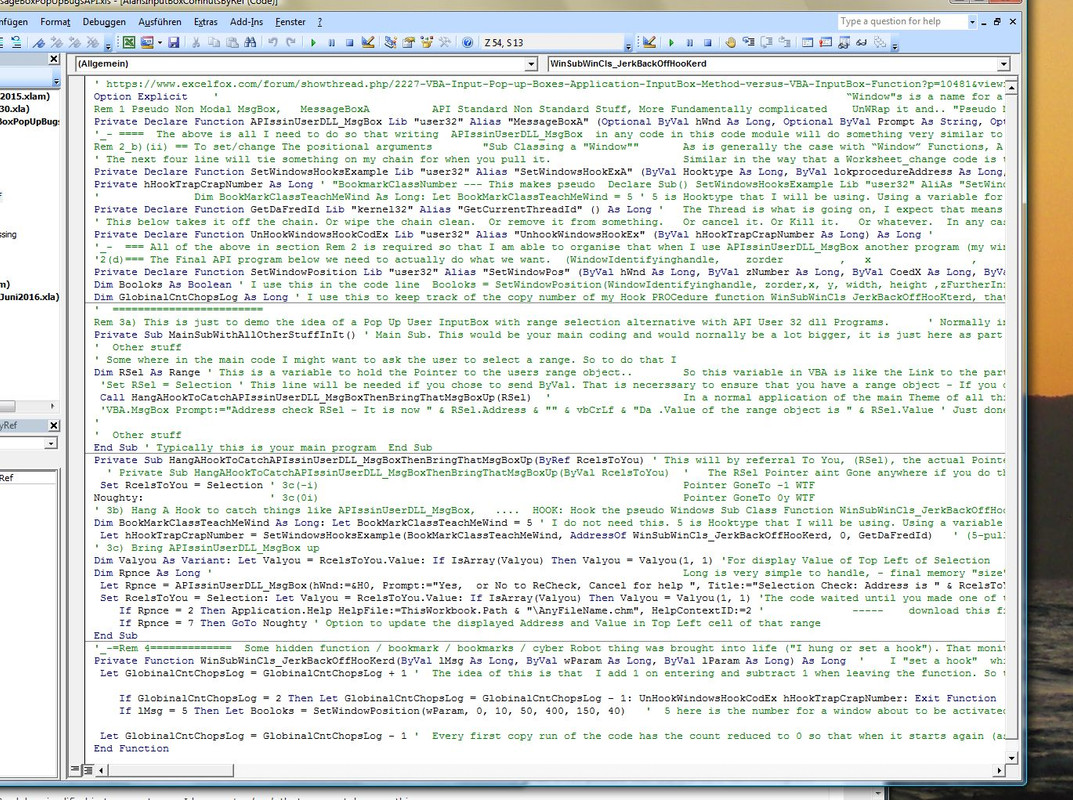
    Rem 2_b)(ii) == To set/change The positional arguments        "Sub Classing a "Window""       As is generally the case with “Window” Functions, A window belongs to a class. The Dynamic Linked Libraries concept allow the small programs in the with windows shipped typically in the User32 Folder programs to be called up / used at runtime, rather than a fixed set of instructions copied or and/ or used as such at some point. This allows for a modification of the class, known as Sub classing. This means that it is possible to modify / add to the “Window” Function and so pseudo create a customised ddl. It does not necessarily mean that a “Window” Function or a used User32 Folder program is directly Sub classes , but it just happens to be in our case as we are intending to mess about with the MessageBoxA ( or MessageBoxTimeoutA )  You can arrange that a used “Window” Function is modified as it is used.
    ' The next four line will tie something on my chain for when you pull it.                     Similar in the way that a Worksheet_change code is triggered as something happens, you must arrange that a VBA Function is triggered when a Windows “event” occurs. At this point the concept gets a bit vague and I doubt many people really understand anymore how it really works. A good name for the VBA Function might be Function WinSubWinCls_JerkBackOffHooKterd. This VBA Function will itself be a pseudo “Window” Function and “hung” or hooked on a chain of events. Because of the dynamic / volatile nature of the stuff, things will have a habit of going on forever if they not “unhooked” such that a procedure will have to be designed to unhook itself.
    Private Declare Function SetWindowsHooksExample Lib "user32" Alias "SetWindowsHookExA" (ByVal Hooktype As Long, ByVal lokprocedureAddress As Long, Optional ByVal hmod As Long, Optional ByVal DaFredId As Long) As Long '   The effect of this will be: In some predetermined set of instructions or planned chain of events, a “hook” or “marker” or “clap trap” or “page marker” or “trip trap” was made. This was given an identifying number which was returned by that “API Function” and it was chosen to be placed in the main code in a globial variable hHookTrapCrapNumber. I do not think that this number identifies the “page in the book” where the bookmarker is. I think it just is listed somewhere in a list of any active / set up book marks. I guess there might be / could be a few, so you need to distinguish them.
    Private hHookTrapCrapNumber As Long ' "BookmarkClassNumber --- This makes pseudo  Declare Sub() SetWindowsHooksExample Lib "user32" AliAs "SetWindowsHookExA" (ByVal hHookTrapCrapNumber As Long, ByVal Hooktype As Long, ByVal MyloksPROCedureFukAddress As Long, Optional ByVal RadioButton2Out As Long, Optional ByVal duhFredId As Long) As Long     It was also disgust that possibly the number refers to set instances of a Bookmark class: there may be a few , but they are all effectively connected / activated by the number hHookTrapCrapNumber existing in some register. The bookmarker has a particular type, ( 5 ). The type will be responsible for catching the Message box code line to call the MessageBoxA, (like  APIssinUserDLL_MsgBox &H0, "Select Range", "working ApplicationPromptToRangeInputBox", vbYesNoCancel ). That fires my hook PROCedure Function, WinSubWinCls_JerkBackOffHooKterd. Other things may also fire my hook PROCedure Function. They may or may not be also related to the Popping up of my Box.
    '               Dim BookMarkClassTeachMeWind As Long: Let BookMarkClassTeachMeWind = 5 ' 5 is Hooktype that I will be using. Using a variable for two reasons: '1_- general point in computing that you might get problems when a number is used to refer to something that might take or give a number at some point. But you might need to do that, so having an intermediate word is a workaround for that so that the number is set to a word which is then related to a word that might be being referred to or returning a number. Function = Word --- Word = 873248   '2_- Just to avoid confusion Later as in this particular case later another option number happens to be 5
    Private Declare Function GetDaFredId Lib "kernel32" Alias "GetCurrentThreadId" () As Long '   The Thread is what is going on, I expect that means in this case my VBA. My computer might do something else with or without me knowing. Most things going on will have a Thread number. When used in my code, Function GetDaFredId will return an identifying number referring to the Excel instance that that code line is in.     It is actually needed in the setting of the Windows hook code line only ( that which is last argument in   SetWindowsHookEx(  ,   ,   , DaFredId As Long) ... set a hook, confined to the current thread (so it doesn't get triggered by other things going on) and give it the address of the function that you want to call in response to the hook being triggered. In this I will use 5 CBT hook which is triggered generally by Window messages (activating, creating, destroying, minimizing, maximizing, moving, or sizing a window)
    ' This below takes it off the chain. Or wipe the chain clean.  Or remove it from something.   Or cancel it. Or Kill it.   Or whatever.  In any case it needs the identifying number of the "hook",  then a simple code line as shown in comment below will do this "Killing"    Without doing this the thing seems to go on indefinitely (with or without any recursion. (A recursion is another issue which seems to happen as an additional issue - that occurs when the final API code below (over next line) does its job - that seems to fire  my Hook PROCedure function WinSubWinCls_JerkBackOffHooKterd
    Private Declare Function UnHookWindowsHookCodEx Lib "user32" Alias "UnhookWindowsHookEx" (ByVal hHookTrapCrapNumber As Long) As Long '               'Release the Hook           This is used in code in a simple code line like:-      Call UnHookWindowsHookCodEx(hHookTrapCrapNumber)
    '_-  === All of the above in section Rem 2 is required so that I am able to organise that when I use APIssinUserDLL_MsgBox another program (my windows hookProcedure program WinSubWinCls_JerkBackOffHooKterd) is triggered. (It has a habit of being triggered indefinitely so the API program Decared in the last line above will be used to stop that happening).
    '2(d)=== The Final API program below we need to actually do what we want.  (WindowIdentifyinghandle,    zorder         ,   x                ,       y            ,       width         ,     height          ,       zFurtherInfo  ) '_- Most is obvious, except the z stuff -      WindowIdentifyinghandle/wParam   is one the parameters passed in some secret process to my Function WinSubWinCls_JerkBackOffHooKterd(   , wParam ,   ) and will be the windows identifying number for my Message box that is popping up.  ( ,10 ,50 ,400 ,150 , ) These four numbers are the horizontal and vertical size and positions.   ( 0, , , , ,40 ) The two numbers 0 and 40 are chosen after a bit of intuitive guessing based on Microsoft references like https://msdn.microsoft.com/en-us/library/windows/desktop/ms633545(v=vs.85).aspx    The end effect is to have the window seen as dominantly as wanted. They are likely to be based to some extent on experimenting in a particular requirement.
    Private Declare Function SetWindowPosition Lib "user32" Alias "SetWindowPos" (ByVal hWnd As Long, ByVal zNumber As Long, ByVal CoedX As Long, ByVal CoedY As Long, ByVal xPiXel As Long, ByVal yPiYel As Long, ByVal wFlags As Long) As Long '    This API prog will be called in my hook PROCedure function.  So.. Rem 2a)-c) sets "Bookmark"/ series of "Bookmarks"/ Microsoft Windows cyber Robot monitering events (of "type 5", i.e. my Pop up coming up is one such. When such a event occurs my function is triggered by Windows software monitering Robot, he knows where/which my function WinSubWinCls_JerkBackOffHooKterd is from the  AddressOf  in a "hook setting code line" like  (5 ,AddressOf WinSubWinCls_JerkBackOffHooKterd , 0, ThreadID) The monitering Robot program thing passes somehow  (a number from a list of event types to tell me more precisely what event it noticed, wParam-identifying number of the Window doing that event, possibly some other mouse thing info thing am not bothered about)
    Dim Booloks As Boolean ' I use this in the code line  Booloks = SetWindowPosition(WindowIdentifyinghandle, zorder,x, y, width, height ,zFurtherInfo)   I don't seem to need this, but as a function, the SetWindowPos is designed to return a value. In this usage I have not experienced problems using it as a Sub routine Call like    Call SetWindowPosition( , , , , , , )    but to be on the safe side I have used it as a Function returning its return in a Boolean variable, Booloks
    Dim GlobinalCntChopsLog As Long ' I use this to keep track of the copy number of my Hook PROCedure function WinSubWinCls_JerkBackOffHooKterd, that is to say check for when that  = 2. If that is the case I do the "unhooking" and Exit the Function
    '  ========================
    Last edited by DocAElstein; 11-01-2024 at 10:11 PM.

  4. #4
    Fuhrer, Vierte Reich DocAElstein's Avatar
    Join Date
    Aug 2014
    Posts
    10,457
    Rep Power
    10
    New post #12, 31 Oct 2024, (was copied from Original post #11, when the original posts 11 12 1nd 13 were copied on 31 Oct 2024 so it got edited to change it to have contents of original post # 12),
    #post24886


    Section 3b)-3c) does two main things.
    _ A “Hook” is “Hanged” to both
    __ “catch” events similar to my “Non Modal message box” popping up,
    and then when it does it
    __ triggers off a Function WinSubWinCls_JerkBackOffHooKterd
    I have tried to explain everything in more detail in the ‘Comments
    What actually appears to happen in end effect is that typically as my message box Pops up the function is triggered 6 times before it gets to the one I actually want which is the Message box window being activated


    Code:
    Private Sub HangAHookToCatchAPIssinUserDLL_MsgBoxThenBringThatMsgBoxUp(ByRef RcelsToYou) ' This will by referral To You, (RSel), the actual Pointer of you the original RSel.  This is not too important a point here, but intersting if you consider the next line alternative to this one.....
    ' Public Sub HangAHookToCatchAPIssinUserDLL_MsgBoxThenBringThatMsgBoxUp(ByVal RcelsToYou)     The RSel Pointer aint Gone anywhere if you do this. Just a copy of the Pointer is here. This will allow you to change the value as the Pointer or a copy of it will tell you where to go and do that... But in neither this line or the last line case have you sent the range object. If you use this line then you will find that the address of the range object will not change, as that refers to the range object of the copy variable in this subroutine. But that will not change the range object of RSel
     Set RcelsToYou = Selection ' 3c(-i)                                                          Pointer GoneTo -1 WTF
    Noughty:                    ' 3c(0i)                                                          Pointer GoneTo 0y WTF
    ' 3b) Hang A Hook to catch things like APIssinUserDLL_MsgBox,   ....  HOOK: Hook the pseudo Windows Sub Class Function WinSubWinCls_JerkBackOffHooKerd
    Dim BookMarkClassTeachMeWind As Long: Let BookMarkClassTeachMeWind = 5 ' I do not need this. 5 is Hooktype that I will be using. Using a variable for two reasons: '1_- general point in computing that you might get problems when a number is used to refer to something that might take or give a number at some point. But you might need to do that, so having an intermediate word is a workaround for that so that the number is set to a word which is then related to a word that might be being referred to or returning a number. Function = Word --- Word = 873248   '2_- Just to avoid confusion later as in this particular case later another option number in Rem 4 happens to be 5. That is checking for a Window opening. So it is similar to the 5 of BookMarkClassTeachMeWind, but it is a narrowed down version of those window happening things. So a bit of aa coincidence really. Using the variable just reminds me of that.
     Let hHookTrapCrapNumber = SetWindowsHooksExample(BookMarkClassTeachMeWind, AddressOf WinSubWinCls_JerkBackOffHooKerd, 0, GetDaFredId)   ' (5-pull before flush,  somehow arranges that the function gets called  ,
    ' 3c) Bring APIssinUserDLL_MsgBox up
    Dim Valyou As Variant: Let Valyou = RcelsToYou.Value: If IsArray(Valyou) Then Valyou = Valyou(1, 1) 'For display Value of Top Left of Selection
    Dim Rpnce As Long '                                                                           Long is very simple to handle, - final memory "size" type is known (123.456 and 000.001 have same "size" computer memory ) , and so a Address suggestion can be given for the next line when the variable is filled in.  '( Long is a Big whole Number limit (-2,147,483,648 to 2,147,483,647) If you need some sort of validation the value should only be within the range of a Byte/Integer otherwise there's no point using anything but Long.--upon/after 32-bit, Integers (Short) need converted internally anyways, so a Long is actually faster. )       https://www.mrexcel.com/forum/excel-questions/803662-byte-backward-loop-4.html
     Let Rpnce = APIssinUserDLL_MsgBox(hWnd:=&H0, Prompt:="Yes,  or No to ReCheck, Cancel for help ", Title:="Selection Check: Address is " & RcelsToYou.Address & "  Value is """ & Valyou & """", Buts:=vbYesNoCancel) ' ' Pseudo Non Modal MsgBox
     Set RcelsToYou = Selection: Let Valyou = RcelsToYou.Value: If IsArray(Valyou) Then Valyou = Valyou(1, 1) 'The code waited until you made one of the three message box options. But in this time you could change the selection object
        If Rpnce = 2 Then Application.Help HelpFile:=ThisWorkbook.Path & "\AnyFileName.chm", HelpContextID:=2 '              -----    download this file:  https://app.box.com/s/bx2pkvtemsppscz60rd6f430wm89c6fj This is a “.chm Microsoft Help file” It has the name _ AnyFileName.chm ---  Put in same folder as this Workbook  ---   Check out possible workarounds  --- http://www.excelfox.com/forum/showthread.php/2146-%E0%A4%AC%E0%A5%8D%E0%A4%B2%E0%A5%89%E0%A4%97-%E0%A4%95%E0%A5%8B%E0%A4%B6%E0%A4%BF%E0%A4%B6-%E0%A4%95%E0%A4%B0-%E0%A4%B0%E0%A4%B9%E0%A4%BE-%E0%A4%B9%E0%A5%88-%D8%A8%D9%84%D8%A7%DA%AF%D8%B2-%DA%A9%DB%8C-%DA%A9*Trying-Blogs?p=10467#post10467   ---  you should get this  HelpGetUpBollox.JPG imgur.com/KdKOYWr
        If Rpnce = 7 Then GoTo Noughty ' Option to update the displayed Address and Value in Top Left cell of that range
    End Sub
    '_-=Rem 4===========..
    Last edited by DocAElstein; 11-01-2024 at 10:13 PM.

  5. #5
    Fuhrer, Vierte Reich DocAElstein's Avatar
    Join Date
    Aug 2014
    Posts
    10,457
    Rep Power
    10
    This is now post 16, after I copied all of full page 2 zto make a new full page 3
    It was New post #14, 31 Oct 2024, it came from the original post #12 when the original posts 11 12 and 13 where copied on 31 Oct 2024

    #post24887


    Section 3b)-3c) does two main things.
    _ A “Hook” is “Hanged” to both
    __ “catch” events similar to my “Non Modal message box” popping up,
    and then when it does it
    __ triggers off a Function WinSubWinCls_JerkBackOffHooKterd
    I have tried to explain everything in more detail in the ‘Comments
    What actually appears to happen in end effect is that typically as my message box Pops up the function is triggered 6 times before it gets to the one I actually want which is the Message box window being activated
    Code:
    Private Sub HangAHookToCatchAPIssinUserDLL_MsgBoxThenBringThatMsgBoxUp(ByRef RcelsToYou) ' This will by referral To You, (RSel), the actual Pointer of you the original RSel.  This is not too important a point here, but intersting if you consider the next line alternative to this one.....
      ' Private Sub HangAHookToCatchAPIssinUserDLL_MsgBoxThenBringThatMsgBoxUp(ByVal RcelsToYou)   '     The RSel Pointer aint Gone anywhere if you do this. Just a copy of the Pointer is here. This will allow you to change the value as the Pointer or a copy of it will tell you where to go and do that... But in neither this line or the last line case have you sent the range object. If you use this line then you will find that the address of the range object will not change, as that refers to the range object of the copy variable in this subroutine. But that will not change the range object of RSel
     Set RcelsToYou = Selection ' 3c(-i)                                                          Pointer GoneTo -1 WTF
    Noughty:                    ' 3c(0i)                                                          Pointer GoneTo 0y WTF
    ' 3b) Hang A Hook to catch things like APIssinUserDLL_MsgBox,   ....  HOOK: Hook the pseudo Windows Sub Class Function WinSubWinCls_JerkBackOffHooKerd
    Dim BookMarkClassTeachMeWind As Long: Let BookMarkClassTeachMeWind = 5 ' I do not need this. 5 is Hooktype that I will be using. 
    ' I am Using a variable for two reasons: 
    '1_- general point in computing that you might get problems when a number is used to refer to something that might take or give a number at some point. But you might need to do that, so having an intermediate word is a workaround for that so that the number is set to a word which is then related to a word that might be being referred to or returning a number. Function = Word --- Word = 873248  
     '2_- Just to avoid confusion later as in this particular case later another option number in Rem 4 happens to be 5. 
    'That is checking for a Window opening. So it is similar to the 5 of BookMarkClassTeachMeWind, 
    'but it is a narrowed down version of those window happening things. So a bit of a coincidence really. Using the variable just reminds me of that.
     Let hHookTrapCrapNumber = SetWindowsHooksExample(BookMarkClassTeachMeWind, AddressOf WinSubWinCls_JerkBackOffHooKerd, 0, GetDaFredId)   
    ' 3c) Bring APIssinUserDLL_MsgBox up
    Dim Valyou As Variant: Let Valyou = RcelsToYou.Value: If IsArray(Valyou) Then Valyou = Valyou(1, 1) 'For display Value of Top Left of Selection
    Dim Rpnce As Long '                                                                           Long is very simple to handle, - final memory "size" type is known (123.456 and 000.001 have same "size" computer memory ) , and so a Address suggestion can be given for the next line when the variable is filled in.  '( Long is a Big whole Number limit (-2,147,483,648 to 2,147,483,647) If you need some sort of validation the value should only be within the range of a Byte/Integer otherwise there's no point using anything but Long.--upon/after 32-bit, Integers (Short) need converted internally anyways, so a Long is actually faster. )       https://www.mrexcel.com/forum/excel-questions/803662-byte-backward-loop-4.html
     Let Rpnce = APIssinUserDLL_MsgBox(hWnd:=&H0, Prompt:="Yes,  or No to ReCheck, Cancel for help ", Title:="Selection Check: Address is " & RcelsToYou.Address & "  Value is """ & Valyou & """", Buts:=vbYesNoCancel) ' ' Pseudo Non Modal MsgBox
     Set RcelsToYou = Selection: Let Valyou = RcelsToYou.Value: If IsArray(Valyou) Then Valyou = Valyou(1, 1) 'The code waited until you made one of the three message box options. But in this time you could change the selection object
        If Rpnce = 2 Then Application.Help HelpFile:=ThisWorkbook.Path & "\AnyFileName.chm", HelpContextID:=2 '              -----    download this file:  https://app.box.com/s/bx2pkvtemsppscz60rd6f430wm89c6fj This is a “.chm Microsoft Help file” It has the name _ AnyFileName.chm ---  Put in same folder as this Workbook  ---   Check out possible workarounds  --- http://www.excelfox.com/forum/showthread.php/2146-%E0%A4%AC%E0%A5%8D%E0%A4%B2%E0%A5%89%E0%A4%97-%E0%A4%95%E0%A5%8B%E0%A4%B6%E0%A4%BF%E0%A4%B6-%E0%A4%95%E0%A4%B0-%E0%A4%B0%E0%A4%B9%E0%A4%BE-%E0%A4%B9%E0%A5%88-%D8%A8%D9%84%D8%A7%DA%AF%D8%B2-%DA%A9%DB%8C-%DA%A9*Trying-Blogs?p=10467#post10467   ---  you should get this  HelpGetUpBollox.JPG imgur.com/KdKOYWr
        If Rpnce = 7 Then GoTo Noughty ' Option to update the displayed Address and Value in Top Left cell of that range
    End Sub
     
    Last edited by DocAElstein; 11-02-2024 at 09:42 PM.

  6. #6
    Fuhrer, Vierte Reich DocAElstein's Avatar
    Join Date
    Aug 2014
    Posts
    10,457
    Rep Power
    10
    Now Post 20 after I made a full page 3 from copying a full page 2. The previous link, https://www.excelfox.com/forum/showt...ll=1#post24888 , seems to be broken, taking you to page 3. The one made from the page linkk, https://www.excelfox.com/forum/showt...age2#post24888 , seems OK

    It was New post #16, 31 Oct 2024, it came from the original post #13 when original posts 11 12 and 13 where copied on 31 Oct 2024
    #post24888

    Last edited by DocAElstein; 11-02-2024 at 09:41 PM.

  7. #7
    Fuhrer, Vierte Reich DocAElstein's Avatar
    Join Date
    Aug 2014
    Posts
    10,457
    Rep Power
    10
    This is now post 23, after a copy of full page 2 gave me a full page 3
    It was First copy from New post #16, all done on 31 Oct 2024
    #post24889


    A run of Private Sub MainSubWithAllOtherStuffInIt()


    We need to make a minor change, temporarily, so as to be able to run the main macro from the spreadsheet: Change the Private to Public
    https://i.postimg.cc/rwRwrPxm/Change...emporarily.jpg

    Now, we can close the VBEditor and concentrate on the spreadsheet.

    Select some arbitrary cell with any value in it: https://i.postimg.cc/hG94CQCR/Select...alue-in-it.jpg


    Take the - View - Macros - ribbon route,
    https://i.postimg.cc/3wMJCFFZ/View-t...via-ribbon.jpg
    , ( or the short cut key combination of holding the Alt key then selecting key F8 ) , to get the macro dialogue pop up

    Select Sub MainSubWithAllOtherStuffInIt() and then the Run Button: https://i.postimg.cc/PrRqNjL9/Run-Su...tuff-In-It.jpg


    The message box pop up should now prompt you for for a response: https://i.postimg.cc/bNJJzJv1/Prompted-for-answer.jpg

    Let us say , just as a demonstration example , that you did not want that cell that is selected. So, ignore the prompt initially, and make another selection: https://i.postimg.cc/gc4jFRGY/Make-a...-selection.jpg (This should be possible, since, unlike the standard VBA message box pop up, our pop up is non modal, which means you can still select things whilst the pop up is showing)

    The message box pop up will not have changed as a result od you making a new selection, , and will it still be suggesting / asking you if you wanted the previous selection. So answer No n https://i.postimg.cc/MHsp7k9c/Answer-No.jpg

    The message box pop up should then re appear almost immediately indicating that you have the new selection:
    https://i.postimg.cc/0j5NK50R/Messag...-selection.jpg

    So answer Yes https://i.postimg.cc/Jn5nhHJ5/Answer-Yes.jpg


    The demonstration is finished at this point. This is just a demonstration, so nothing useful was done. However, in a practical coding, one that then continued, you would have now your second selection as a range object represented by the variable RSel , - To achieve that is the main purpose of this Thread


    Please remember to change back the main coding to Private, before following any further posts in this Thread, (or alternatively disregard the file you have, and re download it)
    Attached Files Attached Files
    Last edited by DocAElstein; 11-04-2024 at 07:10 PM.

  8. #8
    Fuhrer, Vierte Reich DocAElstein's Avatar
    Join Date
    Aug 2014
    Posts
    10,457
    Rep Power
    10

    Simplified Walkthrough coding explanations

    This is now post 21
    It was a Second copy from New post #16, 31 Oct 2024, all done on 31 Oct 2024
    #post24890


    Page 3 Simplified explanation
    https://www.excelfox.com/forum/showt...Function/page3
    https://www.excelfox.com/forum/showthread.php/2227-VBA-Input-Pop-up-Boxes-Application-InputBox-Method-versus-VBA-InputBox-Function/page3
    Post 21 ( Forum Post #post24890 )
    https://www.excelfox.com/forum/showt...ll=1#post24890
    https://www.excelfox.com/forum/showthread.php/2227-VBA-Input-Pop-up-Boxes-Application-InputBox-Method-versus-VBA-InputBox-Function?p=24890&viewfull=1#post24890
    https://www.excelfox.com/forum/showt...age3#post24890
    https://www.excelfox.com/forum/showthread.php/2227-VBA-Input-Pop-up-Boxes-Application-InputBox-Method-versus-VBA-InputBox-Function/page3#post24890


    Simplified Walkthrough coding explanations

    The detailed explanations in the last two pages ( https://www.excelfox.com/forum/showt...utBox-Function
    https://www.excelfox.com/forum/showt...Function/page2 ]
    ) are rather rich and intense, such that they need a lot of time and consideration and its easy to get bogged down and miss seeing the wood for the trees

    This page 3 ( https://www.excelfox.com/forum/showt...Function/page3 ) will be shorter simplified explanations based : step debug mode *step through the code lines; a brief simple run ; or general short explanation

    ( * F8 keyboard key from the VBEditor, (after selecting anywhere in the coding you want to step through, which in our case is the main Sub. That will let you step line by line through the coding. In this node a number of other useful tools are available, just one of which is that hovering over a variable, or some simple expressions, may cause a small pop up to appear telling you of the contents. - https://i.postimg.cc/tCf4krzW/Step-d...n-main-Sub.jpg )


    Post 22
    A debug F8 step mode full walkthrough the codings so far discussed in detail

    Post 23
    A simple run of the codings so far discussed in detail

    Post 24
    The issue of ByRef or ByVal is discussed, in terms of changing the typically needed and used ByRef to ByVal

    Post 25
    A simple run of the codings with the change to ByVal
    Attached Files Attached Files
    Last edited by DocAElstein; 11-12-2024 at 03:45 AM.

  9. #9
    Fuhrer, Vierte Reich DocAElstein's Avatar
    Join Date
    Aug 2014
    Posts
    10,457
    Rep Power
    10
    This is now post 22 after a copy of full page 2 got me a new full page 3
    It was Taken from the Second copy from New post #16, 31 Oct 2024, all done on 31 Oct 2024
    #post24891


    Explanations to coding in module AlansInputBoxComnutByRef

    Step through the coding to explain it
    Open the Visual Basic Editor ( When in the spreadsheet Hold Alt key and press key F11 )

    We can identify 4 main coding sections.
    https://i.postimg.cc/Y9Tw5zhn/4-main...g-sections.jpg


    The second section is the coding we actually run. That coding would in a real life example likely be somewhere else, and almost certainly part of a larger coding, ( as we do in the last 4 post explanations) The other 3 sections would most likely, for the sake of tidiness, be kept in their own coding module. They are basically the main clever background API related stuff

    Click anywhere in Private Sub MainSubWithAllOtherStuffInIt(),
    Press continually the F8 key to step through line by line.
    https://i.postimg.cc/SKZ5jnXb/Step-d...n-main-Sub.jpg
    We pass Dim RSel As Range , without hanging there, (as declare type code lines such as that are pseudo already done in VBA coding). It is necessary to have been done, because we pass that range variable ( which contains a pointer to the range object) ByRef. (That "by referable" , ByRef , to the variable type passing is determined by the signature line in the next routine, Private Sub HangAHookToCatchAPIssinUserDLL_MsgBoxThenBringThat MsgBoxUp(ByRef RcelsToYou) )


    Passing Call HangAHookToCatchAPIssinUserDLL_MsgBoxThenBringThat MsgBoxUp(RSel) , takes us, as we typically expect in VBA, into Private Sub HangAHookToCatchAPIssinUserDLL_MsgBoxThenBringThat MsgBoxUp(ByRef RcelsToYou) '
    https://i.postimg.cc/L6zWjQ4C/passin...cels-To-Yo.jpg
    passing into Private Sub HangAHookToCatchAPIssinUserDLL_MsgBoxThenBringThatMsgBoxUp(ByRef Rcels.jpg


    Passing Set RcelsToYou = Selection effectively makes the variable in the main Sub, RSel point to the selected range in the active spreadsheet ( Active Cell :- http://www.eileenslounge.com/viewtop...2b3811#p313746
    http://www.eileenslounge.com/viewtop...313746#p313746
    )

    ( Passing Let BookMarkClassTeachMeWind = 5 allows us later to use a variable when we want to use a 5 , the reasons form that are explained in the extended explanations).

    Passing Let hHookTrapCrapNumber = SetWindowsHooksExample(BookMarkClassTeachMeWind, AddressOf WinSubWinCls_JerkBackOffHooKerd, 0, GetDaFredId) arranges that the final routine, Private Function WinSubWinCls_JerkBackOffHooKerd(ByVal lMsg As Long, ByVal wParam As Long, ByVal lParam As Long) As Long ' is likely to be set off when certain things, "events", happen. Importantly for us, one of those things, "events", is when we use the available non modal pop up, "MessageBoxA". (That "MessageBoxA" pop up., is something similar to the standard available VBA MessageBox , and this extra one is effectively made available to us in the first declaration line. The main difference, that is important for us, is that the "MessageBoxA" is non modal, meaning in simple terms that we can make a selection in the spreadsheet whilst it is showing. That is not possible with the standard VBA MessageBox )
    Crudely, simplified in Laymen terms, I have set a hook that may catch some things

    ( The next set of code lines,
    Dim Valyou As Variant: Let Valyou = RcelsToYou.Value: If IsArray(Valyou) Then Valyou = Valyou(1, 1)
    , are not a main part of the important coding, and are only needed for the specific implementation. In this specific implementation, at some point later, I show the selection value of the range selected. This set of code lines ensures I do not error if attempting to show a single value when the user has selected more than one cell. If that was done, then I show just the top left cell value. )

    We now pass Let Rpnce = APIssinUserDLL_MsgBox( hWnd:=&H0, Prompt:="Yes, or No to ReCheck, Cancel for help ", Title:="Selection Check: Address is " & RcelsToYou.Address & " Value is """ & Valyou & """", Buts:=vbYesNoCancel ) ' . Ordinarily in a more simple use of the non modal MessageBoxA, this would bring up our Message Box pop up. But that does not immediately happen because we set a hook which amongst other things catches things that may go on when the dll coding set of by MessageBoxA, runs. (More technically speaking, I have done a bit of sub classing or made a form of custom dll of my own).
    My hook has been pulled/aroused, which sets off Function WinSubWinCls_JerkBackOffHooKerd( ByVal lMsg As Long, ByVal wParam As Long, ByVal lParam As Long ) As Long '
    https://i.postimg.cc/TP6d9sCY/passin...-As-Long-B.jpg
    passing into Function WinSubWinCls_JerkBackOffHooKerd(ByVal lMsg As Long, ByVal wParam As Lon.jpg

    The main purpose of Function WinSubWinCls_JerkBackOffHooKerd( [ color=Blue]ByVal[/color] lMsg As Long, ByVal wParam As Long, ByVal lParam As Long ) As Long ' can in simple terms be regarded as modifying some dimensions of a window that is opening. In other words we caught our MessageBoxA opening, and mess with some of its default dimensions. That is what these figures are about (wParam, 0, 10, 50, 400, 150, 40)
    There are a couple of snags, _(a) and _(b), one expected, _(b), and one that only I have noticed, _(a).
    _(a) When I do the code line SetWindowPosition(wParam, 0, 10, 50, 400, 150, 40) , an unexpected/ unwanted occurrence is that the function is set off again, that is to say a copy of it starts before the initial copy finishes. This is allowed in VBA coding and is basically the phenomena known as recursion. (Often this can go on almost for ever, before the famous stack overflow error occurs when your computer can no longer cope with storing things related to the many copies that are started but never finished. Strangely in this case, it seems to be stopped at a certain number of copies, so it is not such a terminal problem. Never the less it is undesirable. So I have a global variable, GlobinalCntChopsLog which has the effect of keeping track of the copy number currently running. (This is achieved by increasing it by 1 when a copy starts, and decreasing it by 1 when the copy finishes.
    So the second line in the, If GlobinalCntChopsLog = 2 Then …………. effectively allows us to do the necessary terminations, when the function has done once already what we want, which is the dimension related stuff, (wParam, 0, 10, 50, 400, 150, 40)
    _(b) Not all things that are caught by the hook and so set off this function are the thing which allow the (wParam, 0, 10, 50, 400, 150, 40) to do what we want. The If lMsg = 5 Then makes the correct event. (It is a bit too subtle point for this simplified explanation, but 5 coming into the function via BookMarkClassTeachMeWind from the previous routine does not always follow that a 5 would be used here. )

    We may have got a bit lost in the trees here. So lets us go back a bit to ………My hook has been pulled/aroused, which sets off Function WinSubWinCls_JerkBackOffHooKerd( ByVal lMsg As Long, ByVal wParam As Long, ByVal lParam As Long ) As Long '
    https://i.postimg.cc/TP6d9sCY/passin...-As-Long-B.jpg ……

    If you step through, you will see that the function is done a few times. This is perhaps because we are either catching many things or, as the more detailed explanations suggest, we may actually have a few hooks catching things. They do not all meet the requirement of the If lMsg = 5 Then ….. so not much is done. (In these repeated runs of the function, we ended the functions normally, so GlobinalCntChopsLog is 1, so we do not encounter the recursion phenomena discussed )
    Eventually after about 6 goes, the If lMsg = 5 Then ….. criteria is satisfied. The main …. (wParam, 0, 10, 50, 400, 150, 40)…. is then done, but you will notice that doing that seems to set off the function again, but if you continue to step through and hover over the variable GlobinalCntChopsLog, you will see that it is 2, so we have detected this, https://i.postimg.cc/DwRnkxV9/Hover-...og-is-at-2.jpg Hover over to see GlobinalCntChopsLog is at 2.JPG
    By virtue of that 2, the termination of the current running function is done with a necessary removal or the hook or hooks, or similar done by the UnHookWindowsHookCodEx hHookTrapCrapNumber
    We return then into the previous function, Sub HangAHookToCatchAPIssinUserDLL_MsgBoxThenBringThat MsgBoxUp(ByRef RcelsToYou) ' , which initially has the effect of the line which triggered Function WinSubWinCls_JerkBackOffHooKerd( ByVal lMsg As Long, ByVal wParam As Long, ByVal lParam As Long ) As Long completing ,which attempted to, and so does now , bring up the pop up. So it should then, indeed, pop up https://i.postimg.cc/s2hcw4Rf/Popped-up.jpg Popped up.jpg
    After making a selection, you will come to the next line in the main Sub of Set RcelsToYou = Selection …………….. https://i.postimg.cc/DZTbKt8D/Completed-pop-up.jpg Completed pop up.JPG


    The rest is fairly self explanatory:- Basically once you are happy that you have made the correct range selection, this routine, Sub HangAHookToCatchAPIssinUserDLL_MsgBoxThenBringThat MsgBoxUp(ByRef RcelsToYou) , ends and you are back into the main coding, and have the range object of your choice in the variable RSel
    Last edited by DocAElstein; 11-04-2024 at 07:11 PM.

  10. #10
    Fuhrer, Vierte Reich DocAElstein's Avatar
    Join Date
    Aug 2014
    Posts
    10,457
    Rep Power
    10
    This was Post #20, but when I copied all of page 2, it became post #29 https://www.excelfox.com/forum/showt...age3#post24892
    https://www.excelfox.com/forum/showthread.php/2227-VBA-Input-Pop-up-Boxes-Application-InputBox-Method-versus-VBA-InputBox-Function/page3#post24892
    https://www.excelfox.com/forum/showt...ll=1#post24892
    https://www.excelfox.com/forum/showthread.php/2227-VBA-Input-Pop-up-Boxes-Application-InputBox-Method-versus-VBA-InputBox-Function?p=24892&viewfull=1#post24892
    The second link still worked, the first needed me to change the page 2 to page 3, which makes sense. (Otherwise it went to the top of page 2)


    Last edited by DocAElstein; 11-02-2024 at 07:38 PM.

Similar Threads

  1. How To React To The Cancel Button in a VB (not Application) InputBox
    By Rick Rothstein in forum Rick Rothstein's Corner
    Replies: 2
    Last Post: 02-04-2018, 01:48 AM
  2. Replies: 2
    Last Post: 02-12-2016, 04:32 PM
  3. InputBox OK and Cancel Button Problem
    By mackypogi in forum Excel Help
    Replies: 5
    Last Post: 05-30-2014, 12:20 AM
  4. VBA To Display Pop Up Alert When Duplicate Entry Is Made
    By peter renton in forum Excel Help
    Replies: 20
    Last Post: 07-26-2013, 07:56 PM
  5. Number validation in Text Boxes VBA
    By Admin in forum Excel and VBA Tips and Tricks
    Replies: 2
    Last Post: 05-17-2012, 02:48 PM

Posting Permissions

  • You may not post new threads
  • You may not post replies
  • You may not post attachments
  • You may not edit your posts
  •