


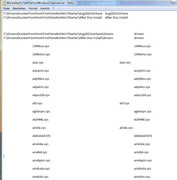
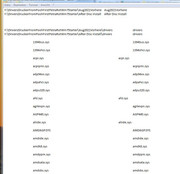
Here are some screenshots of the text file produced, as discussed in the last post.
Unfortunately it’s still much too big to put in a post. The formatting is not great either.
Here are all the text files going backwards.
The two lists together on one worksheet
‘WorksheetToTextFileOverWindowsTwoLists.txt’ https://app.box.com/s/pycmoo2hqp054hqfaeaaow6ivd41hwmg 491KB
The two lists, with the extra stuff offset to the right
‘WorksheetToTextFileOverWindowsClipboardTwoLists AndOffset.txt’ https://app.box.com/s/09nj0ytdq0hmrvjj7yta2kmwytre2w86
https://i.postimg.cc/T1RtSxNG/Excel-...le-Printer.jpg
549KB
First List, before Install from DVD
‘WorksheetToTextFileOverWindowsBefore.txt’ https://app.box.com/s/n6a6b5lphi97mxtdebokjiz9khlshies 240KB
List after install
FirstPetraPoohWin7Both https://app.box.com/s/i3tt9dklryn5wxhntpljauyuzu8x89be 259Kb
Just the offset list:
Here I simply isolate the large chunk of new stuff from the Excel file by changing the range used in the macro to Set RngOrg = Ws.Range("P1577:U1610")
‘WorksheetToTextFileOverWindowsClipboardP1577_U1 610.txt’ : https://app.box.com/s/3g5ss2mcedybp96zogp9yhsslwjnnqk8
https://i.postimg.cc/rFwhN8tN/Excel-...ntext-File.jpg
2KB
Here are a few screen shots of the computer situation
Before Driver Disc Inserting and installing Driver
https://i.postimg.cc/tR87q3Vx/Before-1050-Download.jpg
https://i.postimg.cc/ZnGGGKnW/Before1050-Download.jpg
https://i.postimg.cc/rFWsKDSY/Before1050-Download.jpg
Inserting Disc and install
https://i.postimg.cc/Kv47VDh3/After-putting-disc-in.jpg https://i.postimg.cc/Kv47VDh3/After-putting-disc-in.jpg
https://i.postimg.cc/qqqKP4SH/unchec...in-install.jpg https://i.postimg.cc/qqqKP4SH/unchecked-last-three-options-in-install.jpg
https://i.postimg.cc/fyqcyJmb/3-Icons-after-install.jpg https://i.postimg.cc/fyqcyJmb/3-Icons-after-install.jpg
https://i.postimg.cc/R01wfPKy/Finish...-something.jpg https://i.postimg.cc/R01wfPKy/Finished-install-but-said-missing-something.jpg
https://i.postimg.cc/C1Fk4j41/Finish...on-no-good.jpg https://i.postimg.cc/C1Fk4j41/Finished-install-but-said-missing-something-Details-button-no-good.jpg
https://i.postimg.cc/nhD4VVzH/After-...er-in-Word.jpg https://i.postimg.cc/nhD4VVzH/After-install-before-drucker-connect-no-new-drucker-in-Word.jpg
https://i.postimg.cc/RZDDyZY4/All-we...irst-print.jpg
https://i.postimg.cc/hjpxZfC0/New-op...er-install.jpg
After Install
https://i.postimg.cc/BvhHMj7B/Ask-to...weiter-neu.jpg
https://i.postimg.cc/MTNRJhSc/Put-Ti...stoffel-in.jpg
https://i.postimg.cc/CLj89P61/Put-Ti...1-appeared.jpg
https://i.postimg.cc/prjjWqWs/set-up...weiter-neu.jpg
https://i.postimg.cc/RCJKLV7w/set-up...weiter-neu.jpg
https://i.postimg.cc/xTrHxD5h/set-up...weiter-neu.jpg

 Reply With Quote
Bookmarks